
 Worksheets
Word Productivity ICDL
Total questions: 50
Worksheet time: 38mins
Which of the following is a legal consideration when using IT?
A single user licence allows software to be installed on many computers
Copyright law allows users to copy and publish whatever data they wish
Ensuring that you use licenced software
Intellectual property rights affect only commercial properties
Which of the following would represent a strength in your final work?
The document was saved as an unformatted text file
Additional photographs were added to replace text
The finished document is clear, well laid out and spell checked
The document was saved using the date instead of a filename
Which of the following would represent a weakness in your final work?
Applying currency symbols to financial data
A chart or image hiding data beneath it
Spell checking before printing
All data can be seen
Which of the following would improve your work?
Applying a different coloured border to each page
Correcting mistakes, spell checking and proof reading
Not saving files with clear logical filenames
Saving the document using all 255 characters allowed
In terms of business productivity, which of the following is a benefit of using IT tools and systems in the workplace?
All data is saved as it is created so daily backups are no longer required
The printer is always switched on so printing emails is better than reading them on-screen
The Undo button means that errors are no longer made
Storing and retrieving company information is fast and effecient
In terms of productivity, which of the following can be a drawback when using IT tools and systems in the workplace?
Data never needs saving by the user as the computer saves files automatically
It is quicker to hand-write documents than produce them on the computer
Insufficient care taken when arranging text, photographs and illustrations may lead to work having to be re-done
A business needs to run a network of computers to be productive
Which of the following are benefits of improving productivity?
There is no cost benefit to improving productivity
Emails can take the place of conversations with colleagues
If work is finished early employees can go home early
Profitability
Emmanuel, a grade 5 pupil, needs to write an essay about environmental
issues. What productivity tool should he use?
Microsoft PowerPoint
Microsoft Publisher
Microsoft Word
Microsoft Excel
Ms. Daecel Anne, an accountant, computes the company’s monthly income
and expenses. What productivity tool does she need?
Microsoft Word
Microsoft Powerpoint
Microsoft Publisher
Microsoft Excel
Mr. Jose, the president of a farmer’s association, needs to send e-mail
invites for the upcoming assembly. What productivity tool will you suggest
for him to use?
Microsoft Word
Microsoft Access
Microsoft Outlook
Microsoft Excel
Teacher Celeste computes the pupils’ grades and prepares the grading
sheet for the upcoming parent–teacher meeting. What productivity tool
does she need?
Microsoft Outlook
Microsoft Access
Microsoft Excel
Microsoft Publisher
Renato and his classmates will be presenting a slideshow of their report.
What productivity tool do they need?
Microsoft Word
Microsoft PowerPoint
Microsoft Access
Microsoft Excel
Teacher Nathan needs to create and print the test papers for his class
examination. What productivity tool should he use?
Microsoft Powerpoint
Microsoft Word
Microsoft Publisher
Microsoft Outlook
Which one is a paragraph?


Which one shows BETWEEN PARAGRAPHS?


Which one shows the TOP of the page?


Which one shows the BOTTOM of the page?
I need to adjust the MARGINS. Which one must I click?


Which one shows RIGHT margin?


Which one shows LEFT margin?
How do I jump from one word to the RIGHT of the document?


Which one shows BETWEEN WORDS?
Which VIEW shows how document will look like when it is PRINTED?

Print layout

Web layout
Which VIEW shows how document will look like as a WEBPAGE?
Print layout
Web layout
Which button must I click to CAPITALISE words?

increase/decrease font size

change case
How do I insert hyperlink?


Which one shows a LINE BREAK?


How do I REMOVE the line break?
1) Click the word "products."
2) Press ENTER
1) Click before "As you know"
2) Press [BACKSPACE]
Which one is a paragraph SPACING?


How do i apply SPACING?

1. Layout 2. Spacing

1. Layout 2. Indent > Left
Which one is a HANGING Indent?


Which one is a FIRST LINE Indent?

Which one is a RIGHT Indent?

How do I apply a HANGING indent?


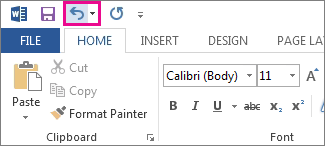
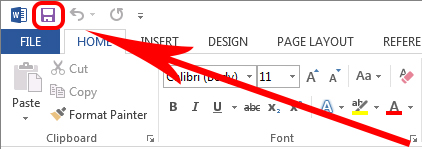
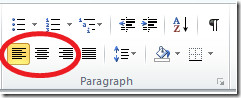


Besides saving a Word document as in docx format, which of the following can you not save a document as:
jpeg
Web Page



