
 Worksheets
AutoCAD Practice
Total questions: 10
Worksheet time: 11mins
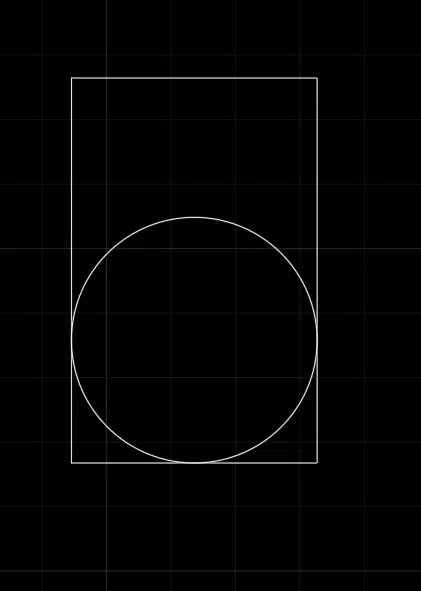
Open the Zoom View.
Create a Tan,Tan,Tan Circle as shown in the image.
What is the AREA of the Circle? _ X.XX
(a)
Open the Zoom View.
Create a Tan,Tan,Tan Circle as shown in the image.
What is the Circumference of the Circle? _ X.XX
(a)
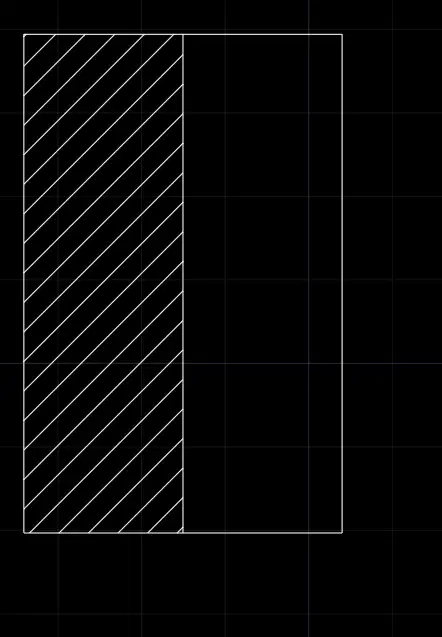
Open the Yen View.
Using the Midpoints, draw a vertical line as shown.
Create the hatch as shown.
What is the area of the Hatch? (a) X.XXXXX
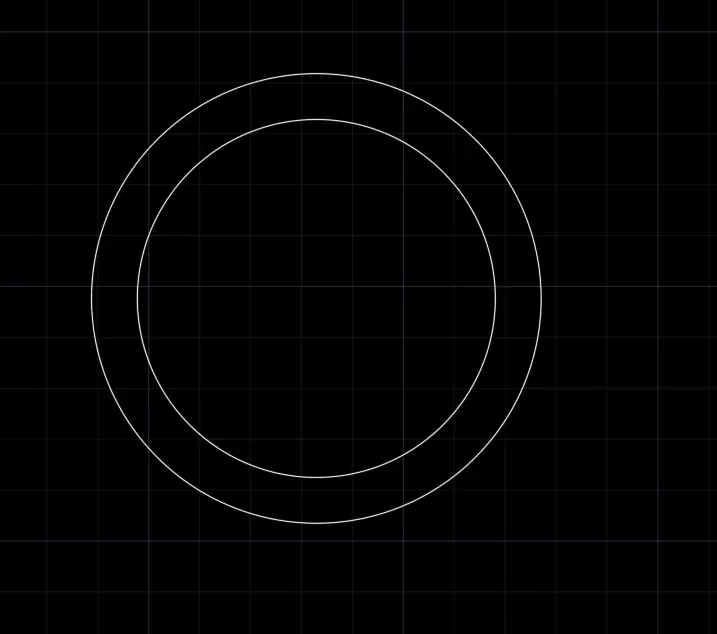
Open the Edge View.
Create an offset inside the existing circle.
What is the Area of the new circle? (a) X.XX
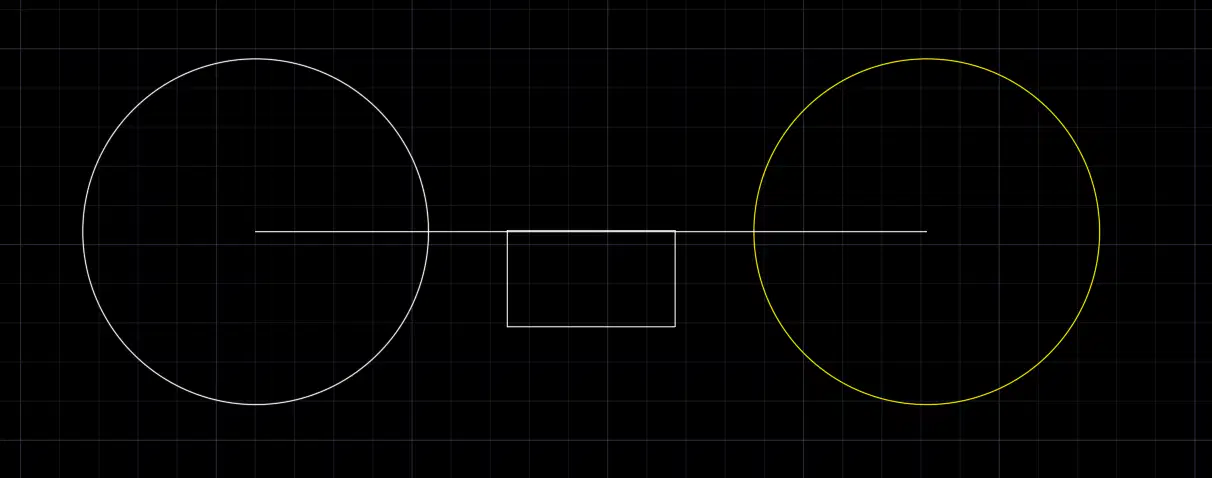
Open the Sofa View.
Mirror the White circle using the rectangle midpoint.
What is the distance from midpoint to midpoint?
(a) X.XXXX
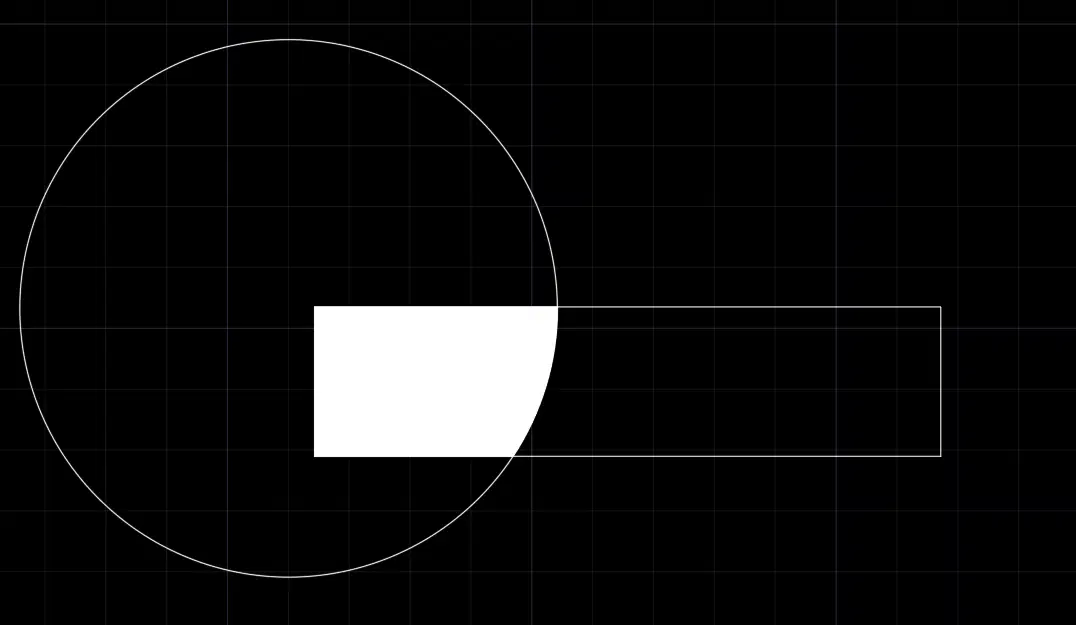
Open the Sofa View.
Using the left midpoint, stretch the rectangle 3.0 units to the left.
Hatch the Object as shown in white.
What is the Area of the Hatch? (a) X.XX
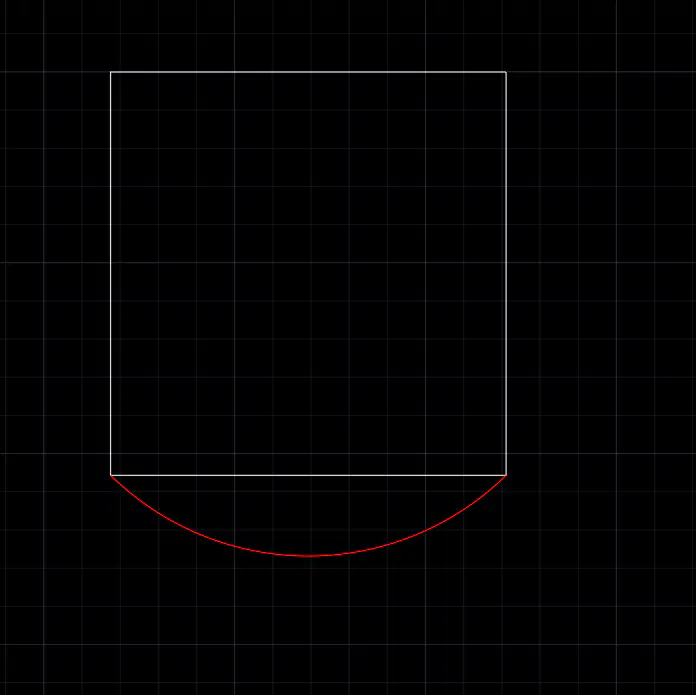
Open the Okay View.
Create an arc-Center, Start, End as shown in the image.
What is the arc length? (a) X.XXX
Go to the Ice View
What Layer should the Red box be on? (a)
(Type layer exactly as shown)
The types of arrays are:
(select two)
Polar
Rectangular
Linear
Plan
The following are all OSnap reference points except
Extension
Midpoint
Geometric Node
Base

