
 Worksheets
3rd quarter Quiz bee g9
Total questions: 74
Worksheet time: 42mins
Is Composed of individual electronic components, such as resistors , transistors, capacitors, inductors and diodes connected by conductive wires or traces through which electric current flow
Electronic Circuit
Circuit board
Circuit overload
Open circuit

load

Wires /cables

source

fuse

switch

Alternating Current

Direct Current

resistor
(a) A dc voltage source containing two or more cells that convert chemical energy to electrical energy
A (a) is a single slender rod or filament of drawn metal. This definition restricts the term to what would ordinarily be understood as (b) wire.
The word “slender” is used because the length of a wire is usually large when compared to its diameter. If a wire is covered with insulation, It is an (c) wire. Although the term “wire” properly refers to the metal, it also includes the insulation. A (d) is a wire suitable for carrying an electric current.
(a) Equipment that will operate on either an AC or DC power source
(a) Single unit used to convert chemical energy into a DC electrical voltage.
are constructed of one, single piece of metal. It is tougher than a stranded conductor, but rigid and less flexible than a stranded conductor. Solid conductors are more likely to break if subjected to frequent flexing than stranded conductors
Solid conductors
Stranded conductors
Solid insulators
Stranded insulators
it is either a stranded conductor (single‐conductor cable) or a combination of conductors insulated from one another (multiple‐conductor cable).
is a general one and usually applies only to the large sizes of conductor. it may be bare or insulated.
Solid conductors
Stranded conductors
Solid insulators
Stranded insulators
Cables
It is a conductor composed of a group of wire or any combination of group of wires. The wires in this conductor are usually twisted together and not insulated from each other.
Solid conductors
Stranded conductors
Cable conductor
Stranded insulators
it is a device used to break an electric current or transfer it to another conductor. commonly used to open or close a circuit. Closed is the ON position, while open is OFF position.
load
switch
source
wires and cables

Solid wire

stranded wire

switch

cable
This kind of joint is commonly used to join two or more conductors inside the junction box. (a)
Is generally used on small cables because the strands are flexible and can all be wrapped in one operation
Rat tail
Y-splice
Knotted tap
PLAIN TAP JOINT
This is where the tap wire is under heavy tensile stress. (a)
This is used where the tap wire is under considerable tensile stress
Rat tail
Y-splice
Knotted tap
PLAIN TAP JOINT
This is used as temporary tap usually done in construction sites (a)
Same application is done as in plain tap but the only difference is that the tap is a combination of two plain taps placed side by side with each other
AERIAL TAP
Y-splice
Knotted tap
CROSS JOINT
This is a two-tap wire turned simultaneously and is used usually where the tap wire is under heavy tensile stress
AERIAL TAP
DUPLEX CROSS JOINT
CROSS JOINT
WESTERN UNION SHORT TIE
This is the most widely used splice or joint in interior wiring installation to extend the length of wire from one point to another (a)
This is used extensively for outside wiring to extend the length of wire from one end to another. (a)
This is used on large solid conductors where it is difficult to wrap the heavy tap wire around the main wire
WESTERN UNION LONG TIE
DUPLEX CROSS JOINT
WRAPPED TAP/ TEE JOINT
WESTERN UNION SHORT TIE

Aerial Tap
Cross Tap
Knotted Tap
Wrapped Tap

AERIAL TAP
PLAIN TAP JOINT
DUPLEX CROSS JOINT
CROSS JOINT

DUPLEX CROSS JOINT
AERIAL TAP
CROSS JOINT
WESTERN UNION SHORT TIE
WESTERN UNION LONG TIE

PIGTAIL
CROSS JOINT
WESTERN UNION LONG TIE
DUPLEX CROSS JOINT
WRAPPED TAP

PLAIN TAP JOINT
AERIAL TAP JOINT
DUPLEX CROSS JOINT
CROSS JOINT
WESTERN UNION SHORT TIE

y splice
cross tap
knotted tap
plain tap joint

rat tail
pig tail
cross tap
aerial tap
duplex cross joint

Wrapped tap tee Joint
rat tail
Y joint
Cross joint

western union short tie
western union Long tie
Rat tail
knotted tap

western union short tie
western union Long tie
Rat tail
knotted tap
Always wear an antistatic wrist strap to protect computer equipment when grounded to a computer chassis
True
False
A dull blade needs greater force and thus are more likely to slip.
True
False
When handing tools to others, you should ____________________.
Throw it to the person
Hand them the tool handle
Hand them the edge of the tool
Slide the tool along the table or floor
Tighten/loosen bolts with a hexagonal head.
Hex driver
Part retriever
Tweezer
Needle-nose pliers
TRUE or FALSE. Apply safety measures in handling computer components.
TRUE
FALSE
Protects computer equipment by preventing static electricity from accumulating on the hardware
Anti-static wrist strap
Anti-static mat
Keyboard
Flathead screwdriver
Retrieve parts that may be hard to reach with your finger.
Screw
Anti-static wrist strap
Hand tools
Needle-nose pliers
how to use the compressed air correctly?
shake while using
long bursts
tilt the can
Upside down the compressed air
upright and short burst
complete the sentence below:
In cleaning your screen monitor you should ______
be gentle
not apply a lot of pressure in the screen
putting water and acid
use fiber cloth
Match the following tools and maintenance activity

Clean and magnetize
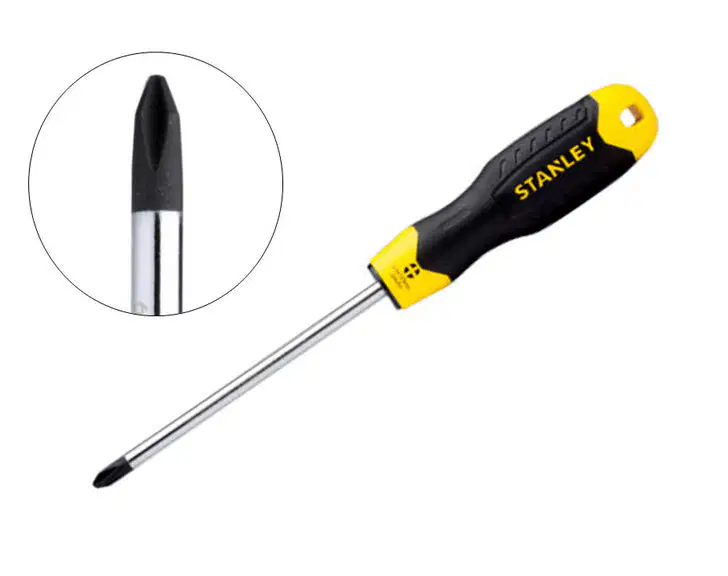
Clean and magnetize
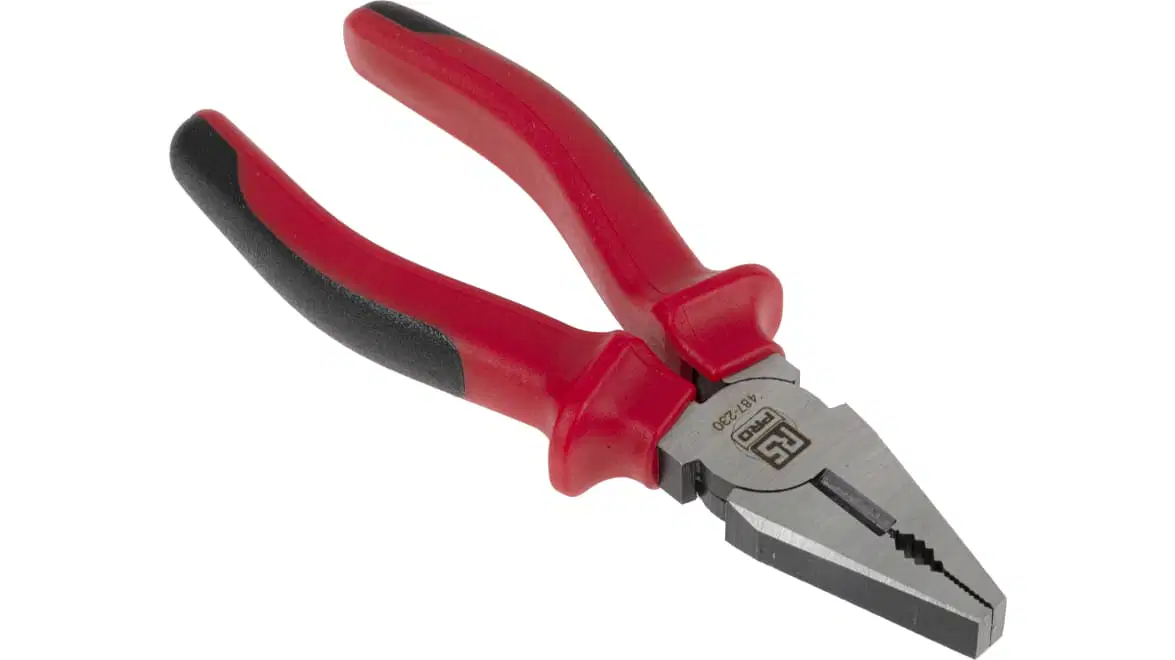
Clean and lubricate
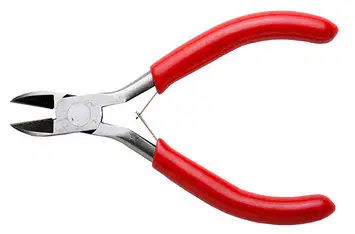
Clean, lubricate, and sharpen, if necessary
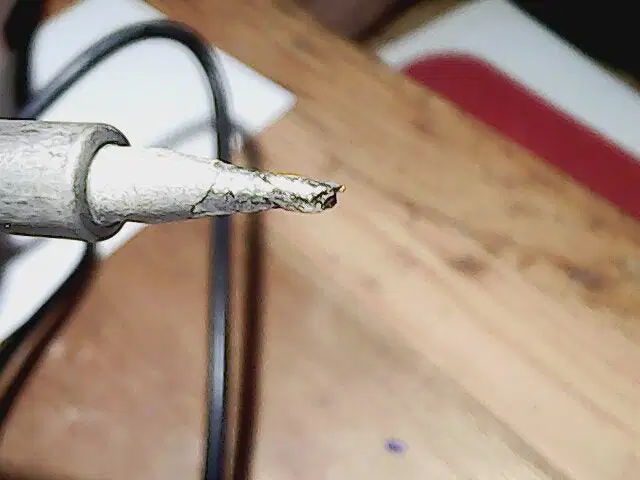
Clean tip
Used to clean different computer components without scratching or leaving debris
soft cloth
brush
compressed air
part retriever
Used to blow away dust and debris from different computer parts without touching the components
soft cloth
brush
compressed air
part retriever
When holding computer parts you should wear _____ to prevent static from your body
Antistatic wrist strap
Tweezers
Soft cloth
Antistatic mat
Multi purpose pliers is use for holding and cutting only

true

false
You can use the side cutting pliers to bend and hold wires.
true
false
Needle nose pliers is also know as long nose pliers.
true
false
You want to disassemble your laptop with star like screws
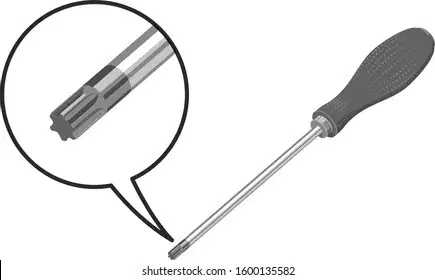
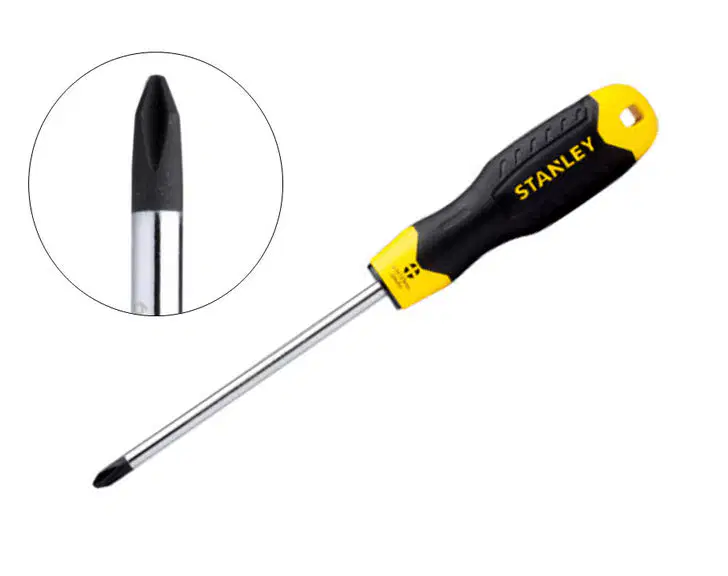


Personal Computer Disassembly
Directions: determine what step is highlighted from the given if the possible arrangement of steps are from step 1 to 10
Detaching the Hard Drive, Detaching the power supply,
Opening the outer shell / case, Pull Out the Motherboard,
Removing the CD / DVD Drives, Removing the CPU fan,
Removing the system fan, Unplugging all the cables and wires


Personal Computer Disassembly
Directions: determine what step is highlighted from the given if the possible arrangement of steps are from step 1 to 10
Detaching the Hard Drive, Detaching the power supply,
Opening the outer shell / case, Pull Out the Motherboard,
Removing the CD / DVD Drives, Removing the CPU fan,
Removing the system fan, Unplugging all the cables and wires


Personal Computer Disassembly
Directions: determine what step is highlighted from the given if the possible arrangement of steps are from step 1 to 10
Detaching the Hard Drive, Detaching the power supply,
Opening the outer shell / case, Pull Out the Motherboard,
Removing the CD / DVD Drives, Removing the CPU fan,
Removing the system fan, Unplugging all the cables and wires


Personal Computer Disassembly
Directions: determine what step is highlighted from the given if the possible arrangement of steps are from step 1 to 10
Detaching the Hard Drive, Detaching the power supply,
Opening the outer shell / case, Pull Out the Motherboard,
Removing the CD / DVD Drives, Removing the CPU fan,
Removing the system fan, Unplugging all the cables and wires
Personal Computer Disassembly
Directions: determine what step is highlighted from the given if the possible arrangement of steps are from step 1 to 10
Detaching the Hard Drive, Detaching the power supply,
Opening the outer shell / case, Pull Out the Motherboard,
Removing the CD / DVD Drives, Removing the CPU fan,
Removing the system fan, Unplugging all the cables and wires


Personal Computer Disassembly
Directions: determine what step is highlighted from the given if the possible arrangement of steps are from step 1 to 10
Detaching the Hard Drive, Detaching the power supply,
Opening the outer shell / case, Pull Out the Motherboard,
Removing the CD / DVD Drives, Removing the CPU fan,
Removing the system fan, Unplugging all the cables and wires
Personal Computer Disassembly
Directions: determine what step is highlighted from the given if the possible arrangement of steps are from step 1 to 10
Detaching the Hard Drive, Detaching the power supply,
Opening the outer shell / case, Removing Ram
Removing the CD / DVD Drives, Removing the CPU fan,
Removing the system fan, Unplugging all the cables and wires
Personal Computer Disassembly
Directions: determine what step is highlighted from the given if the possible arrangement of steps are from step 1 to 10
Detaching the Hard Drive, Detaching the power supply,
Opening the outer shell / case, Pull Out the Motherboard,
Removing the CD / DVD Drives, Removing the CPU fan,
Removing the system fan, Unplugging all the cables and wires
Personal Computer Disassembly
Directions: determine what step is highlighted from the given if the possible arrangement of steps are from step 1 to 10
Detaching the Hard Drive, Detaching the power supply,
Opening the outer shell / case, Pull Out the Motherboard,
Removing the CD / DVD Drives, Removing the CPU fan,
Removing the system fan, Unplugging all the cables and wires

In Personal Computer Disassembly
Removing CPU is step number ___________?

In the Steps in Connecting Peripherals of a PC
what particular step number is .. "Attach the monitor cable to the video port"


In the Steps in Connecting Peripherals of a PC
what particular step number is .. "Secure the cable by tightening the screws on the connector."

In the Steps in Connecting Peripherals of a PC
what particular step number is .. "Plug the keyboard cable into the PS/2 keyboard port.."
In the Steps in Connecting Peripherals of a PC
what particular step number is .. "Plug the mouse cable into the PS/2 mouse port."

In the Steps in Connecting Peripherals of a PC
what particular step number is .. "Plug the network cable into the network port."

In the Steps in Connecting Peripherals of a PC
what particular step number is .. "Plug the USB cable into a USB port.."

In the Steps in Connecting Peripherals of a PC
what particular step number is .. "Plug the power cable into the power supply."
WHAT TOOLS DO YOU NEED TO DISASSEMBLE A PC?


Reorder the following steps In PC Assembly
Prepare your workplace
Prepare the Motherboard
Install the CPU
Install the CPU Heat Sink
Install Memory (RAM Modules)
Reorder the following steps In PC Assembly
Connect the Power Supply
Place the motherboard into the case
Install Graphics / Video Cards
Install Internal Drives
Install the Add- in Cards
A dull blade needs greater force and thus are more likely to slip.
True
False
Used to clean different computer components without scratching or leaving debris
soft cloth
brush
compressed air
part retriever
Used to blow away dust and debris from different computer parts without touching the components
soft cloth
brush
compressed air
part retriever
Multi purpose pliers is use for holding and cutting only
true
false
Needle nose pliers is also know as long nose pliers.
true
false

