
NEW
Font size
 Worksheets
EV3 Programming Moves and Turns
Total questions: 10
Worksheet time: 5mins
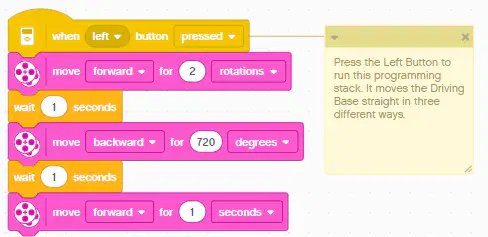
This programming stack would cause the driving base to:
Turn in 3 different directions.
Move forward 2 rotations and backward 720 rotations then forward again.
Move straight in 3 different ways.
Turn left then right then left for 1 second.
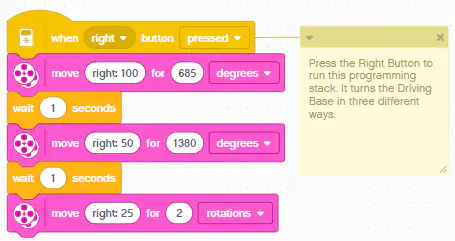
This programming stack turns the Driving Base in
5 different ways.
3 different ways.
to a straight line movement 3 ways.
a large circle.
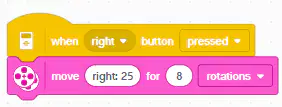
This programming stack
turns the base in 8 circles.
turns the base in 25 circles.
turns the base 200 times.
turns the base in 1 circle.
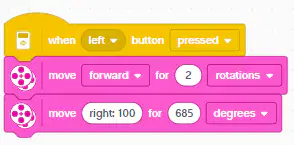
This code stack would cause the base to
Move forward then spin once.
Move backwards in a circle.
Move forwards in a circle.
Move forwards in a square.
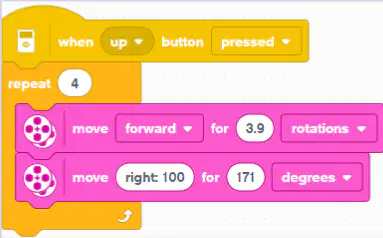
Assuming that "right:100 for 171 degrees" causes the robot to turn 90 degrees like the corner of a rectangle, this code would cause the driving base to
Move in a circle 4 times.
Move in a a triangle.
Move in a square.
Circle left.
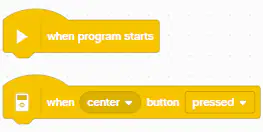
These types of codes are
event headers - no code connects above them.
controls - they control how long to wait.
comments - they say what the code does.
movements - they cause the base to move forward.

This icon shows
that the driving base is connected.
that the driving base is not working.
that the driving base is not connected.
that you need to connect in order to create a program.
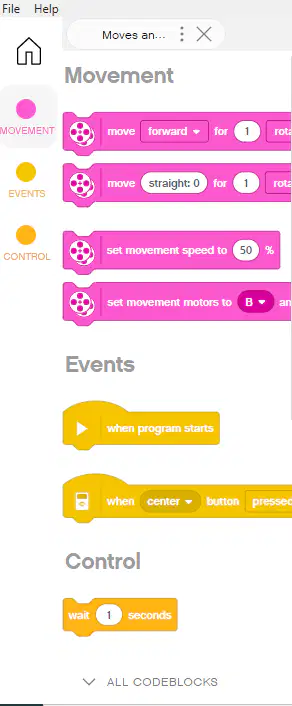
These linked words (ALL CODEBLOCKS) at the bottom left of the EV3 interface open up to show
a comment about all codeblocks.
how the sensors work.
what blocks don´t work.
all the codeblocks that are available.
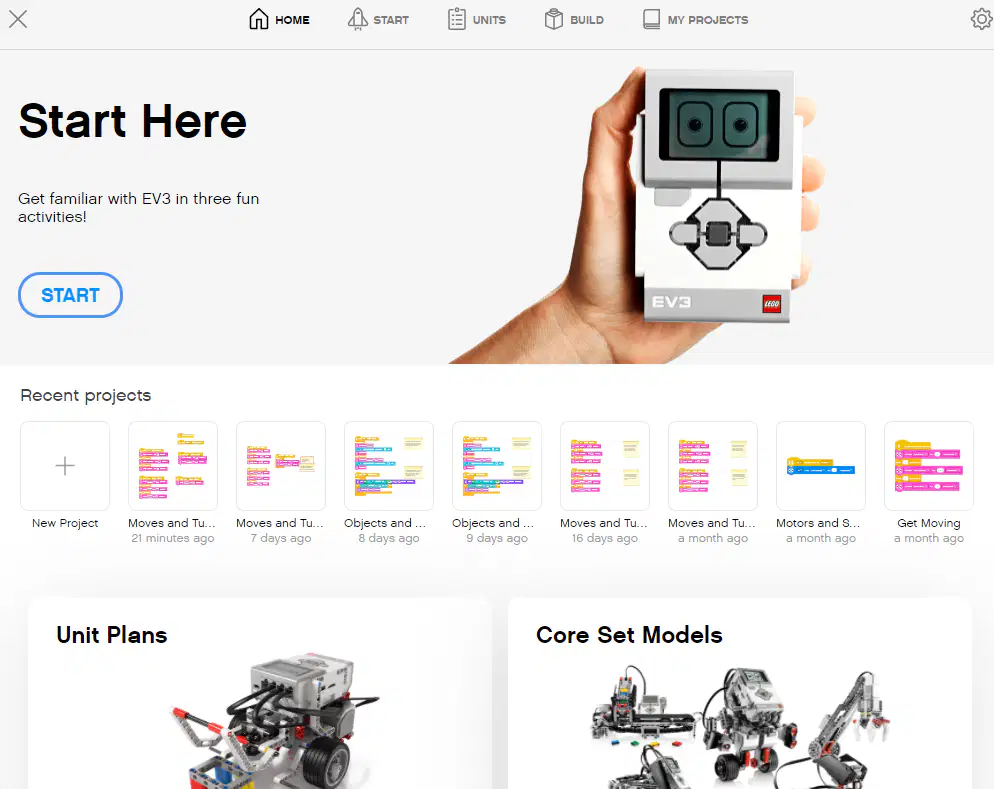
To get to the training unit about moves and turns you would click on
the start button.
Unit Plans then the robot trainer.
Core Set Models.
Home.
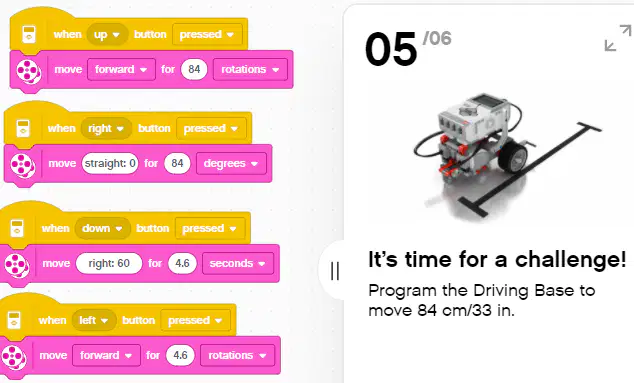
Which button do you press to complete the challenge?
left
right
up
down

