
 Worksheets
CANVA REVIEW
Total questions: 10
Worksheet time: 3mins
TRUE or FALSE. You can access Canva for Education (Pro) using gmail, hotmail, and yahoo mail accounts.
TRUE
FALSE
You can download your design/s in Canva through the following EXCEPT
mp4
.MOV
PPTX
In order to link websites to your design, you need to ___________.
Highlight URL > Ctrl+A > Ctrl+C > Ctrl+V
Copy link + Paste
Download video
Ctrl+V > Insert video

The image shown is called _____________.
Template
Menu Bar
Canva Editor
Create a design

This image is called
Design Panel
Side Panel
Template Bar
Option Bar
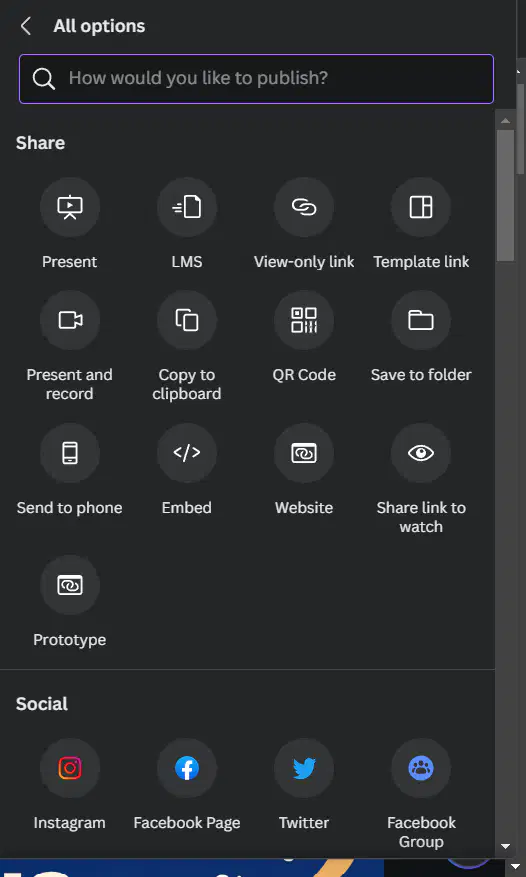
Which of the following icon in Canva, you will click in order to share your design without editing the original design?
View only link
Template Link
QR Code
Present
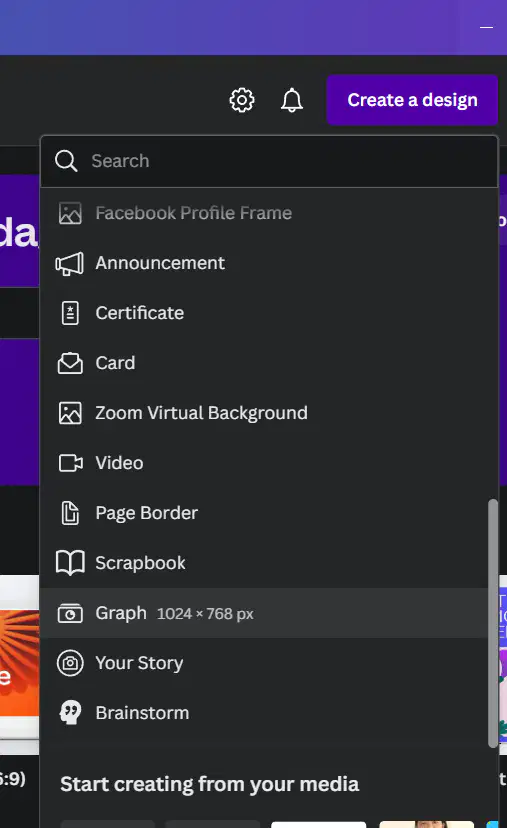
In creating a design using graphic organizer/s, which of the following is more useful for you?
Flyer
Letter
Graph
Education Infographic
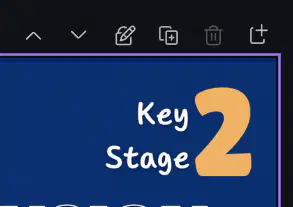
How do you secure your page layout to avoid design distortion?
add page
delete page
duplicate page
lock page
What is the recommended format in downloading presentation for this training?
jpg
pptx
png
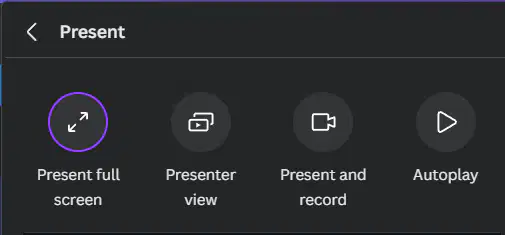
How can you record using Canva?
Autoplay
Present and record
Presenter view
Present full screen

