
 Worksheets
Troubleshooting
Total questions: 49
Worksheet time: 43mins

what is troubleshooting?
A fun game to play during free time
The process used to fix a problem
It is a fight between 2 computers
All of the above

Which of the following is NOT a solution for fixing a monitor that has suddenly turned black.
Press the power button on monitor
Move the mouse to reactivate the monitor
Wait for the computer to turn white
Check to see if power cord is plugged in

This picture means?

I am quite
No talking in the classroom
The sound is too loud
The computer does not give out a sound

When your computer doesn't work, you should
Break your computer
Check the cable connections
Call the doctor
Give up

How is your mouse connected on your computer in the classroom?
Electric cable
String

USB cord
Rope

Choose one solution for the following problem: the computer is FROZEN.
Do nothing
Shake your mouse
Press and hold the Power button for 5-10 seconds to force the computer to shut down.
Call the teacher

Choose one solution for the following problem: the sound isn't working.
Check the volume level
Buy speakers
Use different headphones
Call the teacher

Your chromebook suddenly shuts off. What is the first thing you should check?
If your friend turned it off
If you have changed the background color to black
If the device is charged
If someone hacked your computer
when your password is not working and you are sure you are spelling it correctly, what is most likely the reason?
These are all correct except,
Your computer is dead
Caps lock button is on
you are on the wrong computer
password has expired

This picture means?
No volume
Nothing
No internet
This is the first step to fix a computer if something won't work (example: computer won't turn on)
Software Settings
Test Again
Restart
Check Cables
What fixes almost every problem?
Yelling at the teacher
Banging the spacebar
Jumping up and down
Restarting the computer
Which one of these allows you to reload a page?


Which one of these closes your browser tab?


Which symbol allows you to restart your Chromebook


How do you open up a new tab in Chrome?


How would you find "more options" on a picture or webpage?
Start button
Wifi button
Right Click on the trackpad
Hit Esc

Choose one solution for the following problem: a video is buffering.
Restart the computer
Click the refresh button
Close and re-open the application
Just forget it and work in another application

Choose one solution for the following problem: the sound isn't working
All of the above
Make sure the sound for the website is on
Use different headphones
Check the volume level on your computer
How do you open a new tab?


This is the first person I should turn to if my computer at home isn't working properly.
Myself
My Pet
My Friend
My Grandma
Choose one solution for the following problem: the sound isn't working
All of the above
Make sure the sound for the website is on
Use different headphones
Check the volume level on your computer
Which one of these closes your browser tab?
Which one of these allows you to reload a page?

when your computer doesn't work, you should
break your computer
check the cable connections
call the doctor
An example of operating system is:


Oganizes information into rows and colums and often use math and numbers:
Sheet
Spreadsheet
Scroll bars
Grafics
What is the name when a font style makes letters and works darker?
Italics
Fonts
Bold
Format
Which one of the items below is a computer?
A fish.
A tree.
An iPhone.
A paperback book.
What do we call someone who USES a computer?
A client.
A gorilla.
An athlete.
A user.
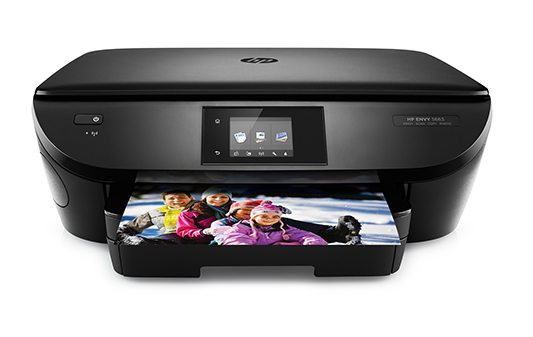


Instructions or information given to a computer
Input
Output
Storage
Process

The results given by a computer
input
output
processing
storage

Keyboards and a mouse are both examples of
input devices
output devices
storage devices
processing devices

A printer and speakers are both examples of
input devices
output devices
storage devices
processing devices

Using this type of technology allows you to connect your device without wires
USB
MP3
Bluetooth
Browser

This symbol on a device represents
Internet
Bluetooth
WiFi
Ethernet

Smart phones are like mini computers?
True
False
Which one of these is a robot?


What buttons can you press to go on the internet?


If your computer loses power, what do you need?



