
 Worksheets
Computer Hardware & Software
Total questions: 17
Worksheet time: 10mins

What is the difference between hardware and software?
Hardware refers to the software components of a computer system, while software refers to the physical components.
Hardware is the physical components of a computer system, while software is the programs and data that run on the hardware.
Hardware is intangible and cannot be seen or touched, while software is tangible and can be physically manipulated.
Hardware is responsible for executing instructions and processing data, while software is responsible for providing the physical components of a computer system.

What is the purpose of an operating system?
To provide internet connectivity
To control the temperature of the computer
To manage computer hardware and software resources
To design computer graphics
What is the role of a keyboard as an input device?
To control the volume of a computer or electronic device.
To input text and commands into a computer or electronic device.
To display images on a computer screen.
To connect a computer or electronic device to the internet.
What is the main difference between input and output devices?
Input devices are used for outputting data, while output devices are used for inputting data.
Input devices and output devices perform the same functions.
Input devices allow users to input data or commands, while output devices display or provide processed data or results.
Input devices display processed data, while output devices allow users to input data or commands.
What is the function of a mouse as an input device?
To play games
To control cursor movement and interact with objects on the screen.
To make phone calls
To listen to music
Which of the following are examples of input devices?
monitors and printers
speakers
mouse and keyboard
scanners
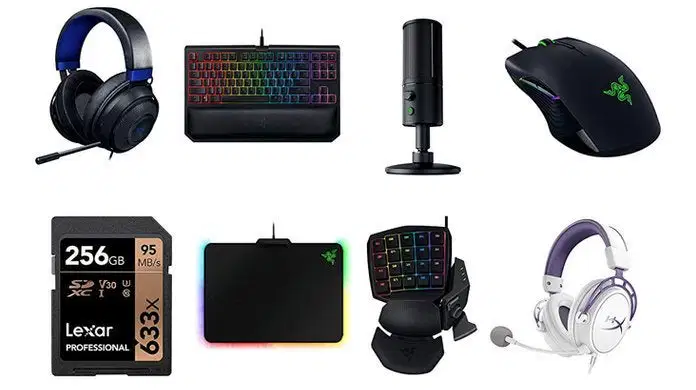
Hardware parts that can be connected to a computer are also called...
Analog equipment
Software applications
Peripherals
Binary Code
This operating system comes preloaded on all Chromebooks.
Windows
macOS
Chrome OS
Java
Which of the following are types of input devices?
Scanners
Printer
Mice
Projectors
Keyboards
________________ is a set of instructions that tells a computer
what to do or how to perform a task.
Computer Programming
Computer Software
Computer Hardware
Computer Application
What does the term CPU stand for?
(a)
The two types of computer software are:
Operating System
Systems
Business
Applications
Physical parts of a computer, such as the keyboard and monitor.
What type of software is needed to control the computer’s hardware?
Short for Random Access Memory, a type of computer memory used for short-term data storage.
Operating System OS
CPU
RAM
Software
SnapChat, Google Chrome, Canvas, and Adobe Photoshop are examples of ....
Application Software
Operating systems
Mobile devices
Internet Service Providers
What are the FOUR main functions every computer does?
Input
Process
Erase
Input
Copy
Memory/Storage
Process
Output
Input
Memory/Storage
Socialize
Output
Input
Process
Memory/Storage
Output

