
 Worksheets
Adobe Illustrator: Vector Shapes, Pen, Fill/Stroke/Gradient
Total questions: 34
Worksheet time: 1hrs 5mins
To create more than 1 viewable Artbboard in a document go to.....
New File - change the Artboard quantity located in Preset Details.
Object - Artboards - Convert to Artboards
You can't have more than 1 Artboard at a time
Edit - Paste on All Artboards
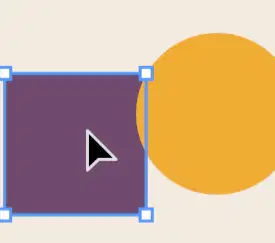
To select and move entire objects, I use the...
Direct Selection Tool
Selection Tool
Pen Tool
Shape Builder Tool

To select and adjust anchor points and path segments within objects I can use the...
Pen Tool
Selection Tool
Direct Selection Tool
Eyedropper Tool

What is Kearning?
Arranging your vector shapes by bringing a shape to the front
The space between characters/letters in the text
Changing the font size of your type
Hiding Layers that you're not using

What is Leading?
Using the Pen Tool to draw in Illustrator
Erasing areas of vector shapes
The distance between lines of type/text
Tool used to align images in your document

What is Tracking?
Inserting or Removing uniform spaces between type
Changing the font size of individual letters
Saving each step you've done in the project
Viewing the project history
Which file type should you save your work in if you need to continue editing your design?
JPEG
PNG
AI
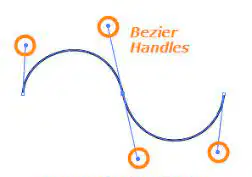
What is a bezier curve?
A horseshoe shape
A tool used to bend the edges of a vector shape.
A curved line or path that is defined by a set of controlled points.
A tool that removes curves in a shape.

Which color mode is used for printing? Which color mode is used for monitor (web) colors?
Grayscale, RBG
RGB, Web Safe RGB
HSB, CMYK
CMYK, RBG

How do you view and adjust the settings for tools?
Click and Drag the Tool from the Toolbar to the Canvas
Double Click on the Tool in the Toolbar
Go to Window - Toolbar
You cannot change the settings for tools

Why should you create outlines in text?
Printers will be able to open and print your artwork even if they don't have the actual font style.
To make the text look nice with outlines.
To resize the text, making it larger or smaller.
To add shadows to the text.
How can you create a radial gradient fill inside a shape?
Go to Window - Color
Click on the Fill Swatch at the bottom of the Toolbar
Click on the Gradient Tool in the Toolbar
Go to Window - Gradient - Radial
How do you convert an image into a Vector Graphic?
Use the Magic Wand Tool
Try to find a Vector image in Google Images
Go to Object - Image Trace - Create and Expand
Use the Shapes to create the image
Illustrator is a Vector graphics editor because ...
it uses raster graphics to create images.
It offers a gallery of images to choose from.
It uses points, lines and curves to create images not pixels.
uses AI to create graphics.
The Shape Builder Tool is used to....
Add many shapes to a document.
Create 3D shapes.
Draw Shapes.
merge shapes and subtract areas of overlapping shapes.

I have a square with a star pattern and a crescent moon shape. How do I get the star pattern to take the shape of the moon?
Use the Eraser tool
Create a Clipping Mask
Use the Shape Builder tool
Use the Blend tool

The 3 different Gradient options are...
Horizontal, Vertical and Circular
Freeform, Radial and Vertical
Ombre, Linear and Balayage
Linear, Radial and Freeform

Use the Type on a Path tool to...
add animation to you text.
write sentences for you so you don't have to type it.
type in a straight line.
add text to any path or shape outline, move or flip text, and add effects to it.

What are Fill and Stroke?
Fill is when you use the paint brush to paint inside an object and stroke is using the paint brush to trace around the outline.
Fill is what is inside the object and stroke is adding patterns to that fill.
Fill is what the inside of an object is colored with and stroke is what the outline of an object is colored with.
Fill is when the color exceeds the edges of a shape and stroke is is there is only color to the outside.
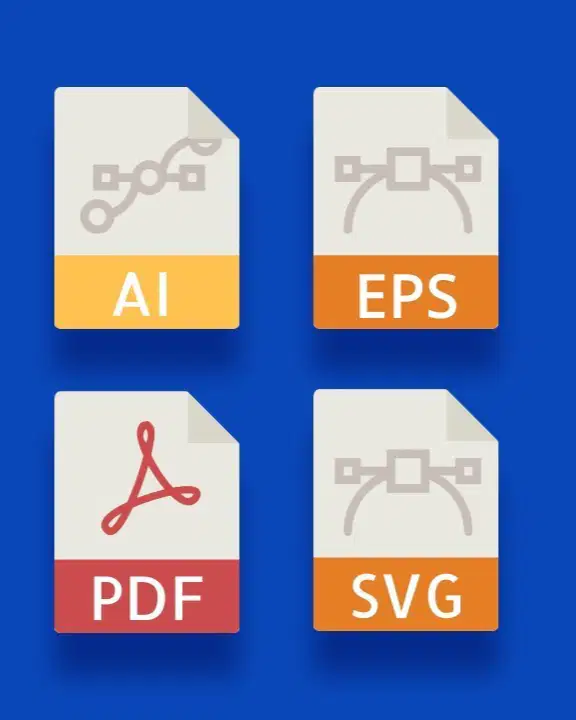
When saving a design in Illustrator, which file formats are best to save for web?
pdf, eps, svgt
ai, ait, png
pdf, ai and png
gif, jpeg and png

In Adobe Illustrator, which tool is commonly used to create and modify curved lines and shapes, making it essential for creating smooth and precise vector illustrations?
Paintbrush Tool
Pencil Tool
Pen Tool
Eraser Tool

Which of the following tools allows you to create complex shapes by merging and erasing simpler shapes?
Shape Builder Tool
Blend Tool
Merge Tool
Live Bucket Tool

You’ve drawn several overlapping objects in Adobe Illustrator. You select all of these objects and choose Object > Clipping Mask > Make. What determines which object will be used as the clipping mask?
With all objects selected, the object that is clicked again prior to creating the mask.
The object that has been named ‘clipping mask’ in the Layers panel.
The object at the bottom of the stacking order as seen in the Layers panel.
The object that is at the top of the stacking order as seen in the Layers panel.
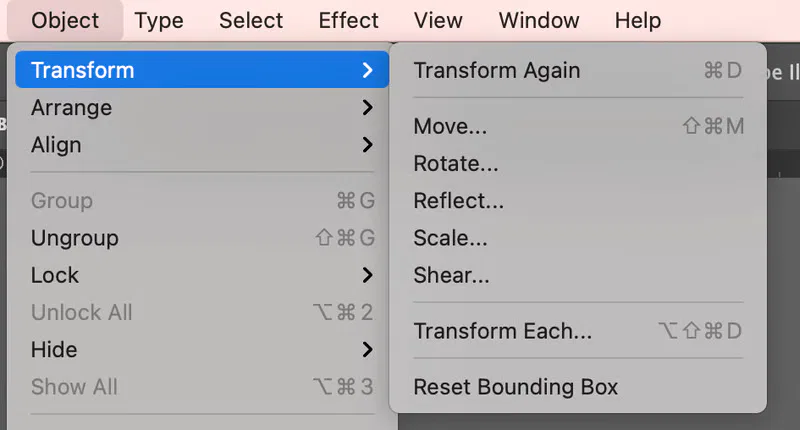
Fundamental transformation tools include all of the following except:
Scale
Rotate
Reflect
Invert

RGB stands for:
Red, Green, Black
Red, Gray, Blue
Red, Gray, Black
Red, Green, Blue

If you wish to edit a shape, you must click an anchor point with the....
Anchor Adjustment Tool
Selection Tool
Direct Selection Tool
Paint Tool

Which of the following is NOT a basic tool shape provided in Adobe Illustrator?
Triangle
Ellipse
Star
Polygon

How do you select a shape that has no fill?
Click the interior center spot
Double Click the interior center spot
Click the Stroke
Double click the anchor point

Pick the correct procedure to draw a perfect circle in Adobe Illustrator.
Input the circle's dimensions
Double click on the Ellipse Tool
Select the Ellipse Tool and click on any open areas
Choose the Ellipse Tool, hold shift and drag the cursor diagonally.
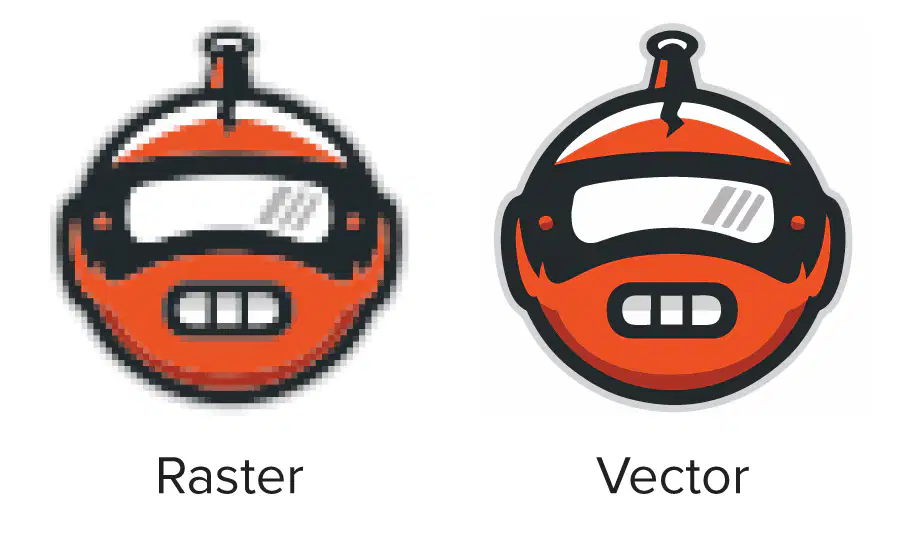
Which of the following is used to convert a raster graphic to a vector graphic?
Live Pixels
Live Trace
Live Convert
Live Paint

At the end of drawing a line with the pen, holding down the end point and dragging will cause which of the following to occur?
The line will stretch
The line will change to 45 degrees
The line will curve
The line will smooth

A line that is drawn in Adobe Illustrator that finishes where it began is called a....
Open Path
Symbol
Vector Path
Closed Path

What is a Gradient Fill?
50% of one color, plus 50% of another color
A tint of a PMS Swatch
75% of one color, plus 25% of another color
A graduated blend of two or more colors within a closed path.

How do you hide an Adobe Illustrator layer?
Name the layer "invisible layer"
click on the pencil at the left of the layer name
click off the eye at the left of the layer name
adjust the gamma layer for invisible

