
 Worksheets
STORAGE DEVICES VS WORD
Total questions: 73
Worksheet time: 1hrs 1mins
Which of the following is an input device?
Which device is used to display information visually?

What type of device is a microphone?
Which component is responsible for performing calculations and executing instructions in a computer?
RAM
Which one of these devices below is not an output device?


Which output device is commonly used to project presentations onto a larger screen?
Monitor
Which display technology is known for its bulkiness and utilization of cathode-ray tubes?
Which of the following is an example of an output device that can produce high-quality images on paper?
Non-Impact Printer
Plotter
Inkjet Printer
Laser Printer
A ... is an output device that generates sound waves.

Which category do the devices in the picture belong to?
Input
Processing
Output
What does "LED" stand for in the context of display technology?
Light Emitting Diode
Liquid Emitting Display
Luminescent Electronic Display
Longwave Emitting Device
The devices that give data or instruction to the computer are called ...

Which category do the devices in the picture belong to?
Input Devices
Processing Devices
Output Devices
A ______ is used for entering data into the computer system. It can type words, numbers, and symbols.
Keyboard
Joystick
Microphone
Web camera
The physical parts of a computer that can be touched and seen are called ___________
hardware
software
malware

What is the definition of hardware?
Physical parts of a computer.
Programs to process data and data.
Where data is stored.
An output device that displays information.
What is the definition of software?
Physical parts of a computer.
Programs to process data and data.
Where data is stored.
An output device that displays information.
Holds information for us to use later:
Software
Hardware
Peripheral
Storage Device
Which of these is NOT an example of a peripheral?
Mouse
Monitor
Microsoft Word
Keyboard
Which of these is NOT an example of an output device?


Which one of the following is NOT an example of hardware? Based upon notes.
RAM
Monitor
Keyboard
Windows 10
Which of the following is a good example of an output peripheral device?
A mouse
A touchpad
A printer
A keyboard
Which of the following is an output device?
Mouse
Monitor
Keyboard
Microphone
What is an input device?
A device in the computer.
A file
A device used to put information in the computer.
A movie.

Is it an input or output device?
Input
Output
Input and output
I don't know

Is it an input or output device?
Input
Output
Input and output
I don't know

Is it an input or output device?
Input
Output
Input and output
I don't know

Is it an input or output device?
Input
Output
Input and Output
I don't know

Is it an input or output device?
Input
Output
Input and Output
I don't know
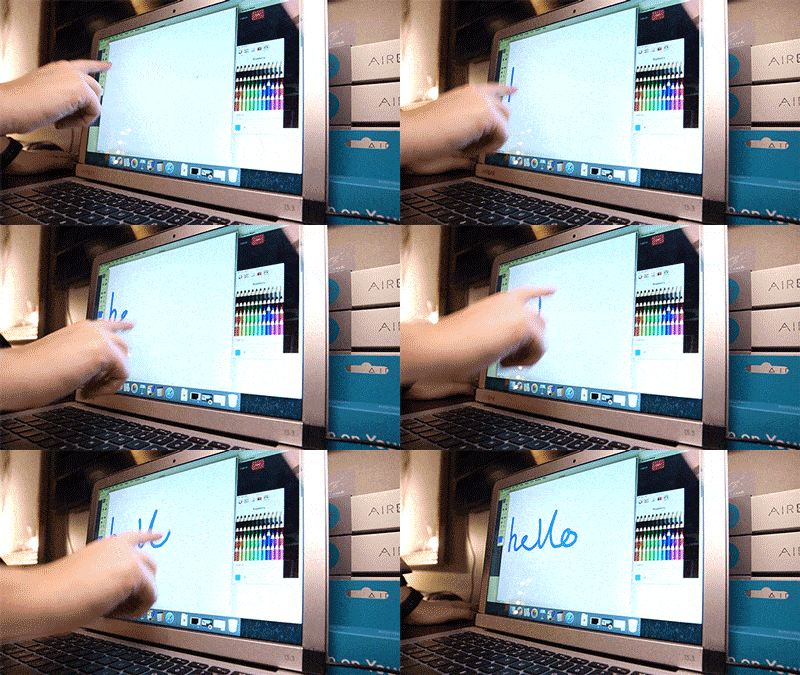
Is it an input or output device?
Input
Output
Input and Output
I don't know

Is it an input or output device?
Input
Output
Input and Output
I don't know
Choose the input devices.
mouse, keyboard, headphones
mouse, printer, headphones
mouse, keyboard, speakers
mouse, keyboard, smartboard
Choose the output devices.
monitor, printer, mouse
monitor, printer, keyboard
monitor, printer, speakers
mouse, keyboard, smartboard


MS WORD IS SOFTWARE OF?
APPLE
ANDROID
MICROSOFT
Bold Style helps us to make the text
Under line
Italic
Bold
small
........... is one of the most used text editors
Notepad
MS word
Word pad
text pad
what did i change here
color
size
font
style
U is used to make a ......... the text
above
at the right
under
at the left
which one is word pad


I is used to ........ a text
BOLD
change the color of
italics
underline
I is used to ........ a text
BOLD
change the color of
italics
underline
in text editors we can change
color
font
style
all of them
if we made a mistake can we erase it using text editors
True
False
1. What are Storage Devices?
1. List three examples of storage devices.
1. What does RAM stand for?
1. What does ROM stand for?

What is the name of the storage device seen in the image above.
(a)

What is the name of the storage device seen in the image above?
(a)

What is the name of the storage device seen in the image above?
(a)

What is the name of the storage device seen in the image above?
(a)

What is the name of the storage device seen in the image above?
(a)
What is the name of the spinning disk in a Hard Disk Drive?
Cone
Platter
CD
DVD
Which storage device use a blue laser?
DVD Drive
Blu-Ray Drive
CD Drive
USB Drive

What does the above picture show?
HDD
SSD
SDS
DSD
What is 'volatile' storage?
Storage which is deleted without power
Storage which remains in memory without power
Storage which cannot be changed
Storage which can be changed
What is unique about ROM?
It can be deleted
It cannot be changed
It is inside the computer
It cannot be accessed externally
How is data stored on a Hard Disk Drive
Using a high powered laser
Using pits which represent 0s and 1s
With complex circuitry
With tiny magnets representing individual bits
What is the main different between Blu-ray and DVD?
Blu-Ray stores less data
Blu-ray uses a narrower laser
DVDs cannot be rewritten
Blu-Rays are HD
Which is an example of primary memory?
RAM
HDD
SSD
Flash Memory
What is offline-storage
Storage which is not on the internet
Storage which is volatile
Storage which cannot be deleted
Storage which is connected and stored externally
Which of the following is an example of 'secondary storage'?
Flash memory
Internal HDD
External SSD
DVD
Which of these is a Hard Disk Drive (HDD)?


Which of the following storage devices is most suitable for use in mobile devices?
Cloud
Magnetic
Solid State
Optical

Which of these is NOT a Storage Device?
USB Flash Drive
CD-R
Digital Camera
Floppy Disk
Which of the following is NOT a storage device?
DVD
Scanner
Hard Drive
Compact disc
What storage device comes with the computer?
Internal Hard Drive
USB Flash Drive
Memory Card
External Hard drive
Which of these are Optical Storage Devices?
Floppy Disk
CD-RW
Memory Card
DVD
CD-R

A Barcode Reader scans barcodes and puts the information into the computer.
Output Device
Input Device
Storage Device

A stylus lets you draw on a touchscreen.
Output Device
Input Device
Storage Device

