
Font size
 Worksheets
Formative GD 12 N
Total questions: 36
Worksheet time: 27mins
Anti-aliasing option is available for which of the given Tools?
Elliptical Marquee tool
Magic Wand tool
Magnetic Lasso tool
Magic Erase tool
Blend tool
Which image format is faster for internet upload/download?
JPEG
PNG
GIF
Tiff
MPO
"Green" is a ………... Color
Secondary
Primary
Tertiary
Tint
Tone
Non-destructive editing relies on the
Type layer
Layer style
Layer mask
Layer adjust
Image Adjustment
Which color is neutral for the Vivid Light blending mode?
White
Black
Red
Blue
Gray
Which one shows the pattern.
texture
temperature
template
tonality
symbol
How many Color Modes are there in Photoshop?
2
4
4
5
6
In order to close all the documents that are open, what is the shortcut key?
Alt + F4
Ctrl + F4
Shift + F4
Alt + F5
Crtl + F5
Which unit we prefer for electronic media.......?
Picas
Inches
Pixel
Point
millimeter
What is a typography serif?
a style of typeface with a small line or stroke
a typeface designed without serifs
Don't have lower stroke
a style of typeface without a small line or stroke
typeface designed with line
Drop Shadow, inner Glow and Bevel are the examples of ......... you need to use with text.
Filters
Blending options
image adjustments
Layer modes.
Layer Style
What is the Short-Cut key of Spelling & Grammar check?
F7
F6
Ctrl + G
Ctrl + F
F4
Photoshop has two typing modes: Point type and Paragraph type.
Which of the given statements is incorrect?
Both modes are the same.
Point mode can't break a line.
Paragraph mode is a multiple line.
Both modes create a new layer.
Both modes are multiple point
A simple straight line drawn with the pen tool is also known as a...
Pathway
frame
path
symbols.
Pathawy
Which of the following is NOT a basic tool shape provided in Adobe Illustrator?
Triangle
Ellipse
Star
Polygon.
Tetraangle
Which file formats are supported Save for Web option?
JPEG & PNG
SVG & CGB
GIFF & BMP
PSD & AI.
JPEG & MPO
Stroke option in Photoshop, we have to select ?
Select Menu
Filter Menu
Edit Menu
Image Menu
Window Menu
The keyboard shortcut of duplicate layer is ?
Ctrl + J
Ctrl + K
Shift + J
shift + K
Alt + J
Registration mark use for?
Color Align
Object Align
Register Image
Image colorize
Element Repetition
Which of the following options is NOT a valid blending mode in Adobe Illustrator?
Hard Light
Overlay
Multiply
Dissolve
Darken
Which of the following tools is used to adjust the brightness, contrast and tonal range of an image histogram?
Exposure
Brightness/Contrast
Levels
Curves
Hue
The ideal graphics resolution for screens is....
100
72
150
300
720
What is the meaning of RGB?
Cream Black Magenta Yellow
Cream Green Black
Blue Yellow Red
Red Green Blue
Red Grean Blue
Non-destructive editing is provided by all of these masks, so we do not lose the original data of the image when editing the mask.
Size
Pixel
Value
Point
Bitmap
In order to make a clipping mask in Adobe Illustrator, which keyboard shortcuts is used?
Ctrl + 7
Alt + 7
Shift + F5
Ctrl + T
Shift + F7
Which tool create vector in Photoshop?
Shape
Marquee
Brush
Type
sponge
In Adobe Illustrator, all object transformations are performed around a fixed point called the......
center point.
main point.
reference point,
cross point.
Meddle point
In Adobe Illustrator, which of the following options is not available while selecting a template for a new document?
Mobile
Tab
Video
web
How many types of Gradient are there in Photoshop?
2
3
4
5
6
In Adobe Illustrator, which of the following panels allows you to change the options for the blending mode?
Layer panel
Transparency panel
Gradient panel
Color panel
Appearance panel
In order to make a clipping mask in Adobe Illustrator, which of the following keyboard shortcuts is used?
Shift+Ctrl+M
Ctrl+7
Shift+M
Shift+Ctrl+7
Ctrl + M
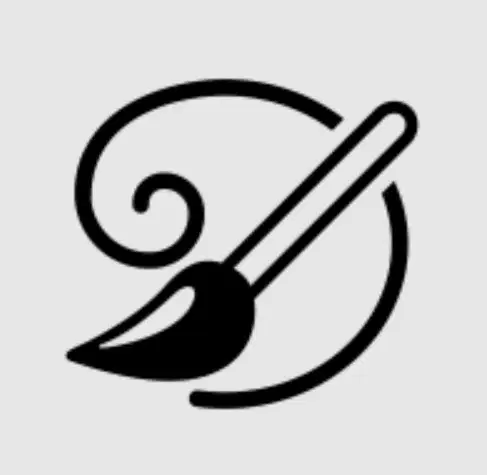
what is the name of the tool ?
art history brush
brush tool
blob brush tool
mixture brush tool
pen tool
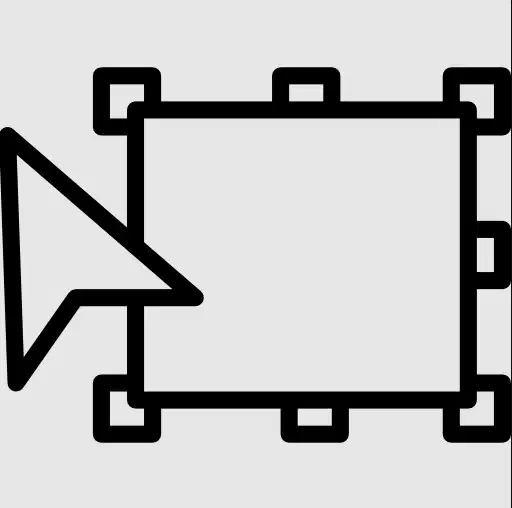
what is the name of the tool ?
free transform tool
frame tool
artboard tool
scale tool
shaper tool

what is the name of the tool ?
freeform pen tool
pen tool
curvature tool
anchor point tool
point tool

what is the name of the tool ?
path selection tool
direct selection tool
Move tool
anchor point tool
cursor tool
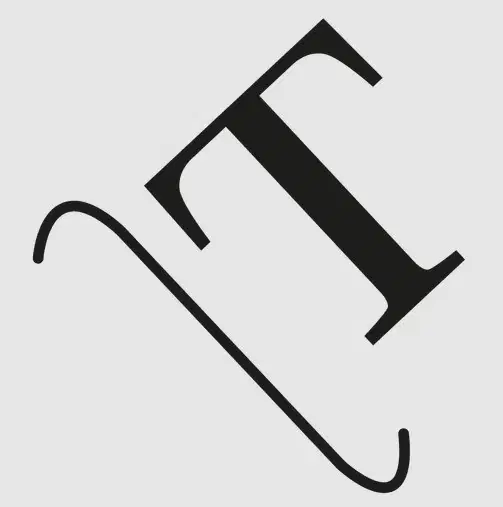
what is the name of the tool ?
vertically type on a path tool
type on a path tool
type tool
touch type tool
area tool

