
 Worksheets
Formative GD 14 N
Total questions: 36
Worksheet time: 26mins
In Adobe Illustrator, which of the following keyboard shortcuts is used for deselecting the selected objects?
Shift+Ctrl+A
Shift+Ctrl+D
Shift+A
Ctrl+D
Difference between Raster and Vector
Vector are digital art and
Raster are made up of tiny pixels
Vector are analog art and
Raster are made up of round pixels
Vector are digital art and
Raster are made up of path
Vector are line art and
Raster are made of shape
Some photoshop filters are ............?
Pixelate
Render
Stylize
High Pass
Who will have the design rights after delivering the final product?
Client
Bayer
Designer
Manager
What is the usage of a clipping path?
To remove the background from an image
To Add the background from an image
For Image Adjustment
For Color Correction
Anti-aliasing option is available for which of the given Tools?
Elliptical Marquee tool
Magic Wand tool
Magnetic Lasso tool
All
Three pen tools of Photoshop are..........?
Pen tool
Freeform pen tool
Curvature pen tool
Anchor point tool
Converter pen tool
Photoshop's workspace represents its..?
Backend
User Interface
Website
Space
Essential
To delete a serials of steps that have been used in a Graphic Design,
you would need to use the.............. Palette
Layer
Action
History
Path.
Adjustment
Which of the following correctly defines the method by which adobe illustrator creates images.
Raster
encryption
extrapolation
vector
Bitmap
A line that is drawn in adobe illustrator that finishes where it began is called a.......?
Closed path
symbols
Open path
closed vector.
Fill
The Abbreviation of GIF is---
Graphical Interchange Format
Graphics Interface Format
Graphic Interchange Format
Graphical Interface Format.
Graphics Interchange Format
Which device bellow create digital image?
Flash Disk
CD/DVD
Internet
Camera
watch
Digital painting tasks can be carried out in the workspace.
Photography
Painting
Custom
Typing
Paienting
How does the Magic wand toll recognize the color limit?
Per Centimeters
Per Pixels
Per Points
Per Inches
Per Pixals
A mode mixes the RGB values of an original color with the green, blue, and red channel values.
Subtract
Exclusion
Hard Mix
Difference
multiply
What is the maximum number of colors that can be used in Adobe Photoshop for 3D models?
256 colors
16 million colors
8 colors
64 colors
240 colors
What tools can you use to combine multiple shapes into one..
pathfinder
share
smudge
unite
scale
How to do Multiple Steps Undo in Photoshop in Windows OS?
Alt+Ctrl+Z
Alt+Ctrl+J
Alt+Shift+Z
Alt+Z
Ctrl+Z
.......... is the name of the default Photoshop workspace
Enumeration
Essentials
Establishment
Estrange
Essentiels
In Adobe Illustrator, all object transformations are performed around a fixed point called the:
center point.
main point.
reference point,
cross point
Bounding point
Which of the following is the main file format in Adobe Photoshop?
PSD
PDD
PSDT
PDS
What is meant by kerning in typography?
the spacing between individual letters or characters
the spacing between individual Word
the spacing between individual paragraph
the spacing between individual Line
the spacing between individual line spacing
Which feature in Adobe Photoshop allows users to quickly access and
apply predefined color combinations?
Color swatches
Keyboard shortcuts
Option tools
Transformations
appearance panel
How can you activate the Timeline panel?
By selecting it from the Windows menu.
It must be chosen in Photoshop Preferences.
By changing the Workspace profile.
From Image menu
From appearance panel
Which keyboard shortcut (windows) will you choose to group Layers?
Alt + G
Alt + J
Ctrl + G
Alt + Shift + G
Shift + G
How do you select a shape that has no fill?
Click the interior center spot
Double click the interior center sport
Click the stock
Double click the anchor point.
Alt + Shift + A
Why you should use CMYK color mode for an envelope design?
print color
screen color
web color
lab color
bitmap color
Which of the following statements is/are true about creating a clipping mask?
You can apply a clipping mask to non-vector objects.
The last object in a layer or group masks everything that is in the layer/group.
A clipping mask changes into an object with no fill or stroke
You can apply a clipping mask to path
object in a layer that is in the layer/group.
Adobe Illustrator is a/an graphics application.
raster-based
animation-based
vector-based
bitmap based
motion based
In Adobe Photoshop, which of the following options protects layers from losing their quality after resizing or other commands?
Lock the style change,
Rasterize the layer,
Smart object layer.
Masked layer.
Adjustment layer

What is the name of the tool?
Zoom
Dodge
Burn
scale
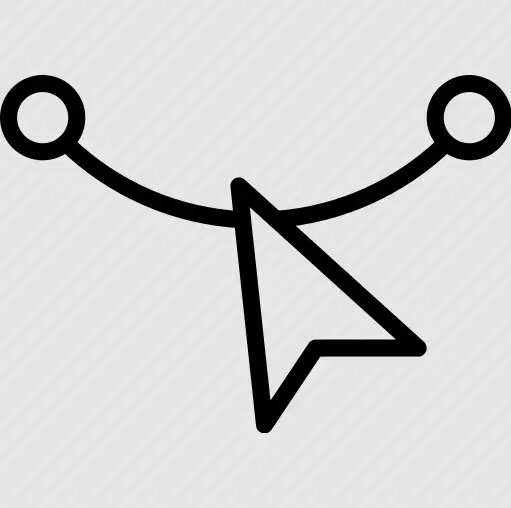
What is the name of the tool?
Reshape tool
Selection tool
Freeform pen tool
Anchor point tool
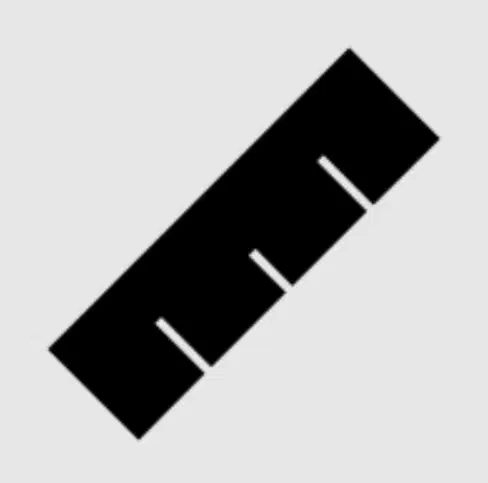
What is the name of the tool?
measure tool
Scale tool
shape tool
Slice tool

What is the name of the tool?
erase tool
magic erase tool
smooth tool
Slice tool
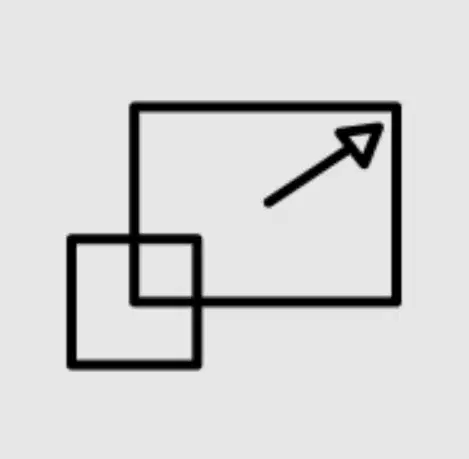
What is the name of the tool?
resize tool
scale tool
transform tool
Slice tool

