wayground logo

Free Printable Worksheets

Font size

S
M
L
XL
Worksheets

Semester Exam Review Tech Apps

Total questions: 90

Worksheet time: 56mins
Name
Class
Date
1.

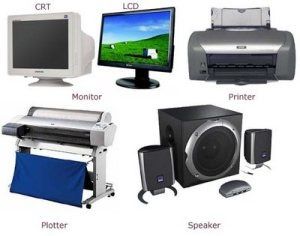
Is this device Input or Output?

Printer

a)

Input

b)

Output

2.
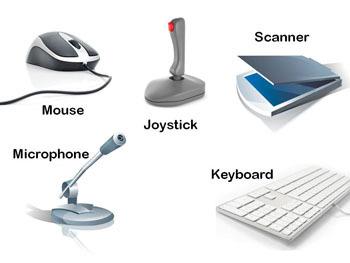
Is this device Input or Output?
Keyboard
a)
Input
b)
Output
3.
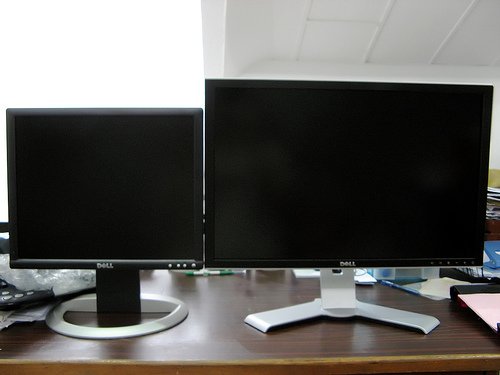
Is this device Input or Output?
Monitor
a)
Input
b)
Output
4.
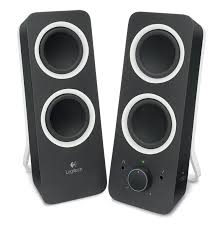
Is this device Input or Output?
Speaker
a)
Input
b)
Output
5.
Which of these is not an input device?
a)
Scanner
b)
Screen
c)
Microphone
d)
Keyboard
6.
You can input text using this device:
a)
Microphone
b)
Speaker
c)
Keyboard
d)
Scanner
7.
An input of a toaster is:
a)
Toast
b)
Bread
c)
Heater Element
d)
Temperature
8.
You can use this device to input sound
a)
TRUE
b)
FALSE
9.
Is this device Input or Output?
Mouse
a)
Input
b)
Output
10.
Any physical component of a computer.
a)
Hardware
b)
Keyboard
c)
Mouse
d)
Output
11.
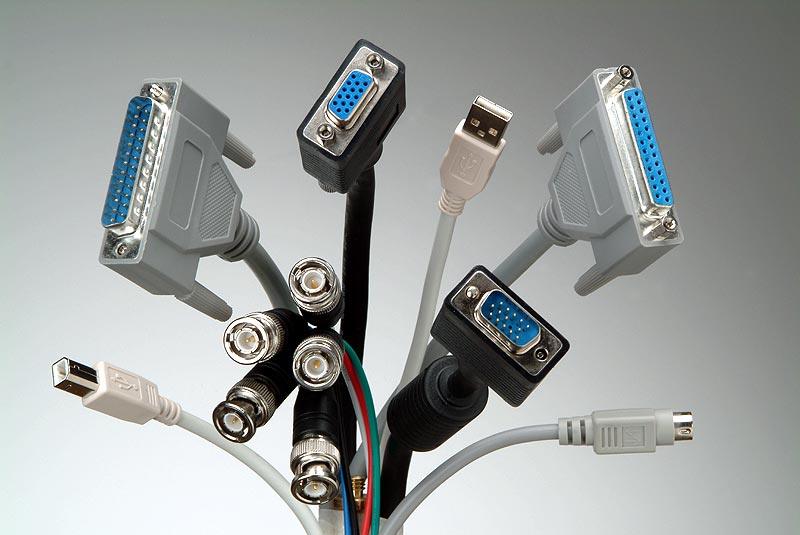
A place to connect something to a computer.
a)
Port
b)
Keyboard
c)
Monitor
d)
Hard Drive
12.
A screen for a computer.
a)
Monitor
b)
Tower
c)
PC
d)
Hardware
13.
Device that gives out information from the computer (ex: monitor, printer, speakers)
a)
Output
b)
Tower
c)
Port
d)
Hard Drive
14.
Device used to insert data into a computer (ex: keyboard, mouse, microphone, camera)
a)
Input
b)
Output
c)
Tower
d)
Monitor
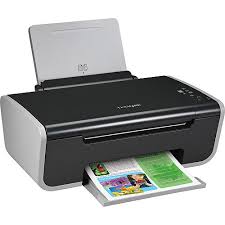
15.
This is the _________.
a)
keyboard
b)
scanner
c)
printer
d)
computer
16.
This is a _______.
a)
microphone
b)
keyboard
c)
digital camera
d)
scanner
17.
This is the _________.
a)
keyboard
b)
scanner
c)
CD-ROM
d)
monitor
18.
What does CPU stand for?
a)
Control Processing Unit
b)
Central Processing Unit
c)
Central Power Unit
d)
Center Power Unit
19.

Whose company created the operating system (Windows) that we use in class?

a)

Bill Gates

b)

Steve Jobs

c)

Tim Cook

d)

Grace Hopper

20.

An electronic device that manipulates information, or data.

a)

Computer

b)

Modem

c)

Internet

d)

Tower

21.
What is not a computer?
a)
Smart TV
b)
Calculator
c)
Smartphone
d)
Radio
22.

Keyboard is ______ device

a)

An output

b)

Software

c)

An input

d)

Memory

23.
What is a way you can use a computer?
a)
Internet
b)
Social Networking
c)
Word Processor
d)
All of the above
24.
The CPU is called the Central Processing Unit and is the brains of the computer.
a)
True
b)
False
25.

Which of these is an example of an operating system?

a)

Windows

b)

Word

c)

Excel

d)

PS3

26.
What operating system is this a symbol of?
a)
Mac OS X
b)
Windows
c)
Linux
d)
IBM
27.

Name the Web browser?

a)

Mozilla Firefox

b)

Internet Explorer

c)

Opera Mini

d)

Google Chrome

28.

CPU STANDS FOR

a)

COMPUTER PROGRAM UNIT

b)

COMPUTER PROGRAM UNDERSTANDING

c)

CENTRAL PROCESSING UNIT

d)

CENTRAL PROCESSING UNDERSTANDING

29.
What operating system is this a symbol of?
a)
Mac OS X
b)
Linux
c)
Windows
30.

Which finger is used to strike the letter "Q" on the computer keyboard?

a)

Right pointer/index finger

b)

Left pinky

c)

Right pinky

d)

None of the above

31.

Which key is used to backup and erase?

a)

Delete

b)

Shift

c)

Enter

d)

Backspace

32.

Which key is used to start a new line?

a)

Delete

b)

Shift

c)

Enter

d)

Backspace

33.

Which of these is NOT portable?

a)

Smart Watch

b)

Smart Phone

c)

Laptop

d)

PC

e)

Tablet

34.

The physical parts of the computer

a)

output

b)

hardware

c)

analog

d)

ROM

35.
The set of instructions that tells the hardware what to do
a)
Modem
b)
Software
c)
Server
d)
Microphone
36.
What does of RAM stand for?
a)
Readable Automated Memory
b)
Real Accurate Memory
c)
Random Access Memory
d)
Readable-Accessible Memory
37.

The main circuit board that everything inside the computer attaches to.

a)

Video Card

b)

Power Supply

c)

RAM

d)

Motherboard

38.

Where all your files are permanently stored.

a)

Hard Drive

b)

CD Drive

c)

Floppy Drive

d)

RAM

39.

What special symbol is in an email address?

a)

%

b)

&

c)

@

d)

*

40.

What goes in the subject line of an email?

a)

Topic of the email

b)

Email Address

c)

Signature

d)

a long paragraph

41.

Which of the following is a proper greeting line?

a)

Hello mrs adams

b)

hellos MRs adams,

c)

Hello Mrs adams,

d)

Hello Mrs. Adams,

42.

What is email?

a)

Short for electronic mail

b)

Send & receive messages over the internet

c)

All of the above

43.

what does CC stands for?

a)

Cute Couple

b)

Carbon Copy

c)

Cotton Candy

d)

Candy Crush

44.

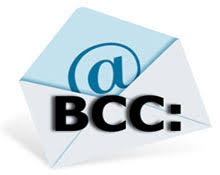
Bcc stands for

a)

Blink Carbon Copy

b)

Black Carbon Copy

c)

Blind Carbon Copy

d)

Brown Carbon Copy

45.

Which of the Following is a valid email address

a)

tuiavoni@gmailcom

b)

tuiavonigmail.com

c)

tuiavoni@gmail.com.com

d)

tuiavoni@gmail.com

46.

How is traditional mail different than email?

a)

Traditional mail is faster.

b)

Traditional mail uses the @ sign.

c)

Email is sealed in an envelope and uses a stamp.

d)

Email is faster and is sent electronically.

47.

Person or people you are sending the email to

a)

subject

b)

recipient

c)

reply

d)

compose pane

48.

Brief description of what the email is about

a)

subject

b)

recipient

c)

signature

d)

message pane

49.

Send a message back to all included in the original email

a)

forward

b)

reply

c)

spam

d)

reply all

50.
Symbol used to indicate an attachment is sent with the e-mail
a)
Thumbnail
b)
Paperclip
c)
Arrow
d)
Envelope
51.
Files sent with e-mails
a)
Attachments
b)
Letters
c)
Folders
d)
Paperclips
52.
What’s the most important thing I should include with every email?
a)
A specific, well thought out Subject field
b)
A professional greeting & proper closing including my name
c)
Correctly structured sentences, proper grammar & punctuation
d)
All of the answers are correct
53.
What name is given to the process of sending a message you have received to someone else?
a)
Replying
b)
Sending
c)
Forwarding
d)
Replicating
54.
What does the "E" stand for in E-mail
a)
Energetic
b)
Electrical
c)
Enormous
d)
Electronic
55.
You should _________ your emails before sending.  Once they are sent you cannot get them back.
a)
return
b)
reply
c)
review
d)
remind
56.
Typing emails in ALL CAPS is the same as what? 
a)
messaging
b)
browsing
c)
shouting
d)
making a point
57.
What does the symbol shown stand for in an email address?
a)
ask
b)
at
c)
and
d)
about
58.
What happens when you "reply all" to an email message?
a)
A photo, video, or other file is attached.
b)
A copy of the email is saved to read later.
c)
Your username & password is shared with others.
d)
Your response is addressed to everyone on the original email.
59.
What name is given to internet etiquette, meaning politeness over the Internet?
a)
Net-etiquette
b)
Netiquette
c)
Etiquette
d)
e-etiquette
60.

Use a greeting. The best example below of an appropriate greeting when writing a school email is:

a)

Sup homie,

b)

hey,

c)

Hi Mrs. Thompson,

d)

I am mad about my grade,

61.

True or False: It is safe to open attachments from people you don't know

a)

True

b)

False

62.

Dear Mrs. Elfie,


I am concerned about my grade in your class. I have a zero for Thursday's quiz but I'm sure I did it. Can you help me?


Sam

a)

This is an example of a well written email

b)

This is an example of an email that is not well written

63.

Which is horizontal (left and right)?

a)

Columns

b)

Rows

c)

Data

d)

Cells

64.

Which is vertical (up and down)?

a)

Cells

b)

Rows

c)

Data

d)

Columns

65.

What do you call the single rectangle that you enter data into?

a)

a box

b)

a cell

c)

a formula bar

d)

a column

66.

The file extension of a Microsoft Excel file is

a)

.docx

b)

.pptx

c)

.xlmx

d)

.xlsx

67.

What company created Excel?

a)

Sony

b)

Google

c)

Microsoft

d)

Apple

68.

What software could you use to create a spreadsheet?

a)

PowerPoint

b)

Publisher

c)

Word

d)

Excel

69.

What are the boxes on a spreadsheet called?

a)

Squares

b)

Cells

c)

Boxes

d)

Rows

70.

What is a spreadsheet?

a)

An electronic document with rows and columns

b)

A publication

c)

A slideshow

d)

A word processor

71.

What color is the Excel icon?

a)

Blue

b)

Red

c)

Green

d)

Yellow

72.

What is another name for Microsoft excel in google classroom?

a)

Google Docs

b)

Google Sheets

c)

Google Slides

d)

Google Forms

73.

What is this icon?

a)

Invite a friend

b)

Share with others

c)

Duplicate a file

d)

Send a file via email

74.
Where can you find ALL of your stored work?
a)
Google Classroom
b)
Google Drive
c)
Google Docs
d)
Google Search
75.
Which of the following file types can be uploaded to Google Drive?
a)
Microsoft Word
b)
Photos
c)
Videos
d)
All of the choices
76.

If I wanted to create a questionnaire to send to people participating in my science fair project, I should create a

a)

Google Docs

b)

Google Sheets

c)

Google Slides

d)

Google Forms

77.

If I wanted to type an essay, which G Suite App should I use?

a)

Google Docs

b)

Google Slides

c)

Google Form

d)

Google Sheets

78.

If I wanted to create an interactive presentation for Social Studies to present to my class, I should use

a)

Google Docs

b)

Google Slides

c)

Google Sheets

d)

Google Forms

79.

Name the Google Application

a)

Classroom

b)

Sheets

c)

Docs

d)

Slides

80.
What is this icon?
a)
sheets
b)
slides
c)
docs
d)
classroom
81.
What is this icon?
a)
sheets
b)
docs
c)
classroom
d)
youtube
82.
What is this icon?
a)
drive
b)
slides
c)
sheets
d)
classroom
83.

Google apps automatically saves your work.

a)

true

b)

false

84.
Once you have invited someone to edit your document, you CANNOT remove their editing permissions.
a)
True
b)
False
85.
You can revert back to earlier versions of a document using:
a)
Sharing permissions
b)
The refresh button
c)
Revision history
d)
Helpdesk
86.
Where are documents that you place on Google Drive stored?
a)
On your school network
b)
On a flash drive
c)
Somewhere in California
d)
In the cloud
87.

The icon for the settings option is a ______________.

a)

bell

b)

recycle symbol

c)

gear

d)

trash bin

88.

Which category shows you documents that have been shared with you from other Google users?

a)

Recent

b)

Trash

c)

Shared with me

d)

My Drive

89.

If I wanted to create a table with graphs to present to my class, I should use

a)

Google Docs

b)

Google Slides

c)

Google Sheets

d)

Google Forms

90.

You can access your Google Drive from anywhere on multiple devices at the same time.

a)

True

b)

False