
 Worksheets
Unit 6: Google Slides Review
Total questions: 40
Worksheet time: 20mins
___________ is a free presentation program included with the creation of a gmail account.
What is a slideshow?
What are the three options that someone has once they load up google slides?
A ________ allows you to use pre-designed slides to maintain a standard layout, look, and feel for your presentation.
_________ are small images of each slide in your presentation.

Which button do you click to add a new blank slide?

Which button do you click to add a slide with a pre-made layout?

Which button do you click to add a textbox?
A _________ pre-determines how content, such as text and images, are arranged on a slide.
Where is the Google Slides toolbar located?
When you insert an image into google slides, what is it called when you remove a portion or part of that image?

Which button below is the bulleted list button?
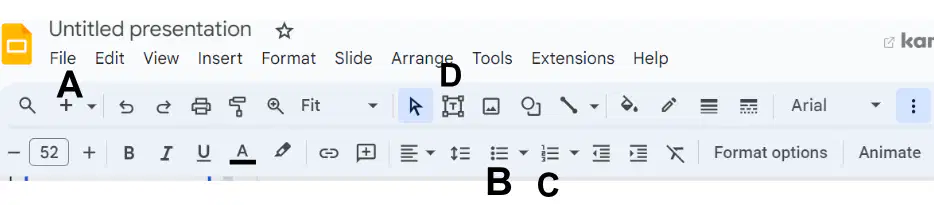
Which button below is the insert numbered list button?
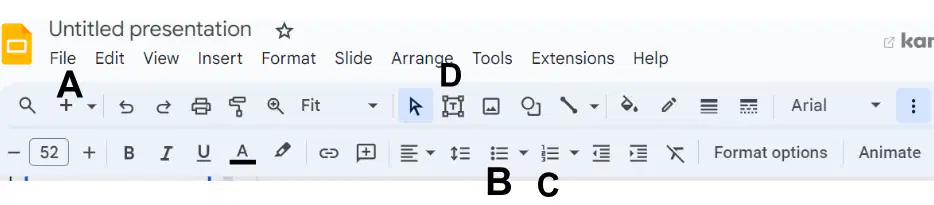
Which button do you click to add a new blank slide?

Which button do you click to add a text box?
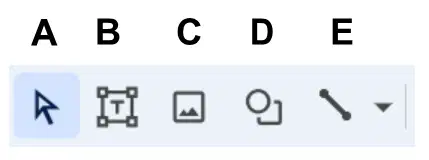
Which button below is the insert shape button?
True or False: Guidelines appear when you attempt to center a shape?

Which button is the fill color button in Google Slides?
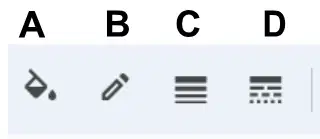
Which button below is the border color button?
If I want to change the thickness of a border in Google Slides, which button do I need to click to perform this action?
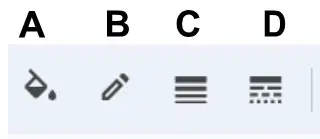
Which button is the border weight button?
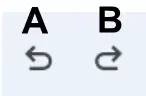
Which button is the redo button?
A _______ is a placeholder for text on a slide.
Which menu do you click to add Word Art to your presentation?
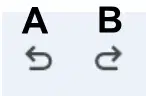
Which button is the undo button?

Where do you click to insert a photo as the background of a slide?
A ________ is an effect when advancing from slide to slide.
Where is the transition button located in google slides?
True or False: You cannot apply a transition to an entire presentation.

Which button below is the numbered list button?
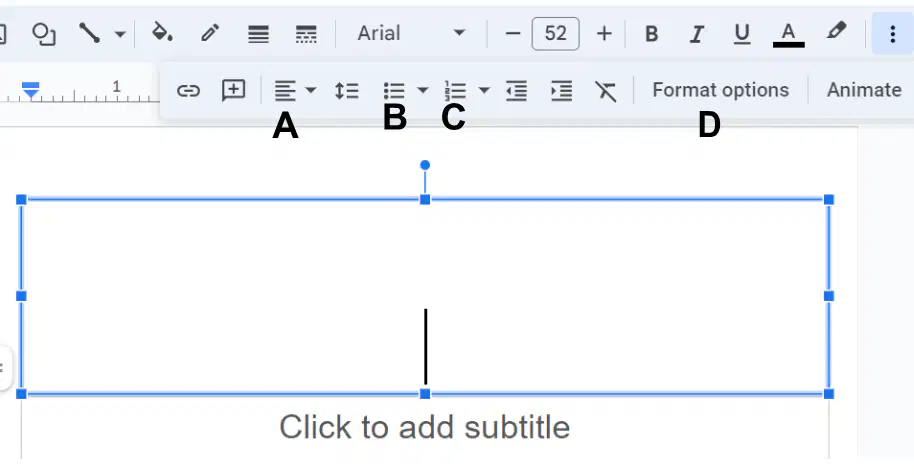
Which button below is the align button?

Which button below do you click to add a custom color of your choice to the background of a slide?
D
True or False: You can share a Google Slides project without allowing other people to edit it.
True
False
The drop-down arrow next to the New Slide commands lets you choose ________.
Print Settings
Slide Layouts
Slide Dimensions
Transitions
Which of the following objects can be inserted within a Google Slides project? Select all that apply. (3 of the 4 are correct)
Pictures
Shapes
Text Box
Speaker Comments
True or False: You are not allowed to work on a Google slideshow with someone else at the same time.
True
False
What is the purpose of the "Align" button in Google Slides?
To access advanced formatting and design features
To edit the slide master and layout
To control the alignment of text and other objects on a slide
To share the presentation with other users

Which of the following is the logo for Google slides?
A
B
C
D

Which of the following is the logo for Google docs?
A
B
C
D
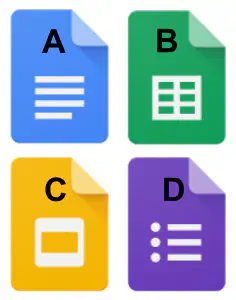
Which of the following is the logo for Google sheets?
A
B
C
D

