
 Worksheets
Computer Hardware Test
Total questions: 151
Worksheet time: 3hrs 31mins
The speed at which the platter spins is known as what?
Miles per Hour (MPH)
Rotations Per Second (RPS)
Revolutions Per Minute (RPM)
Spins per Minute (SPM)
Identify the component that protects the internal hardware of a computer system unit
RAM
Case
Hard Drive
Power Supply
Which component is the brain of the computer?
CPU
RAM
Hard drive
Motherboard
Identify the component that stores the information being accessed by the CPU.
RAM
Hard Drive
Power Supply
Motherboard
Which type of hard drive has no moving parts?
RAM
Motherboard
Magnetic Drive
Solid State Drive (SSD)
Which of the following is an input device?
Monitor
Projector
Speaker
Keyboard
Which input device can verify a person's identity for security purposes?
Stylus
Gamepad
Barcode reader
Fingerprint Scanner
Which of the following is an output device?
Mouse
Monitor
Keyboard
Microphone
Which of the following is a storage device?
Monitor
Scanner
Speaker
Flash Drive
Identify the most common type of connector for a keyboard and mouse.
USB
VGA
RJ-45
DB-25


CPU


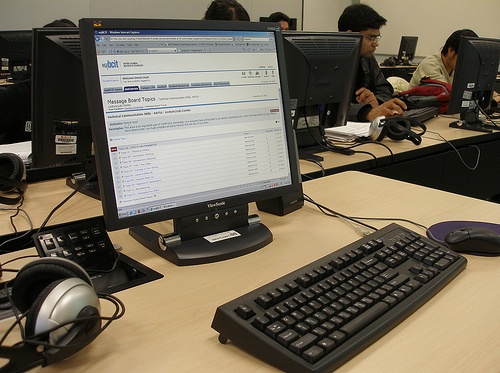
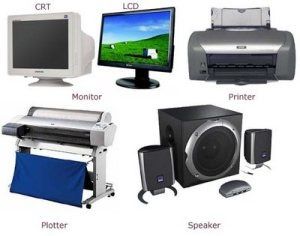
Which of the following is an input device?


Which of these is an example of Storage
Google Drive
Hard Drive
Solid State Drive
Food Drive
What are the 4 basic computer functions?
(a)

Output

Input

Processing

Storage

Input & Output
What does the CPU stands for?
(a)

This computer parts will allow you to connect high end monitors.
CPU
Central Processing Unit
GPU
Graphics Processing Unit
RAM
Random Access Memory
USB
Universal Serial Bus
Select the motherboard


Prevents computer from overheating


What type of device is this? (Smartphone screen)
Output Device
Input Device
Input and Output Device
Storage Device
The speed at which a CPU runs instructions is governed by a ticking clock signal. One gigahertz, 1 GHz, means one _________ ticks per second.
thousand
million
billion
hundred
RAM stands for ____________________. It is measured in ______________.
Random Access Memory and Gigabyte
Random Awesome Memory and Gigahertz
Round Access Memory and Terabytes
Random Access Memory and megahertz
This is a type of memory that holds the computer's startup routine. Data can be read but not written to it and it retains the data even once the computer has been shut down.
ROM
RAM
EEPROM
Hard Drive
Which of the following is an input device?
Monitor
Projector
Speaker
Keyboard
Which of the following is a storage device?
Monitor
Scanner
Speaker
Flash Drive

RAM is used for short term memory
True
False
Which of these peripherals are output devices (check 3 that apply)
keyboard
printer
headphones
monitor
Function Keys
Shortcuts for common tasks
add functions to your computer software
F1-F19
used to switch to the next field in word processing
Which keys on a keyboard are rarely use and not on all modern keyboards? (check 2 that apply)
Scroll lock
insert
pause/break
end
Motherboard connects directly or indirectly to... (check 4 that apply)
CPU
Video Card
Hard Drive
Solid State Drive
Computer Software
CPU or processor.....
Is primarily responsible for the speed of a computer
Carries out the commands on the computer
Accesses memory
Primarily responsible for housing data from your computer
Cpu is made of...
copper and plastic
ceramic and silicon
steel and plastic
ceramic and copper
A processor's speed....
megahertz and gigahertz
megabytes and gigabytes
square units
binary and megahertz
RAM stands for...
Random Access Memory
Random Accessible Memory
Readability access memory
Real access memory
RAM... (check 4 that apply)
Short term memory
Long term memory
disappears when the computer is turned off
measured in gigabytes
can be added to speed up the programs being run at once
Data is temporarily stored in the...
Memory
Hard drive
SSD
CPU
Data is stored here.... (check 2 that apply)
Memory
Hard drive
Solid State Drive
GPU
When running and saving files...(check 2 that apply)
When running the computer data is copied from hard drive into the RAM
When running the computer data is copied from RAM into the Hard drive
When saving data is copied from the RAM to the hard drive
When saving data is copied from the Hard drive to the RAM
Having a faster hard drive means... (check 2 that apply)
Start up is faster
loading program is faster
your game will be less "glitchy"
your fps will increase
Having a more RAM means... (check 2 that apply)
Start up is faster
loading program is faster
your game will be less "glitchy"
your fps will increase
What does the heatsink do?
takes heat from the motherboard
absorbs heat from the cpu
blows heat away from the cpu
stays cool so that the cpu can
Before touching the inside of a computer you need to....(check 3 that apply)
touch a grounded metal object
discharge any static buildup
make sure your computer is unplugged
unplug your parts from the motherboard
What usage does a USB adapter or dongle have?
Bluetooth
Ethernet
network card
video card
Bluetooth is used in computers to communicate with... (check 3 that apply)
keyboards
mice
SSD
printers
Ways to add Internet to your computer... (check 4 that apply)
Ethernet Cable
Wi-Fi
wireless connection
network card
GPU
Video cards... (check 3 that apply)
the same as a GPU
also called a graphics processing unit
are not always needed because they are already built into the motherboard
do not really help with graphics-intensive games
helps apps like Google run more smoothly
What is the brain of the computer, where all the work is done?
Keys
Monitor
CPU
What puts pictures and words on paper?
Monitor
CPU
Printer
What can point and click to tell the CPU what to do?
Mouse
Monitor
Keyboard
The CPU can also be called what?
Central Processing Unit
Screen
Monitor
What controls the arrow on the monitor?
My Teacher
My Finger
Mouse
The Keyboard has letters and numbers called what?
Mouse
Buttons
Keys
What allows you to see what the CPU is doing?
The Monitor
Computer
My Eyes
What allows you to hear what the CPU is doing?
Speaker
Headphones
Both
What has letters and numbers that allow you to tell the CPU what to do?
The Alphabet
Keyboard
Mouse
Input devices allow you to tell the computer what to do. Output devices tell you what the computer is doing. Which sentences are True?
The keyboard and mouse are input devices.
The monitor, printer and headphones are output devices.
Both are true.
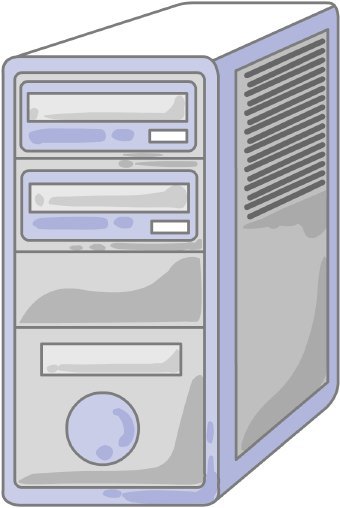
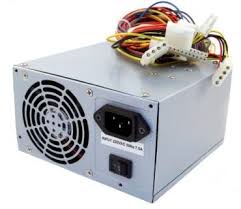


Which of the following is not a Microsoft application?
Word
Excel
Powerpoint
Safari
What is a storage device?
Hardware that manipulates information to produce new results
Software that tells the hardware what to do
Hardware that is used to store data, whether temporarily or permanently
Please match the Drive / device with its name

USB Memory

Hard Drive

SD Card
Secure Digital Card

Floppy Disk

CD, Blu Ray, DVD

What type of device is a Hard disk?
Output Device
Storage Device
Input and Output Device
Input Device

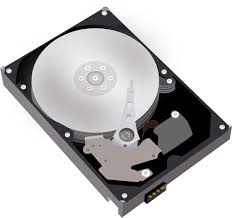
hard drive
Plays Music
Storage for all software and files on the compute
Allows the computer to "think"
Cools the CPU
What is the purpose of a Hard Drive
Store Long Term Memory
Store Fat Term Memory
Store Short Term Memory
Stores Deleted Memory

Which of the following is storage device?
CPU
Fan
RAM
USB drive
Capacity is
the rate at which data can be read and written
how much data the device can hold
the ability of the device to be carried on or moved
How much memory does the floppy disk hold
11.2 MB
120 MB
1.44 MB
144 MB
Which of the following would be a suitable flash storage medium to enable you to take files from your school computer to home?
Magnetic tape
USB flash drive/pen drive
hard disk
Cloud storage
What is the Cloud system ?
Computers working together in one building or business
Computing model that enables storing data and files remotely
A collection of fluffy floating computers
It's the Internet
Which of the following is true about the cloud?
(Hint: more than one correct answer)
It is all of the things you can access remotely over the Internet
The cloud makes it easy to share files with many people at once
Things are stored on internet servers instead of your hard drive
You do not need an internet connection to access files stored on the cloud

What is cloud storage
Servers hidden in clouds
Closed Locations Of Underground Drill Storage
A type of storage that can be accessed with an internet connection
A type of storage that can be accessed in the clouds
An internet service that provides storage to computer users
Cloud storage
Hard Disk
Diskettes
Enterprise Storage

What is the advantage of using cloud storage:
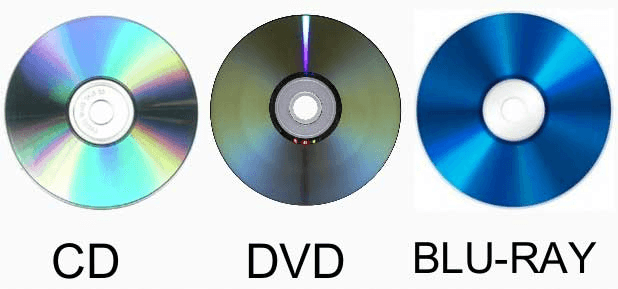
CDs, DVDs and Blu-Rays are all types of...
Magnetic storage devices
Optical storage devices
Solid State memory
Primary memory

An internet service that provides storage to computer users
Cloud storage
Hard Disk
Diskettes
Enterprise Storage
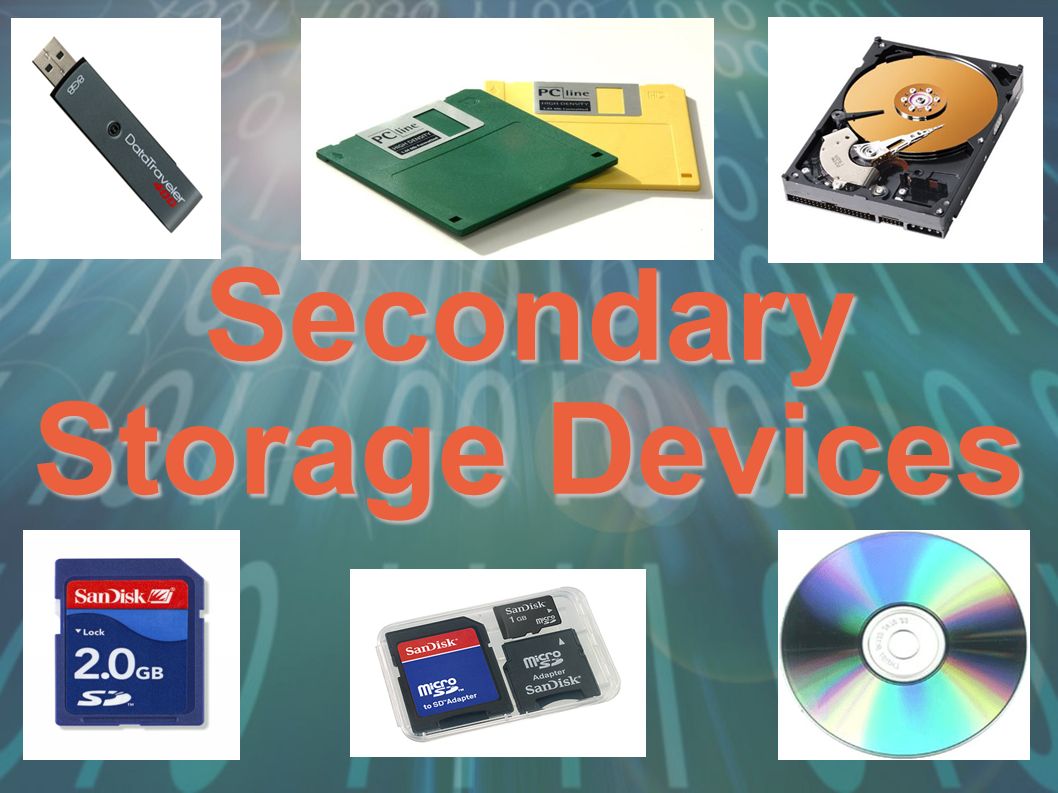
Secondary storage devices can be grouped into three categories - what are they?
Magnetic, Flash and Optical
Magnetic, Optical and Solid State
Solid State, Flash and Hard Drives
Hard Drives, CDs and USBs
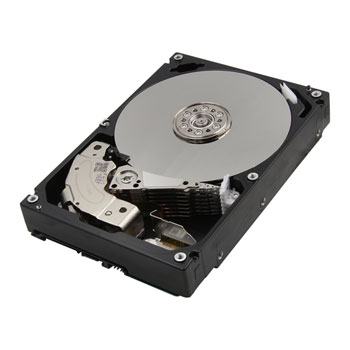
Hard Disk Drives are a type of...
Optical storage device
Magnetic storage device
Solid State memory
Primary memory
CDs, DVDs and Blu-Rays are all types of...
Magnetic storage devices
Optical storage devices
Solid State memory
Primary memory
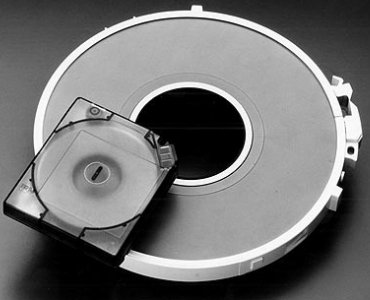
Magnetic tape storage is what kind of device...
Solid state memory
Optical storage
Magnetic storage
Primary memory
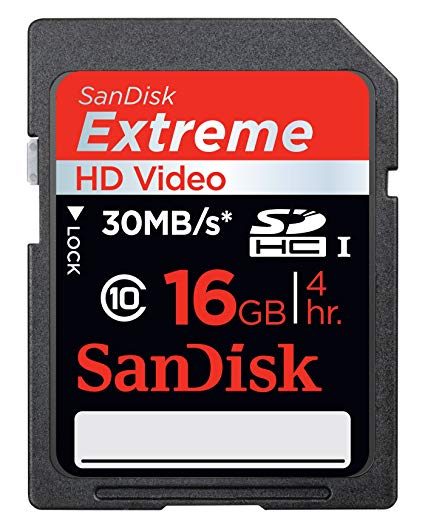
What category of storage device is a HD card?
Magnetic
Optical
Solid state
Primary memory
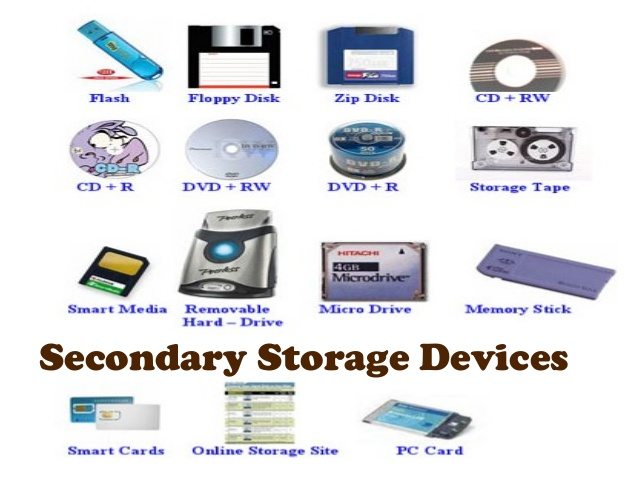
Which of the 3 categories of secondary storage is the least durable due to its moving parts?
Optical storage
Primary memory
Solid state storage
Magnetic storage
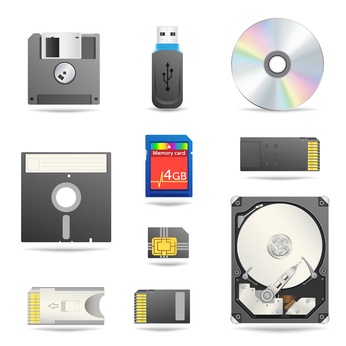
Which category of secondary storage devices has the fastest access speeds? (i.e. quicker to read and write to)
Magnetic storage
Solid state storage
Primary memory
Optical memory
Which of these is a Hard Disk Drive (HDD)?


Which of these are magnetic storage devices?


Solid state storage has no moving parts?
True
False
Which of these are magnetic storage devices?
Which type of storage uses a laser?
Magnetic
Optical
Solid State
Which of the following is most commonly found in PCs?
Solid State Storage
Magnetic Storage
Cloud Storage
Optical Storage

Cloud storage is very secure because the host has lots of security procedures in place.
True
False
Which of the following storage devices is most suitable for use in mobile devices?
Cloud
Magnetic
Solid State
Optical
The physical parts of our computers are called...
Software
Hardware
CPU
The Monitor

This is the ICON for...
fortnite
turning the computer on or off
the clock
the settings
The 'Enter' key means what?
OK
Delete
Go on
Cancel
Instructions that tell the hardware what to do...
Internet
Transistor
Software
Cursor
A secret code used to get into your computer or accounts.
Login
Secretword
Username
Password
The 'backspace' key does what?
Goes to the next important part on the screen
Deletes all of your work
Goes back to the previous page
Erases what you have written
The CURSOR can be shaped like...
an arrow
A finger
A capital 'I'
A capital 'C'
The 'Tab' key does what?
Jumps to the next important part of the screen
It goes ahead or does the next thing
Makes all of the letters capital
Makes the screen look like it would if it were a tablet.

This is the ICON for...
minecraft
the menu
liking something
a thumb war game
The USERNAME is...
A code that tells the computer who you are.
A secret code used to keep your computer safe.
The first step in the log in process.
A list of folders, files, and programs on your computer.
The 'Shift' key does what?
Makes ALL letters capital.
Makes one letter capital at a time.
Jumps to the next important part of the screen.
Erases all of the previous work.

This is the ICON for...
a map
a camera
music player
roblox
A list of programs, files, and folders on a computer is called...
Software
a menu.
the CPU
the hardrive.
CPU stands for what?
Computer Programming Unit
Computer Processing Unit
Central Processing Unit
Central Programming Unit

1
Modem/Router
Headphones
Speaker
Optical Drive

2
Screen
TV
Monitor
Computer

3
Box
Case/Tower
CPU
Computer

4
Video/Graphics Card
Disk Drive
USB Port
Optical Drive

5
Copier
Printer
Paper Maker
Case/Tower

