
 Worksheets
G10 Review 1st quarter
Total questions: 83
Worksheet time: 2hrs 7mins
is now replacing magnetic storage device as it is economical, more functional and dependable
Magnetic Storage Device
Flash Memory Device
Optical Storage Device
Online and Cloud
is now becoming widespread as people access data from different devices.
Magnetic Storage Device
Flash Memory Device
Optical Storage Device
Online and Cloud
the main storage device in a computer. also known as removable hard drive. It is used to store portable data and backups.
External Hard drive
Magnetic Strip
Super Disk
Cassette Tape
It stores video and audio using magnetic tape, like tape and video tape recorders.
Hard drive
Magnetic Strip
Super Disk
Cassette Tape
A magnetic storage device used for audio recording and playback.
Hard drive
Magnetic Strip
Super Disk
Cassette Tape
A digital optical storage device which was intended to replace the DVD format.
Blu-Ray Disc
CD-Rom Disc
CD-R and CD-RW disc
DVD-R, DVD+R, DVD-RW and DVD+RW disc
An optical storage device that is read-only or cannot be modified nor deleted.
Blu-Ray Disc
CD-Rom Disc
CD-R and CD-RW disc
DVD-R, DVD+R, DVD-RW and DVD+RW disc
Is a re-writable disc that can be written to multiple times.
Blu-Ray Disc
CD-Rom Disc
CD-RW disc
DVD-R
An electronic flash memory device used to store digital information and commonly used in mobile electronic devices.
Memory Card
Memory Stick
SSD
USB Flash Drive
Audio, Video, Images or Text that are used on a computer network. A community of people create and use the content shared over the internet.
Cloud Storage
Network Media
OMR
Punch Card
Audio, Video, Images or Text that are used on a computer network. A community of people create and use the content shared over the internet.
Cloud Storage
Network Media
OMR
Punch Card
Which of these is a Hard Disk Drive (HDD)?


Which of these are magnetic storage devices?


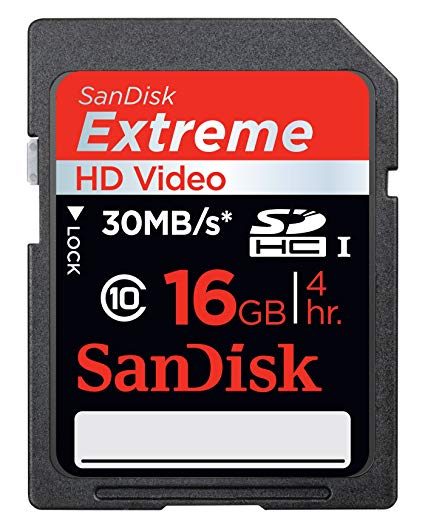
What category of storage device is a SD card?
Magnetic
Optical
Flash Memory Device
Primary memory
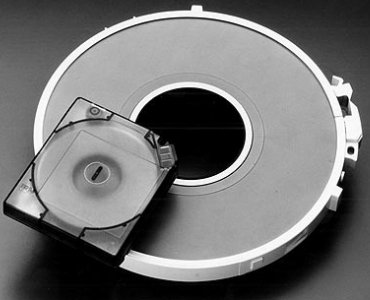
Magnetic tape storage is what kind of device...
Solid state memory
Optical storage
Magnetic storage
Primary memory


Match the following

Floppy diskette

Cassette tape

Blu-ray disc

SSD – Solid State Drive

Punch card
Organize these options into the right categories


It is the most popular operating system for desktop and laptop computers.
It is the most popular smartphone operating system.
It is a Linux based OS that comes with everything that you are looking for in an operating system. It is perfect for organizations, schools, and home use. It is free to download, use and share.
It is Linux based system which is reliable, user-friendly and makes for a powerful operating system for any laptop and desktop computer.It is for casual users and caters to students, hobbyists, and professionals working in corporate environments.
this OS has been the staple of almost all Apple devices as we can remember. It has evolved with time to include the features that first and foremost define innovation.
It is a free UNIX based open-source software. It is compatible with a variety of platforms and mainly focuses on features such as speed, and stability. The most fascinating part about this software is its origin. It was built in the University of California by a large community.
It is a UNIX based operating system which was originally developed by Sun Microsystems in the mid-’90s. It is known for its scalability and several other features that made it possible such as Dtrace, ZFS and Time Slider.
It is another Linux-kernel based operating software that is designed by Google. As it is derived from the free chromium OS, it uses the Google Chrome web browser as its principal user interface. This OS primarily supports web applications
It is the most popular tablet operating system.
is the main “brain” or “heart” of a computer system. It performs all of the instructions and calculations that are needed and manages the flow of information through a computer.
The main circuit board of a computer contains all the circuits and components that run the computer.
It is the computer's working storage space that holds data, instructions for processing and processed data (information) waiting to be sent to secondary storage.
Installed in the back corner of the PC case, next to the motherboard. It converts 120vac (standard house power) into DC voltages that are used by other components in the PC.
It is used as permanent storage for data.
It is a storage device that uses lasers to read data on the optical media.
A bus is a data pathway between several hardware components inside or outside a computer. It does not only connect the parts of the CPU to each other, but also links the CPU with other important hardware.
Expansion Bus
Power Supply Unit (PSU)
Hard Disk Drive (HDD)
Optical Drive
The main part of a microcomputer, sometimes called the chassis. It includes the following parts: Motherboard, Microprocessor, Memory Chips, Buses, Ports, Expansion Slots and Cards.
System Unit
Random Access Memory
Motherboard
CPU
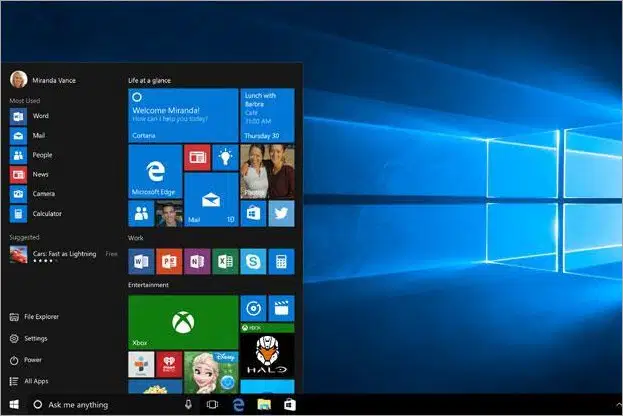
Identify the Operating System in the Picture
MS- Windows
Ubuntu
MAC OS
Fedora
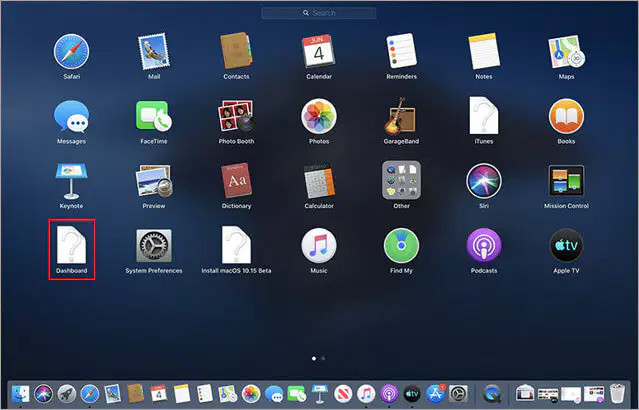
Identify the operating system shown
MAC OS
Ubuntu
Fedora
Solaris
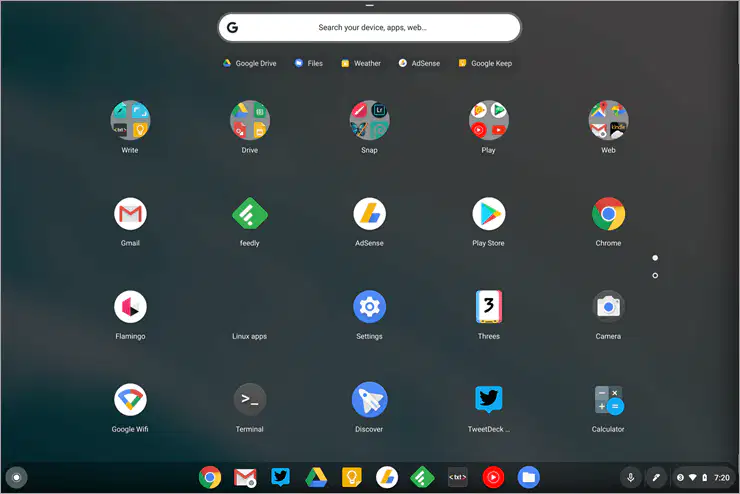
Identify the operating system shown
MAC OS
Chrome OS
Fedora
Solaris

Identify the operating system shown
MAC OS
Chrome OS
Fedora
Solaris
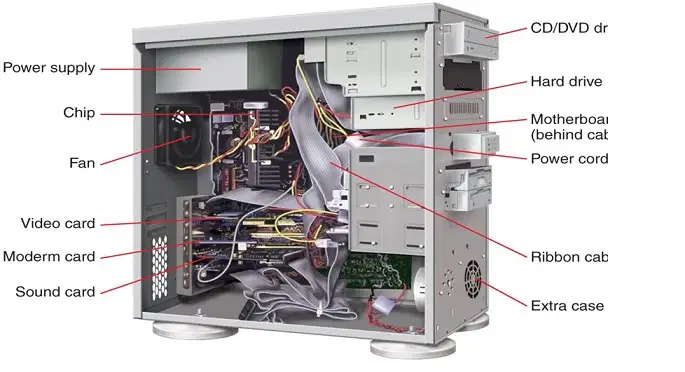
Identify the Parts of PC
System Unit
CPU
PC
Desktop
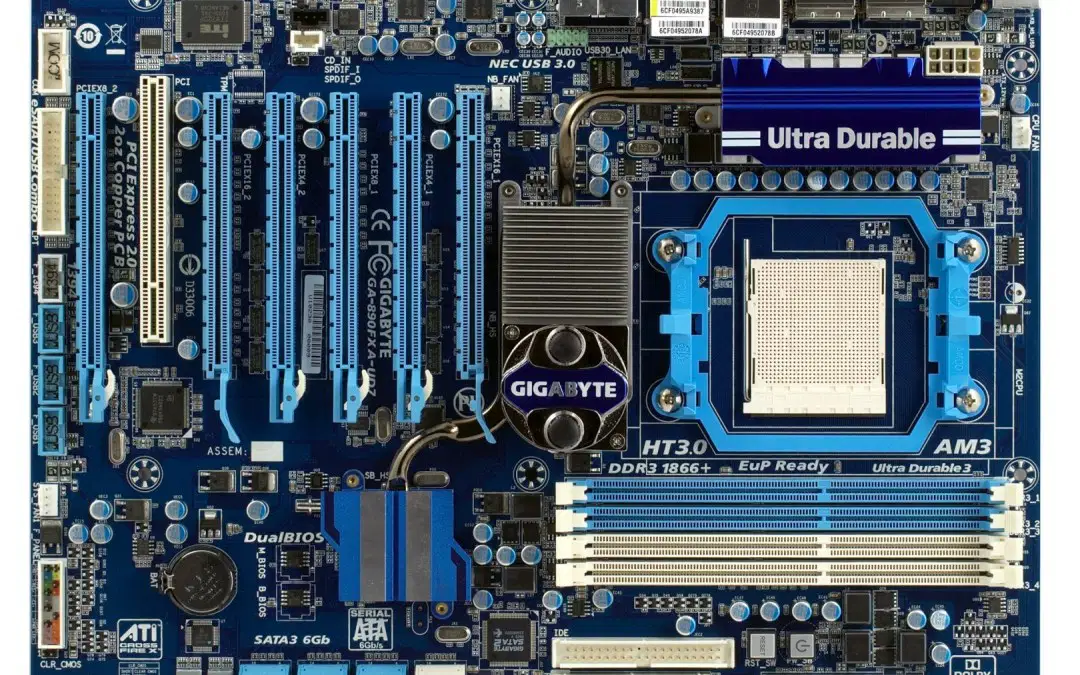
Identify the Parts of PC
System Unit
CPU
Motherboard
Desktop
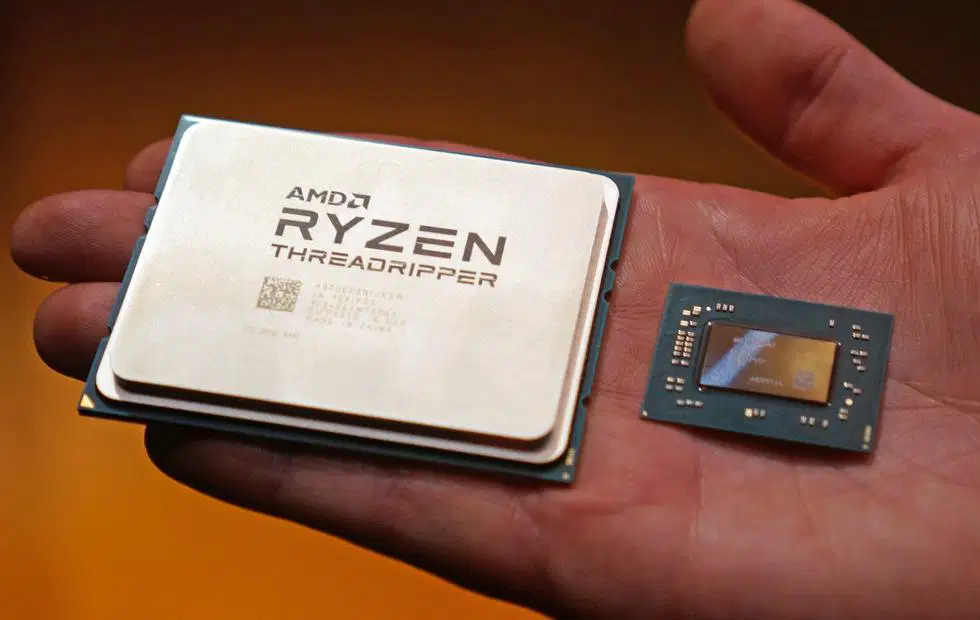
Identify the Parts of PC
RAM
CPU
Motherboard
Expansion Bus
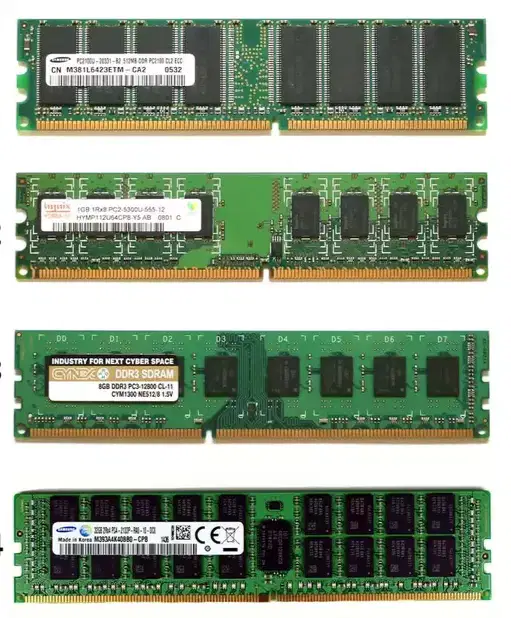
Identify the Parts of PC
RAM
CPU
Motherboard
Expansion Bus

Identify the Parts of PC
RAM
CPU
Motherboard
Expansion Bus

Identify the Parts of PC
RAM
CPU
Adapters
Expansion Bus

Identify the Parts of PC
RAM
Power Supply Unit (PSU)
Adapters
Expansion Bus

Identify the Parts of PC
RAM
Power Supply Unit (PSU)
Hard Disk Drive (HDD
Expansion Bus

Identify the Parts of PC
RAM
Hard Disk Drive (HDD
Expansion Bus
Optical Drive
this PC is portable and uses its own battery, has its own keyboard and best use in school work and home.
PDA
This PC is extremely portable. handheld and has touch sensitive screen it has stylus or pen, typically uses mobile operating system (android and IOS)
Wearable
Laptop
This PC has a better specs than a laptop vs their price comparison/ not portable and have many peripherals.
Desktop Computer
PDA
Tablet computer
wearable computer
They fall in the category of laptops, but are inexpensive and relatively smaller in size. They had a smaller feature set and lesser capacities in comparison to regular laptops, at the time they came into the market.
wearable computer
Has variety of uses, have wifi , data connection, mostly smaller than a tablet computer
PDA/ mobile Phones
Netbook
wearable computer
Laptop
These are popular PC's mostly used in tracking your health, locating your location using GPS, monitors your heart rate and can also send messages
PDA/ mobile Phones
wearable computer
Netbook
Game consoles
these PC are made for gaming but the Benefits of this PC's are not only for playing games but also for entertainment like watching movies and accessing premium entertainment show.
wearable computer
Netbook
Game Consoles
Laptop
It is designed for use by one person at a time
Workstation
Server
Personal Computer
Super computer
These computers can be worn on the body and are often used in the study of behavior modeling and human health. Military and health professionals have incorporated wearable computers into their daily routine, as a part of such studies.
Wearable computer
Game console
Laptop
PDA
This PC is intended to be used on a single location. The spare parts of this computer are readily available at relatively lower costs.
Game console
Laptop
Desktop
PDA
It is the most important program that runs on a computer. Every general-purpose computer must have this to run other programs.
Operating System
Firmware
hardware
BIOS
This OS Allows two or more users to run programs at the same time. Some operating systems permit hundreds or even thousands of concurrent users.
Multithreaded
Multiprocessing
Multitasking
Multiuser
This OS can divide process into threads and execute those threads. This increases operating speed but also increases the complexity.
Realtime
Multiprocessing
Multitasking
Multithreading
More than one task can be performed in this OS at the same time but they are executed one after another through a single CPU by time sharing.
Realtime
Multiuser
Multitasking
Multithreading
These OS are designed to handle events as they occur, commonly found and used in robotics, cameras, complex multimedia animation systems, and communications.
Multiuser
Multithreading
Realtime
Multitasking
It uses continuous variables for mathematical operations and utilizes mechanical or electrical energy.
Analog
Digital
hybrid
None of the above
Computers that works on the value of digits like 0 and 1
Analog
Digital
hybrid
None of the above
This computer is a Combination of analog and digital systems
Analog
Digital
hybrid
None of the above
The following are the ability/use of computers except 1
make their own decisions
communication
control
perform mathematical operation
This computer is the fastest and most expensive
mainframe computers
Micro computers
mini computers
supercomputers
This computer are designed to process huge data and information and performs many instructions from multiple users
mainframe computers
mini computers
Micro computers
supercomputers
Also called as mid range servers and lies between mainframe and micro computers
mainframe computers
mini computers
Micro computers
supercomputers
Typically a single CPU single user system and commonly used in home, school and shops.
mainframe computers
mini computers
Micro computers
supercomputers
They are computers designed to provide services to client machines in a computer network. They have larger storage capacities and powerful processors.Running on them are programs that serve client requests and allocate resources like memory and time to client machines.
mainframe computers
mini computers
server computers
supercomputers
Match the following
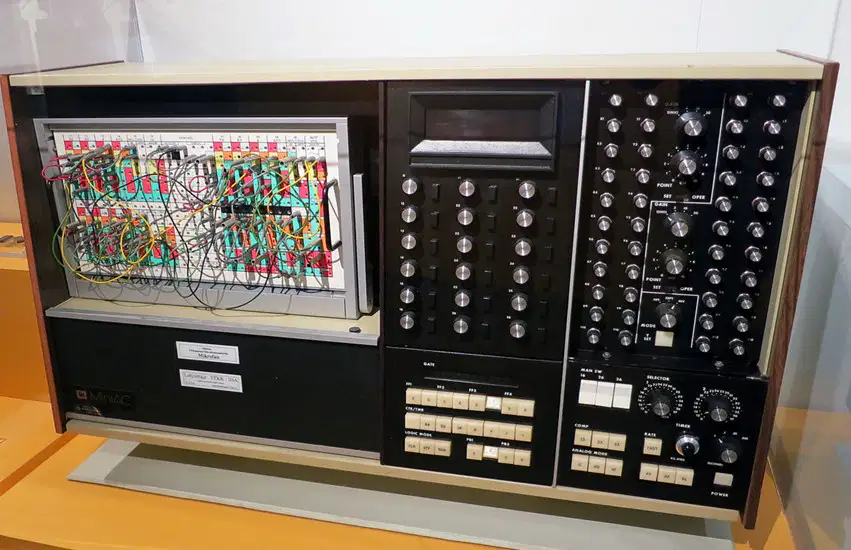
Analog
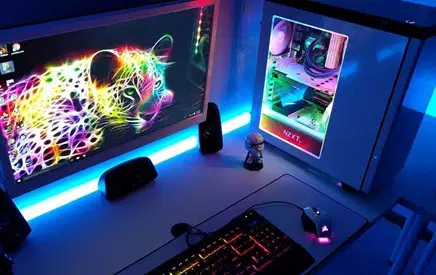
Digital

Hybrid
Match the following
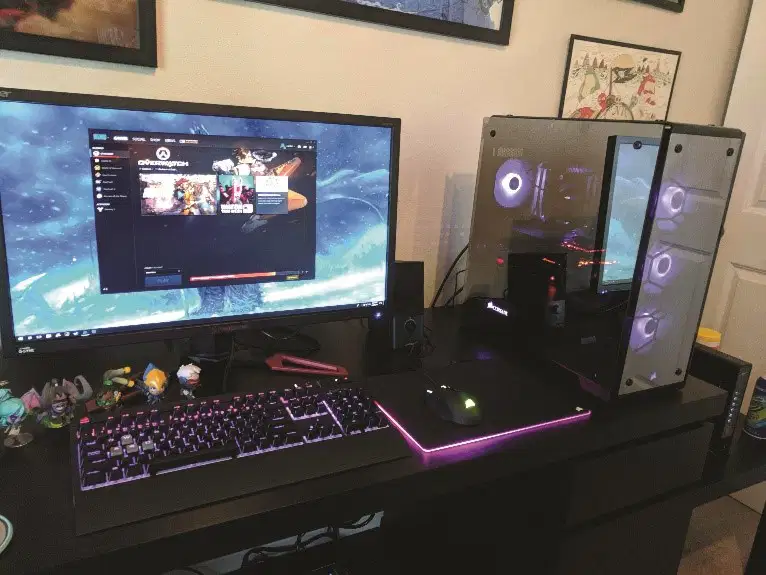
Desktop
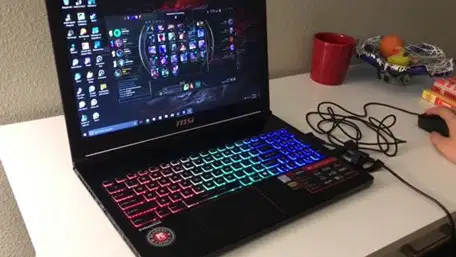
Laptop

Netbook
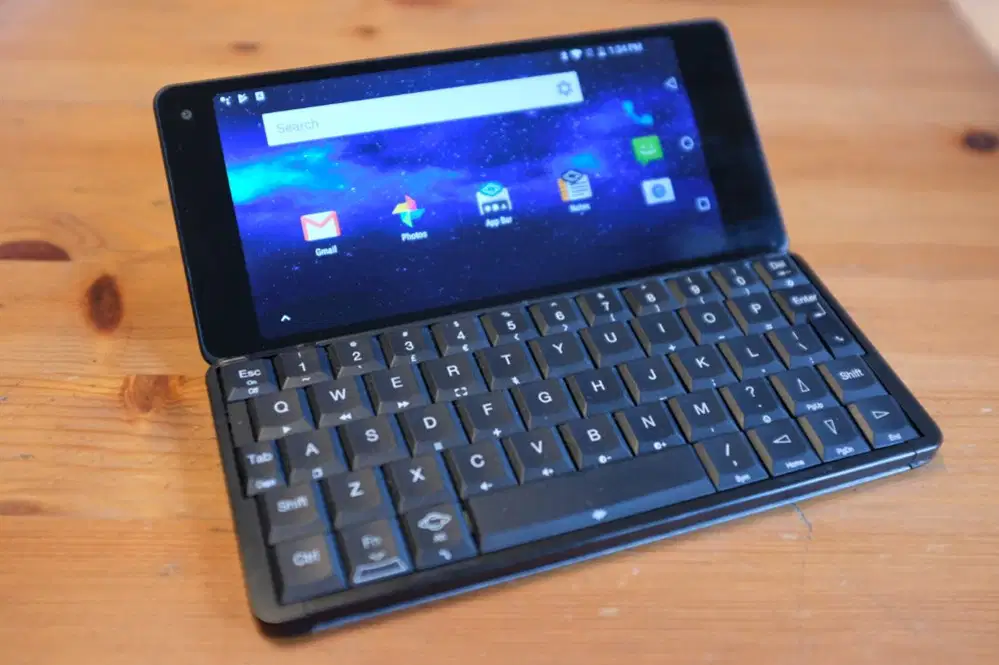
PDA
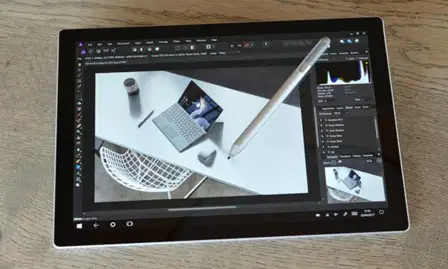
Tablet

Mouse
Output Device
Storage Device
Input and Output Device
Input Device

Headphones
Output Device
Storage Device
Input and Output Device
Input Device

Headset
Output Device
Storage Device
Input and Output Device
Input Device

Joy stick
Output Device
Storage Device
Input and Output Device
Input Device

Projector
Output Device
Storage Device
Input and Output Device
Input Device

DVD
Output Device
Storage Device
Input and Output Device
Input Device



