
 Worksheets
Premiere Pro 24-25
Total questions: 20
Worksheet time: 14mins
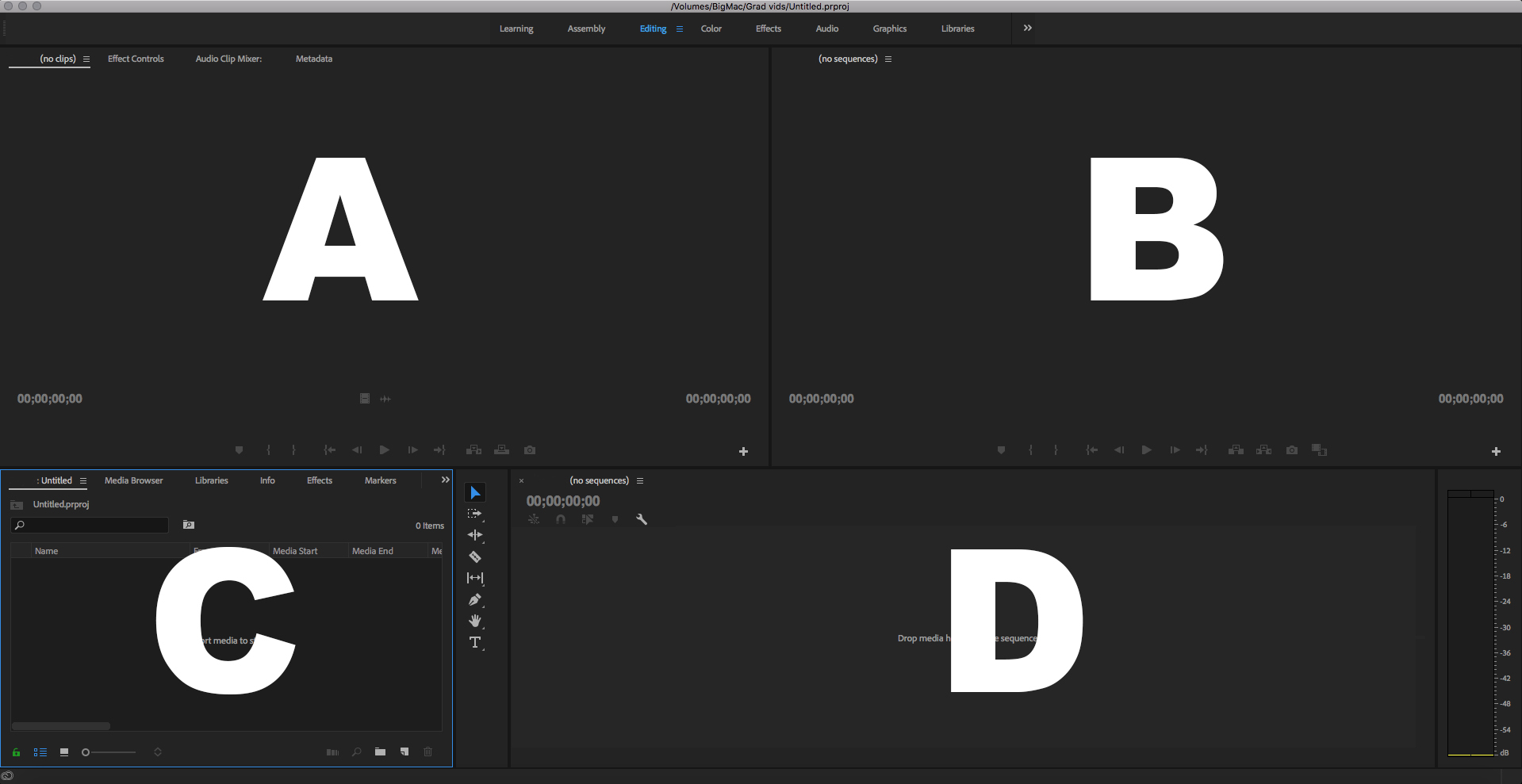
Which is the Program Panel?
A
B
C
D
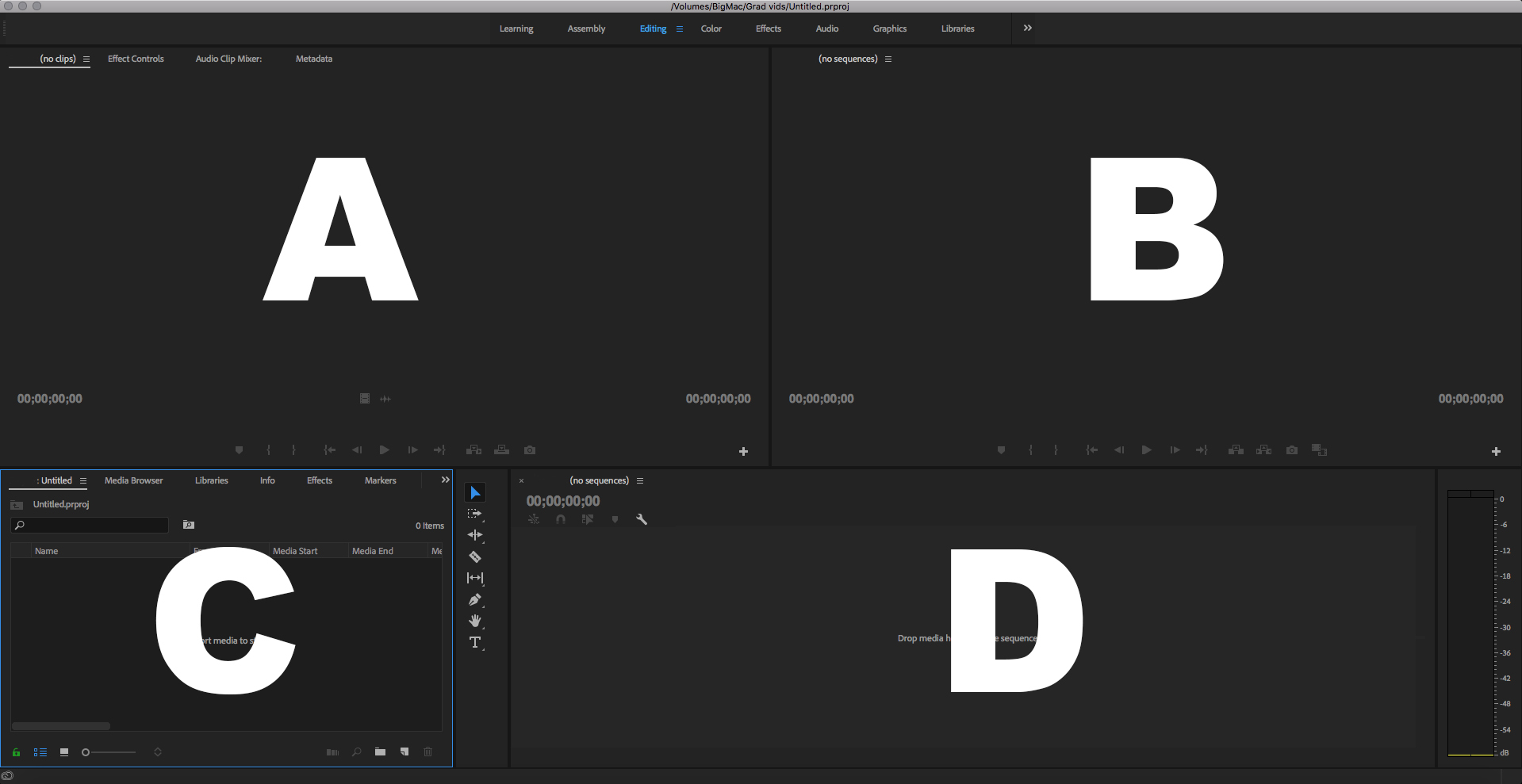
Which is the Source Panel?
A
B
C
D
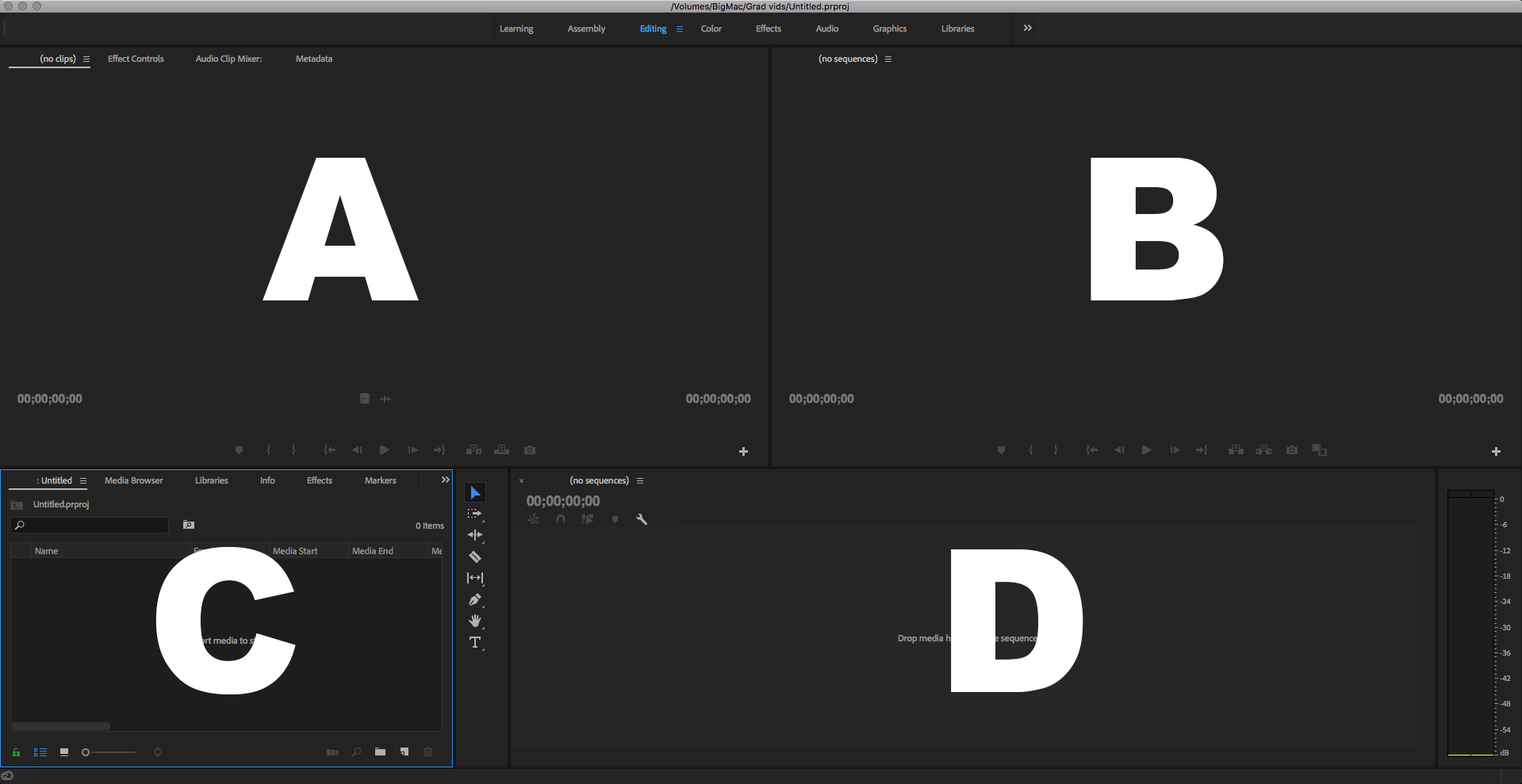
Which is the Timeline Panel?
A
B
C
D
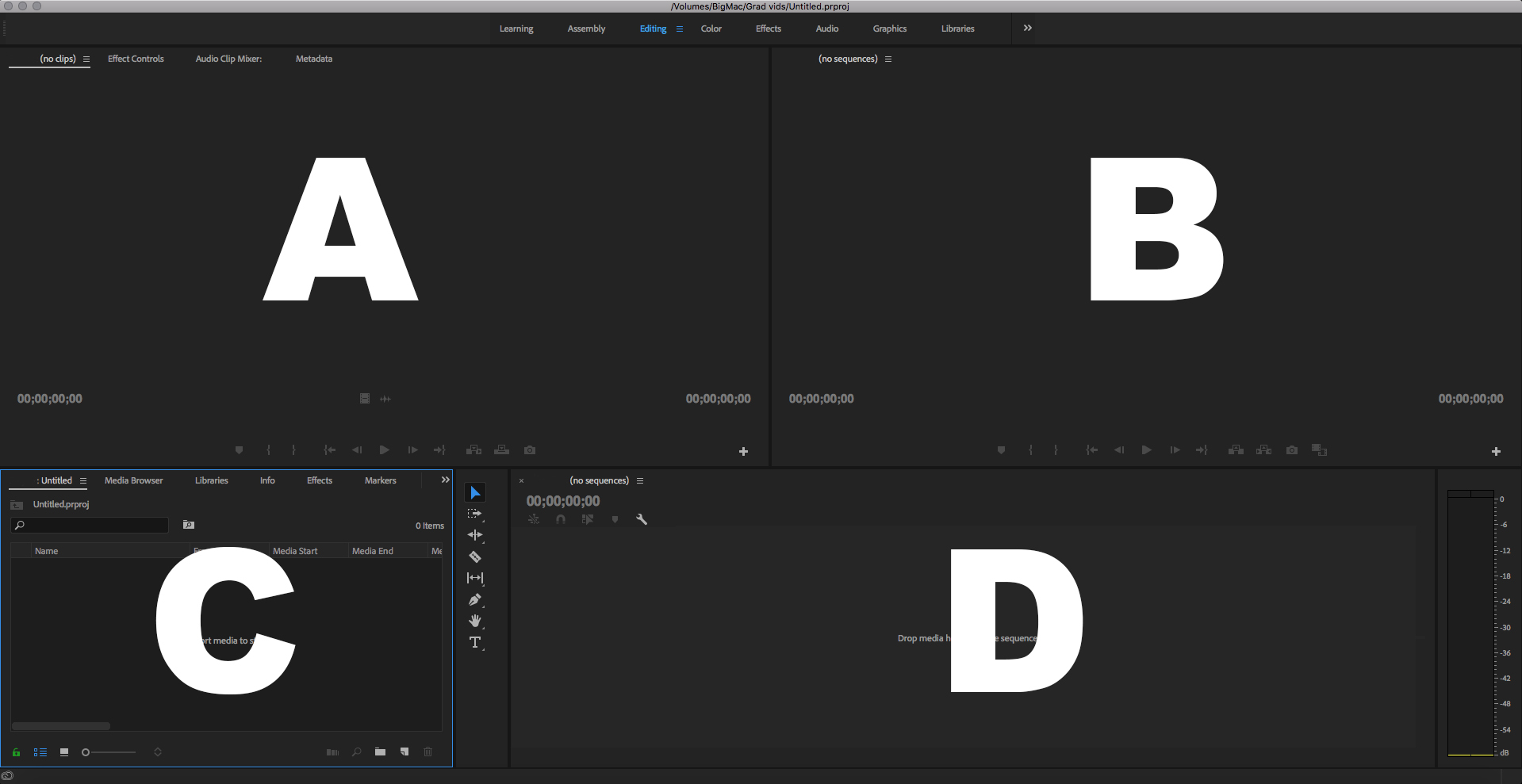
Which is the Project Panel?
A
B
C
D

In the Source panel you
see what you’ve edited
hear what you’ve edited
preview your entire project
preview video or audio clips
What is the beginning of the selected section in the Source panel?
Mark In
Mark Out
Render
File > save
What is the ending of the selected section in the Source panel?
Mark In
Mark out
Render
File > save

In the Timeline panel: the blue line is called
the red line
the indicator
speed/duration
the playhead
The Timeline panel is where you
set the mark in
do most of your editing work
set the mark out
preview raw video or audio
Moving the playhead back and forth over a clip is called
scooting
shouting
starting
scrubbing


This tool is used to split clips into pieces.
Razor Tool
Cut Tool
Zoom Tool
Selection Tool

What tool is this?
Razor Tool
Zoom Tool
Selection Tool
Hand Tool

What tool is this?
Selection Tool
Zoom Tool
Pen Tool
Hand Tool
In order to (a) a clip on the timeline, you use the (b) tool and (c) where you want the clip to (d) .

