wayground logo

Free Printable Worksheets

Font size

S
M
L
XL
Worksheets

Topic 1 Hardware

Total questions: 96

Worksheet time: 48mins

Name
Class
Date
1.
Input devices allow us to send information to the CPU (Central Processing Unit) to tell the computer what to do.
a)
True
b)
False
2.

A device that inputs moving images into a computer which is mainly used for video conferencing.

a)

Digital camera

b)

Video camera

c)

Web cam

d)

Film camera

3.

Input device for sound data

a)

Scanner

b)

Voice control

c)

Voice recognition

d)

Microphone

4.
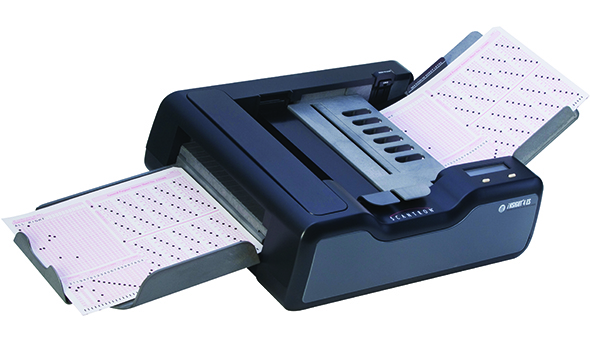
What does OMR stand for?
a)
Optical Mark Recognition
b)
Optical Meter Reader
c)
Operator Mark Recognition
d)
Online Meter Reader
5.
Which of these is OMR sometimes used for?
a)
Marking Exam Papers
b)
Controlling Characters in Computer Games
c)
Projecting a Presentation onto a big screen.
d)
Playing  an Audio File
6.
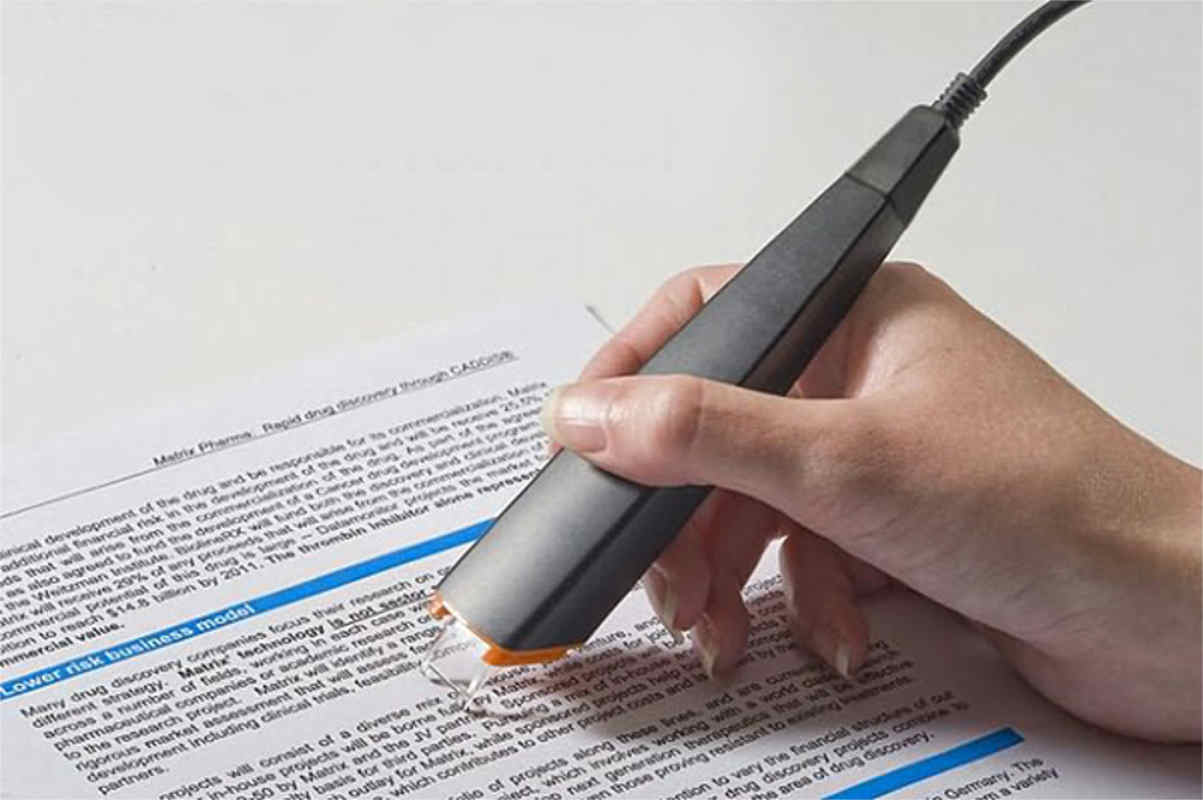
What does OCR stand for?
a)
Optical Character Reader
b)
Online Cloud Read
c)
Operating Command Recognition
d)
Online Cloud Recognition
7.
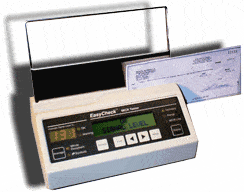
What does MICR stand for?
a)
Magnetic Ink Character Recognition
b)
Magnetic Ink Computer Recognition
c)
Multimedia Internet Computer Recognition
d)
Memory Internet Character Reader
8.

The device used to input the data from a contactless credit card

a)

Bar code reader

b)

Magnetic stripe reader

c)

RFID reader

d)

Pin Pad

9.

You can use this to input printed documents to a computer ?

a)

Trackerball

b)

Scanner

c)

Keyboard

d)

Mouse

10.

Input device commonly found on laptops instead of a mouse in the form of a small panel containing different touch-sensitive areas.

a)

Touch pad

b)

Scanner

c)

Sensors

d)

Stylus

11.

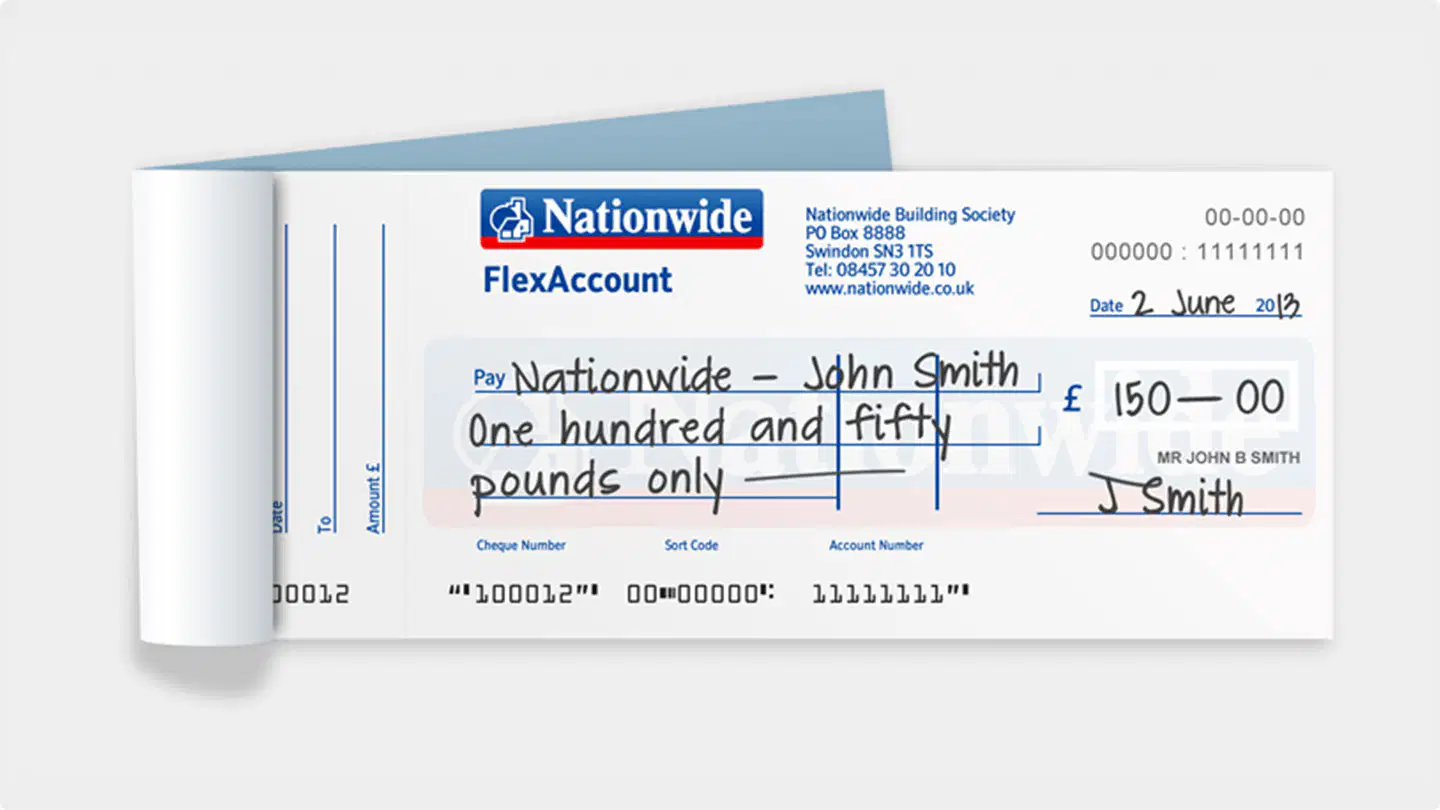
Input device that reads text written in special magnetic ink. Often used at the bottom of cheques

a)

Magnetic stripe readers

b)

Optical Character Recognition

c)

Optical Mark Recognition

d)

Magnetic Ink Character Recognition

12.

Input device that reads printed text, scans it, and converts it to text that can be edited in a word processor.

a)

Magnetic stripe readers

b)

Optical Character Recognition

c)

Optical Mark Recognition

d)

Magnetic Ink Character Recognition

13.
An input device that is used to input pictures, documents, pages of magazines, and other images into the computer.
a)
mouse
b)
PDA
c)
scanner
14.
Most commonly used input device.
a)
graphic tablet
b)
keyboard
c)
SD card
15.

If you are shopping at Sainsburys and you need to know the price of an item, you could use a _____________.

a)

Barcode Scanner

b)

Scanner

c)

Web Cam

16.
A Camera attached to a computer that put short videos on your computer
a)
Digital Camera
b)
Security Camera
c)
Webcam
17.
If you want to put some old paper pictures into your computer, you could use a
a)
SD Card
b)
flash drive
c)
scanner
18.

This can be used to record videos and photos. Also the data is stored in digital memory.

a)

Webcams

b)

Video camera

c)

Digital camera

d)

Film camera

19.

Enters sound onto a computer

a)

Microphone

b)

Speakers

c)

Touch Screen

d)

Light pen

20.

QR code is an abbreviation of _________________ code.

a)

Quick Response

b)

Quick Reply

c)

Quiet Reindeer

d)

Quaint Restroom

21.

What does RFID stand for?

a)

Receiver Frequency Indicator

b)

Radio Frequency Identification

c)

Really Funny Idea Dude

d)

e

22.

Which of these is an advantage of RFID?

a)

Less expensive than Bar code

b)

Doesn't need line of sight to scan

c)

Less Durable

d)

More interesting than Bar Code

23.

Which of these are magnetic storage devices?

a)
b)
c)
d)
e)
24.

Solid state storage has no moving parts?

a)

True

b)

False

25.

Which type of storage uses a laser?

a)

Magnetic

b)

Optical

c)

Solid State

26.

Which of the following storage devices is most suitable for use in mobile devices?

a)

Cloud

b)

Magnetic

c)

Solid State

d)

Optical

27.
Optical device, fairly fragile, easy to snap or scratch.
a)
Flash memory
b)
Magnetic Tape
c)
CD
d)
Hard disk
28.
Typically has the largest storage capacity and is the cheapest per gb.
a)
Magnetic storage
b)
Solid state storage
c)
Optical storage
29.
What is the most durable?
a)
Magnetic Tape
b)
Solid State Drive
c)
Hard Drive
d)
CD
30.
A ______ is the main storage device in your computer.
a)
CPU
b)
Hard drive
c)
Motherboard
d)
CD-Rom
31.
This storage device needs a computer with a specific  drive in order to read the disk. Cannot be read by a CD drive or DVD drive.  Used for high definition films.
a)
Blu-ray
b)
CD
c)
DVD
d)
Bluetooth
32.

Which of the following is an advantage of Solid State Storage?

a)

It has spinning disks to read the data

b)

The storage device is lightweight and silent

c)

SSDs are very cheap to buy and have lots of storage

33.
Solid state drive
a)
Storage that works by storing the data in electronic circuits
b)
Storage that can be disconnected from the main computer unit, for example to transfer files between computers.
c)
Storage that uses a surface which can be magnetised to store data.
34.
Magnetic storage
a)
Storage that uses a surface which can be magnetised to store data
b)
Storage that can be disconnected from the main computer unit, for example to transfer files between computers.
c)
Moving a data, program or file from memory onto secondary storage for later use.
35.
What is an advantage of a CD?
a)
Easily scratched, leading to the loss of data
b)
Large storage capacity
c)
Expensive to buy
d)
Portable, easy to carry around
36.
What is an advantage of a Hard drive?
a)
Easily scratched, leading to the loss of data
b)
Large storage capacity
c)
Expensive to buy
d)
Portable, easy to carry around
37.
What is a disadvantage of solid state storage?
a)
Easily scratched, leading to the loss of data
b)
Large storage capacity
c)
Expensive to buy
d)
Portable, easy to carry around
38.

What is an advantage of Cloud Computing?

a)

Can access your files anywhere

b)

It is safer

c)

Can access files anywhere you have internet

d)

Expensive

39.
Question 11: Which type of storage uses lasers to write the data?
a)
Optical
b)
Magnetic
c)
Solid state 
d)
All types 
40.

Which of the following shows the capacity of OPTICAL STORAGE MEDIA in the correct order (smallest to largest)?

a)

DVD > BLU RAY > CD

b)

CD > DVD > BLU RAY

c)

BLU RAY > DVD > CD

d)

DVD > CD > BLU RAY

41.

Cloud storage is very secure because the host has lots of security procedures in place.

a)

True

b)

False

42.

Which of the following is an advantage of Solid State Storage?

a)

It has spinning disks to read the data

b)

The storage device is lightweight and silent

c)

SSDs are very cheap to buy and have lots of storage

43.

'A laser is shone onto the disc and the light is reflected based upon whether it hits a pit or land' describes which storage device?

a)

Cloud storage

b)

Optical storage

c)

Magnetic storage

d)

Solid State storage

44.

Which of these are magnetic storage devices?

a)
b)
c)
d)
e)
45.
A printer that uses toner to burn text / images onto a page...
a)
Laser
b)
Plotter
c)
Inkjet
d)
Dot Matrix
46.
Printer that uses a printer head and ribbon to generate text / images...
a)
Dot Matrix
b)
Plotter
c)
Inkjet
d)
Laser
47.
A printer usually found in homes that uses cartridges and can produced high quality photos...
a)
Inkjet
b)
Plotter
c)
Dot Matrix
d)
Laser
48.
Printer found in shops and used to print receipts.
a)
Laser
b)
Plotter
c)
Dot Matrix
d)
Plotter
49.
Which of the following is not an optical storage device?
a)
SSD
b)
CD-ROM
c)
Blu-Ray
d)
DVD-RW
50.

Which of the following are internal components of a computer system?

a)

Processor (or CPU)

b)

Main Memory (RAM)

c)

Keyboard

d)

Motherboard

e)

Speakers

51.
AN ________ LETS YOU ADD NEW FEATURES TO A COMPUTER.
a)
MOTHERBOARD
b)
CD ROM
c)
RAM
d)
EXPANSION CARD
52.
a _____ changes normal household electricity into electricity that a computer can use.
a)
EXPANSION CARD
b)
MOTHERBOARD
c)
POWER SUPPLY
d)
DRIVE BAY
53.
THE ______ IS THE MAIN CIRCUIT BOARD OF A COMPUTER. ALL COMPUTER COMPONENTS ARE ATTACHED TO IT.
a)
MOTHERBOARD
b)
EXPANSION CARDS
c)
VIDEO CARD
d)
HARD DRIVE
54.
THIS HARDWARE DEVICE TEMPORARILY STORES INFORMATION INSIDE A COMPUTER. 
a)
ROM
b)
RAM
55.
A _____ IS THE PRIMARY DEVICE THAT A COMPUTER USES TO STORE INFORMATION. 
a)
CD ROM
b)
ROM
c)
HARD DRIVE
d)
BIOS
56.
A ______ DRIVE READS INFORMATION STORED IN COMPACT DISCS. 
a)
CD ROM
b)
HARD DRIVE
c)
DRIVE BAY
d)
RAM
57.
WHAT PROCESSES INSTRUCTIONS AND IS CONSIDERED THE BRAIN OF THE COMPUTER?
a)
CPU ( CENTRAL PROCESSING UNIT)
b)
BIOS (BASIC INPUT OUTPUT SYSTEM
c)
ROM ( READ ONLY MEMORY)
d)
RAM( RANDOM ACCESS MEMORY)
58.
IDENTIFY THE HARDWARE DEVICE.
a)
CD ROM
b)
FLOPPY DRIVE
59.
IDENTIFY THE HARDWARE DEVICE.
a)
CPU (CENTRAL PROCESSING UNIT)
b)
RAM (RANDOM ACCESS MEMORY)
60.
IDENTIFY THE HARDWARE DEVICE.
a)
EXPANSION SLOT
b)
ROM
61.
IDENTIFY THE HARDWARE DEVICE.
a)
HARD DRIVE
b)
CD ROM
62.
IDENTIFY THE HARDWARE DEVICE.
a)
POWER SUPPLY
b)
HARD DRIVE
63.
IDENTIFY THE HARDWARE DEVICE.
a)
RAM
b)
CPU
64.

The CPU

a)

stores large amounts of data

b)

provides electricity to the rest of the components in the computer

c)

stands for Central Programming Unit

d)

is known as the brain of the computer since it receives and executes instructions

65.

A heat sink

a)

involves frequently dipping hardware components in water such that they do not overheat

b)

is typically made of copper/aluminum, helps to cool down and ensures that hardware components do not overheat

c)

increases the temperature of hardware components

d)

provides electricity to the rest of the components in the computer

66.

A graphics card

a)

improves your download/upload speeds

b)

allows your computer to connect to the Internet

c)

helps to process and display images

d)

allows you to hear sound and to connect  microphones/instruments to the PC

67.

A sound card

a)

improves your download/upload speeds

b)

allows your computer to connect to the Internet

c)

helps to process and display images

d)

allows you to hear sound and to connect  microphones/instruments to the PC

68.

A network card

a)

determines whether you can play the latest video games on the highest settings

b)

allows your computer to connect to the Internet

c)

helps to process and display images

d)

allows you to hear sound and to connect  microphones/instruments to the PC

69.

A PSU stands for

a)

Play Station Unit and it helps to process and display images

b)

Primary Sampling Unit and it provides electricity to the rest of the components in the computer

c)

Power Supply Unit and it provides electricity to the rest of the components in the computer

d)

Primary Storage Unit and it is divided into RAM and ROM

70.

Label the following internal component

a)

RAM

b)

CPU

c)

Graphics Card

d)

Heat Sink

71.

Label the following internal component

a)

Network Card

b)

Sound Card

c)

Graphics Card

72.
What is the CPU?
a)
Internal hardware that holds all components together
b)
The CPU is the part of a computer system that is commonly referred to as the "brains" of a computer.
c)
It is a storage device
73.
Which of the following is computer hardware?
a)
monitor
b)
scanner
c)
keyboard
d)
all of them
74.
What is the role of the motherboard?
a)
The motherboard is a circuit board that connects the CPU to the memory and all the other hardware.
b)
The motherboard is the computers brain.
c)
It is a piece of software inside the computer.
75.
What is the correct definition for a hard disk?
a)
It is an technical name for a CD-Drive
b)
it is the main internal storage device in computers 
76.
What is the definition for hardware.
a)
Hardware is the physical parts of the computer
b)
Hardware is the programs that run on a computer.
77.
A scanner is known as a ......?
a)
input device
b)
output device
c)
storage device
78.

Name this port:

a)

USB port

b)

Audio port

c)

Network Card port

79.

What can be plugged into this port?

a)

Monitor

b)

Speakers

c)

Mouse

d)

Keyboard

80.

Name this port:

a)

parallel port

b)

serial port

c)

game port

d)

vga port

81.

What do you plug into this port?

a)

keyboard

b)

Game controller

c)

Speakers

d)

Monitor

82.

These are found in in older computers and can be used to attach a:

a)

mouse

b)

monitor

c)

speakers

d)

printer

83.

Which is the main power plug on the computer's power supply? Click on the picture to Zoom

a)

1

b)

2

c)

3

d)

4

84.

Name this port.

a)

VGA

b)

HDMI

c)

USB

d)

CRT

85.

This port is reversible and is known as the port of the future:

a)

USB C

b)

HDMI

c)

VGA

d)

parallel

86.

This USB B cable is used to plug a _________ into a computer

a)

Monitor

b)

Printer

c)

Mouse

d)

Keyboard

87.

What is the most common port found?

a)

VGA

b)

DVI

c)

USB

d)

HDMI

88.

Which of the following is a VGA port?

a)
b)
c)
d)
89.

These are used to connect cards to the PCI slots on the motherboard inside the computer case.

a)

Memory slots

b)

CPU socket

c)

Expansion slots

d)

AGP slots

90.

This port is used to connect TVs and other high definition outputs. It can output up to 4K resolution.

a)

HDMI

b)

VGA

c)

GUI

d)

Serial

91.

It is the fastest common port on the market and can be used as a USB C port.:

a)

DVI

b)

parallel

c)

lightning

d)

ethernet

92.
a)

LAN PORT

(Local Area Network)

b)

USB PORT

(Universal Serial Bus)

c)

VGA PORT

(Video Graphic Array)

d)

AUDIO PORT

93.
a)

VGA PORT

b)

LAN PORT

c)

HDMI PORT

d)

AUDIO PORT

94.
a)

LAN PORT

b)

VGA PORT

c)

AUDIO PORT

d)

HMDI PORT

95.
a)

USB PORT

b)

HDMI PORT

c)

POWER CONNECTOR PORT

d)

VGA PORT

96.
a)

PS/2 PORT

b)

VGA PORT

c)

HDMI PORT

d)

SERIAL PORT