
 Worksheets
Troubleshooting Quiz
Total questions: 45
Worksheet time: 26mins

What is this?
Power Cord
Internet Cord
Spaghetti
Mouse Cord

What is this?
Power Cord
Internet Cord
Spaghetti
Mouse Cord

Is this computer on?
Yes
No
When you're having internet trouble, what can you do?
Get out of your seat to tell the teacher.
Check the internet cord - make sure it's plugged in all the way.
Yell at the computer because you're frustrated.
Yell at Mrs. Kiger because she knows how to fix it.
When you're having hardware trouble, what can you do?

Check the power cord - make sure it's plugged in all the way.

Get out of your seat to tell the teacher.

Yell at the computer because you're frustrated.

Yell at Mr. Smith because he knows how to fix it.

How do you open the task manager?
Find it in the Windows menu.
Hit Ctrl Alt Delete.
Hit Ctrl Alt Delete with a logged in computer.
Right click on the Desktop.
After confirming the probable cause, consider what steps should be taken to resolve the issue would be what step in the Troubleshooting Methodology?
Implement a solution
Establish a theory of probably cause
Establish a plan of action
Identify the problem
Computer viruses are
Programs that hackers use to harm your computers or steal info.
A sickness that humans catch from computers
can only be acquired through the internet
can only be acquired through email
What should you do first if nothing happens when the computer is turned on?
Check if the monitor is plugged in
Press all keys on the keyboard
Check if the power cable is properly connected
Reinstall the operating system
If the computer does not turn on, what else should you check after confirming the power cable is connected?
The keyboard connection
If the monitor is on
If the power supply is faulty
The mouse connection

What is a possible cause if the monitor displays no picture even though it is turned on?
The computer has no internet connection
The monitor’s brightness is set to zero
The mouse is not functioning
The printer is offline
Which of the following is a potential solution if the monitor shows no picture even though it is on?
Check if the monitor is connected to the computer
Install a new printer driver
Adjust the brightness of the monitor
Unplug the mouse and plug it back in
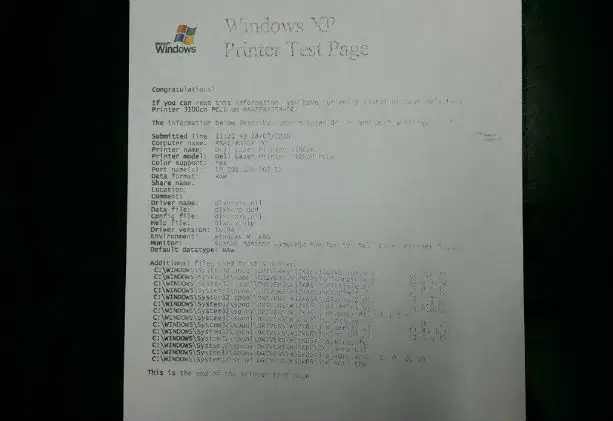
If the output from a laser printer is very faint, what could be the problem?
The paper tray is empty
The toner cartridge is running low
The computer is frozen
The printer is turned off

What is a suitable remedy if the output from a laser printer is faint?
Refill the paper tray
Replace or refill the toner cartridge/ink
Clean the printer head
Restart the printer
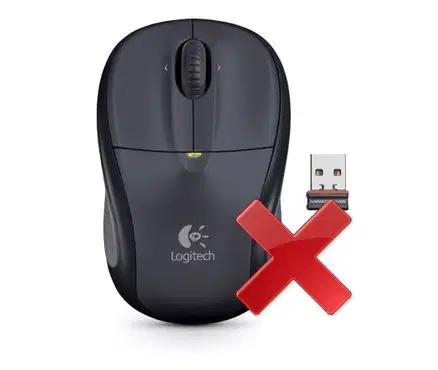
If a wireless mouse has stopped working, what is the first thing you should check?
If the mouse has enough battery power
If the keyboard is working
The internet connection
The brightness of the monitor
If replacing the batteries does not fix the wireless mouse, what else can you try?
Turn off the monitor
Check the wireless connection or receiver
Change the printer settings
Unplug the keyboard

What is another action you should take when a computer freezes?
Install a new operating system
Wait for a few minutes to see if the computer responds
Turn off the monitor
Open more programs
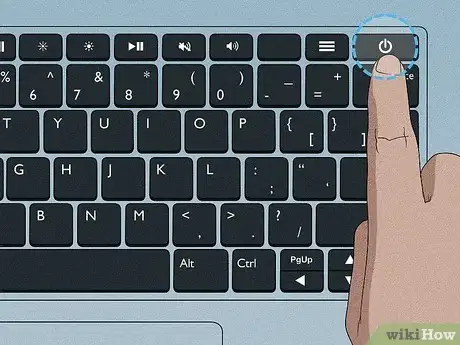
If the keyboard is not working, what could be a potential cause?
The keyboard is unplugged
The monitor is off
The printer driver is outdated
The mouse is broken
What is the first action to take if the keyboard stops working?
Restart the computer
Press all the keys at once
Check if the keyboard is properly connected
Reinstall the printer driver
If nothing happens when you turn on the computer, but the power cable is connected, what should you do next?
Check if the power button on the monitor is on
Open the case and check internal connections
Plug in the keyboard
Adjust the screen resolution
If your keyboard is connected but still doesn’t work, what else should you check?
The monitor settings
The keyboard driver
The printer driver
The brightness level
When your computer freezes, why should you avoid turning it off immediately?
It might corrupt open files or data
The mouse may stop working
The monitor will turn off
The keyboard could be damaged
If you turn on a PC and the system unit is clearly ON, but the monitor is dark, the problem could be that:
The monitor is not turned ON
The monitor is not plugged in
The monitor is not connected to the PC
Any or all of the above
What's the first thing you do when you notice something is wrong?
Don't Panic
Panic
Start Clicking Everywhere
Tell Teacher
Why shouldn't you panic when you notice something is wrong?
It's usually not as serious as you think
What's the worst that can happen, right?
You definitely SHOULD panic
Panic, panic now
First, check all _______ when looking for physical errors
Logs
Updates
Cords
Icons
What can you do if your teacher is too busy to help and your computer is acting crazy?
Throw it in the garbage
Reboot (write down the error code if there is one)
Cry
Go play a game
Uh oh, I cannot connect to the Internet. What should I do?
Check the internet icon in system tray for connection status
Check ethernet cable for lights, if wired in
Reboot
Write down and research any error messages
ALL of these things!
About 30% of spam email are these types of email sent to scam you financially, not just annoy you with ads.
Phishing
Baiting
Brute force
Worm
What should you do if your email is hacked?
Make a new account immediately
Remove 2-factor authentication
Change your password from a safe device & let family and friends know
Don't tell anyone, especially your friends and other email contacts
Which of the following is NOT Cybercrime?
To steal personal information (like credit card info)
To delete information on your computer
To remotely control your computer
Cyberwar, to disrupt life (water, food or power supply)
All are examples of cybercrime
What is the first step you should take when troubleshooting a hardware issue?
Update the device drivers
Check connections and cables
Restart the device
Check the software settings
Which of the following are malware?
spyware
Trojan Horse
viruses
All these answers are correct
Why do hackers create viruses and spyware?
They want to steal money
They want to steal your private info
They want to harm your computer
All of these answers are correct
Why is it important to have antivirus software installed on your computer?
To track your finances
To stop others from plagiarizing your work
to prevent others from stealing your device
To stop hackers from harming your computer
Why is it important to know how to troubleshoot your computer?
You can help others
All these answers are correct
To save money
There may not always be someone to help you.
Computer viruses are
Programs that hackers use to harm your computers or steal info.
A sickness that humans catch from computers
can only be acquired through the internet
can only be acquired through email
What keyboard command closes a pop-up window?
Alt F4
Ctrl C
Alt C
Ctrl F4
You computer is running slow and you are having trouble connecting to websites. What should you do?
Check power source and internet cables
Check internet cables and network connections, and do a virus scan
Check power cords, internet connections, and do a virus scan
Check power cords, all cables going in and out of the computer, check internet connections, check network connections, do a virus scan and restart.
Choose one solution for the following problem: an application is running SLOWLY.
Restart the computer
Try to access the application from the internet instead
Close and re-open the application
Just forget it and work in another application
Choose one solution for the following problem: the sound isn't working.
Check the volume level
Use different headphones
Buy speakers
restart you computer
Troubleshooting is always a process of...
random act to get the solution you want
trial and error
trying different things
not knowing what you are doing
Choose one solution for the following problem: The screen is blank.
Make sure the monitor and computer are plugged in and turned on
Hit the power button on the screen only
Check mouse to see if the light is turned on
Restart your computer
Choose one solution for the following problem: Power button will not start computer.
Check the central processing unit (CPU) to see if it is working properly
Check the power cord to confirm that it is plugged securely into the back of the computer case and the power outlet
Check your internet access to see if you are connected to the internet
Check to see if you have an Ethernet cable connection

this picture means?
the computer does not give out a sound
the sound is to loud
do talking in the classroom

