
 Worksheets
SOAL SAS 7 B (NEEDS)
Total questions: 21
Worksheet time: 11mins
Name
Class
Date
1.
Nama
4 lines
2.
From the image below, which is called Microsoft Word:
(Dari gambar di bawah ini, yang disebut Microsoft Word:)
a)
A
b)
B
c)
C
d)
D
3.
From the image below, which is the Microsoft Word logo?
(Dari gambar di bawah, manakah logo Microsoft Word?)
a)
A
b)
B
c)
C
d)
D
4.
From the Picture below, which location that we can find MS Word:
(Dari gambar di bawah ini, dimana kita bisa menemukan MS Word:)
a)
A. Desktop
b)
B. Folder
c)
C. Browser
d)
D. MS Store
5.
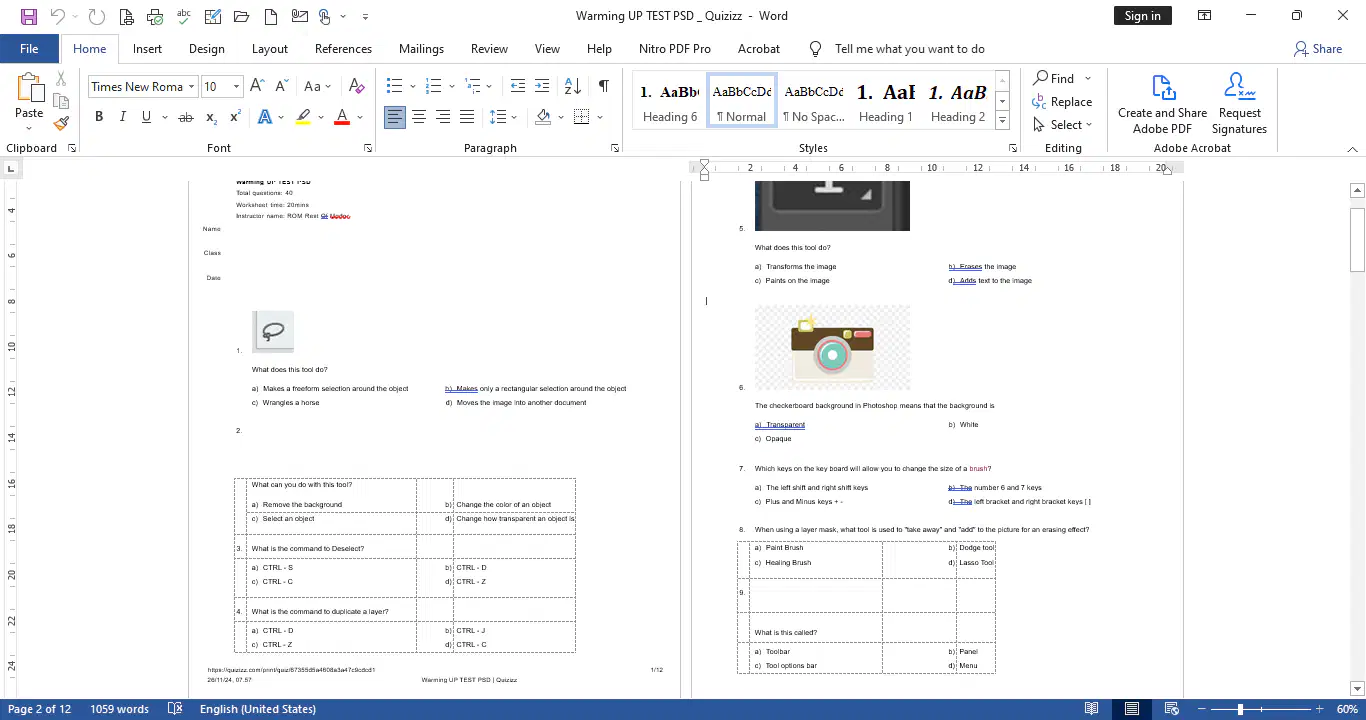
From Picture below, to find font formatting we should go to:
(Dari Gambar di bawah, untuk menemukan format font kita harus pergi ke:)
a)
A
b)
B
c)
C
d)
D
6.

From Picture Bellow, which icon that can resize our text?
(Dari Gambar Di Bawah, ikon mana yang dapat mengubah ukuran teks Anda?)
a)
A
b)
B
c)
C
d)
D
7.

From Picture Bellow, which icon that can enlarge or shrink our text?
(Dari Gambar Di Bawah, ikon mana yang dapat memperbesar atau memperkecil teks Anda?)
a)
A
b)
B
c)
C
d)
D
8.

From Picture Bellow, which icon that can change our text colour?
(Dari Gambar Di Bawah, ikon manakah yang dapat mengubah warna teks Anda?)
a)
A
b)
B
c)
C
d)
D
9.

From Picture Bellow, which icon that can change our text type?
(Dari Gambar Di Bawah, ikon manakah yang dapat mengubah jenis teks kita?)
a)
A
b)
B
c)
C
d)
D
10.

From Picture Bellow, which icon that can make our words "Thick"?
(Dari Gambar Di Bawah, ikon manakah yang dapat membuat kata-kata Anda "Tebal"?)
a)
A
b)
B
c)
C
d)
D
11.
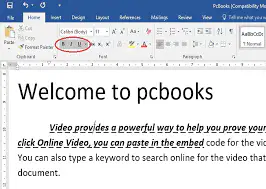
From the picture below, which icon did you choose to make your text look like the picture?
(Dari gambar di bawah, ikon manakah yang Anda pilih untuk membuat teks Anda tampak seperti gambar tersebut?)
a)
A
b)
B
c)
C
d)
D
12.

From Picture Bellow, which icon that can make our words "inclined/italicize"?
(Dari Gambar Di Bawah, ikon manakah yang dapat membuat kata-kata Anda "miring"?)
a)
A
b)
B
c)
C
d)
D
13.

From the picture below, which icon did you choose to make your text look like the picture?
(Dari gambar di bawah, ikon manakah yang Anda pilih untuk membuat teks Anda tampak seperti gambar tersebut?)
a)
A
b)
B
c)
C
d)
D
14.

From Picture Bellow, which icon that can get "Lined" under our words?
(Dari Gambar Di Bawah, ikon manakah yang dapat memperoleh "Garis" di bawah kata-kata Anda?)
a)
A
b)
B
c)
C
d)
D
15.

From the picture below, which icon did you choose to make your text look like the picture?
(Dari gambar di bawah, ikon manakah yang Anda pilih untuk membuat teks Anda tampak seperti gambar tersebut?)
a)
A
b)
B
c)
C
d)
D
16.

From the picture below, which icon can give your text an "Effect"?
(Dari gambar di bawah, ikon manakah yang dapat memberikan "Efek" pada teks Anda?)
a)
A
b)
B
c)
C
d)
D
17.
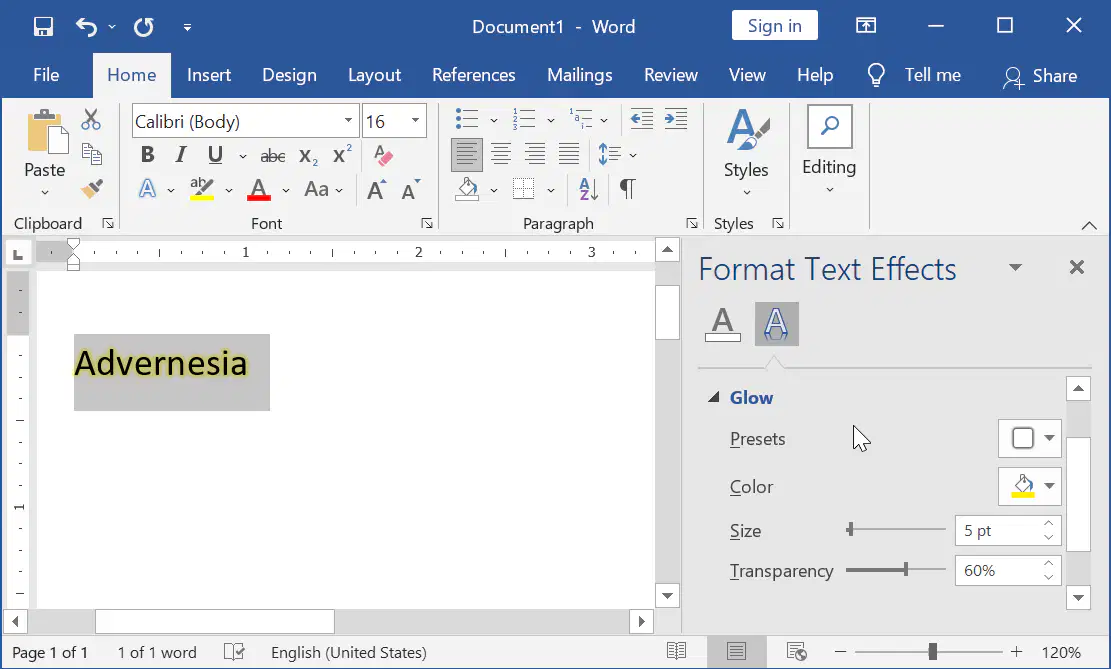
From the picture below, which icon did you choose to make your text look like the picture?
(From the picture below, which icon did you choose to make your text look like the picture?)
a)
A
b)
B
c)
C
d)
D
18.

From the picture below, which Icon that can give you a "table" inside your document ?
(Dari gambar di bawah, Ikon manakah yang dapat memberikan Anda "tabel" di dalam dokumen Anda?)
a)
A
b)
B
c)
C
d)
D
19.

From the picture below, which Icon that can give you a "Picture" inside your document?
(Dari gambar di bawah, Ikon manakah yang dapat memberikan Anda "Gambar" di dalam dokumen Anda?)
a)
A
b)
B
c)
C
d)
D
20.

From the picture below, which icon can "adjust the size" of your document?
(Dari gambar di bawah, ikon manakah yang dapat "menyesuaikan ukuran" dokumen Anda?)
a)
A
b)
B
c)
C
d)
D
21.

From the picture below, which icon can "adjust the orientation" of your document?
(Dari gambar di bawah, ikon mana yang dapat "menyesuaikan orientasi" dokumen Anda?)
a)
A
b)
B
c)
C
d)
D
100 %

