
Font size
 Worksheets
Types of Storage Devices
Total questions: 32
Worksheet time: 15mins
Which of the following is most commonly found in PCs?
Solid State Storage
Magnetic Storage
Cloud Storage
Optical Storage
Which of these is a Hard Disk Drive (HDD)?


Which of these are magnetic storage devices? (choose all that apply)


These are offline storage?
True
False

What type of storage is this device?
Primary
Online
Offline
Which type of storage is great for storing backups safely?
Primary
Secondary
Offline
What is a storage device?
A device use for calculating data
A device used to store data temporarily
A device used to supply power to the computer
A device used to store data permanently
Which of these is RAM?
Which of these is primary storage? (choose all that apply)
Portable HDD
SSD
HDD
ROM Chip
RAM
Which type of storage is directly accessible to the CPU?
Primary
Secondary
Offline
Which of these is primary storage?
Which of these are Optical storage? (choose all that apply)

Which of these are NOT optical storage? (choose all that apply)


What type of device is this?
Optical
Magnetic
Solid State
What is offline-storage
Storage which is not on the internet
Storage which is volatile
Storage which cannot be deleted
Storage which is external (outside) the system, but must be connected to the system for data to be retrieved and stored
What does HDD stand for?
Hard Driving Disks
Hard Drive Diagram
Hard Disk Dimensions
Hard Disk Drive
Internal Hard Drives are...
Inside an enclosure
Portable
Inside a computer
Outside the computer case
What type of Hard Drive is outside the computer in a portable enclosure?
External Hard Drive
Hard Disk Drive
Solid State Drive
Internal Hard Drive

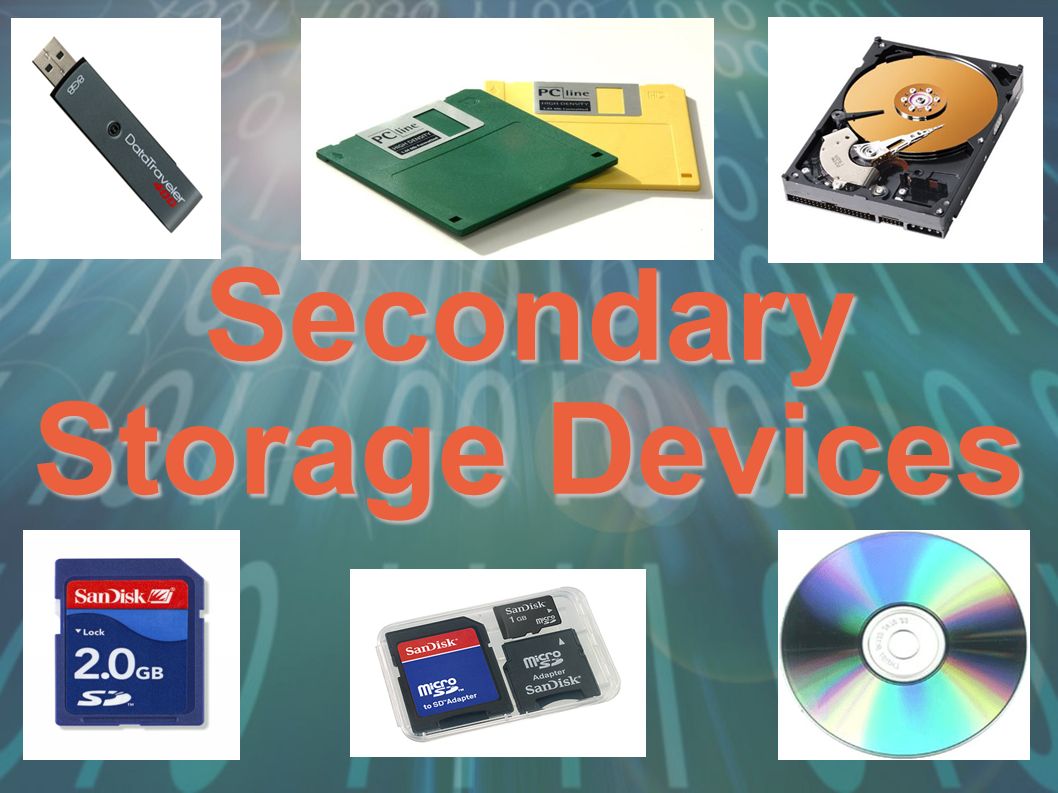
Secondary storage devices can be grouped into three categories - what are they?
Magnetic, Flash and Optical
Magnetic, Optical and Solid State
Solid State, Flash and Hard Drives
Hard Drives, CDs and USBs
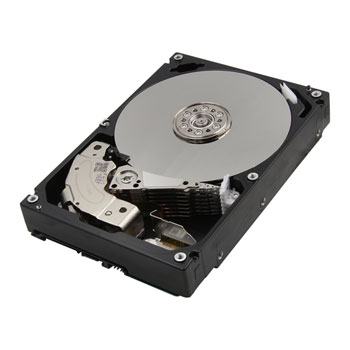
Hard Disk Drives are a type of...
Optical storage device
Magnetic storage device
Solid State memory
Primary memory
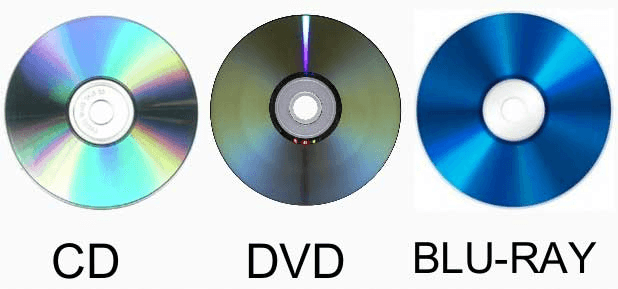
CDs, DVDs and Blu-Rays are all types of...
Magnetic storage devices
Optical storage devices
Solid State memory
Primary memory
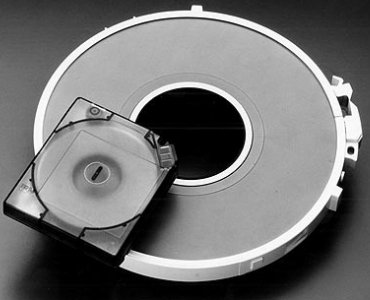
Magnetic tape storage is what kind of device...
Solid state memory
Optical storage
Magnetic storage
Primary memory
A storage DEVICE is the component that reads and writes information, and a storage MEDIA is the component that the data is read from or written to.
True
False
Which of these are reasons for computer systems requiring secondary storage? (Tick all that apply)
Secondary storage improves system performance
Used to back up data stored in main memory/primary storage.
Stores programs/data and files that would be lost when the power is switched off.
Need for larger storage capacity (than what RAM and ROM can provide).
Its required for Virtual Networks

