
 Worksheets
ACSR
Total questions: 26
Worksheet time: 20mins
You can search for a CX account in ACSR with:
First and last name
Address
DOB
the summary page on ACSR will show Offers/products
In order to view the equipment the customer currently has in use – navigate to the top of the page and locate the “_______” icon.
dollar sign icon
house icon
cable box icon
mail icon
on the equipment page
Owner: Indicates if the equipment is Customer Owned or Leased
in ACSR the equipment Serial Number is NOT the same as the MAC address
Can we assist customers with customer owned equipment
we shouldn’t advise anything beyond a power-cycle and checking connections.
Yes, we can do all the same TS as a leased modem
we can only send a tech to the cx
From the order screen in ACSR what 3 steps would you do to cancel a trouble call?
click cancel order
select job resolution code
click edit order
select OK
what icon is pressed to add notes in ACSR?
notepad icon
two people icon
What tab can you edit the cx email?
Summary
Customer
Locations
Accounts
What tab can we see additional identifications?
Summary
Orders
Offers
Customer
The first step to cancel a TR we hit cancel on the orders tab
Locations tab on a cx account can show us
start and end date of service
if cx address is serviceable
cx address
services that are active/disconnected

Is this modem CX owned or a Sparklight modem?
CX owned modem
Sparklight modem

Is this modem CX owned or a Sparklight modem?
Sparklight modem
CX owned
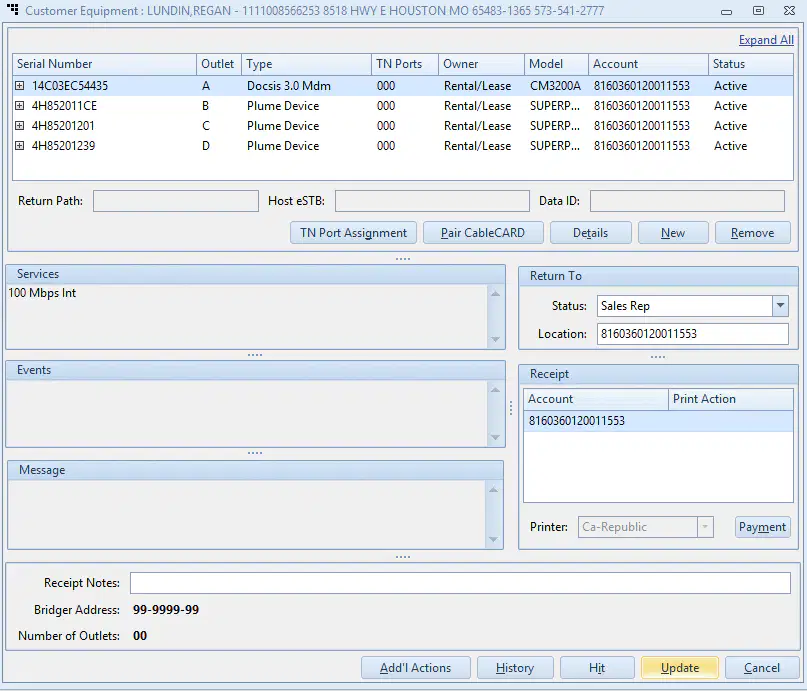
What is the modems MAC address?
14C03EC54435
4H852011CE
4H85201201
No MAC shown.

What icon is used to create a TR?


To add your note what icon is used?


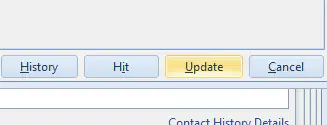
To send a signals to a cable box you would click?
history
hit
update
cancel
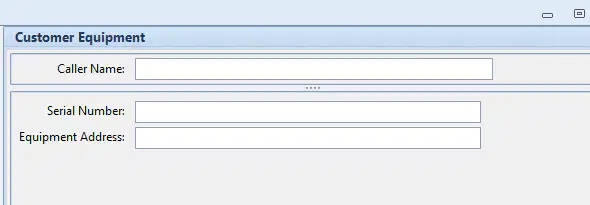
When searching by MAC address you only need the letters and numbers.
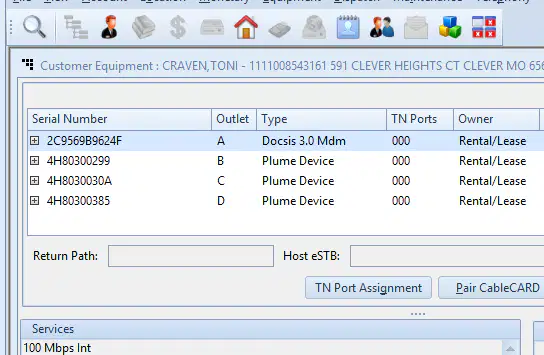
when searching for CX by MAC address what icon do we press for the summary page?


There are two active modems on the account.
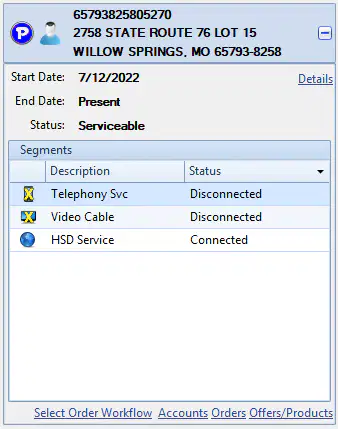
This CX has phone service with us
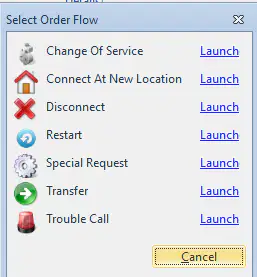
To create a TCC truck roll we will select?
Special Request
Trouble Call
Connect At New Location
Change of Service
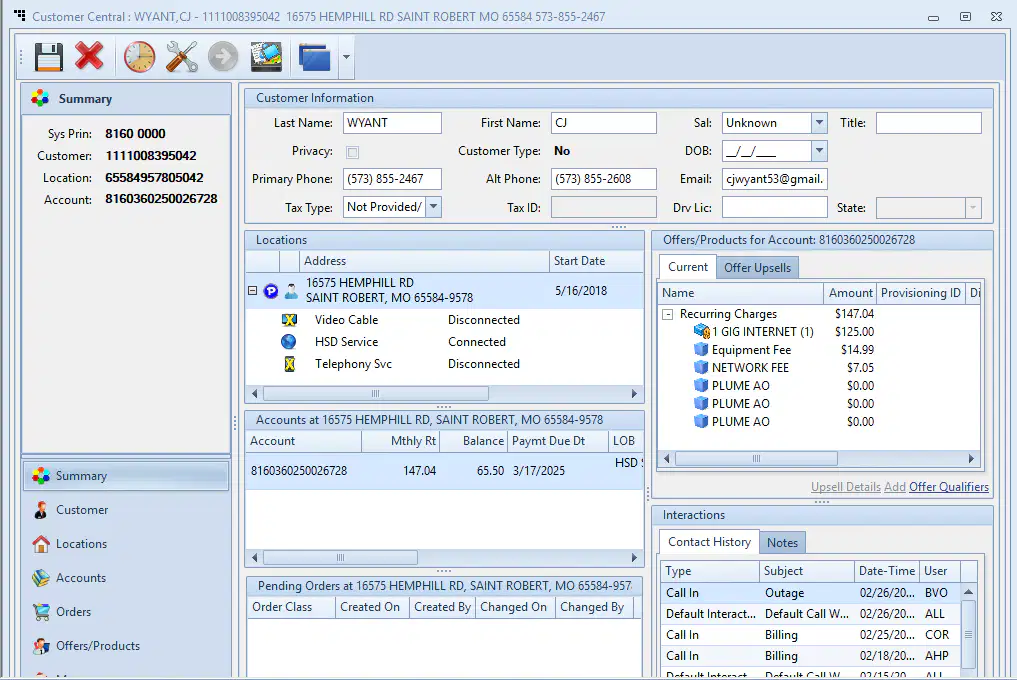
This CX pays an equipment fee.
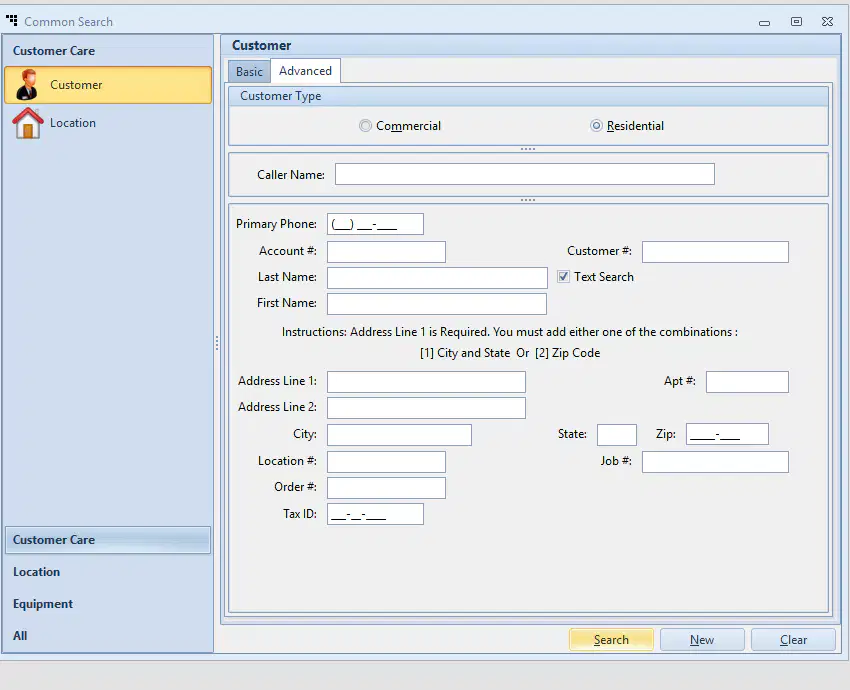
To search for a business account, you just click on the Commercial option.
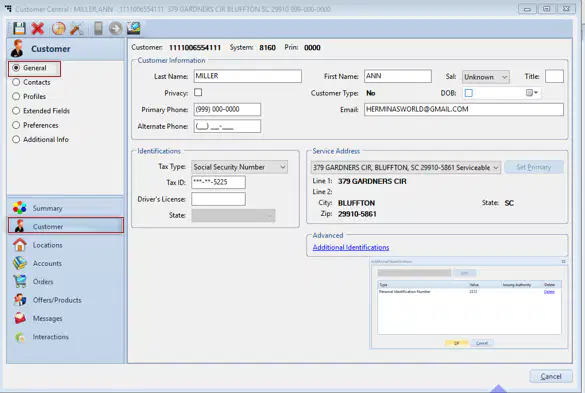
From this screen you can edit the CX phone number and email.

