wayground logo

Free Printable Worksheets

NEW

Font size

S
M
L
XL
Worksheets

Adjustments & Blending Modes Review

Total questions: 20

Worksheet time: 10mins
Name
Class
Date
1.
Hue refers to what quality?
a)
color
b)
brightness
c)
contrast
d)
tonality
2.
When painting on an adjustment layer mask, what keyboard shortcut is used to adjust the Brush size?
a)
left and right arrows
b)
up and down arrows
c)
left and right bracket keys
d)
period and comma
3.
Darken, lighten, overlay, and dissolve as examples of:
a)
contrast settings
b)
tonal qualities
c)
saturation values
d)
blending modes
4.
When working with specific adjustment layer values, what panel is used to make the changes? For example, when applying Black and White Adjustment layer, what panel is used to adjust the degrees of color shading?
a)
Window
b)
Properties
c)
Info
d)
Channels
5.
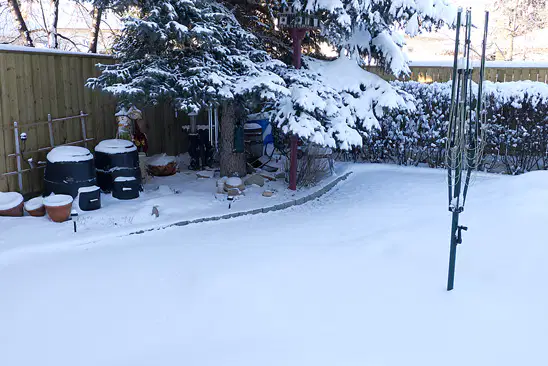
What adjustment layer would be used to easily modify the temperature of this "cool" photo?
a)
Hue/Saturation
b)
Black and White
c)
Brightness/Contrast
d)
Photo Filter
6.
Modifying this attribute will determine if the color of the image is intense or washed-out; lowering completely will result in a grayscale image.
a)
Hue
b)
Lightness
c)
Saturation
d)
Opacity
7.
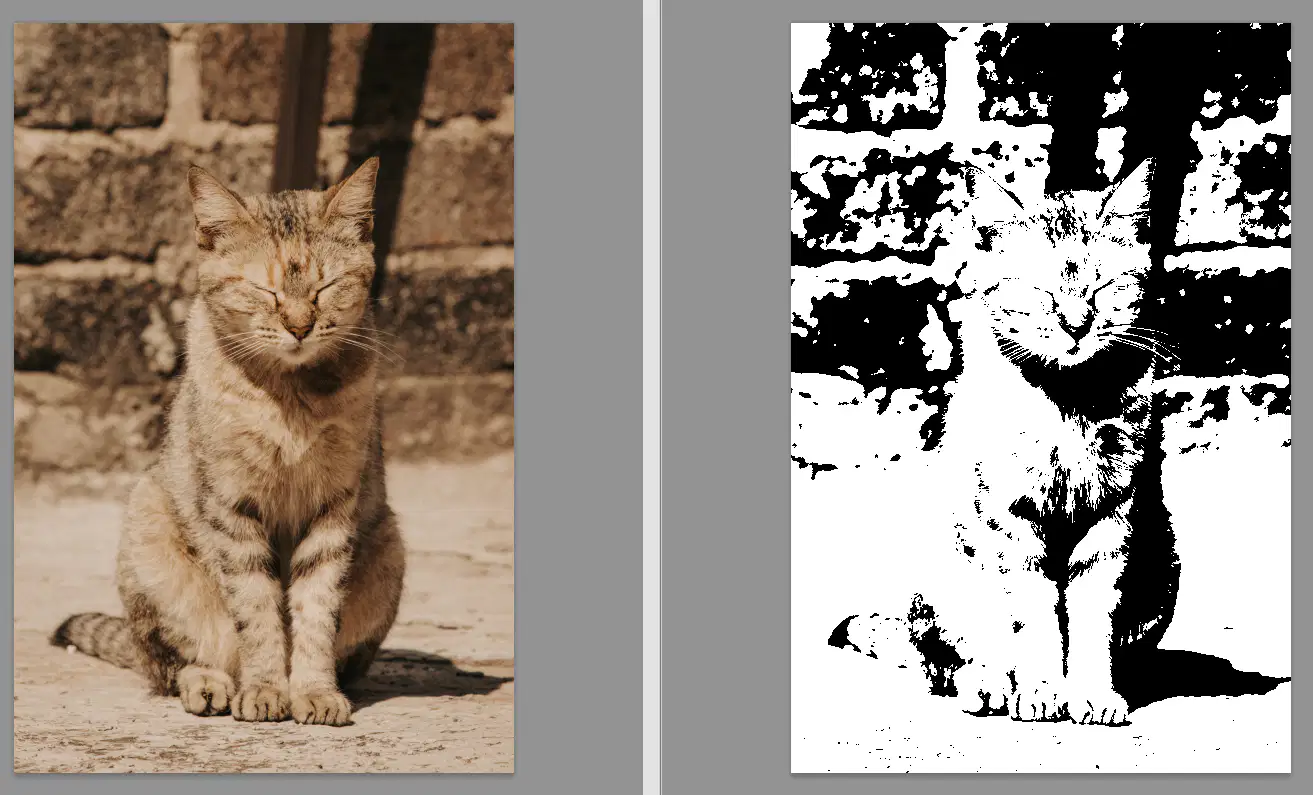
What adjustment was applied to the image on the right?
a)
Black and White
b)
Hue/Saturation
c)
Threshold
d)
Photo Filter
8.
Adjustment layers automatically include their own layer mask, meaning they are:
a)
Destructive
b)
Non-destructive
c)
It depends on the photo
9.
Which of the following would NOT be an example of fill layer?
a)
Solid Color
b)
Gradient Fill
c)
Pattern Fill
d)
Exposure
10.
Review this portion of an adjustment layer properties panel. What adjustment is being made?
a)
Brightness/Contrast
b)
Exposure
c)
Levels
d)
Curves
11.
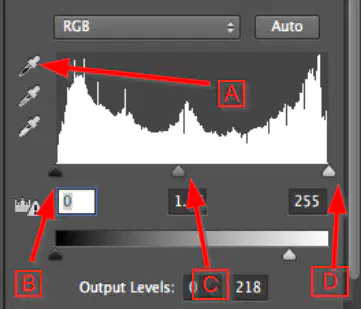
Review the graphic below. Which slider would be used to adjust the highlights of the image?
a)
A
b)
B
c)
C
d)
D
12.
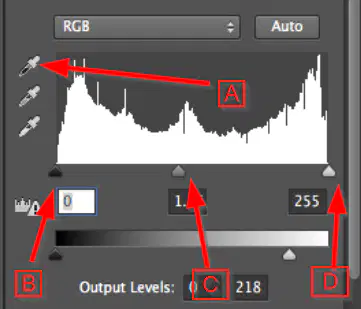
Review the graphic below. Which slider would be used to adjust the midtones of the image?
a)
A
b)
B
c)
C
d)
D
13.
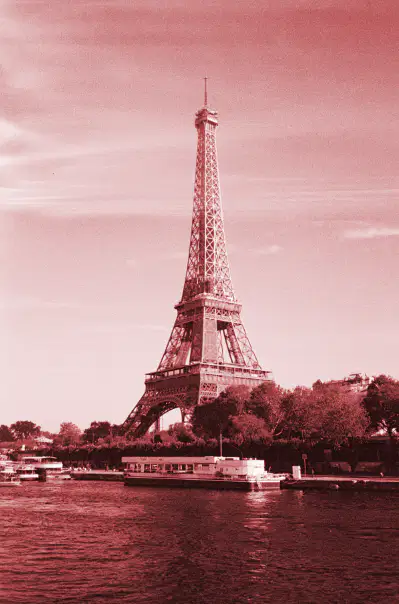
Which adjustment layer offers the ability to Colorize an image, such as this?
a)
Hue/Saturation
b)
Levels
c)
Curves
d)
Photo Filter
14.
What is the proper term to reference the dark part of images?
a)
darks
b)
midtones
c)
shadows
d)
desaturations
15.
Where do you modify the Blending Mode?
a)
Channels Panel
b)
Histogram Panel
c)
Properties Panel
d)
Layers Panel
16.

Which of the following is a non-destructive editing technique?

a)

Using the eraser tool directly on the image layer

b)

Applying adjustments directly to the image layer

c)

Editing using adjustment layers

d)

Cropping the image and saving over the original file

17.

What file format supports transparent backgrounds in images?

a)

JPEG

b)

BMP

c)

PNG

d)

TIFF

18.

______ changes the size of the image. Allowing you to take out elements you don't want in the frame.

a)

Crop

b)

Erase

c)

Rotate

d)

Levels

19.

Imagine you're editing a photo for a client's magazine cover. What is the purpose of using Adjustment Layers in this scenario?

a)

To permanently alter the original image

b)

To add text to the magazine cover

c)

To apply color and tonal adjustments without permanently changing the image

d)

To create a new background for the cover

20.

In terms of image editing, what is masking?

a)

Add a border to an image

b)

Hide certain parts of a layer so that only the selected parts are visible

c)

Change the opacity of the entire image

d)

Protect a section of the image so that it cannot be edited