
 Worksheets
Standard 7 Computer Basics Assessment 2025
Total questions: 51
Worksheet time: 26mins

What is a computer?
A device that can only play games
A tool for writing letters
A machine that processes data
A type of smartphone
Which of the following is a basic part of a computer?
Router
Scanner
Printer
Monitor
What does an operating system do?
It plays music
It connects to the internet
It creates documents
It manages computer hardware and software

What is the purpose of the cloud?
To store data online
To connect to printers
To improve computer speed
To create graphics
What should you do to keep your computer clean?
Use a vacuum cleaner
Dust it regularly
Avoid using it
Keep it in a dark room
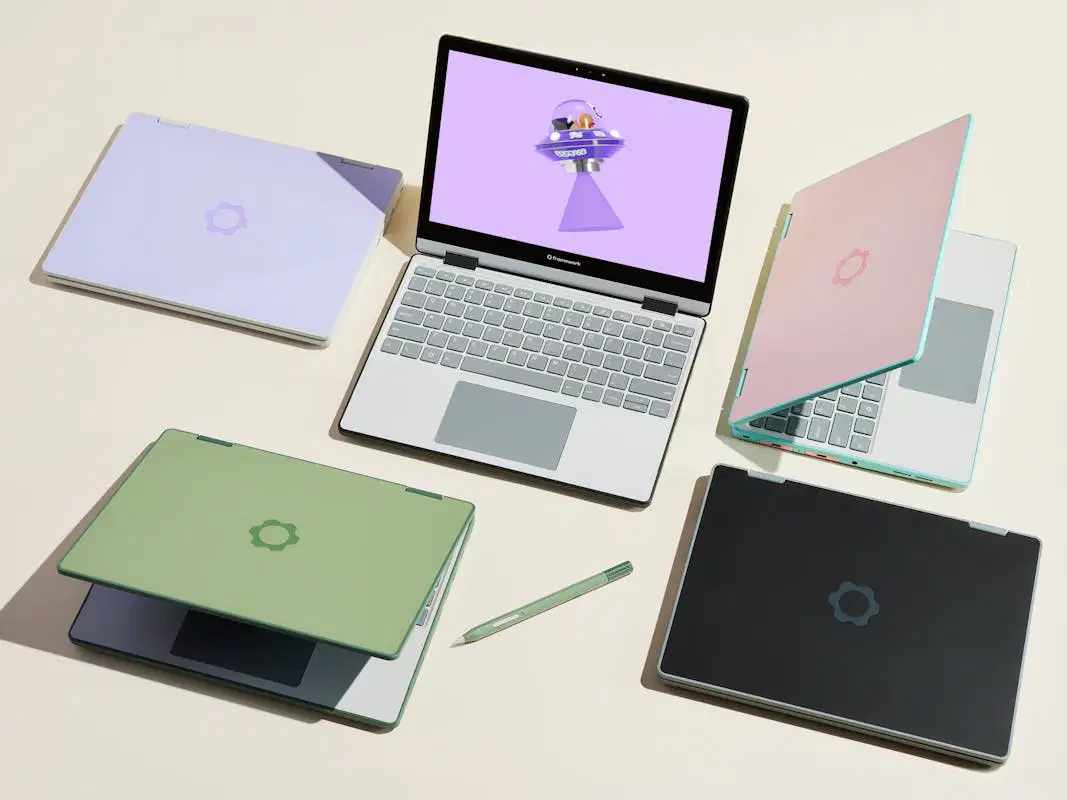
What is a laptop?
A computer that only plays games
A portable computer
A type of desktop computer
A device for making phone calls
What is the function of applications?
To clean the computer
To perform specific tasks on a computer
To connect to the internet
To manage hardware
What is one way to protect your computer?
Avoid using the internet
Use it only at night
Keep it unplugged
Install antivirus software
What is basic troubleshooting?
Upgrading software
Cleaning the computer
Solving common problems
Fixing hardware issues
What is the purpose of using accessibility features?
To make the computer faster
To help users with disabilities
To connect to other devices
To improve graphics

What is the role of a web browser?
To store files on your computer
To manage system updates
To create graphics
To access and display websites
What is a firewall?
A security system that monitors network traffic
A device for connecting to the internet
A tool for cleaning your computer
A type of software for editing videos
What does RAM stand for?
Read Access Memory
Random Access Memory
Remote Access Module
Rapid Application Management

What is the function of a hard drive?
To manage system updates
To connect to the internet
To store data permanently
To display images

What does a printer do?
It cleans the computer
It connects to the internet
It produces physical copies of digital files
It scans documents
What is the purpose of software updates?
To change the color scheme
To increase the size of the software
To delete old files
To add new features and fix bugs

What is the purpose of a mouse?
To display images
To store data
To navigate and interact with the computer
To connect to the internet

What does a USB drive do?
It connects to the internet
It stores data temporarily
It transfers data between devices
It cleans the computer
What is the function of an antivirus program?
To protect against malware and viruses
To create graphics
To speed up the computer
To manage hardware components

Which of these is an example of a computer?
Personal desktop computer
Ipad
Smartwatch
All of these are examples of computers

Computers can do many things, for example......
it manipulates data
it stores information
it connects people from different places
a computer can do all these

While studying in the library, Mikael wants to make sure he takes good care of her iPad/Laptop. Which of these is NOT a way to take good care of it?
Cleaning the screen with a microfiber cloth
Keeping food and drinks away from the device
Adding extra weight on it like a backpack
Holding it with both hands when you carry it

A computer uses a combination of :
hardware and software
line paper and white paper
monitor and digital pixels
keyboard and mouse

Which of these is an example of Computer Hardware?
Google Chrome
Microsoft Windows
MacOS
Keyboard
Which of these is an example of Computer Software?


Which of these is NOT an example of Computer Software?


Which of these is NOT an example of Computer Hardware?


In general, learning the basics of computers is important to do well in school and also in any type of job. True or False?
True
False

An Operating System or OS is the most important software that runs on a computer; this software communicates with the hardware and allows other programs to run. Which of these are examples of Operating Systems?
iOS
Microsoft Windows
Android
All of these are Operating Systems

There are different types of storage to save your files. Which of these is NOT a type of storage?
USB pen drive
file cabinet
memory card
DVD

For your school files, you don't need a secondary storage device because Google saves all your files automatically on your Google drive. True or False?
True
False
ANY COMPUTER PARTS THAT YOU CAN ACTUALLY TOUCH ARE CONSIDERED TO BE
SYSTEMS
PLATFORMS
HARDWARE
SOFTWARE
THE TERM____________REFERS TO THE SET OF INSTRUCTIONS THAT DIRECTS THE HARDWARE IN A COMPUTER TO ACCOMPLISH A TASK.
OUTPUT
SOFTWARE
HARDWARE
INPUT

CPU STANDS FOR
COMPUTER PROGRAM UNIT
COMPUTER PROGRAM UNDERSTANDING
CENTRAL PROCESSING UNIT
CENTRAL PROCESSING UNDERSTANDING
RAM STANDS FOR
READ AND MEMORY
RANDOM AND MEMORY
RANDOM ACCESS MEMORY
READ AND MOUSE
WHAT IS THE MAIN FUNCTION OF THE MONITOR ?
ALLOWS YOU TO STORE LARGE AMOUNTS OF DATA
ALLOWS YOU TO VIEW INFORMATION ON A SCREEN
ALLOWS YOU TO LISTEN TO MUSIC
SERVES AS AN INPUT DEVICE
THE DEVICE THAT ALLOWS YOU TO TYPE ON THE COMPUTER SCREEN AND COMMUNICATE WITH THE COMPUTER IS
MOUSE
KEYBOARD
THE SPEAKERS
NONE OF THE ABOVE
WHAT PIECE OF HARDWARE DO YOU USE TO NAVIGATE THE SCREEN ?
MOUSE
MOUSE PAD
THE SPEAKERS
RAM
WHICH OF THE FOLLOWING IS CONSIDERED AN INPUT DEVICE ?
PRINTER
MOUSE
MONITOR
COPIER
WHICH OF THE FOLLOWING IS AN OUTPUT DEVICE ?
MOUSE
KEYBOARD
HEADPHONES
RAM
WHAT IS AN ICON ?
A SYMBOL REPRESENTING A PROGRAM
A BUTTON ON THE MENU BAR
A BUTTON ON THE TOOL BAR
A BUTTON ON THE TITLE BAR
THE DESKTOP IS A COMPUTER TERM THAT REFERS TO
THE INITIAL SCREEN SHOWING ICONS FOR FOLDERS, FILES AND APPLICATIONS
THE LIST OF ALL OF THE CONTENTS ON A COMPUTER
WHICH OF THESE PROGRAMS IS A BROWSER FOR THE INTERNET ?
GOOGLE CHROME
ADOBE
SCRATCH
ALICE
Printing a document is an example of output.
Yes, because it is the result of processing data.
No, because it's not the result of processing data.
I don't know.

The ________ is the computer's main circuit board. It's a thin plate that holds the CPU, memory, connectors for the hard drive and optical drives, expansion cards to control the video and audio, and connections to your computer's ports.
RAM
CPU
Optical Disc Drive
Motherboard

Keyboard

Monitor

ROM is used to store the start-up instructions for the computer
TRUE
FALSE
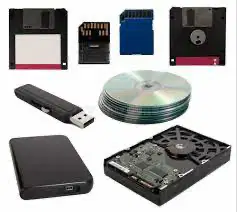
What is the correct order of storage capacity in ascending order?
Byte, Bit, Megabyte, Kilobyte, Gigabyte
Bit, Byte, Kilobyte, Megabyte, Gigabyte
Megabyte, Byte, Gigabyte, Bit, Kilobyte
Bit, Megabyte, Byte, Gigabyte, Kilobyte

