
 Worksheets
Operating System Performance Quiz
Total questions: 57
Worksheet time: 29mins

What are the three broad classifications of factors that affect the performance of an operating system?
Hardware, Software, User-related
Hardware, Network, Security
Software, Network, User-related
Security, Hardware, Software
Which of the following is a possible consequence of a poorly maintained operating system?
Slow boot-up times
Faster processing speed
Increased storage capacity
Enhanced graphics performance
Which factor significantly affects the OS performance by influencing the number of simultaneous processes it can handle?
Storage Type
Processor Speed
Network Bandwidth
Display Resolution
What is the impact of insufficient RAM on system performance?
Increases battery life
Leads to swapping and reduces performance
Enhances graphics quality
Improves data encryption
How do SSDs compare to Hard Disk Drives in terms of performance?
SSDs are slower in data access times
SSDs offer faster data access times
SSDs have no impact on performance
SSDs are more prone to data loss
What role does the efficiency of system software play in overall performance?
It has no impact on performance.
It plays a significant role in overall performance.
It only affects the performance of applications.
It decreases the performance of the file system.
How can resource-heavy applications affect an operating system?
They improve the OS's responsiveness.
They have no effect on the OS.
They consume significant resources, affecting responsiveness.
They only affect the file system.
What is a potential downside of regular updates and patches?
They always improve performance without issues.
They can introduce issues if not properly tested.
They have no effect on security.
They only affect hardware performance.

What is one effect of running multiple applications simultaneously on a computer system?
It improves system performance.
It strains system resources, leading to decreased performance.
It has no effect on system performance.
It automatically updates the system.
How can user configuration and customization impact computer performance?
By increasing the number of startup programs.
By turning off unnecessary features to improve speed.
By installing more visual effects.
By reducing the system's memory.
Which maintenance activity can help maintain optimal computer performance?
Ignoring software updates.
Regularly cleaning temporary files.
Increasing the number of applications running.
Disabling disk defragmentation.
What is the primary purpose of utility software?
To perform a single or a couple of specific tasks to maintain the performance of your computer system
To create complex graphics and animations
To develop software applications
To manage network connections
Which of the following is an example of utility software?
Word processor
Disk defragmenter
Web browser
Spreadsheet
What type of software is typically pre-installed with operating systems to help maintain computer performance?
Game software
Utility software
Development software
Multimedia software
What is the primary purpose of a disk defragmenter?
To delete unnecessary files
To regroup data so related data is in the same location
To increase internet speed
To install new software
Why is it recommended not to use the computer while running a disk defragmenter?
It can cause the computer to overheat
It can slow down the defragmentation process
It can delete important files
It can increase the risk of a virus
What type of drives are prone to fragmentation?
Solid-State Drives
Hard Disk Drives
USB Drives
Optical Drives
What happens if a hard disk becomes heavily fragmented and the defragmenter is not run regularly?
The computer will shut down automatically
The defragmentation process will take several hours
The hard disk will become unusable
The computer will lose all data

What is the purpose of using backup utility software?
To delete unnecessary files
To simplify and automate the backup process
To increase internet speed
To enhance computer graphics
What can slow down the backup performance?
A fast internet connection
A fragmented hard drive
A new operating system
A high-resolution monitor
Why might backing up to cloud storage take a long time?
Because of the high cost
Due to the need for encryption
Because it requires a long time to upload
Due to limited storage space
What is the primary function of a disk cleaner utility?
To install new software
To identify and remove unnecessary data
To increase internet speed
To update the operating system
How does a registry cleaner improve computer performance?
By installing new hardware
By removing old redundant registry entries
By increasing the size of the hard disk
By updating software automatically
What impact does a heavily fragmented hard drive have on a computer?
It speeds up the computer
It has no impact
It can slow down performance
It increases storage capacity
Why might cleaning up a large amount of data take longer?
Because the computer needs to restart
Because it requires more processing power
Because other applications running can slow down the process
Because it needs internet access

Why is it important to regularly update software on your system?
To keep it secure, access the latest features, and remove bugs.
To increase the size of the software.
To make the system slower.
To delete important files.
What is a disadvantage of not scheduling regular software updates?
It will make the software cheaper.
It will cause poor internet performance while downloading updates.
It will improve the system's speed.
It will reduce the number of updates needed.
What do automatic software updates rely on?
A fast internet connection.
A large hard drive.
A powerful graphics card.
A high-resolution monitor.
What is the primary function of an anti-virus program?
To enhance the speed of the computer
To detect and remove suspicious programs
To increase storage capacity
To improve internet connectivity
Which factor does NOT affect the time taken for an anti-virus scan?
Size of the storage device
Amount of data being used
Color of the computer case
Fragmentation of the data
How can existing malware affect an anti-virus program?
It can speed up the scan process
It can interfere and affect performance
It can increase storage space
It can improve system graphics
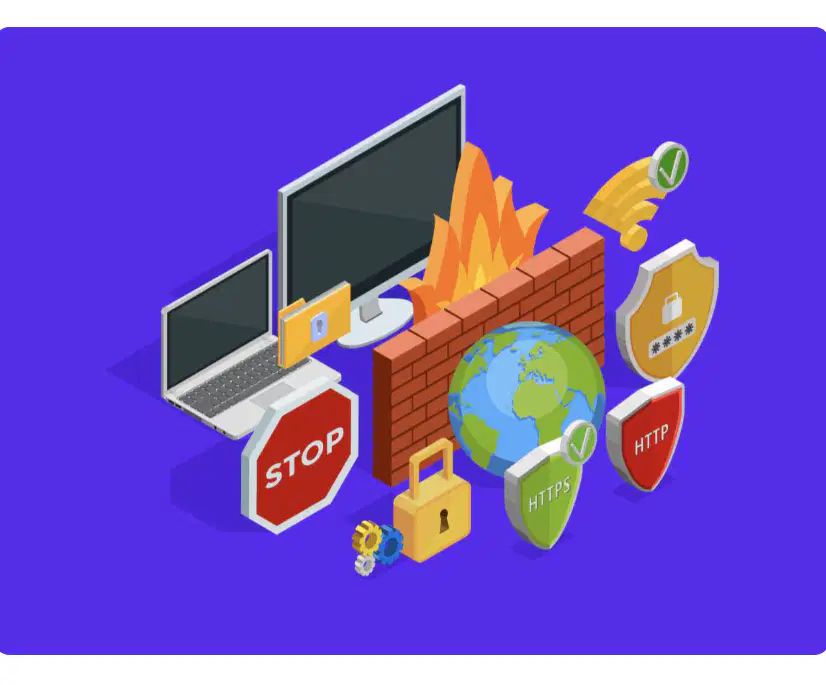
What is the primary function of a firewall in a computer system?
To increase the speed of the network
To monitor and block suspicious activity
To store data securely
To enhance the graphics of a computer
How can malware affect a firewall?
By speeding up its performance
By preventing it from working effectively
By improving its security features
By making it more user-friendly
What is a potential downside of using a firewall?
It can cause data loss
It can slow down network speed
It can delete important files
It can increase power consumption
What is necessary for a computer to perform any specific task?
Hardware components
Application software
Internet connection
Operating system

Which of the following is NOT a category of application software mentioned in the text?
Productivity software
Graphic/multimedia software
Gaming software
Communication software

What is a common feature of word processing software?
Entering and editing text
Creating databases
Designing websites
Developing software
Which type of software is used to organize data into a grid of rows and columns?
Word Processing
Spreadsheet
Presentation
Database
What is an example of a task you can perform with spreadsheet software?
Writing a novel
Editing a video
Simulation modeling
Creating a slideshow
What is the primary use of database software?
To create and manage databases
To produce slideshows
To edit videos
To design graphics
Which of the following is a common feature of presentation software?
Validation
Queries
Multimedia content
Forms

What type of software is used to produce slideshows for board meetings?
Database software
Presentation software
Graphic design software
Spreadsheet software
What is CAD software primarily used for?
Creating digital art
Producing technical illustrations
Editing photos
Designing websites
Which of the following is a common feature of CAD software?
Layering
Resizing
3D modes
Brightness adjustment
What is the primary use of graphics editing software?
Producing technical illustrations
Creating and manipulating images
Rendering 3D models
Conducting walkthroughs

Which tool is commonly associated with graphics editing software?
Wireframe
Zoom
Paint bucket
Walkthrough

What is the primary use of desktop publishing software?
To edit video footage
To arrange text and graphics for print
To create spreadsheets
To develop software applications
Which of the following is a common feature of video editing software?
Spelling and grammar checking
Format conversion
Character spacing
Template creation
What task is video editing software primarily used for?
Creating databases
Rearranging and manipulating video footage
Designing web pages
Writing code
Which feature is NOT commonly associated with desktop publishing software?
Entering and editing text
Video filter effects
Spelling and grammar checking
Inserting graphics
What is the primary use of home finance software?
To play video games
To manage personal accounts
To edit photos
To write code
Which feature is commonly found in educational software?
Budget planning
Bill reminders
Progress tracking
Investment portfolio management
What is an example of a skill that educational software can help you learn?
Cooking
Language learning
Gardening
Car repair
Which of the following is a feature of home finance software?
Quizzes
Multimedia content
Balance/transaction monitoring
Musical instrument learning
What is the primary use of personal software for entertainment?
Sending electronic messages
Performing calculations
Taking part in leisure activities
Managing databases
Which feature is commonly associated with music and film streaming software?
Address books
Play/pause
Carbon copy
Database management
What is a common feature of email software?
Rewind/fast forward
Attachments
Viewing photographs
Video games

