
 Worksheets
What is Eduverse?
Total questions: 47
Worksheet time: 26mins
What is Eduverse?
A physical classroom
A safe & secure immersive online learning space
A video game
A social media platform
Eduverse allows students and teachers to collaborate and learn together virtually as _______.
avatars
robots
holograms
characters
What keeps students engaged in Eduverse? Interactive galleries & compelling ________ keep students hooked.)
visuals
sounds
texts
lectures
What does Eduverse allow you to explore? Explore places you might never be able to visit in ________.
person
books
dreams
movies
What is a budget-friendly feature of Eduverse? (It’s ________ for educators!)
FREE
Expensive
Limited
Subscription-based
Paid
Educators unlock a vast repository of immersive ___ & ___ resources designed to enhance pedagogy & captivate learners like never before.
VR & AR
Text & Audio
Books & Videos
PDF & PPT
Which of the following is NOT mentioned as a type of resource available in Eduverse?
Explorable scenes
3D models
360° images & videos
Printed textbooks
Eduverse provides content for teaching history, science, or literature.
True
False
Eduverse is accessible on any ___-enabled device, empowering teachers to extend the reach of curriculum-aligned content.
web
Bluetooth
infrared
radio
According to the 'Safe & Secure' section, what ensures that learners are protected at all times in Eduverse?
Only teachers can join sessions
Only students from authorized domains can enter a teacher's Eduverse session
Teachers can monitor student behavior
Only teachers can invite students
According to the 'Invite Only' section, who has control over who joins or enters an Eduverse session?
Students
Teachers
Parents
Administrators
According to the 'Teacher Controls' section, what happens when a teacher ends the Eduverse session?
Students can continue using the environment
The Eduverse environment closes for all users
Only teachers remain in the environment
The session restarts automatically

Which mode allows students to explore learning scenes independently, giving them freedom to question, discover and explore at their own, uninterrupted pace?
Group or Classroom
Individual
Guided
Explorable

Peer learning facilitates a more engaging experience: Students can explore scenes together, allowing for collaboration and communication as they immerse themselves in each educational scene. Which mode does this describe?
Individual
Group or Classroom
Explorable
Guided
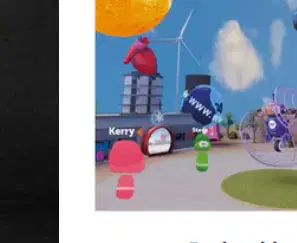
Students can roam and navigate their way through the whole of Eduverse at their own pace individually, or in a group. Which mode is being described?
Guided
Group or Classroom
Explorable
Individual

From a teacher-controlled environment, students can explore selected scenes all whilst being directed and guided through the experience by the teacher. Which mode is this?
Individual
Group or Classroom
Explorable
Guided
According to the passage, what is Eduverse?
A physical classroom tool
A web-based collaborative platform for learning
A VR-only application
A textbook publisher
Which of the following is used for front-of-class teaching as mentioned in the passage?
Interactive Flat-Panel Display (IFPD)
Tablets
Laptops
Smartphones
Which of the following is a tool for delivering Eduverse to many students at once at the front of the class?
Interactive Whiteboards
Mobile Phones
Desktops
Printers
Which device can be used by teachers to deliver Eduverse at the front of the class?
Projectors
Headphones
Calculators
Scanners
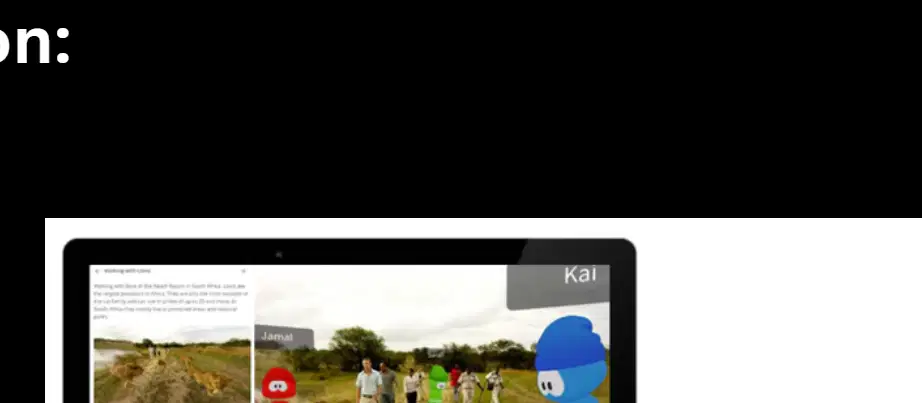
According to the information provided, Eduverse can be accessed on which of the following devices?
Chromebooks & laptops
Desktop computers (PC & Mac)
Tablets
All of the above
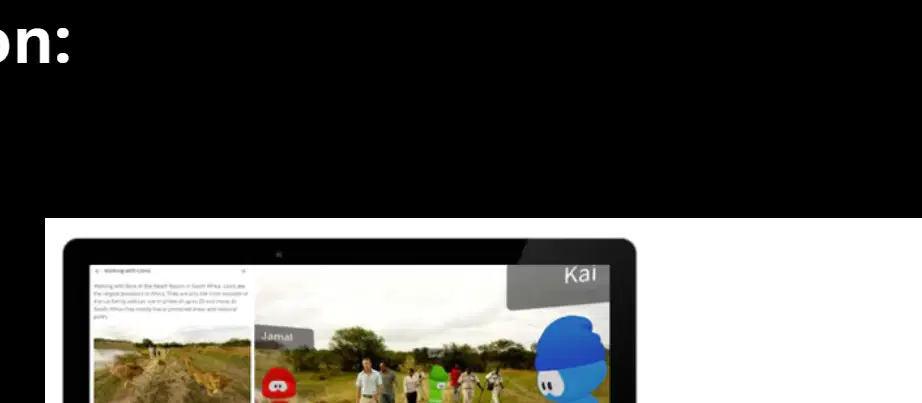
Eduverse can be accessed on ____________ & laptops.
Chromebooks
Tablets
Smartphones
Desktops
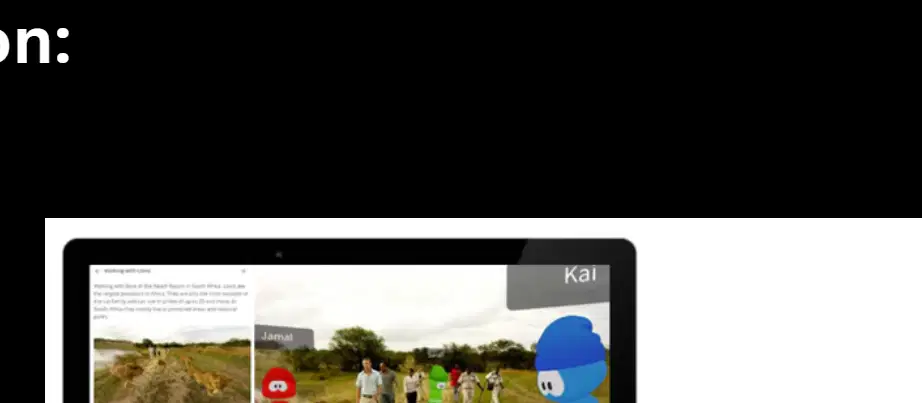
Eduverse requires software installation to be accessed on school-owned devices.
True
False

Which themed land at Avantis World Theme Park allows you to walk with dinosaurs, visit ancient Greece, and experience the trenches?
Super Science Land
Trip Through Time Land
Engaging Earth Land
Literacy Land
Which themed land at Avantis World Theme Park lets you meet amazing animals, learn about their habitats, and discover the human body and materials?
Super Science Land
Trip Through Time Land
Engaging Earth Land
Literacy Land
Which themed land at Avantis World Theme Park allows you to explore Earth's biomes and extreme climates from pole to pole?
Super Science Land
Trip Through Time Land
Engaging Earth Land
Literacy Land
Which themed land at Avantis World Theme Park takes students on a journey through famous authors and stories?
Super Science Land
Trip Through Time Land
Engaging Earth Land
Literacy Land
What does the '360-Degree Photos & Videos' feature of Expeditions 360 allow students to do?
Travel to different cities, continents, and countries virtually
Play educational games
Read historical documents
Write essays
What can students examine using the '3D Models' feature in Expeditions 360?
2D images of animals
Abstract and complex concepts such as a human cell or an entire planet
Audio recordings
Textbooks
Is Eduverse free to use? Eduverse is free to registered ________.
teachers
students
parents
administrators
How many students can I have in Eduverse? Up to ______ students can access a teacher-initiated Eduverse session concurrently.
32
16
50
100
How do I invite students into my Eduverse session? As a teacher, you can start an Eduverse session and use the ______ button in the menu to either share a URL link directly with them, or display a QRCode for them to scan using their device.
Invite
Start
Share
Connect
How long does an Eduverse session last? Fill in the blank: An Eduverse room will remain 'open' as long as the teacher keeps the page open in their ______.
web browser
notebook
email account
calendar
How do I change names and my avatar? When you are in an Eduverse session, you will see a small icon in the top right hand corner of the screen. Click on this icon, then click on the '______' icon next to your default name.
pencil
star
bell
lock

What is the first thing you need to do to get an Eduverse account?
Browse educational experiences
Register for an Eduverse account
Share with your students
Scan a QR code
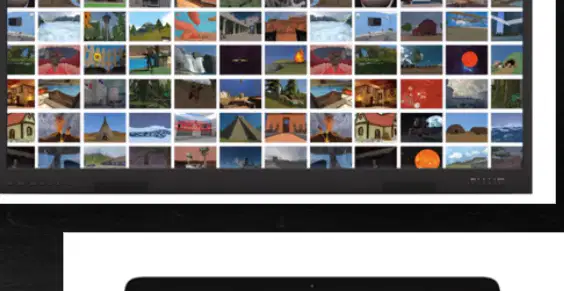
After registering, what should you do next according to the instructions on how to get an Eduverse account?
Share with your students
Register again
Browse through hundreds of educational experiences
Log out
What is the final step to bring students into the Eduverse?
Register for an account
Browse educational experiences
Share with your students and bring them into the Eduverse
Take a quiz

On a touch screen device, what do you use to move around?
Gray circle
Red square
Blue triangle
Yellow star

On a touch screen device, what gesture do you use to zoom in or out?
Pinch fingers
Double tap
Swipe left
Long press
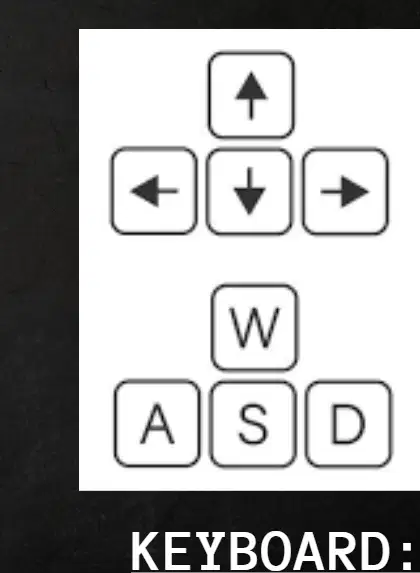
Which key is used to move forward when using the keyboard?
W
A
S
D

Which key is used to move back when using the keyboard?
S
W
A
D
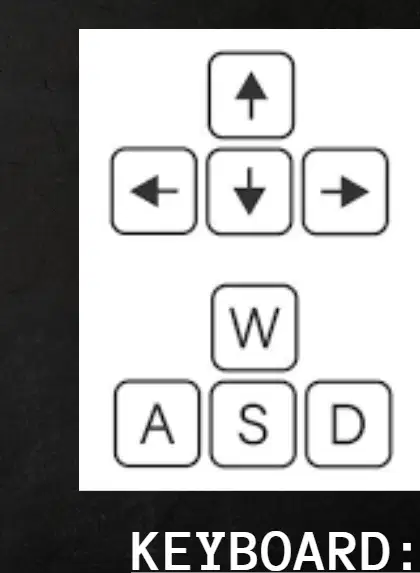
Which key is used to move left when using the keyboard?
(a)
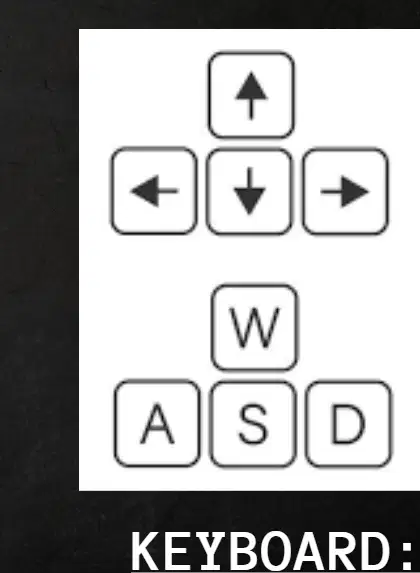
Which key is used to move right when using the keyboard?
D
A
W
S
Which resource is mentioned as a VR learning adventure in the list of additional links and resources?
AVANTIS WORLD YOUR VR LEARNING ADVENTURE AWAITS
VIRTUAL CLASSROOM EXPLORER
DIGITAL SCIENCE LAB SIMULATOR
INTERACTIVE HISTORY JOURNEY
Which resource provides a 10-minute YouTube video with ClassVR according to the additional links and resources?
Which resource is listed as being powered by Eduverse in the additional links and resources?
EXPEDITIONS POWERED BY EDUVERSE
VIRTUAL CLASSROOM TOOLS
INTERACTIVE LEARNING MODULES
DIGITAL TEXTBOOK LIBRARY
Name the resource that is simply titled 'EDUVERSE' in the additional links and resources.
EDUVERSE
EDUWEB
EDUPORTAL
EDULEARN

