
 Worksheets
Laser Crafting Quiz 10%
Total questions: 40
Worksheet time: 14mins
Our laser cut machine in D&T lab CANNOT cut __________
Wood
Paper
Which process requires more power from our Laser Cutter - engraving or cutting?
Engraving
Cutting
Which type of file tells our Laser Cutter to CUT?
Vector
Raster
Neither
Both
A _________ file is created by pixels - little dots of color.
Vector
Raster
Raster and Vector
None of these
A __________ file can be resized (scaled) without reducing the quality of the image.
Vector
Raster
Raster and Vector
Neither of these
A _______ file looks more life like with depth and dimension.
Raster
Vector
Both of these
Neither of these
A _________ file is created using anchor points and is best for logos, cartoon characters and other graphics that don't require depth.
Vector
Raster
Vector & Raster
Neither of these
In laser cutting, what is the primary advantage of using vector graphics over raster images?
Vector graphics are more easily scaled without losing quality
Vector graphics can be engraved faster
Vector graphics use less memory
Vector graphics produce less waste material
What is the primary function of a laser cutter?
To heat materials
To sew fabrics together
To cut or engrave various materials
To paint surfaces
What type of materials can a laser cutter work on?
Wood, acrylic, cardboard, leather, and metals
Only plastics
Only textiles
Only paper
What does the power setting affect during the cutting process?
The color of the cut
The depth of cuts or engravings
The speed of the laser
The type of material used
What is one advantage of laser cutting compared to traditional methods?
Slower cutting speed
Lower precision
Higher material waste
High precision and accuracy
What keeps our Laser Cutter cool so that a fire doesn't occur?
Water
CO2
Mirrors
None of these

Due to their mathematical nature, vector images can be re-scaled infinitely.
True
False
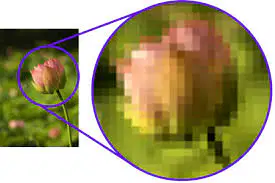
What happens when you enlarge a raster image?
It becomes clearer
It becomes pixelated
It becomes more colorful
It becomes sharper
.jpeg is an example of what file type?
Vector
Raster
True or false, it is possible to turn a raster image into a vector image?
TRUE
FALSE
.png is what file type?
Vector
Raster
In Inkscape, what is stroke?
A color
A line
A shape
Which of the following is a vector graphic?
Pencil.bmp
Pencil.jpeg
Pencil.png
Pencil.svg
A vector image ... when zoomed in unlike a bitmap image.
remains clear
becomes blurred
increases in file size
reduces in file size

In Inkscape, the outline of an object, is also known as ...
Margin
Outside
Perimeter
Stroke
How would you describe the term ‘union’?
A line or a shape used to create vector graphics
An operation used to combine two or more paths to create a single path
The border of a shape
An operation used to create a single path from the overlapping portion of two paths
What does SVG stand for?
Standard Vector Graphic
Scalable Vector Graphic
Simple Vector Graphic
Sharable Vector Graphic
When a laser is focused on an object, the place the laser hits gets very _____.
hot
cold
How can we duplicate objects in Inkscape?
CTRL + C and CTRL + V
CTRL + T
CTRL + O
CTRL + D

When resizing, which of the following Keyboard Key must be pressed with the Select Tool to ensure that objects and shapes are resized proportionally?
Ctrl
Shift
Alt

A triangle is a .... sided polygon.
3
4
5
6

A single tool was used to create the following shape. Which of the following tools was used?
Rectangle Tool
Pen Tool
Ellipse Tool
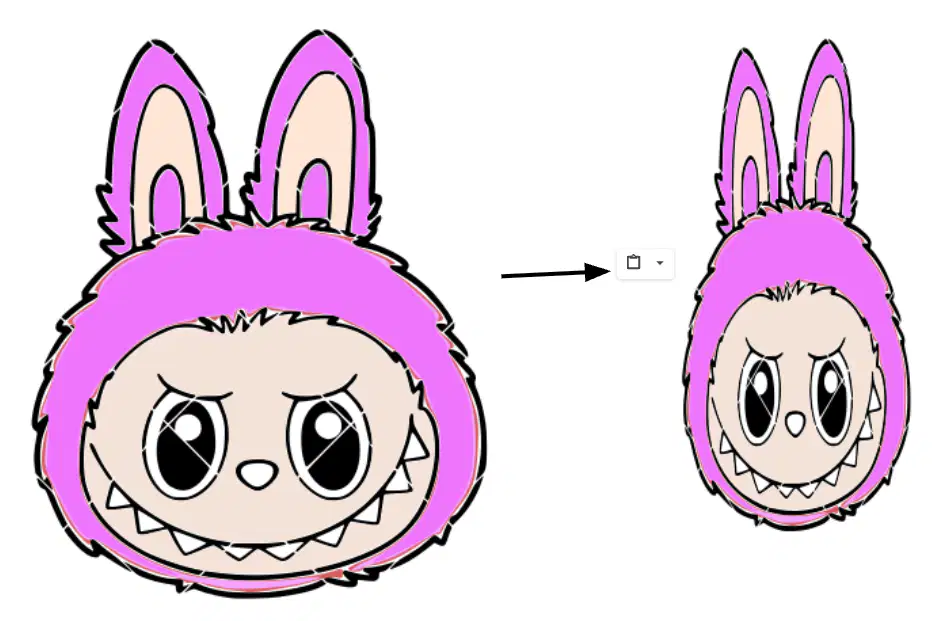
Your image is out of proportionate when you resize it. What is the correct method to resize an image?
Hold the Shift key while resizing
Hold the Ctrl key while resizing
Hold the Alt key while resizing
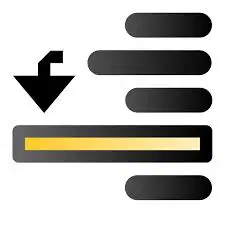
What is the function of the Inkscape tool shown in the picture?
Lower selection to bottom
Raise selection to top
Lower selection one step
Raise selection one step

What is the function of the Inkscape tool shown in the picture?
Lower to Bottom
Raise
Lower
Raise to Top
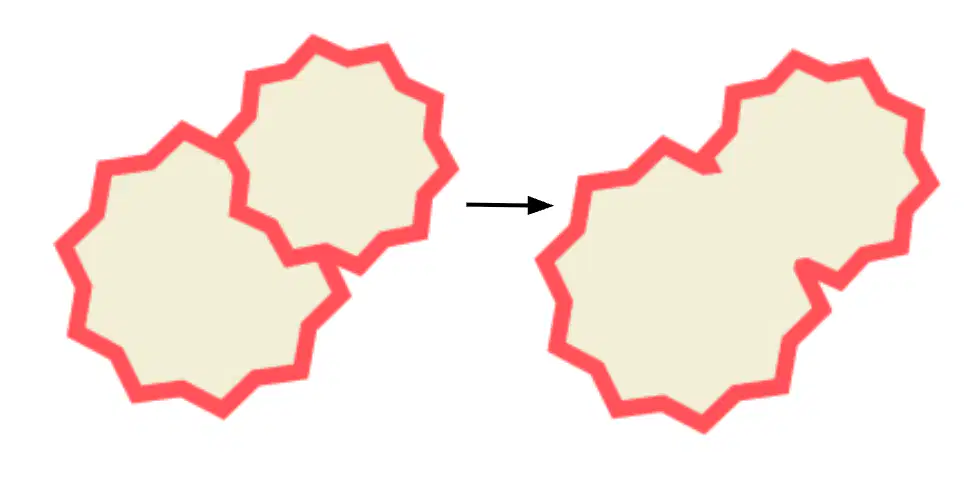
What Inkscape tool used to get this result?
Linked Offset
Union
Intersection

Which of the following Path Methods is used to change Image A to Image B?
Union
Difference
Intersection
Exclusion
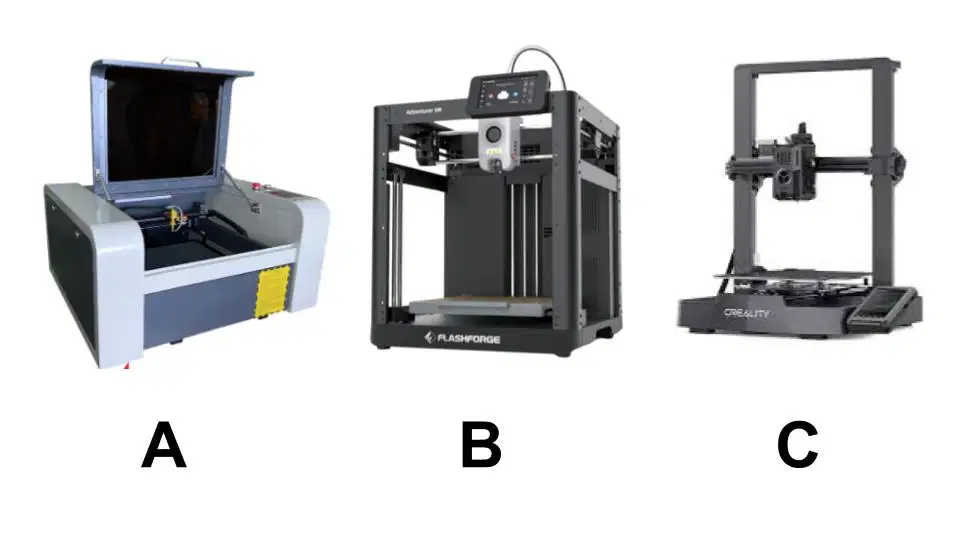
Laser crafting can be done with which machine?
A
B
C
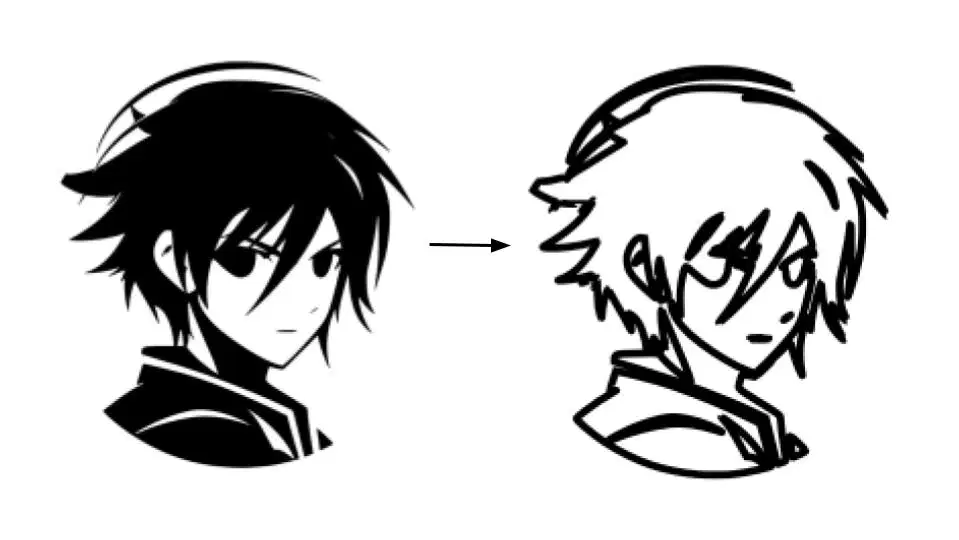
This effect can be achieved with _______
Union
Trace Bitmap
Linked Offset
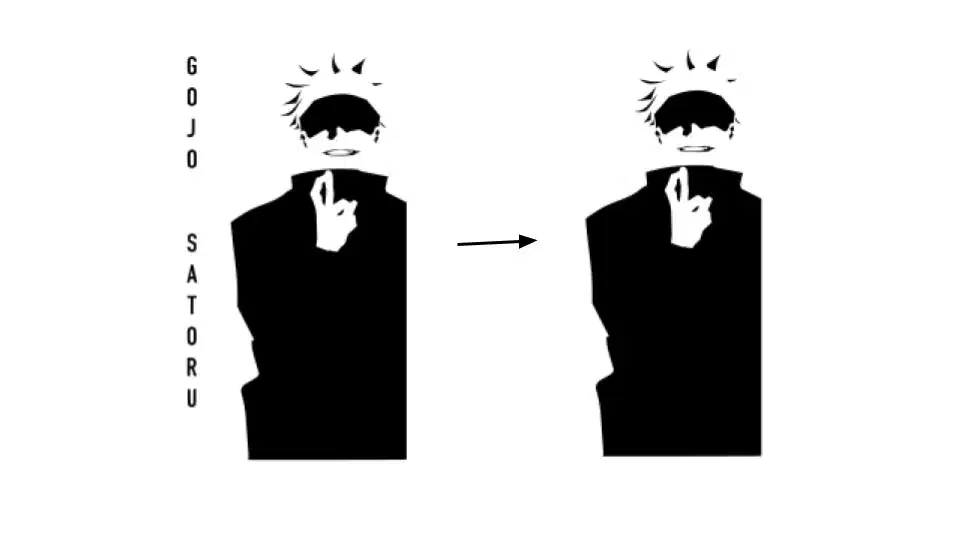
You can remove the text of your vector image by selecting them using ______ before you delete them.
Pen Tool
Selector Tool
Node Tool
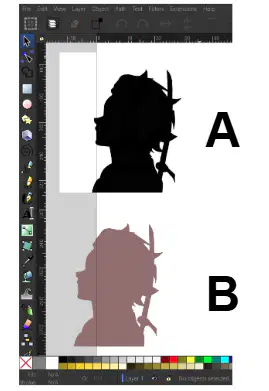
Which one is a Vector Image?
A
B
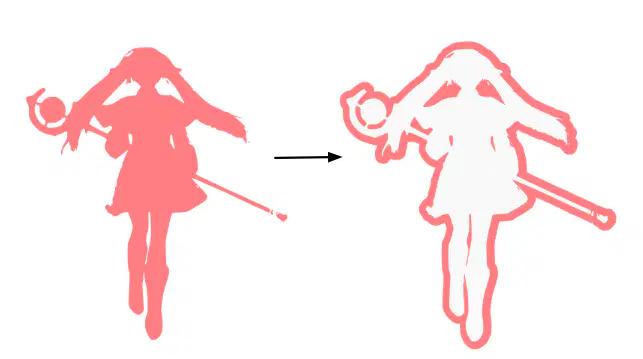
You can achieve this result by using ______
Linked Offset
Union
Intersection
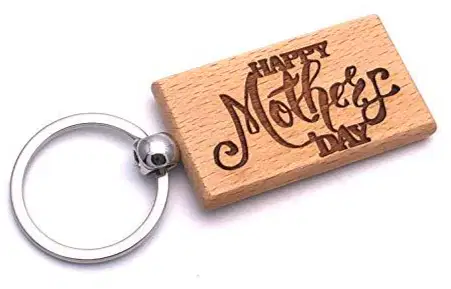
This is a _______ merchandise.
laser engraving
laser cutting
3d Printed

