
 Worksheets
Siebel 360 View Process Guide Quiz
Total questions: 17
Worksheet time: 9mins
What is the primary purpose of the 360 View in the Siebel Process Guide?
To house detailed information about a guest.
To process payments for bookings.
To manage ship schedules.
To create marketing campaigns.
What type of information does the Loyalty applet provide in the 360 View?
Tier status and points information about the guest
Travel preferences of the guest
Communication preferences of the guest
Future bookings of the guest
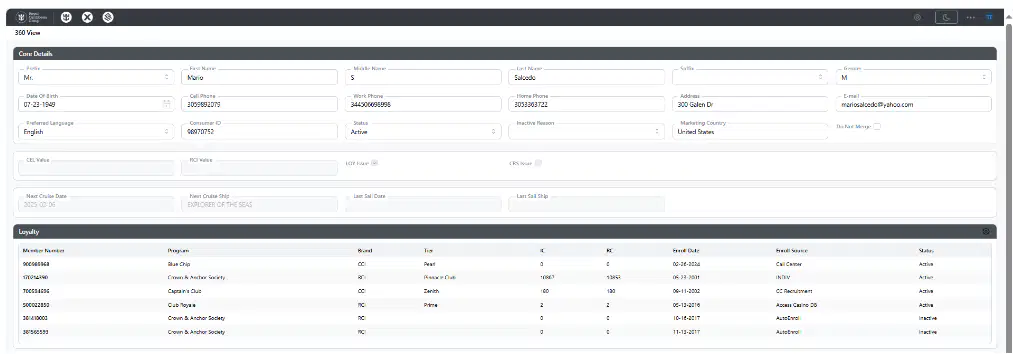
How can the 360 View assist with branding opportunities?
By providing detailed guest information to help build relationships
By offering discounts on bookings
By sending automated emails
By tracking ship locations
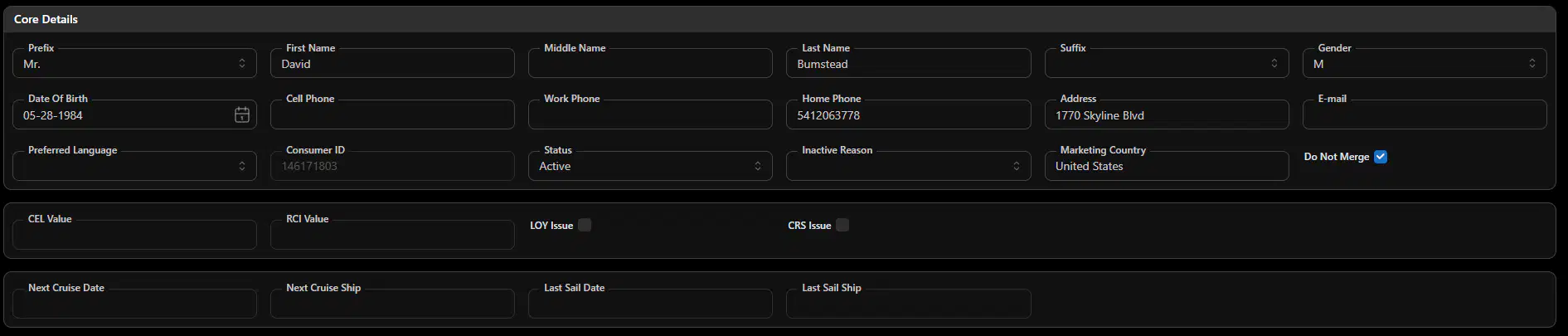
What is the first step to update Core Details in the Siebel 360 View Process Guide?
Type directly in the specific field and click the "Update" button.
Click the "New" button in the Address section.
Select information from the Communication Preferences screen.
Click the "Confirm Selection" button.
When adding new contact information, what must the user do to indicate that the new information should be primary?
Select the option to indicate primary information in the screen that appears.
Click the "Update" button.
Type "Primary" in the address field.
Select from the Communication Preferences screen.
Which fields in the Core Details field allow you to select only from information that already exists in the Communication Preferences screen?
Phone, address, or email fields
First Name and Last Name fields
Date of Birth and Preferred Language fields
Marketing Country and Suffix fields
What happens when you click one of the phone, email, or address fields in the Siebel 360 View?
A pop-up screen appears with available information.
The information is automatically updated.
A new user profile is created.
The system logs you out.
According to the process guide, what determines the visibility of Child tabs in the 360 View?
The user’s department and access levels.
The guest’s age group.
The number of cruises the guest has taken.
The guest’s loyalty status.
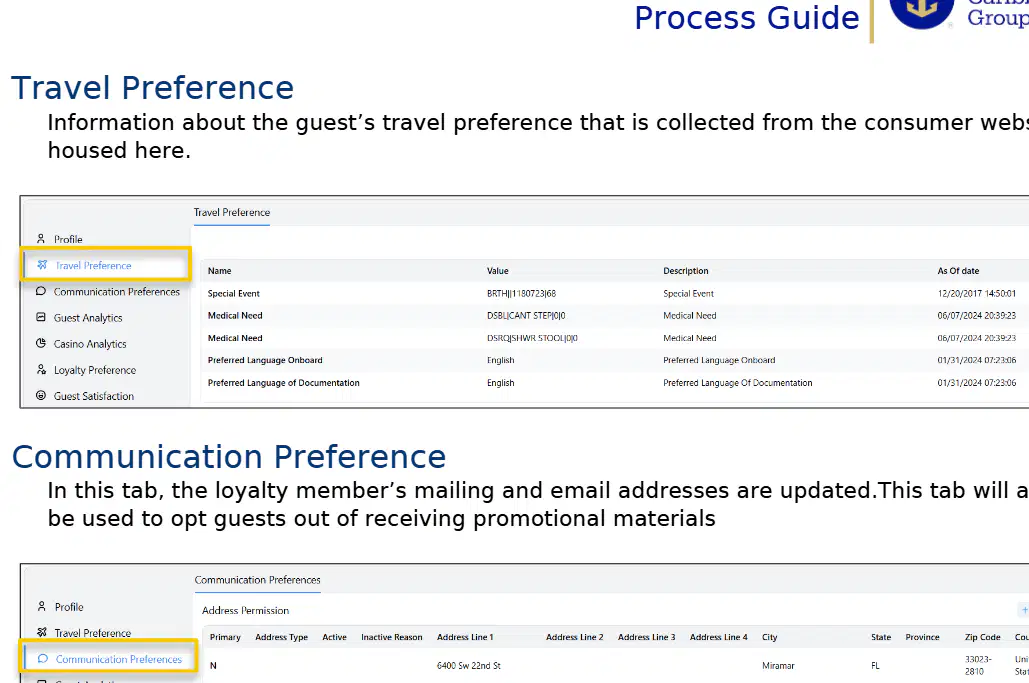
What type of information is housed in the "Travel Preference" tab in the Siebel 360 View?
Information about the guest’s travel preference collected from the consumer website
Financial information regarding the guest’s previous purchases
Loyalty member’s mailing and email addresses
Casino analytics and gaming preferences
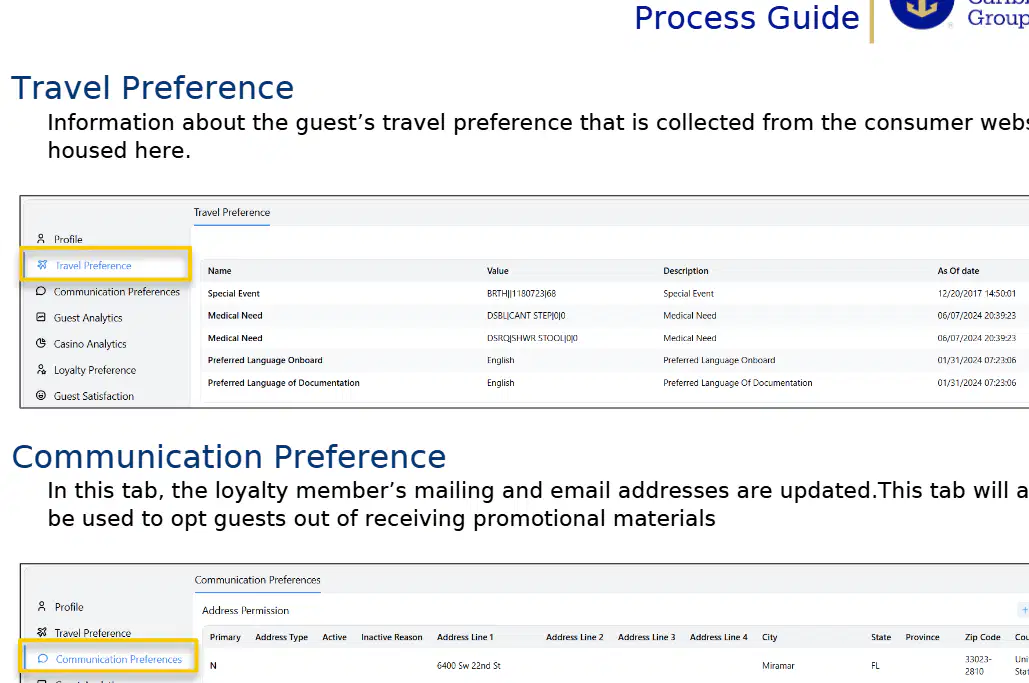
Which tab in the Siebel 360 View is used to update a loyalty member’s mailing and email addresses?
Guest Analytics
Travel Preference
Communication Preference
Loyalty Preference
What kind of information can be found in the "Guest Analytics" tab?
Guest’s travel preferences
Guest’s communication preferences
Financial information regarding the guest’s previous purchases and cruise dates
Guest’s loyalty program status
How can the Communication Preference tab be used besides updating addresses?
To display guest’s travel preferences
To opt guests out of receiving promotional materials
To show guest’s previous purchases
To update cruise dates
Which of the following is NOT a function of the Guest Analytics tab?
Displaying financial information about previous purchases
Showing the first and last cruise date
Updating mailing addresses
Displaying average net ticket revenue amount
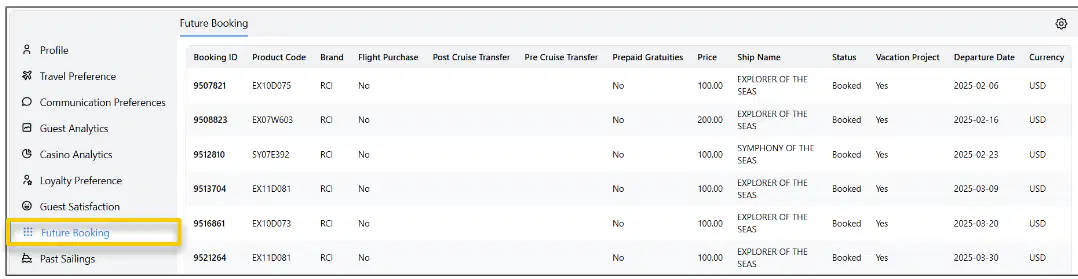
What type of information is provided under the "Future Bookings" section in the Siebel 360 View Process Guide?
Information about any currently booked reservation.
Information about previous booking numbers and sail dates.
Information about records with the same address.
Information about guest preferences.
If a user wants to find information about reservations that have already occurred, which section should they refer to?
Future Bookings
Groups
Past Sailings
Guest Satisfaction
What type of information can be found in the "Tier History" tab in the Siebel 360 View?
Basic information about the guest’s loyalty membership
Details about the guest’s travel preferences
Information about the guest’s communication preferences
Past service requests for the guest
Which of the following is NOT a tab shown in the Siebel 360 View sidebar in the provided material?
Profile
Loyalty Preference
Service Requests
Financial Reports

