
 Worksheets
Customizing a Form - Lesson 6.3
Total questions: 31
Worksheet time: 16mins
In your My Forms folder, what should you rename the new form to?
Lesson 6.3
Lesson 5.2
Form 2024
New Lesson
What title should you give to the form?
Job Application
Travel Request
Expense Report
Feedback Form
What is the form description you should key in for the job application form?
Bagel Bliss is looking for four dynamic customer service representatives to service our customers at our unique bagel and coffee shop. The application deadline is June 1, after which all submitted applications will be reviewed.
Bagel Bliss is seeking experienced bakers to join our kitchen team. Applications close on July 15.
Bagel Bliss is hiring delivery drivers for morning shifts. Submit your application by May 20.
Bagel Bliss is offering internships for marketing students. The deadline for applications is August 10.
In the first question title field, what should you key, and what question type should you change it to?
Key [First Name], then change question type to Short answer.
Key [Last Name], then change question type to Multiple choice.
Key [Email], then change question type to Paragraph.
Key [Date of Birth], then change question type to Checkbox.
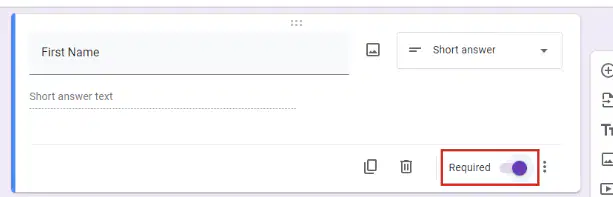
To require the respondent to answer the question before submitting the form, which option should you click?
Duplicate
Required
Description
More options
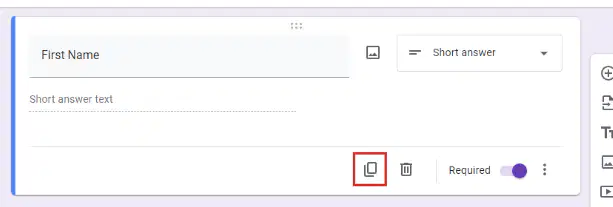
To add an identical question to the form, which icon should you click?
Required
Duplicate
Description
Add option
Which question type should you add to allow respondents to select more than one option?
Checkboxes
Multiple Choice
Short Answer
Dropdown
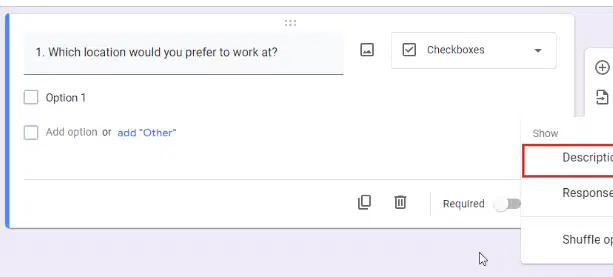
To assist the respondent with answering the question, which option should you select after clicking the More options icon?
Response validation
Description
Shuffle option order
Required
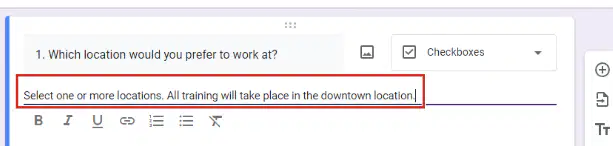
In the Description field, what text should you key to instruct respondents to select one or more locations?
Select one or more locations. All training will take place in the downtown location.
Only select your primary location. Training is available at all sites.
Choose the nearest location to your residence. Training is online only.
Select a single location. Multiple selections are not allowed.
Which location would you prefer the most? (Select one)
Downtown
North End
Rate your experience working in food service.
This would be my first experience.
I have over 5 years experience.
Select the option that best describes your experience related to the position(s) you are applying for.
I have relevant experience related to the position(s).
I have no experience related to the position(s).
I have experience unrelated to the position(s).
I have only academic knowledge with no practical experience.
What position are you applying for?
Kitchen prep
Counter service
Waitstaff
In the Theme panel, Text style section, change the Header font to ________.
Pacifico
Roboto
Arial
Lobster
Which font should you use for the Question and Text font according to the instructions?
Arial
Playfair Display
Times New Roman
Verdana
In the Header section, what should you click to add an image?
Add Image
Choose image
Insert Picture
Upload Photo
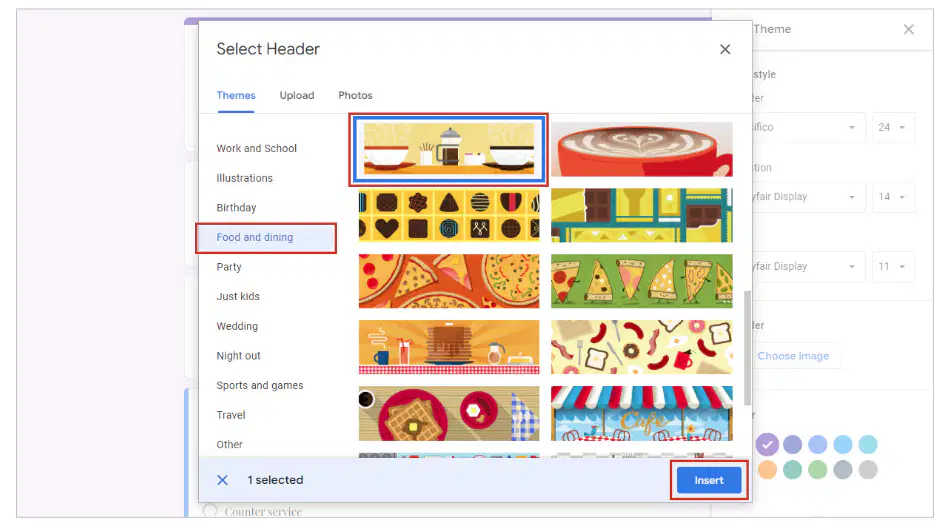
In the Select Header dialog box, which section should you select to find the image shown in Figure 6.3 A?
Work and School
Birthday
Food and dining
Party

In the Color section, what can you change to complement your selected header image in a Google Form?
The primary and background colors.
The font size and style.
The question order and layout.
The response destination and summary.
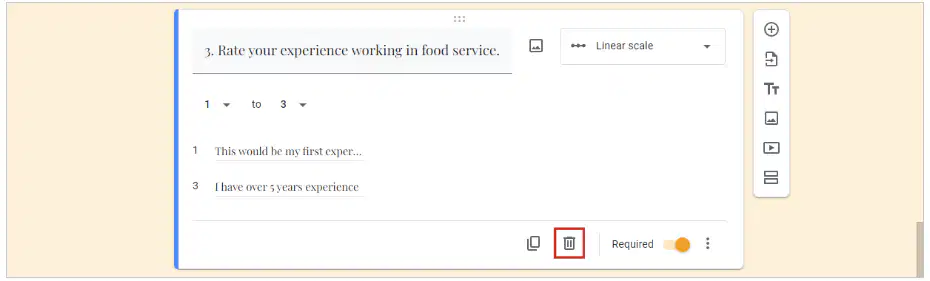
How do you delete a question from your Google Form?
Select the question and click the Delete icon.
Click the Send button and choose Delete.
Refresh the page to remove the question.
Log out and log back in to delete the question.
What should you do if the questions in your Google Form are out of order?
Renumber the questions that are out of order in the form.
Delete the entire form and start over.
Ignore the order and submit as is.
Change the theme of the form.
Why is it important to proofread your Google Form?
To ensure accuracy and format.
To make it look colorful.
To increase the number of questions.
To share it with everyone immediately.
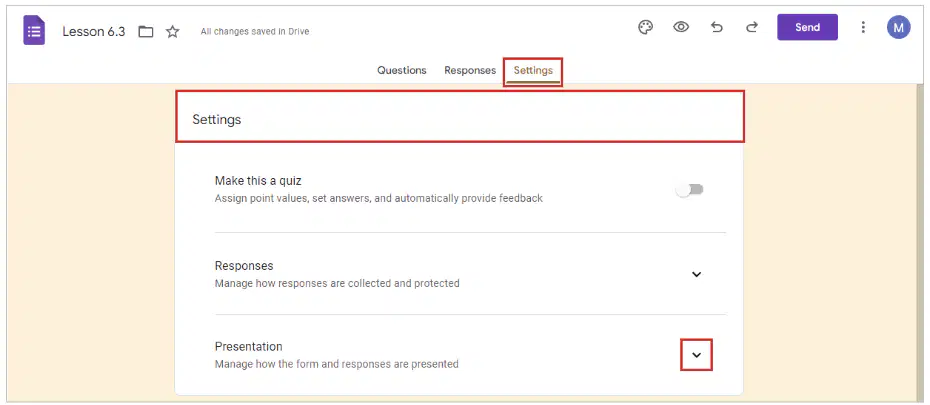
Where do you go to add a confirmation message that will appear after a form has been submitted in Google Forms?
Click the Settings tab, then click the Presentation drop-down menu.
Click the Responses tab, then select Add Confirmation.
Go to the Questions tab and click Add Message.
Click the Send button and choose Confirmation Settings.
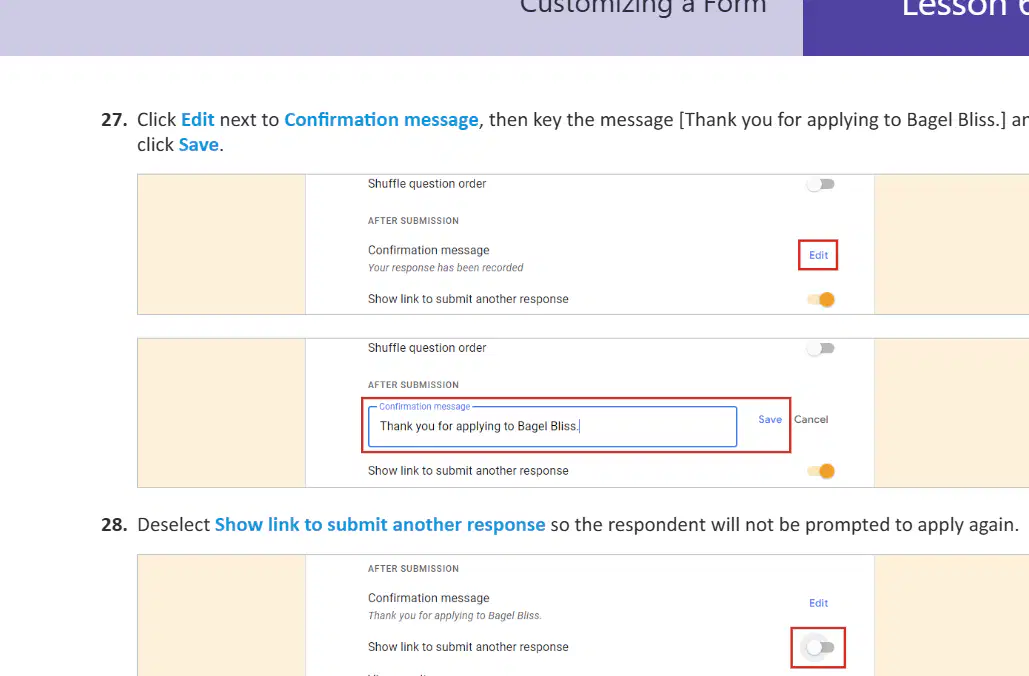
What message should you key in the Confirmation message field?
Thank you for applying to Bagel Bliss.
Your order has been shipped.
Welcome to our newsletter!
Your password has been reset.
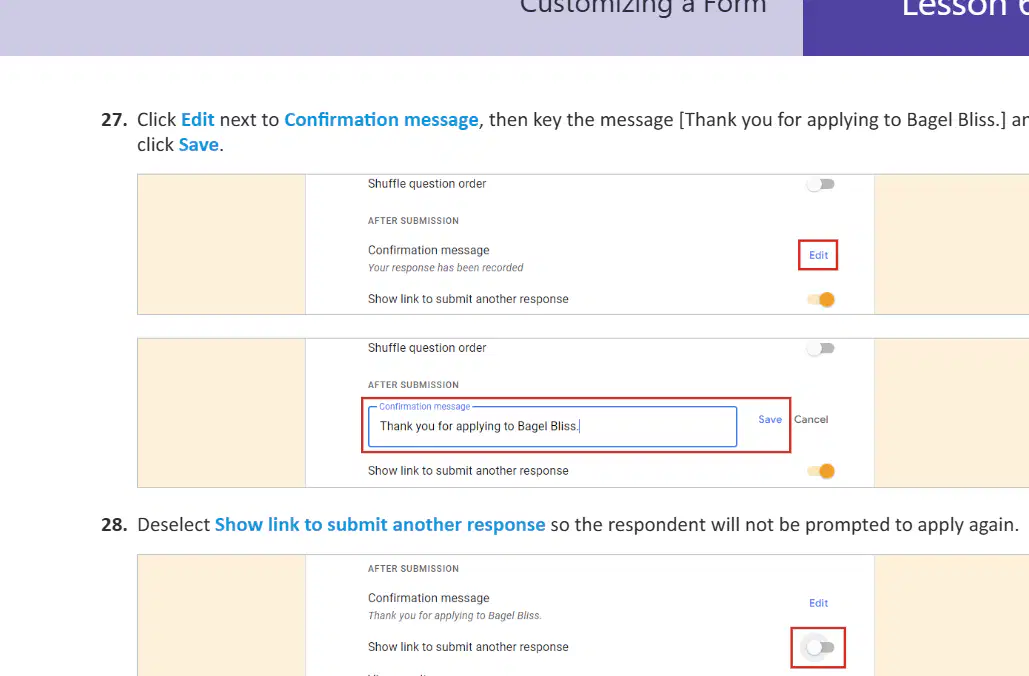
What should you do to prevent the respondent from being prompted to apply again?
Deselect Show link to submit another response.
Select Collect email addresses option.
Enable shuffle question order.
Set a time limit for the form.
What should you do after customizing your form if required?
Send your form to your instructor.
Delete your form immediately.
Ignore your form and close the browser.
Print your form and file it away.
First Name: (Short answer text)
[Applicant's first name]
[Applicant's last name]
[Applicant's address]
[Applicant's phone number]
Last Name:
[Applicant's last name]
Smith
Johnson
Williams
What position are you applying for?
Kitchen prep
Counter service
Waitstaff
Which location would you like to work at? (Select one or more locations. All training will take place in the downtown location.)
Downtown
North End
Which location would you prefer the most?
Downtown
North End
Select the option that best describes your experience related to the position(s) you are applying for.
I have relevant experience related to the position(s) I am applying for.
I have no experience related to the position(s) I am applying for.
I have experience unrelated to the position(s) I am applying for.
I am not sure about my experience related to the position(s) I am applying for.

