
NEW
Font size
 Worksheets
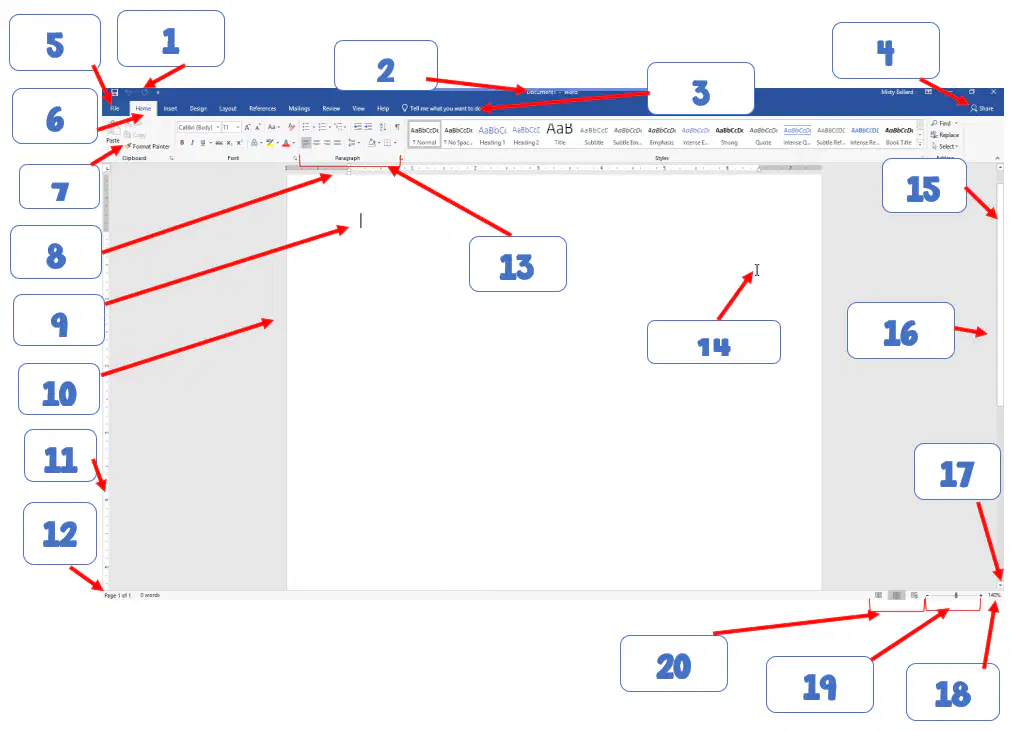
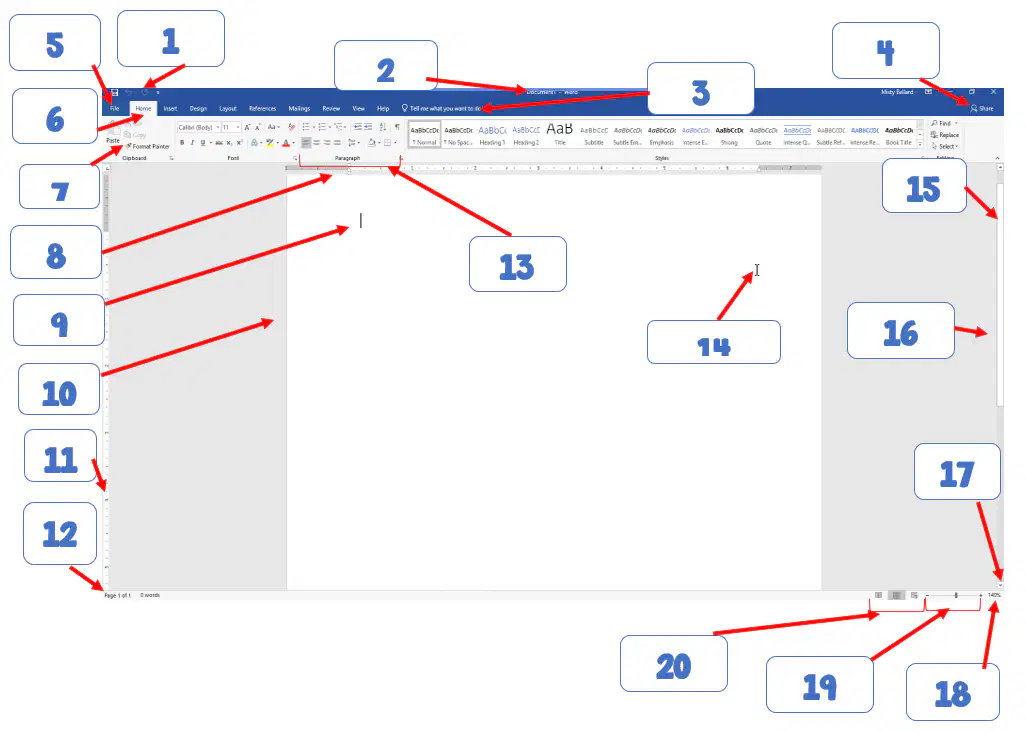
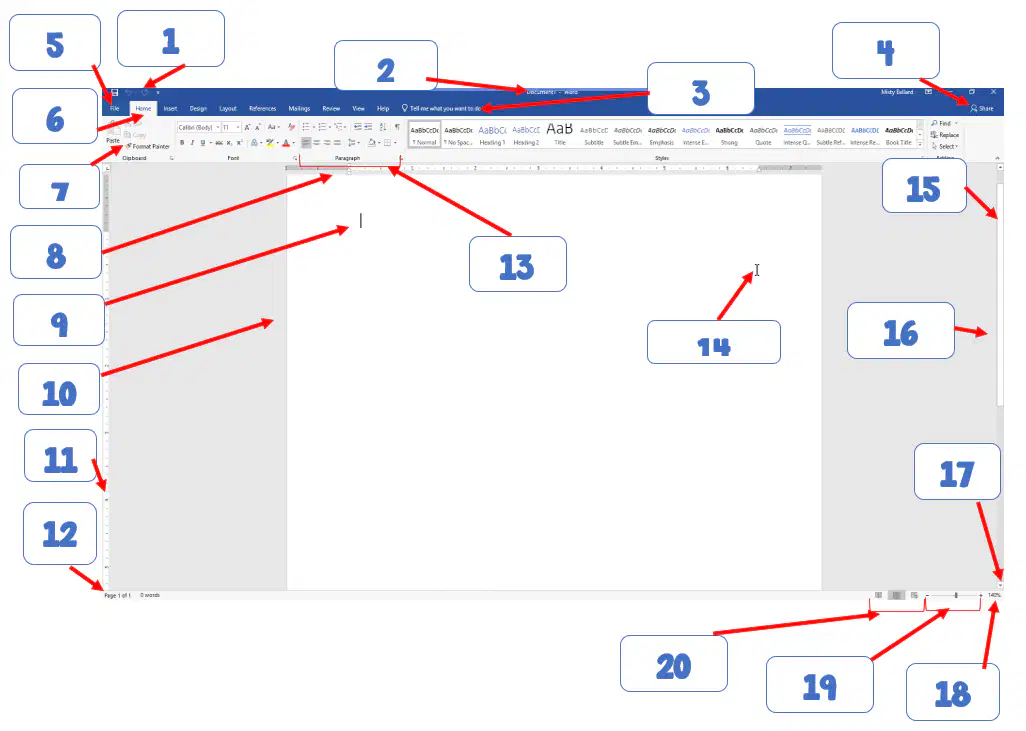
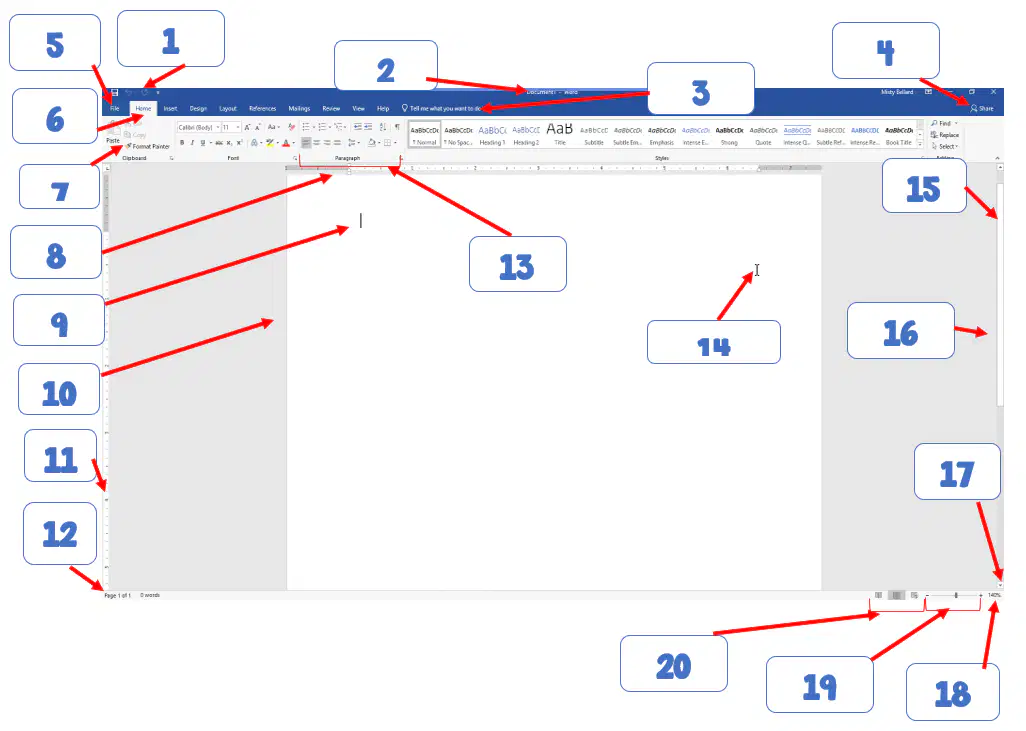
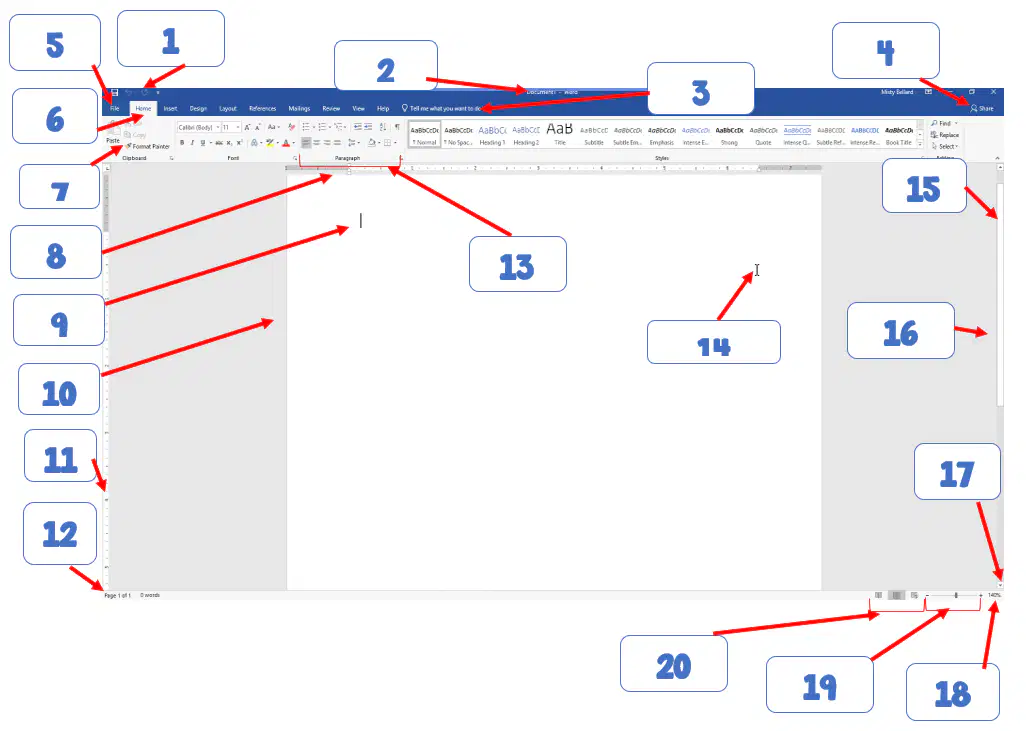
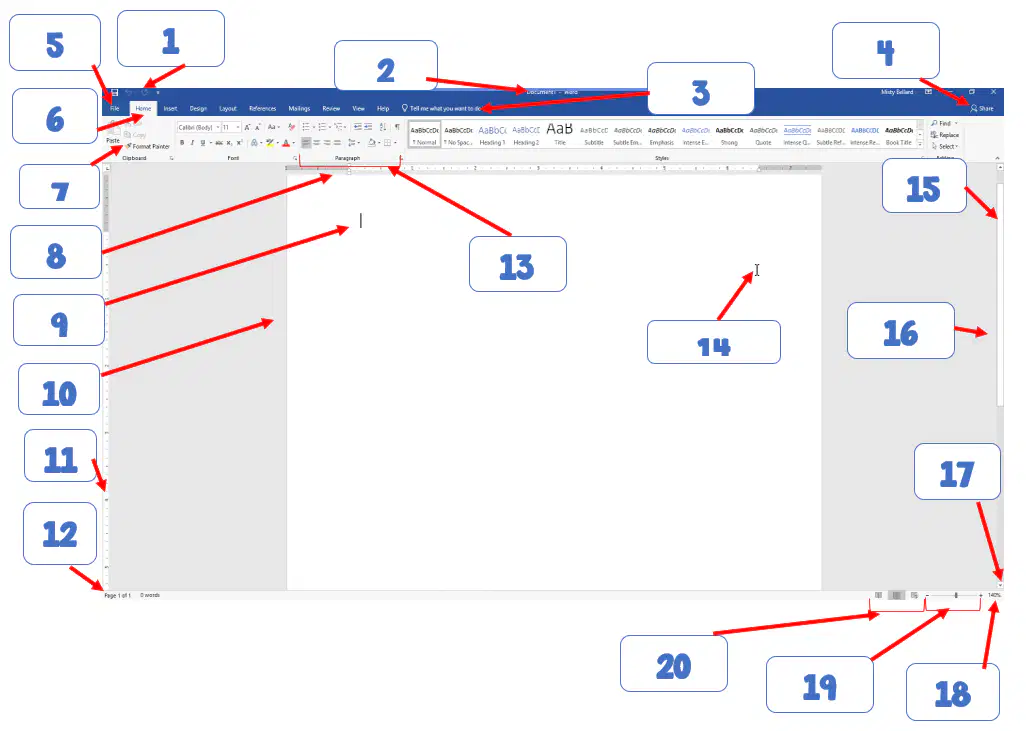
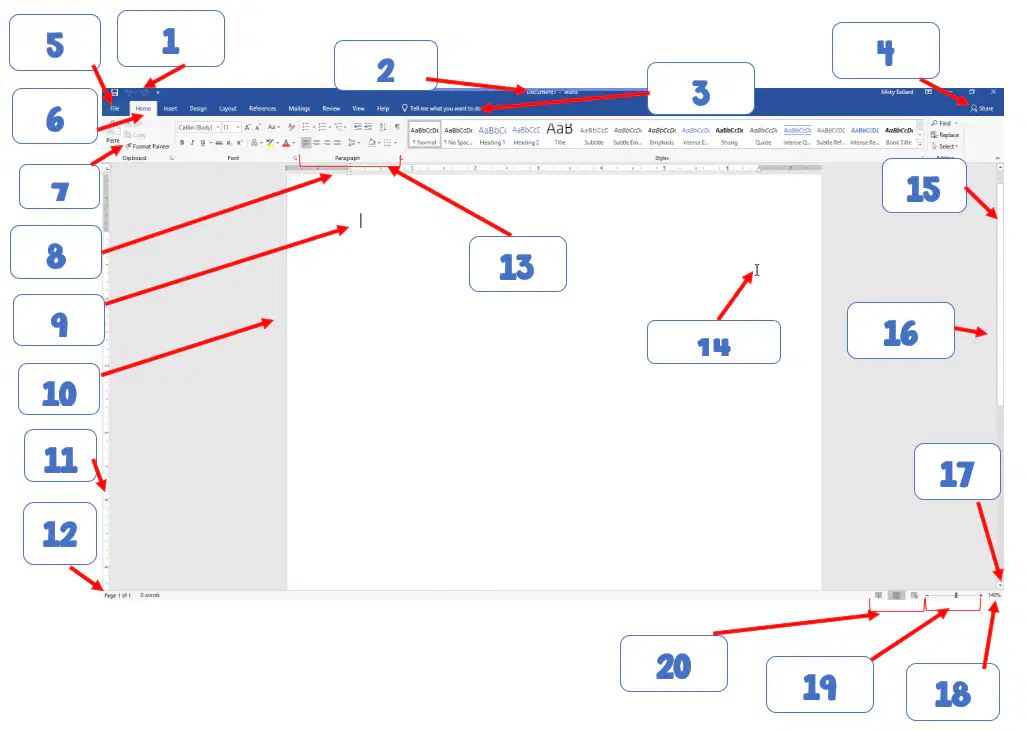
Review: Microsoft Word 2019 Label Screen
Total questions: 20
Worksheet time: 40mins

1
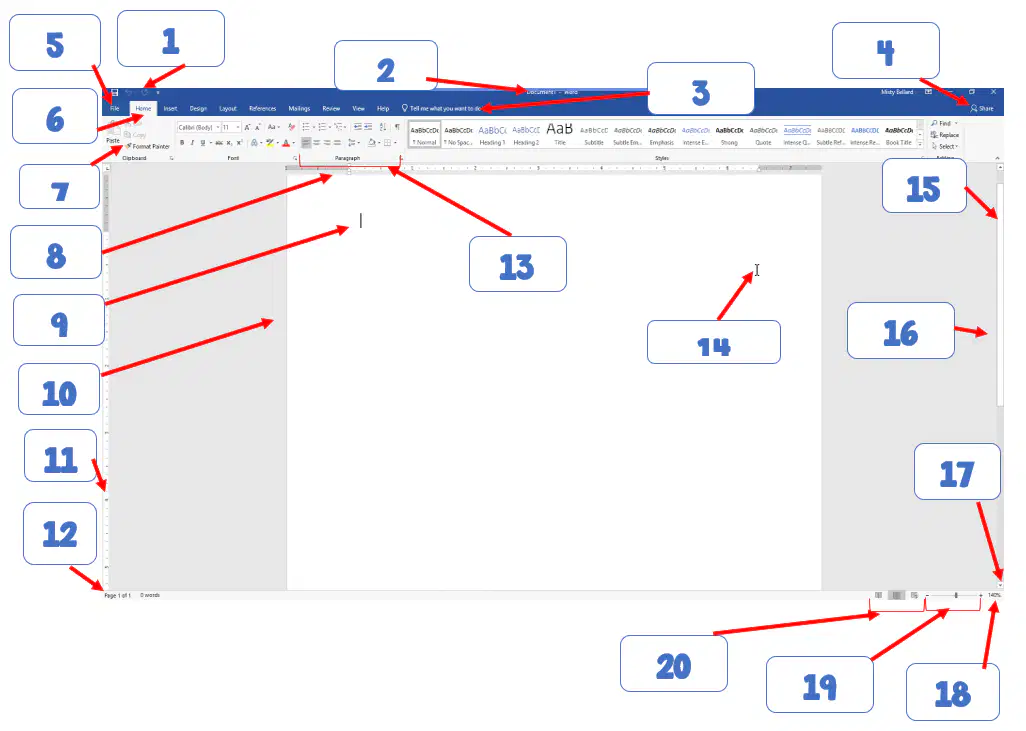
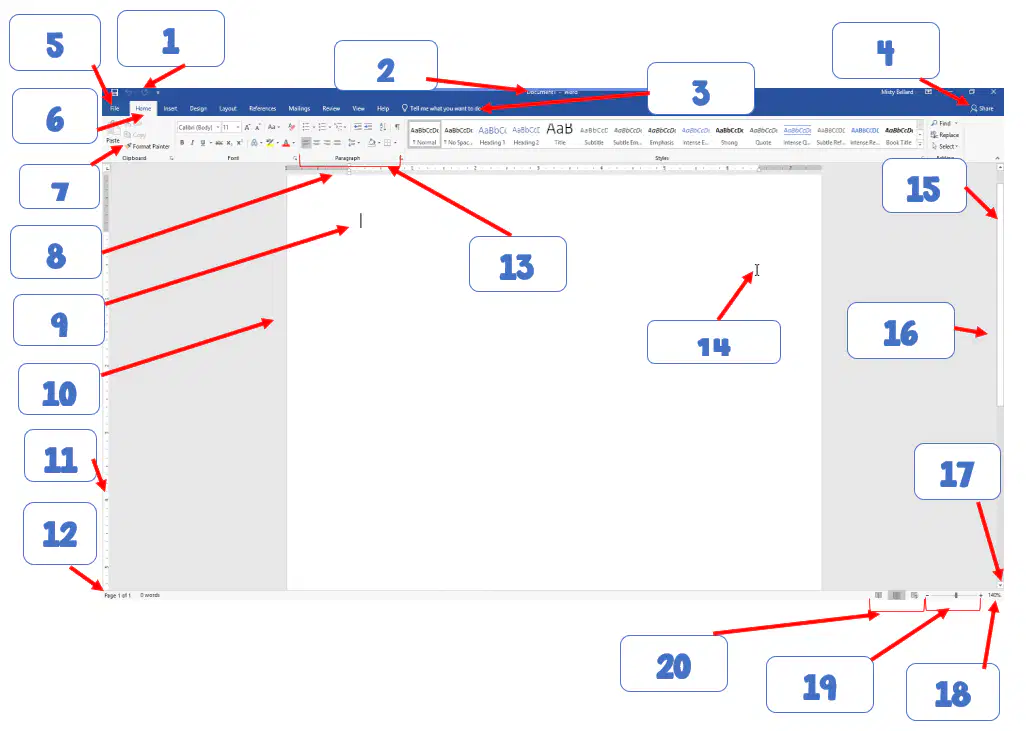
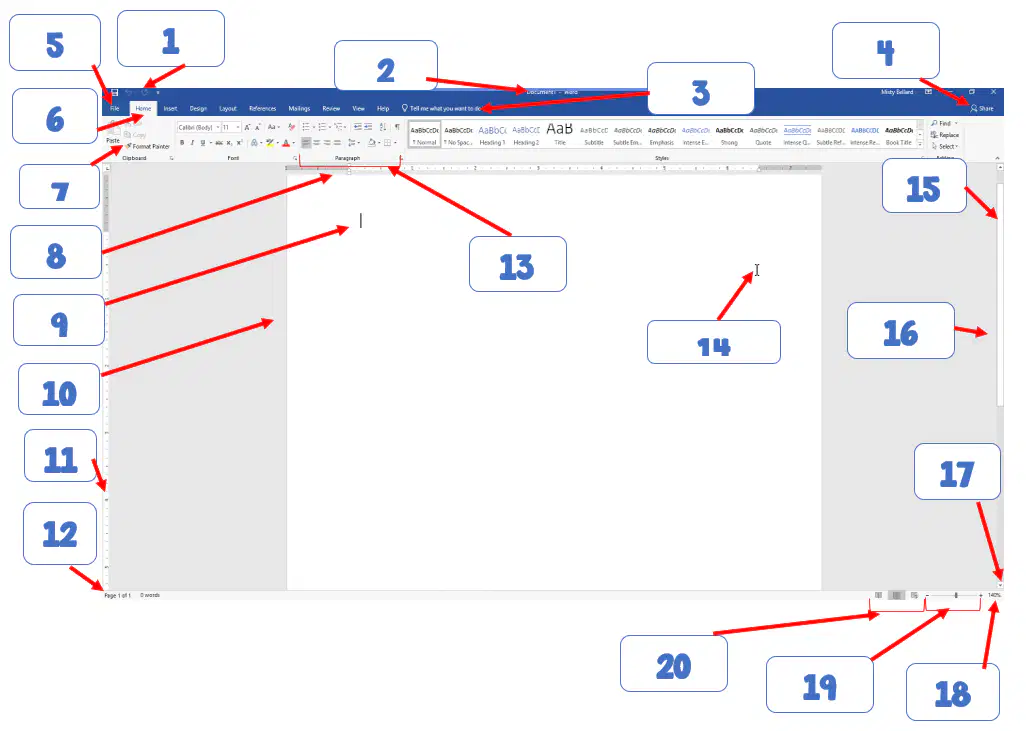
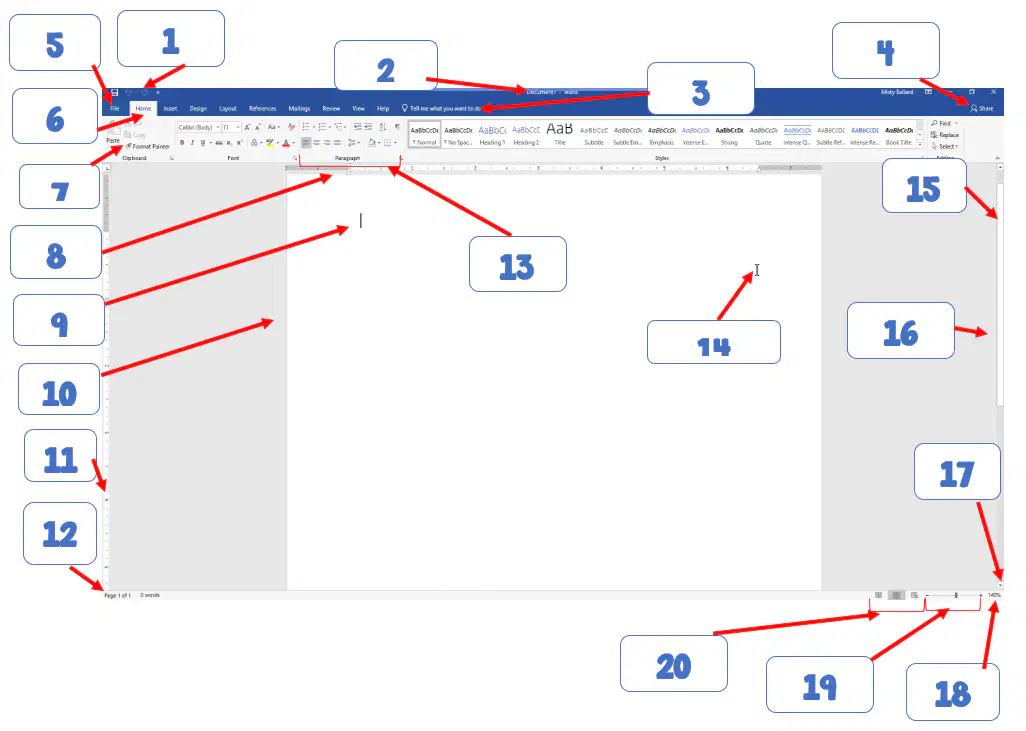
Quick Access Toolbar
Title bar
Share
Vertical Scroll bar
Group
2
Title bar
Active tab
Quick Access Toolbar
Ribbon
Tell Me Box - Tell me what you want to do (Help Search Bar)
3
Horizontal ruler
Status Bar
Ribbon
Quick Access Toolbar
Tell Me Box - Tell me what you want to do (Help Search Bar)
4
Tell Me Box - Tell me what you want to do (Help Search Bar)
View buttons
Ribbon
Status Bar
Share
5
Quick Access Toolbar
Status Bar
Ribbon
Title Bar
File tab
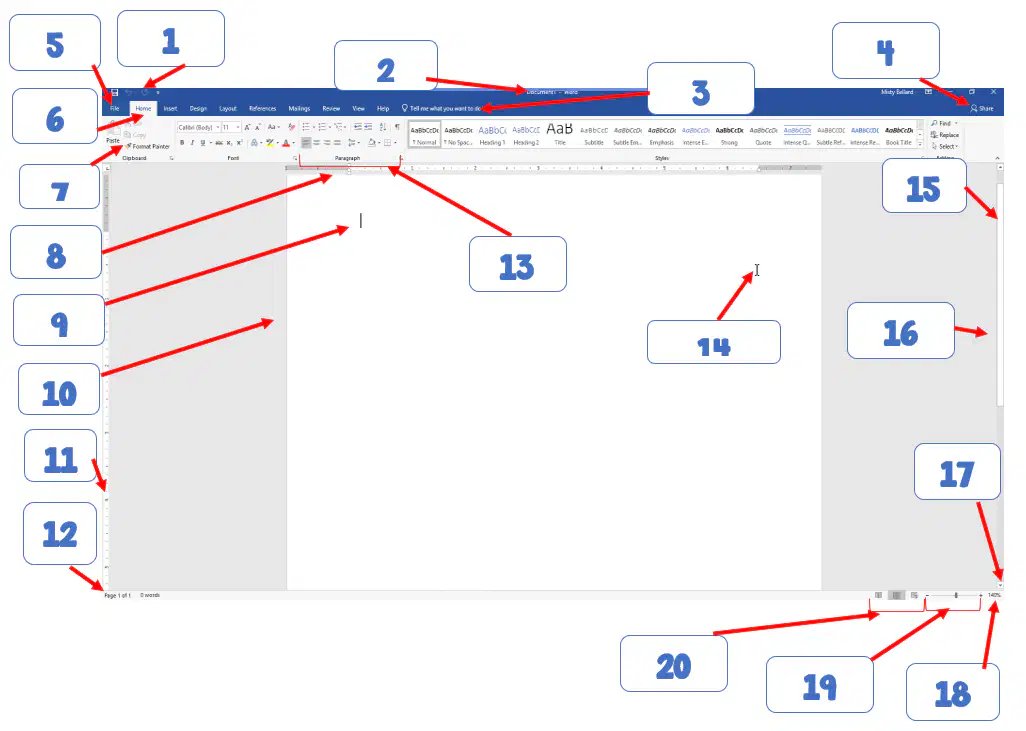
6
File Tab
Ribbon
Status Bar
Quick Access Toolbar
Active tab
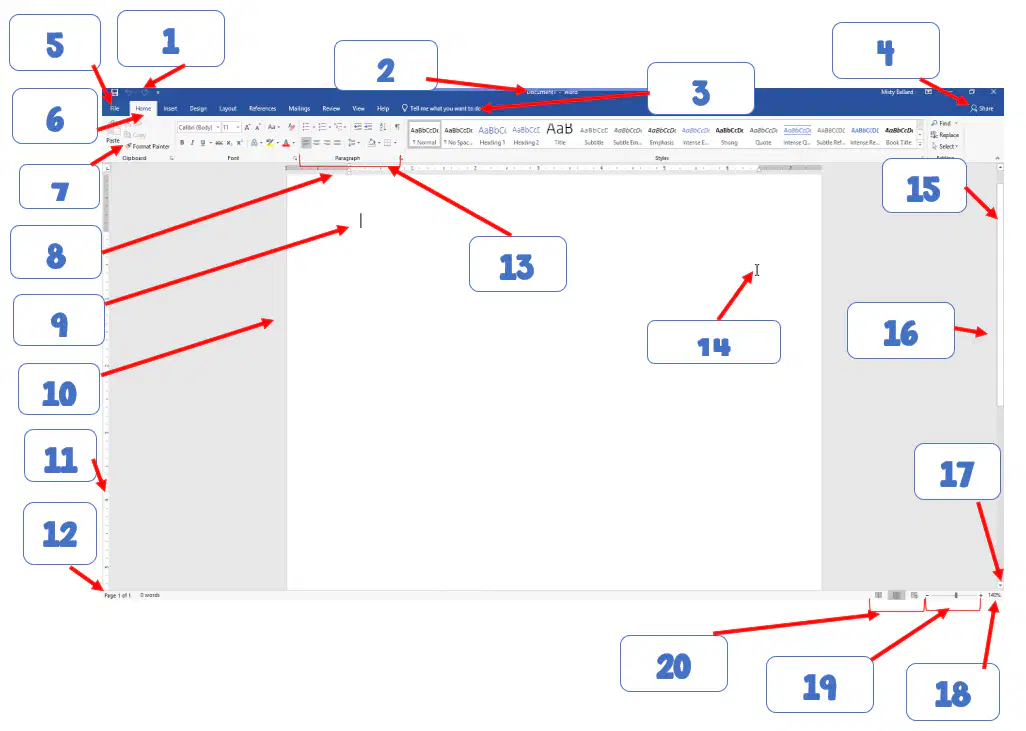
7
Ribbon
Zoom slider
Paragraph Group
Horizontal Ruler
Active tab
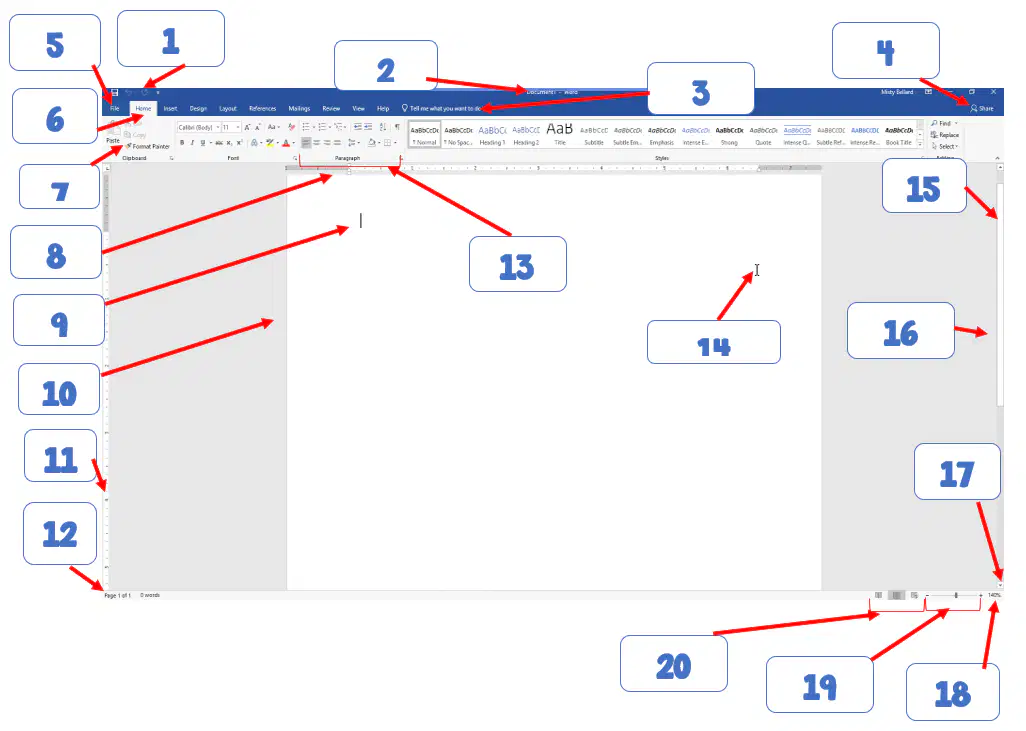
8
Horizontal Ruler
Ribbon
Paragraph Group
Active tab
Scroll arrow
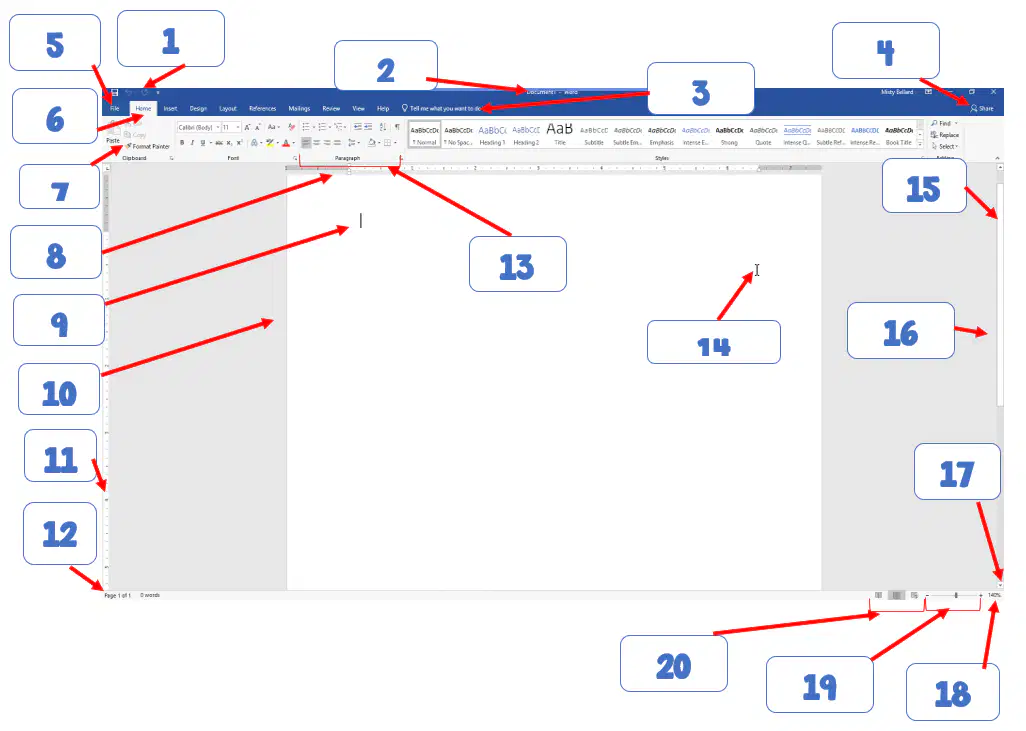
9
insertion point
I-beam pointer
Group
Horizontal ruler
Ribbon
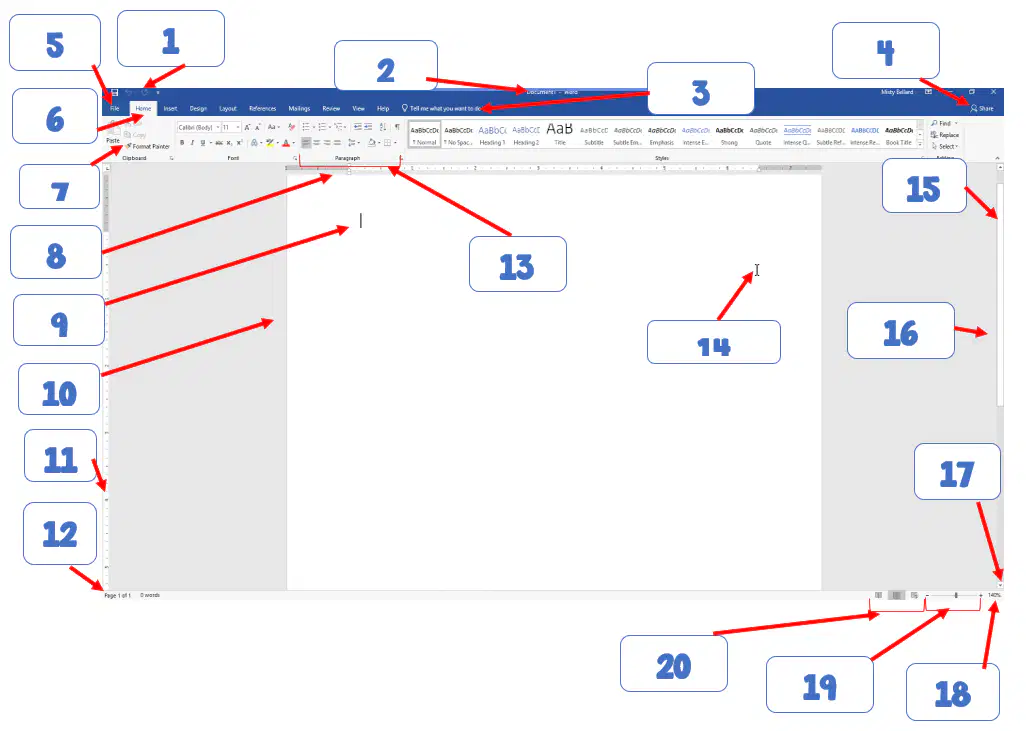
10
Ruler
Status Bar
Insertion point
Scroll Bar
Document window
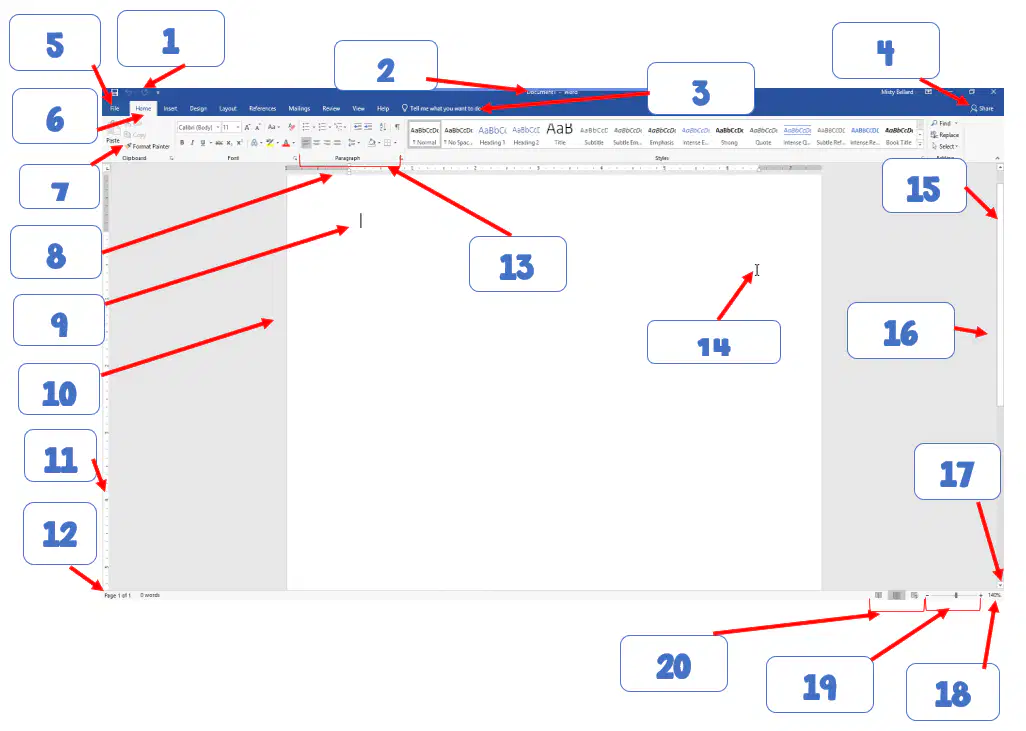
11
Vertical Ruler
Horizontal ruler
Title Bar
Vertical Scroll Bar
Document window
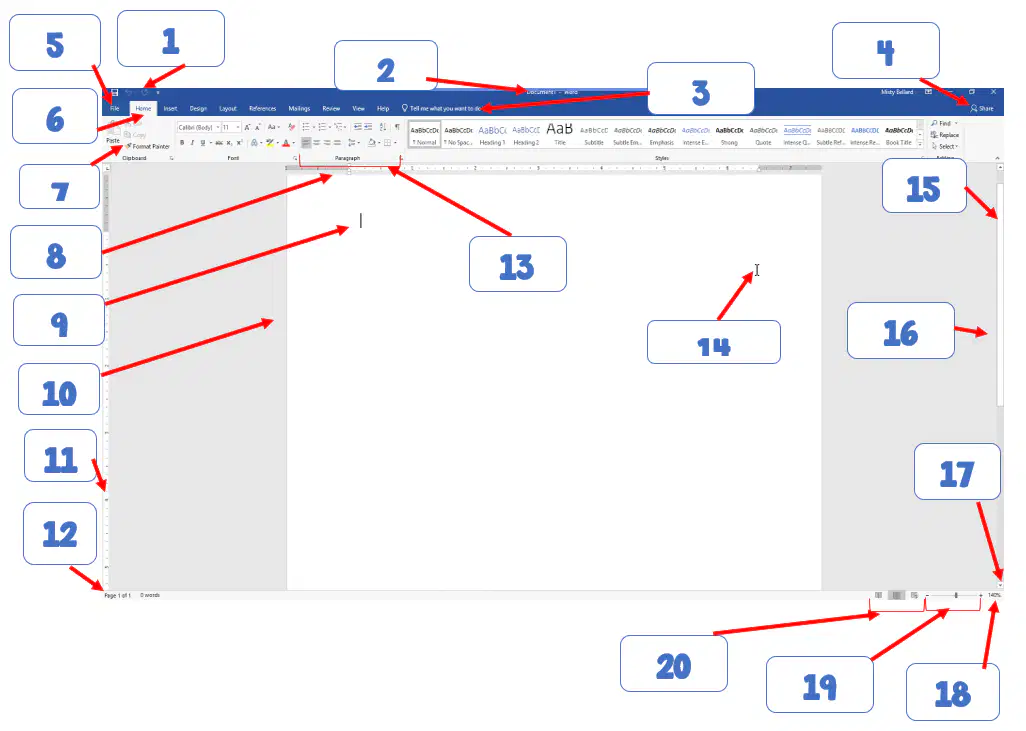
12
Status Bar
Ribbon
Title Bar
Quick Access Toolbar
Vertical scroll bar
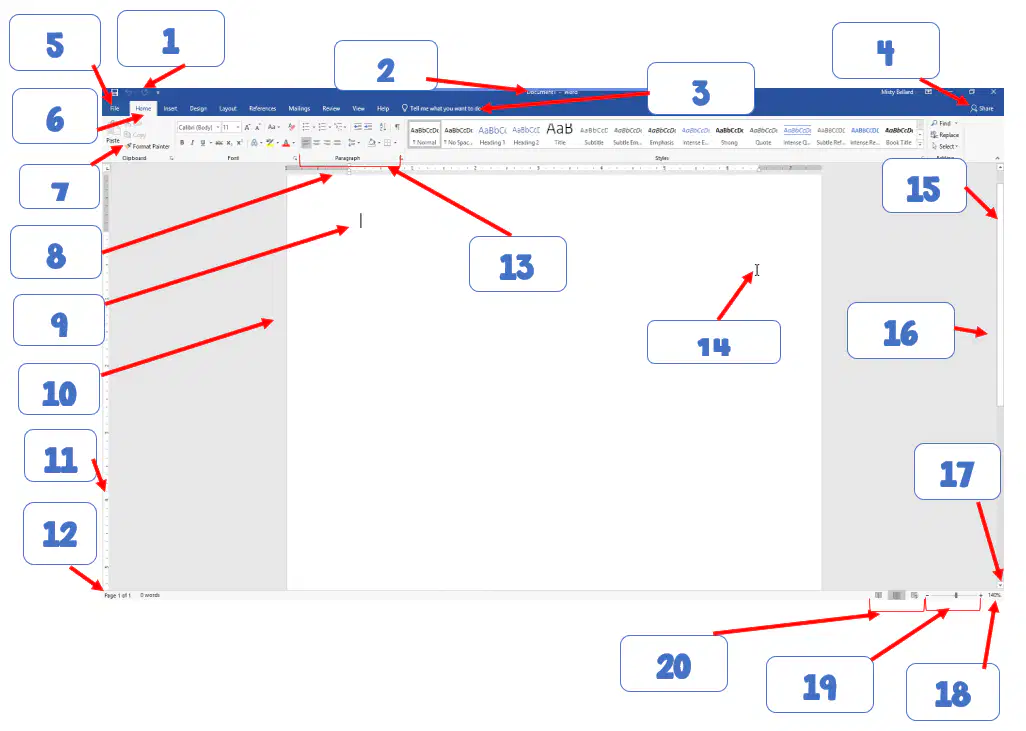
13
Insertion Point
Status Bar
Ribbon
Title Bar
Group
14
Document window
Status Bar
Insertion point
Quick Access Toolbar
I-beam pointer
15
Scroll Bar
Status Bar
Ribbon
Title Bar
Scroll arrow
16
Vertical ruler
Status Bar
Ribbon
Title Bar
Vertical scroll bar
17
View Buttons
Status Bar
Zoom slider
Vertical scroll bar
Scroll arrow
18
Zoom Slider
Status Bar
Ribbon
View buttons
Zoom level
19
Zoom level
Status Bar
View buttons
Horizontal ruler
Zoom slider
20
Zoom slider
Zoom level
Scroll arrow
Status bar
View buttons

