
 Worksheets
ELITE ICT STUDY QUIZ 1
Total questions: 98
Worksheet time: 2hrs 38mins
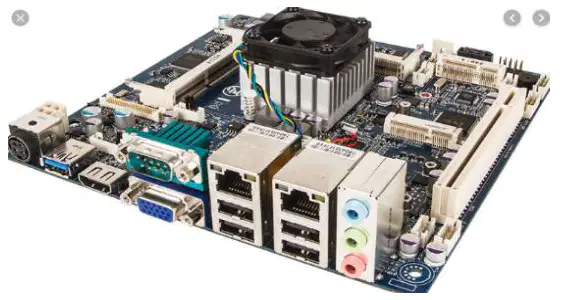
What is the motherboard in a computer?
The main circuit board holding essential processing parts
A type of expansion card
A power supply unit
A storage device
The motherboard allows all the parts of your computer to receive ______ and communicate with one another.
power
data
software
internet
Which of the following components are attached directly to the motherboard?
CPU
RAM
Expansion cards
Networking, video, and audio components
The motherboard is also known as the main board or logic board.
True
False
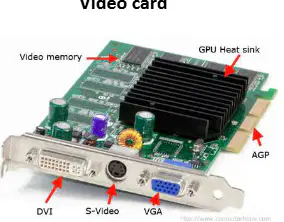
Which of the following is an example of an expansion card that adds video functionality to a PC?
Sound Card
Video (Graphics) Card
Network Card
Modem
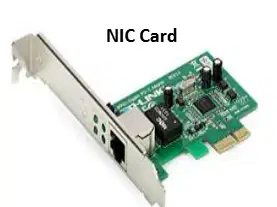
An expansion card that allows a computer to connect to a network is called a _________
Network Card
Sound Card
Graphics Card
Modem
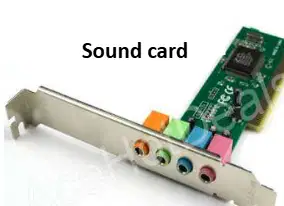
Which expansion card is used to produce audio output in a computer?
Video Card
Sound Card
Network Card
Modem
Expansion cards are printed circuit boards inserted into the _________ to add functionality to the PC.
motherboard
keyboard
monitor
printer
Which of the following is NOT typically considered an expansion card?
Modem
Sound Card
Motherboard
Network Card
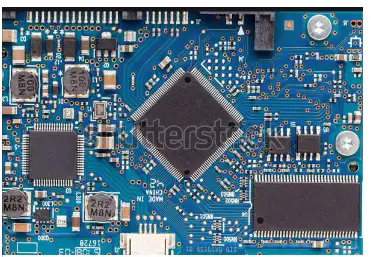
What is shown in the image under the heading 'Motherboard circuitry'?
A close-up image of a motherboard showing its circuitry and components.
A diagram of a computer mouse.
A picture of a laptop screen displaying code.
An image of a printer's internal parts.
What is a CPU also called?
Central processor
Main processor
Both A and B
Arithmetic Logic Unit
The CPU is the electronic circuitry within a computer that carries out the instructions of a computer program by performing basic arithmetic, logic, controlling, and ______ operations specified by the instructions.
input/output (I/O)
painting
cooking
singing
Which of the following are the three main subsystems of the CPU?
CU, registers, and ALU
RAM, ROM, and Hard Disk
Monitor, Keyboard, and Mouse
Input, Output, and Storage
The CPU is responsible for performing basic arithmetic, logic, controlling, and input/output operations in a computer.
True
False
Name the three main subsystems of the CPU.
CU, registers, and ALU
RAM, ROM, and cache
Hard disk, monitor, and keyboard
Power supply, fan, and case
What does ALU stand for?
Arithmetic Logic Unit
Advanced Learning Unit
Automated Logic Utility
Analog Linear Unit
The ________ directs operation of the processor. It tells the computer’s memory, arithmetic/logic unit and input and output devices how to respond to a program's instructions.
Control Unit
Arithmetic Logic Unit
Register
Cache
The registers are special purpose temporary storage locations. They hold data needed quickly or frequently prior to execution and store information about status of CPU and currently executing program. What are these special purpose storage locations called?
Registers
Cache
Buffers
Stacks
What is another name for the main memory in a computer?
Hard drive
RAM
SSD
Cache
What does the main memory (RAM) store on a computer?
Only the operating system
Only games
Programs and applications currently running, including the operating system
Only files and documents
The information stored in RAM is ______ in nature and is retained only while the current program is running.
temporary
permanent
static
archival
When you turn off the computer, the information in primary memory is cleared.
True
False
What type of memory is RAM considered to be?
Non-volatile
Volatile
Permanent
External
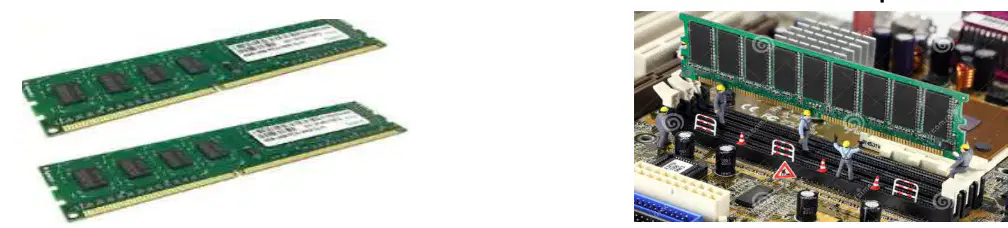
What is shown in the image below?
Hard drive
RAM modules plugged into a motherboard
CPU
Power supply
What type of devices are used for secondary storage?
RAM
Hard drives, CDs, DVDs, Memory cards, and flash drives
CPU
Monitor
Secondary/Auxiliary Storage: Data stored on secondary storage devices is retained even when the computer is turned off.
True
False
What is the difference between internal and external hard drives?
Internal hard drives are located within the computer's case, while external hard drives connect to a computer via a USB port.
Internal hard drives are only used for backup, while external hard drives are used for running the operating system.
Internal hard drives require batteries, while external hard drives do not.
Internal hard drives are wireless, while external hard drives require a wired connection.
Flash drives are faster than hard drives and are used for internal persistent storage in which devices?
Monitors
Smartphones and tablets
Printers
Keyboards
What is another name for a flash drive?
Thumb drive or jump drive
Hard disk
CD-ROM
Floppy disk
What is a bus in computer systems?
A storage device
A communication system that transfers data between components inside a computer, or between computers
A type of software
A power supply
A computer bus consists of a set of parallel conductors, which may be _________
conventional wires, copper tracks on a printed circuit board, or microscopic aluminum trails on the surface of a silicon chip
fiber optic cables used for internet connections
plastic tubes for cooling systems
wireless signals transmitted through antennas
Which type of computer bus allows data to travel back and forth between the CPU and memory (RAM)?
Data Bus
Address Bus
Control Bus
Expansion Bus
The address bus carries information about the ________ of data in memory.
location
size
type
speed
What is the function of the control bus?
Carries data between CPU and memory
Carries information about the location of data
Carries control signals to ensure smooth operation
Passes messages between computer and add-in boards
Messages and information pass between your computer and the add-in boards you plug in over the ________ bus.
expansion
serial
parallel
system
What is the main function of a USB?
It stores data permanently
It enables communication between devices and a host controller such as a personal computer (PC)
It is used only for charging devices
It is a type of software
Which of the following devices can be connected using a USB?
Digital cameras
Keyboards
Printers
All of the above
USB has replaced a wide range of interfaces like the parallel and serial port because of its wide variety of uses, including support for electrical power.
True
False
A USB is intended to enhance ________ and allow hot swapping.
plug-and-play
data corruption
manual configuration
system overheating
What does hot swapping allow in the context of USB?
Hot swapping allows removal and replacement of a new peripheral without having to reboot.
Hot swapping allows faster data transfer between devices.
Hot swapping allows wireless connection of USB devices.
Hot swapping allows charging of devices only when the computer is off.
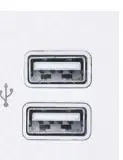
What does the image below show?
The image shows two USB ports.
The image shows two HDMI ports.
The image shows two Ethernet ports.
The image shows two VGA ports.
What is a computer chassis also known as?
Computer case, tower, system unit, or cabinet
Monitor, keyboard, or mouse
Motherboard, CPU, or RAM
Printer, scanner, or speaker
The chassis is the housing that helps protect and organize all the components that make up a _________?
desktop computer
television
refrigerator
microwave
The size and shape of a computer case is usually determined by the form factor of the ________.
motherboard
hard drive
power supply
graphics card
Which of the following is NOT a reason why we need a computer case?
Structure
Protection
Cooling
Printing
The computer case helps keep the air properly flowing over all components, which keeps everything cool and running properly.
True
False
Which feature of a computer case helps reduce the overall noise generated by fans?
Structure
Noise
Aesthetics
Cooling
Most people would rather look at the case instead of all the circuit boards, wires, and all the components of a computer. This feature is called ________.
Aesthetics
Functionality
Durability
Performance
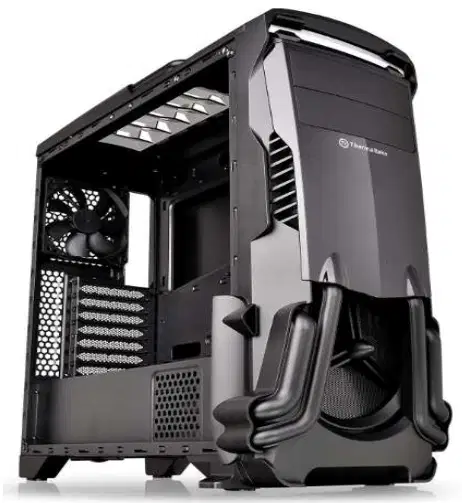
One of the components found inside a chassis is ________ cards.
Expansion cards
Sound cards
Network cards
Graphics cards
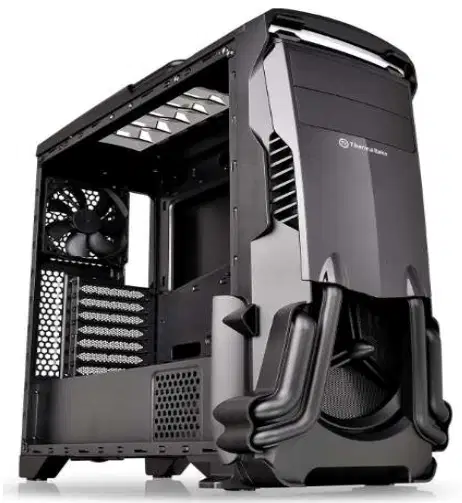
The component responsible for cooling inside a chassis is the heat sink and ________.
Fans
Speakers
Hard drives
Power cables
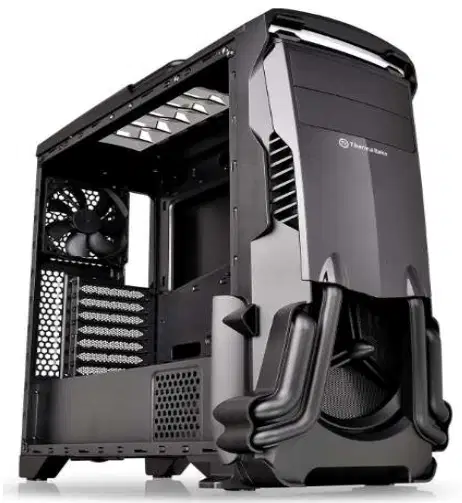
Internal drives inside a chassis include hard drive and ________ drive.
CD
Flash
Tape
Network
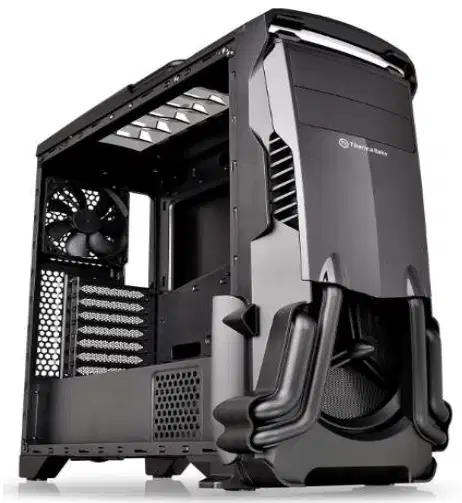
RAM stands for ________ access memory.
random
rapid
remote
read-only
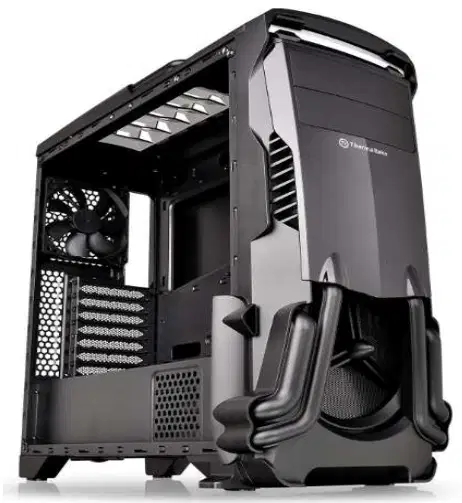
The main circuit board inside a chassis is called the ________.
Motherboard
Processor
Hard Drive
Power Supply
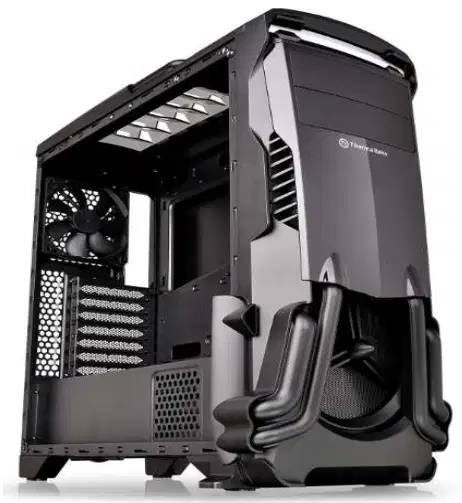
PSU stands for power ________ unit.
supply
source
system
station
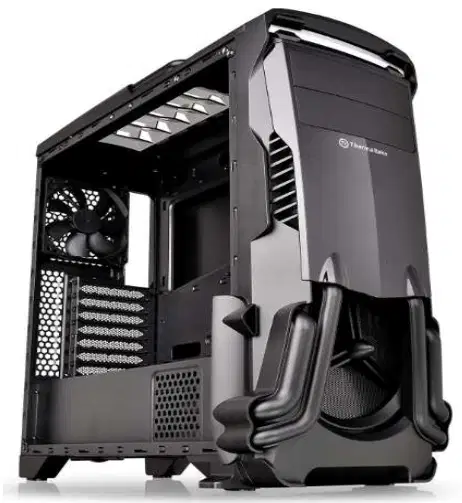
CPU stands for central ________ unit.
processing
printing
planning
protecting
What is a peripheral device?
A device that is part of the core computer architecture
Any external device that provides input and output for the computer
A device that cannot be connected to a computer
A device that only stores data
A computer peripheral can be defined as a device that is connected to a computer but is not part of the core computer architecture.
True
False
Input devices, such as a _______ and a ________, are types of peripheral devices.
mouse; keyboard
printer; monitor
scanner; speaker
CPU; RAM
Which of the following is an example of a storage device?
Mouse
Monitor
Hard drive
Printer
Which of the following is an input device?
Printer
Keyboard
Monitor
Speaker
______ is a pointing device used to control the cursor on a computer screen.
Mice
Keyboard
Monitor
Printer
Which of the following is NOT a pointing device?
Trackballs
Touch pads
Joysticks
Microphones
A device used to scan documents and images into a computer is called a ______.
Scanner
Printer
Monitor
Keyboard
Which device is used to read barcodes?
Barcode reader
Light pen
Keyboard
Digital Camera
______ is an input device used to record sound.
Microphone
Monitor
Printer
Scanner
Which of the following is used to capture photographs and videos as input?
Digital Camera
Optical Mark Reader
Keyboard
Trackball
MICR stands for ______.
Magnetic Ink Card Reader
Microchip Integrated Card Reader
Magnetic Information Code Reader
Machine Input Card Reader
Which device is used to read characters from printed documents?
Optical Character Reader (OCR)
Joystick
Microphone
Scanner
OMR stands for ______.
Optical Mark Reader
Optical Memory Recorder
Optical Machine Reader
Optical Mark Recorder
Which of the following is NOT listed as an input device in the provided list?
Printer
Light pen
Scanner
Optical Mark Reader
Which is the most important input device on desktop and notebook computers?
Mouse
Keyboard
Monitor
Printer
The user uses a keyboard to enter ______, numbers, and other symbols in the computer.
letters
pictures
sounds
videos
The layout of the keyboard is like that of a traditional ______, although there are some additional keys provided for performing additional functions.
typewriter
calculator
television
microwave
The process of using a keyboard to enter information in the computer is called ______.
typing
drawing
printing
erasing
Keyboards with 104 keys or 108 keys are also available for ______ and Internet.
Windows
Linux
MacOS
Android
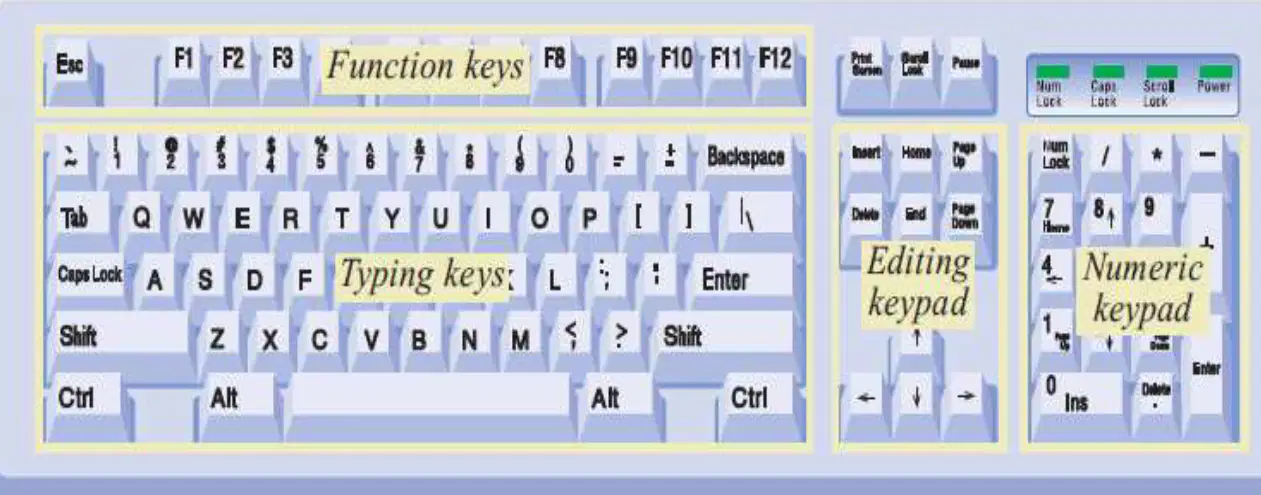
Which section of the keyboard contains the keys F1 to F12?
Typing keys
Function keys
Editing keypad
Numeric keypad
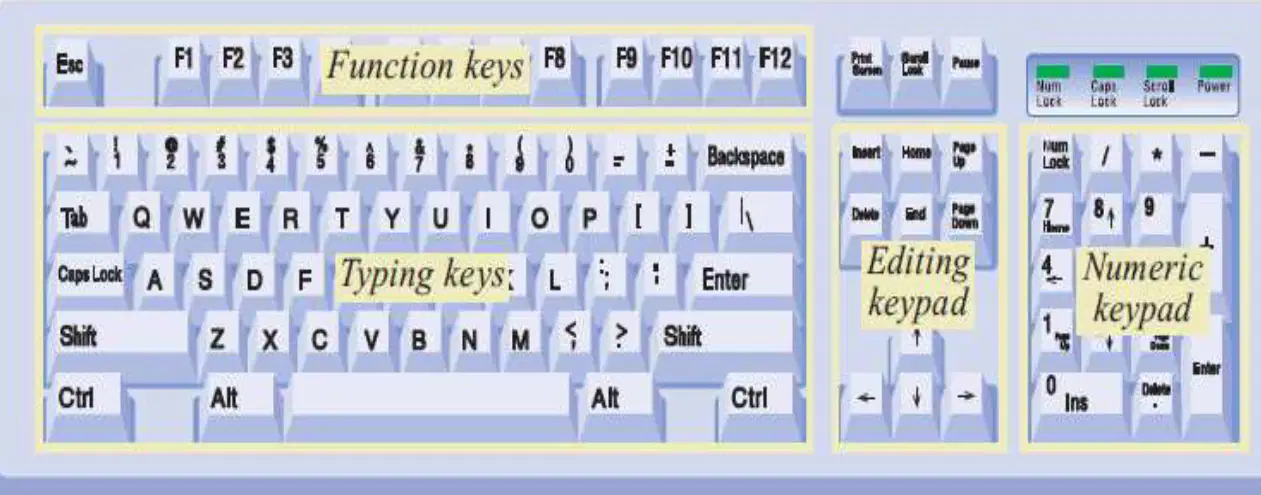
Which section of the keyboard is used for entering numbers quickly?
Typing keys
Function keys
Editing keypad
Numeric keypad
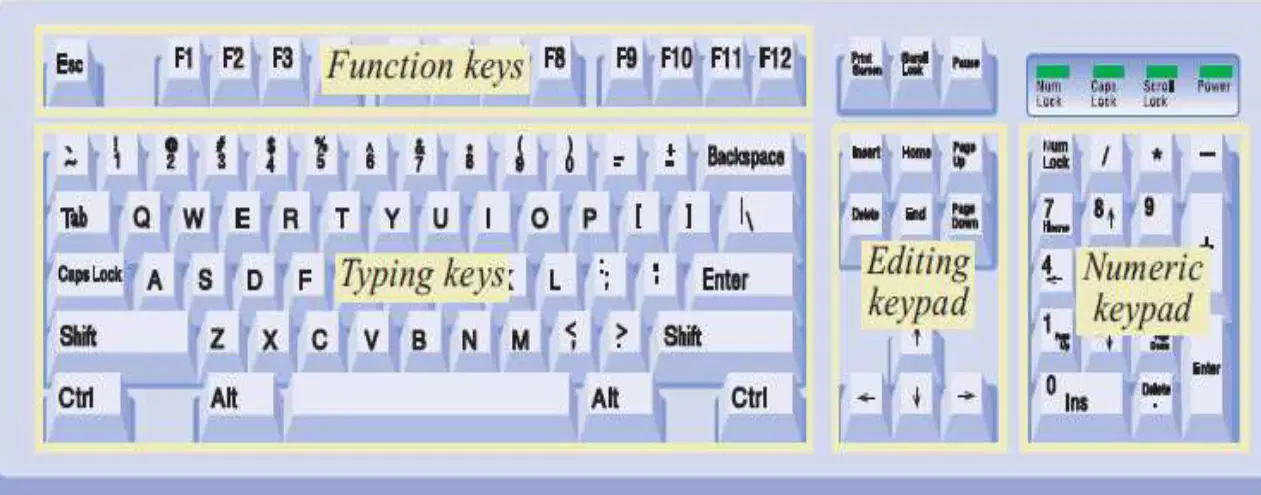
The section of the keyboard that includes the arrow keys is called the ________.
Editing keypad
Numeric keypad
Function keypad
Alphanumeric keypad
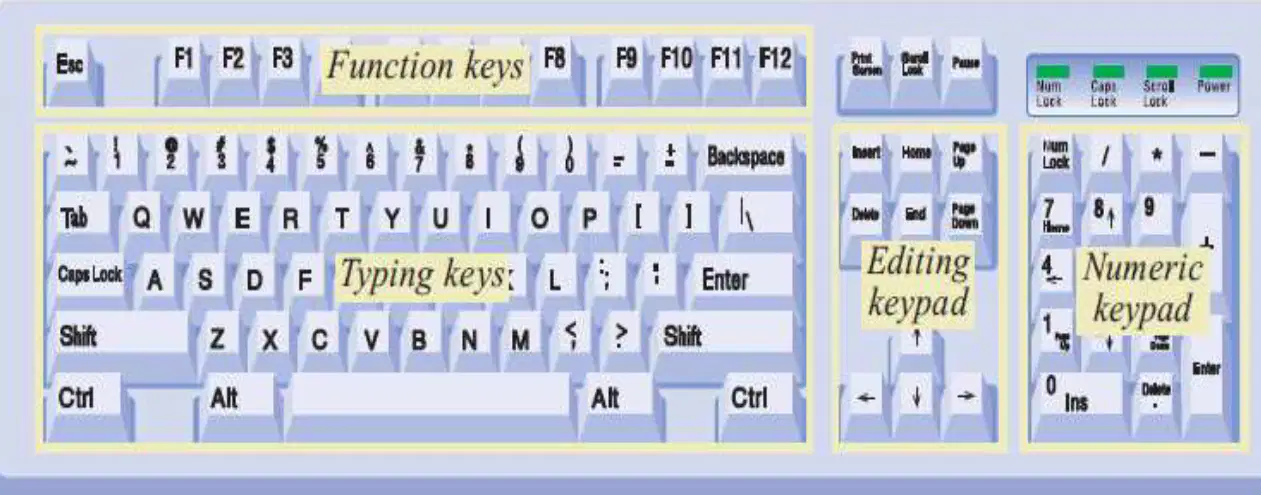
The main section of the keyboard used for typing letters and symbols is called the ________.
Typing keys
Function keys
Navigation keys
Numeric keypad
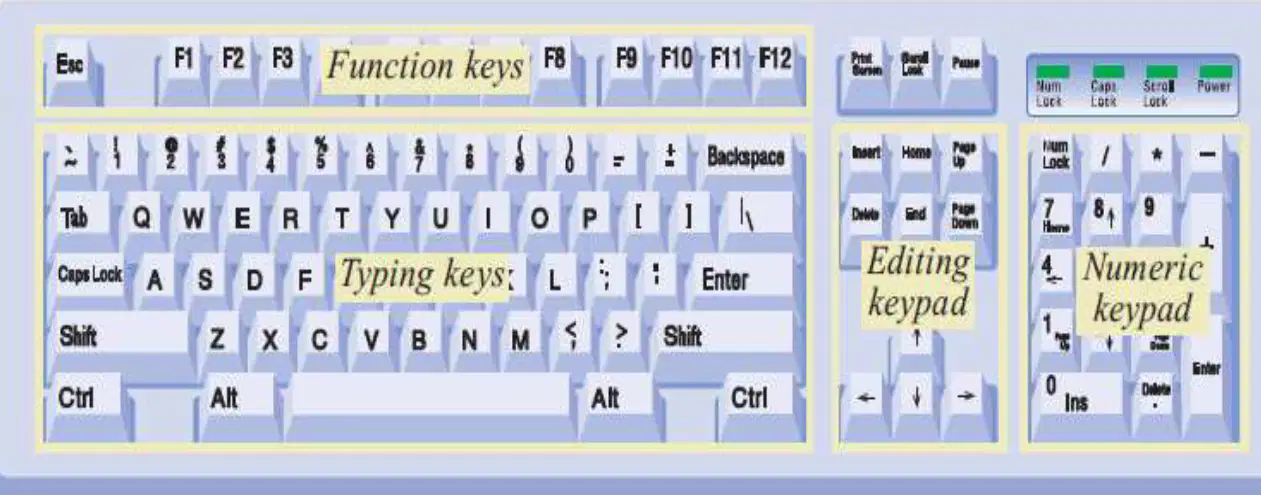
True or False: The Function keys are labeled F1 to F12 on the keyboard.
True
False
What type of keys include the letter keys (A-Z) and digit keys (0-9) which generally give the same layout as that of typewriters?
Typing Keys
Function Keys
Navigation Keys
Modifier Keys
Which section of the keyboard is used to enter numeric data or cursor movement and generally consists of a set of 17 keys laid out in the same configuration as most adding machines and calculators?
Numeric Keypad
Function Keys
Arrow Keys
Alphabetic Keypad
How many function keys are present on the keyboard, arranged in a row at the top, each with a unique meaning and specific purpose?
Twelve (12)
Eight (8)
Ten (10)
Fifteen (15)
Which keys provide cursor and screen control, including four directional arrow keys, and also include Home, End, Insert, Delete, Page Up, Page Down, Control (Ctrl), Alternate (Alt), and Escape (Esc)?
Control keys
Function keys
Alphanumeric keys
Numeric keypad
Which special purpose keys are mentioned as being present on the keyboard?
Enter, Shift, Caps Lock, Num Lock, Space bar, Tab, and Print Screen
Ctrl, Alt, Esc, F1, F2, F3, and F4
Home, End, Page Up, Page Down, Insert, Delete, and Pause
Arrow keys, Function keys, Windows key, Menu key, Scroll Lock, and Break
What are pointing devices used for?
To print documents
To manipulate on-screen pointers
To store data
To play music
A mouse is an input device that uses ______ technology to interact with a computer.
point and click
wireless charging
voice recognition
thermal imaging
Modern mice typically have how many buttons?
One
Two
Three
Four
Nowadays, mice often connect to the computer using ______ technology.
wireless
liquid crystal
magnetic tape
combustion
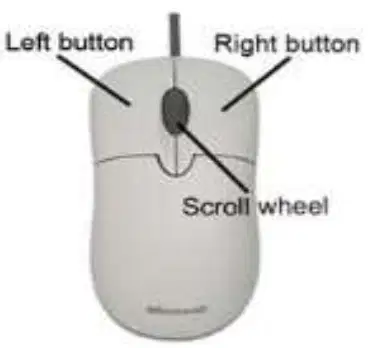
Identify the parts of the mouse shown in the diagram:
Left button, Right button, Scroll wheel
Left button, Middle button, Power button
Right button, Scroll wheel, Power button
Left button, Scroll wheel, Battery compartment
What does 'Click/left-click' mean? ________ means to press and release the left mouse button once, without moving the mouse.
Click/left-click
Right-click
Double-click
Drag
What does 'Right-click' mean? ________ means to press and release the right mouse button once, without moving the mouse. A shortcut menu opens.
Right-click
Double-click
Drag-and-drop
Left-click
What does 'Double-click' mean? ________ means to press and release the left mouse button twice in rapid succession without moving the mouse.
Double-click
Right-click
Scroll
Drag
What does 'Drag' mean? ________ means to click-and-hold the left-mouse button, then move an object. For example, you can drag a window or an icon.
Drag
Double-click
Scroll
Right-click
What does 'Drag-and-drop' mean? ________ means to click-and-hold the left-mouse button, then move an object. For example, you can drag-and-drop a window or an icon. Release the mouse button to place the object in a new location.
Drag-and-drop
Double-click
Right-click
Scroll
What does 'Click-and-hold' mean? ________ means to press and do not release the left mouse button.
Click-and-hold
Double-click
Right-click
Scroll

Track ball is an input device that is mostly used in ________ or laptop computer, instead of a mouse. This is a ball which is half inserted and by moving fingers on the ball, the pointer can be moved.
notebook
desktop
printer
scanner

Which of the following is true about a trackball?
The whole device is moved to control the pointer
Only the ball is moved to control the pointer
It requires more space than a mouse
It cannot be used with laptops

