
 Worksheets
Google Apps and Drive Worksheet
Total questions: 40
Worksheet time: 20mins
What is the name of the icon that looks like a grid of small squares, often used to access Google apps?
Google Apps
Google Drive
Google Classroom
Google Docs
Where can you find ALL of your stored work?
Google Search
Google Drive
Google Classroom
Google Docs

What is the name of the icon shown below?
Google Docs
Google Drive
Google Classroom
Google Search
What is the G Suite equivalent of PowerPoint?
Google Slides
Google Docs
Google Sheets
Google Forms
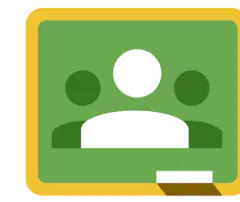
Name the Google Application shown in the image.
Google Classroom
Google Drive
Google Meet
Google Calendar
Which Google App allows you to create a quiz, poll, or survey?
Google Forms
Google Docs
Google Slides
Google Calendar
If you wanted to type an essay, which G Suite App should you use?
Google Docs
Google Sheets
Google Slides
Google Forms
Why is there no Save button for your files?
Because files are saved automatically
Because saving is not necessary
Because files cannot be saved
Because you must use a different program
Where are documents that you place on Google Drive stored?
Somewhere in California
On your school network
On a flash drive
In the cloud
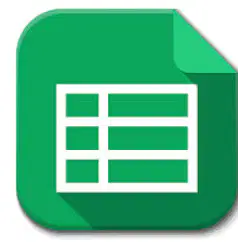
Name this Google icon.
Google Docs
Google Slides
Google Sheets
Google Forms

Name this icon.
Google Docs
Google Sheets
Google Slides
Google Drive
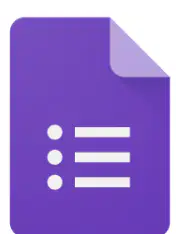
Name this Google application.
Google Docs
Google Sheets
Google Forms
Google Slides
Google Docs is Google's version of:
Microsoft Word
Microsoft Excel
Microsoft PowerPoint
Adobe Photoshop
What should never be used in your password?
Your name or birthday
Random letters and numbers
Special characters
A mix of uppercase and lowercase letters
Which of the following combinations makes a strong password?
Only lowercase letters
A mix of uppercase, lowercase, numbers, and symbols
Only numbers
Only your pet’s name
A longer password is generally stronger than a shorter one?
True
False
This is a strong password: Lovedogs
True
False
This is a strong password: Ss!tRBd!@18PP
True
False
What should you do if someone besides a trusted adult has your password?
Ignore it
Change your password immediately and tell a trusted adult
Share your password with more people
Post your password online

You can use Google Drive to create...
All of the above
Documents
Spreadsheets
Slideshows
Which Google application would be best for calculating?
Google Sheets
Google Docs
Google Slides
Google Drive
What does ctrl+c do?
Copy selected text or item
Paste selected text or item
Cut selected text or item
Undo last action

What will this formatting button do?
Make the selected text bold
Underline the selected text
Italicize the selected text
Change the font color of the selected text
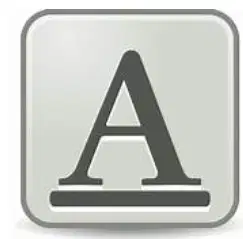
What does this formatting button do?
Change the font size
Add a shadow to the text
Highlight the text
Change the font style
Files saved to Drive can be opened on a different computer or smartphone.
True
False
What do you need to join Google Classroom?
A class code or invitation
A printed textbook
A physical classroom key
A library card
Where can you find a new assignment in Google Classroom?
In the "Assignments" section or stream
In your email inbox
On the school notice board
In the cafeteria
Which of the following best describes the main difference between a bad password and a good password?
A good password is long and complex, while a bad password is short and easy to guess.
A good password is your name, while a bad password is your pet's name.
A good password is written on paper, while a bad password is saved online.
A good password is used for every account, while a bad password is different for each account.
Which of the following makes for a stronger password?
Using a word from the dictionary
Using at least 8 characters
Using my pet's name
Using my birthday
What should never be used in your password?
My name
My birthday
My address
All of the above
What would make a password STRONGER? Check ALL that apply:
Using special characters, like # * & @
Using my pet's birthday
Using my BFF's name
Making it longer

The following shows ____________icon.
File
Folder
To rename a file you have to...
Right-click the mouse and press rename
Quickly double click the file with the mouse
To open a file you have to double click the file.
True
False
Any content created using a computer, such as a picture or a text is
File
Folder
Sub folder
Directory structure
True or False: This is a strong password:
Lovedogs
True
False

A secure password
Is shared with friends
Cannot be easily guessed
includes letters, numbers, and symbols
Which is a Folder?


What is the name of this Folder?
Blake folder
Edison folder
Howard folder
Columbus folder

