
 Worksheets
Intro to Computer
Total questions: 12
Worksheet time: 36mins
Which Statement best describes what is a computer ?
An electronic device that can perform different tasks, store, and receive information.
A device that can only do homework
A device that can only play music and games
A device that can perform one task at a time.
Which of the following is a basic part of the computer ?
blade
monitor
switch
light bulb
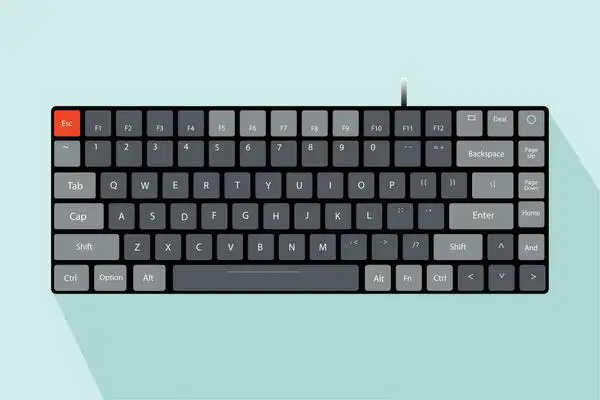
Which part of the computer is being shown in the picture ?
mouse
monitor.
touchpad
keyboard

Which part of a computer is being shown in the picture ?
monitor
keyboard
touch pad
charging port
What is the function of the keyboard ?
used to enter information into the computer system
click on various buttons on the screen
move the cursor around on the screen
turn on the computer
What is the function of the touch pad ?
to type information into the computer
to move the cursor around the screen and click on various buttons on the screen
to power off the computer
to power on the computer
What type of keyboard is being commonly used, and be found on the Chrome-book laptops ?
QWERTY Keyboard
Magic Keyboard
Mechanical Keyboard
Flexible Keyboard
What is the function of the backspace key ?
enter capital letters
to draw new lines
to delete errors when typing
to enter a new line when typing
What is the function of the space bar ?
to enter a new line when typing
to enter space after a word when typing
to delete errors when typing
to power off the computer
What is the function of the power button ?
to raise or lower the volume of the computer
to draw new lines in a document
to power off and on the computer
to put space between words when typing
What is the function of the arrow keys ?
to put space between words
to delete errors when typing
to scroll up and down the computer screen
to power off the computer
Which keys should your 10 fingers be on when beginning to type ?
q, w, e, r, t, y, u, i, o, space bar
a, s, d, f, j, k, l, :, space bar
a, b, c, e, f, g, h, i, j, k, space bar
z, x, c, v, b, m, n, space bar

