
 Worksheets
Text Files Quiz
Total questions: 84
Worksheet time: 42mins
What type of data do text files contain?
Numerical data
Textual data
Graphical data
Audio data
Which of the following is an example of a text file format?
MP3
PNG
DOCX
AVI
What is one use of text files by software developers?
To create animations
To store program data
To edit images
To play audio files
Which of the following is NOT an example of a text file mentioned in the content?
Log files
Word processing documents
Saved email messages
Video files
What does JPEG/JPG stand for?
Joint Photographers' Expert Group
Joint Picture Editing Group
Java Picture Editing Group
Joint Photographic Encoding Group
Which image format is best for lossless image quality and supports an alpha channel?
JPEG/JPG
PNG
BMP
GIF
Which image format is known for offering little to no compression, resulting in large file sizes?
BMP
PNG
TIFF/TIF
EPS
What is the primary advantage of the TIFF/TIF format?
It is the most popular lossy image format.
It offers both compressed and uncompressed versions.
It is the best format for animated images.
It is the standard format for the print industry.
Which file format is most widely used for documents and was created by Adobe?
EPS
TIFF/TIF
GIF
Which image format is the standard for the print industry and is a common vector image format?
PNG
EPS
JPEG/JPG
GIF
Which image format supports both animated and static images and is commonly used for webpage banner ads?
BMP
GIF
PNG
TIFF/TIF
What role do audio files and streams play in multimedia systems?
They are used only for entertainment purposes.
They play a major role in multimedia systems.
They are rarely used in multimedia systems.
They are used only for video enhancement.
Where do audio files often appear in multimedia systems?
Only in standalone applications.
As part of application content and to aid interaction.
Exclusively in video editing software.
Only in offline systems.
What is sometimes required to deploy audio files within web applications and sites?
Advanced coding skills.
Plug-in media players.
High-speed internet.
Specialized hardware.
How do multimedia presentations benefit from audio tracks?
They make it harder to understand.
They make it easier for people to understand.
They reduce the need for visuals.
They are used only for background music.
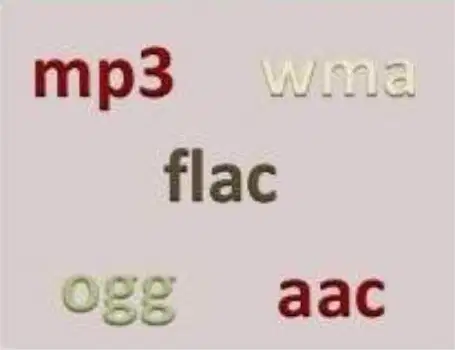
Which of the following is an example of a compressed audio file format?
WAV
MP3
AIFF
AVI
What is the primary difference between compressed and uncompressed audio file formats?
Compressed formats reduce file size, while uncompressed formats retain original quality.
Compressed formats are only used for video, while uncompressed formats are for audio.
Compressed formats are faster to play, while uncompressed formats are slower.
Compressed formats are always higher quality than uncompressed formats.
Which of the following is NOT an audio file format?
AAC
FLAC
MP4
OGG
Which of the following file formats is an example of an uncompressed audio file?
AIFF
MP3
FLAC
AAC
What is one of the main advantages of embedding video in multimedia applications?
It reduces the file size of the application.
It enhances, dramatizes, and gives impact to the application.
It eliminates the need for other media types.
It slows down the presentation to ensure clarity.
Why is video integration in multimedia presentations considered effective?
It conveys a great deal of information in the least amount of time.
It replaces all other forms of media.
It requires minimal technical expertise.
It reduces the need for text-based content.
What unique element does video bring to multimedia applications that other media lack?
A personal element.
A static visual representation.
A reduction in complexity.
A simplified user interface.
What does the file extension ".AVI" stand for?
Audio Video Interleave
Adobe Video Integration
Advanced Video Interface
Audio Visual Interchange
Which video file format is developed by Matroska.org?
.MKV
.MOV
.FLV
.AVI
What is the full form of ".MPG" or ".MPEG"?
Moving Pictures Expert Group
Multimedia Picture Encoding Group
Motion Picture Expert Guide
Media Processing Expert Group
Which file extension is used for QuickTime multimedia file format?
.MOV
.FLV
.AVI
.MKV
What does the file extension ".FLA" represent?
Adobe FLASH Movies
Flash Layer Animation
File Layer Archive
Flash Linked Animation
Which video file format is associated with Adobe Flash Video?
.FLV
.AVI
.MOV
.MKV
What is one of the primary purposes of animation in multimedia projects?
To reduce the file size of multimedia projects
To add visual impact to multimedia projects
To replace text in multimedia projects
To eliminate the need for user interaction
Where are animated components commonly used?
Only in desktop applications
Only in web applications
In both web and desktop multimedia applications
Exclusively in scientific research
How can users interact with animations in multimedia projects?
By using their mouse and keyboard
By only watching the animation passively
By downloading the animation files
By converting animations into static images
Which of the following is NOT a common use of animation?
Cartoons
Scientific visualization
Interactive effects
Static image editing
Which software is commonly used for creating animations on the web and facilitates desktop applications?
Director
Animator Pro
Adobe Flash
Studio Max
What file format is associated with Adobe Flash for exporting movies for deployment to users?
.avi
.swf
.mov
.mpeg
What scripting language does Adobe Flash use to achieve animated and interactive effects?
JavaScript
ActionScript
Python
HTML
Which of the following file formats is associated with Macintosh animations?
.avi
.qt & .mov
.mpeg
.pics
Which software is associated with the file format .max?
Studio Max
Director
Flash
CompuServe
What is the primary purpose of text information?
To entertain readers
To share ideas and information
To confuse readers
To create visual art
Which of the following is an example of a source for text information?
School library
Movie theater
Art gallery
Music concert
Which of the following is NOT listed as an example of text information sources in the image?
Classroom collection
Public/State library
Online resources
Social media platforms
What are visual resources that are one-of-a-kind or reproduced examples of?
Photographs, films, and videos
Paintings, drawings, and cartoons
Prints, designs, and three-dimensional art
All of the above
Which of the following can be categorized as fine art or documentary record?
Sculptures and architecture
Only photographs
Only paintings
None of the above
What is an example of a reproduced visual resource?
A unique sculpture
A print in a magazine
An original painting
A one-of-a-kind photograph
Which of the following is NOT an example of visual information?
A video
A cartoon
A written essay
A photograph
What is the primary purpose of visual resources?
To provide textual information
To serve as fine art or documentary records
To replace written communication
To create fictional stories
What is the purpose of audio information as described in the material?
To provide background music for videos
To aid blind and/or visually impaired consumers of visual media
To enhance the quality of sound in movies
To replace subtitles in visual media
Which of the following is an example of audio information?
Subtitles
Podcasts
Infographics
Photographs
Which of the following is NOT an example of audio information?
Commentaries
Tapes
Radio broadcasts
Visual charts
What type of media does audio information primarily assist with?
Written media
Visual media
Digital media
Printed books
What is the primary purpose of motion information?
To display static images for decoration
To use moving texts, images, or graphics to give information
To create silent films for entertainment
To replace written communication entirely
Which of the following is an example of motion information?
A printed newspaper
A motion picture
A still photograph
A handwritten letter
What media combination is used in motion information?
Sight and sound
Text and paper
Light and shadow
Color and texture
Which of the following is NOT an example of motion information?
An interactive video
A short film
A drama
A printed book
What does "Manipulative Information" refer to?
Materials, programs, and applications used to create and analyze new information
Tools used exclusively for mathematical calculations
Devices used for physical manipulation in experiments
Software designed only for entertainment purposes
Which of the following is an example of manipulative information?
Propaganda
A scientific journal
A textbook
A dictionary
What is the primary purpose of manipulative information?
To aid learning through analysis, evaluation, and production of alphanumeric characters and symbols
To entertain users with interactive content
To store large amounts of data securely
To provide real-time communication between users
What is multimedia information?
A combination of different media formats such as text, graphics, drawings, audio, photos, and videos with the help of computers.
A single media format used for communication.
A type of information that only uses text and graphics.
A method of storing data in physical files.
Which of the following is an example of multimedia information?
Documentaries
Handwritten notes
Printed books
Audio cassettes
What tools are typically used to create multimedia information?
Computers
Typewriters
Calculators
Telephones
Which of the following is NOT a component of multimedia information?
Text
Graphics
Audio
Physical objects
Which of the following is an advantage of multimedia information?
It enhances the effect of text presentations.
It makes presentations harder to modify.
It reduces the attention of the audience.
It is only useful for entertainment purposes.
How does multimedia improve the quality of presentations?
By retaining the attention of the audience.
By making the content less engaging.
By limiting its use to educational purposes only.
By making it harder to operate for the instructor.
What is one of the purposes of multimedia information?
It can be used for both educational and entertainment purposes.
It is only used for creating complex software.
It is designed solely for professional use.
It is used to replace text entirely.
Why is multimedia considered easy to operate for instructors?
It is quick and easier to operate.
It requires advanced technical skills.
It is only accessible to IT professionals.
It cannot be modified easily.
What is a key feature of multimedia presentations?
They can be modified very easily.
They are difficult to update.
They are static and unchangeable.
They require extensive programming knowledge.
What is one of the advantages of multimedia information?
It is only entertaining but not educational.
It helps students learn real-world skills related to technology.
It discourages teamwork and collaboration.
It limits learning opportunities for students.
How does multimedia help learners in expressing themselves?
By limiting their creativity.
By providing them with prior knowledge only.
By helping them express and represent their prior knowledge.
By discouraging learning opportunities.
What value do students learn through multimedia activities?
The importance of isolation.
The value of teamwork and effective collaboration techniques.
The need to avoid technology.
The disadvantages of multimedia.
Which of the following is true about multimedia information?
It is entertaining as well as educational.
It is only educational and not entertaining.
It is neither entertaining nor educational.
It is only useful for entertainment purposes.
What is one advantage of multimedia information for learners?
It forces learners to follow a strict pace set by the teacher.
It provides a non-threatening environment for learners to study at their own pace.
It eliminates the need for teachers entirely.
It discourages group collaboration among students.
How does the role of the teacher change when using multimedia information in education?
The teacher becomes the sole source of information.
The teacher acts as a facilitator, setting project goals and providing guidelines and resources.
The teacher focuses only on lecturing to the entire class.
The teacher eliminates the need for student collaboration.
What is NOT a role of the teacher in a multimedia learning environment?
Providing suggestions and support for student activity.
Moving from student to student or group to group.
Acting as the sole source of information.
Setting project goals and providing guidelines.
Which of the following is a disadvantage of multimedia information?
It is highly interactive and provides instant feedback.
It is simple and quick to create.
It can be time-consuming to develop.
It is inexpensive to use and download.
Why might the use of multimedia be considered expensive?
Multimedia files are small and easy to download.
Video files can be large and require long download times.
Multimedia eliminates the need for additional resources.
Multimedia is free to access and use.
What is a potential issue with one-way multimedia communication?
It is highly interactive.
It provides immediate feedback.
It is non-interactive and lacks feedback.
It simplifies the learning process.
Which of the following statements is true about creating multimedia content?
It is a straightforward and quick process.
It is complex to create.
It requires no technical skills.
It is always cost-effective.
What is one disadvantage of multimedia information as mentioned in the content?
It always simplifies complex topics for students.
It can sometimes divert students' attention to pictures, sounds, or irrelevant material.
It ensures students understand all the information presented.
It eliminates cognitive overload completely.
What can excessive information in multimedia lead to, according to the content?
Improved focus and understanding.
Cognitive overload, making it difficult for students to understand all the information.
Enhanced memory retention.
Simplified learning processes.
What is one challenge teachers face when using multimedia in the classroom?
It makes it easier to monitor all students.
Students may focus more on their work.
Some students may play games or surf the web instead of focusing.
It eliminates distractions completely.
How can computers reduce learning demands on students?
By providing access to millions of pieces of information, including answers to common problems.
By requiring students to memorize all information.
By making students work harder on their assignments.
By eliminating the need for teachers in the classroom.
What is a potential misuse of computers by students in a learning environment?
Using them to enhance their creativity.
Using them to cheat or do less work.
Using them to collaborate with peers.
Using them to access educational resources.
What is one disadvantage of multimedia information as mentioned in the text?
It is always compatible with all devices.
Rapid technological evolution can cause compatibility issues.
Multimedia content never experiences server errors.
Changes between formats are always seamless.
What can happen if a computer is connected to an incompatible projector before a presentation?
The presentation will proceed without any issues.
The multimedia content may be delayed or permanently damaged.
The projector will automatically adjust to the computer.
The computer will stop functioning permanently.
Which of the following is an example of a problem caused by multimedia compatibility issues?
A seamless transition between formats.
A server error while playing multimedia content.
A projector that works with all devices.
A computer that automatically fixes format changes.

