
 Worksheets
Penggunaan Perangkat Digitalisasi Pembelajaran: Pendahuluan
Total questions: 90
Worksheet time: 45mins
Which statement best defines digital learning?
An approach that relies on printed textbooks only
An approach that uses digital technology as the main medium to transfer knowledge and skills
A method that focuses solely on outdoor activities
A system that removes all classroom tools and platforms
Which set lists items commonly included as digital learning tools?
Chalkboards and paper clips
Tools, platforms, and resources supporting learning and development
Sports equipment and uniforms
Only social media accounts
Match each concept to its description.
Digital learning
Learning approach using digital technology as the primary medium for knowledge and skill transfer
Digital learning tools
Items like tools, platforms, and resources that support learning and development
Access challenge
Difficulty ensuring availability of connectivity or devices for all learners
Resource challenge
Limitations in materials, funding, or infrastructure to run digital learning
Which of the following is a major challenge highlighted for implementing digital learning?
Ketersediaan akses (availability of access)
Excess classroom space
Too many textbooks
Overabundance of teachers
Which challenge is related to the materials and infrastructure needed for digital learning?
Seasonal weather patterns
Sumber daya (resources)
Student age limits
Homework policies
Select the best example of a platform used in digital learning.
A traditional notebook
An online learning management system
A paper attendance sheet
A wall calendar
Which statement aligns with the goal of digital learning for students of all ages and backgrounds?
Provide identical paper worksheets to every student
Support learning and development using technology for diverse learners
Limit technology use to advanced classes only
Avoid using any platforms or resources
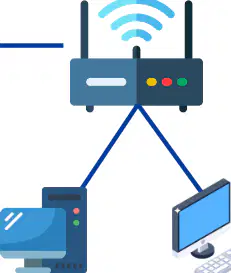
Based on the diagram of a satellite internet setup, which device directly distributes the internet wirelessly to multiple computers and screens at the customer site?
Antenna parabola
Modem
Router
Satellite
In a satellite internet connection, what is the correct order of signal flow from provider to the devices at the customer site?
Satellite → provider dish → router → modem → customer dish
Provider dish → satellite → customer dish → modem → router
Customer dish → satellite → provider dish → modem → router
Internet → router → modem → satellite → customer dish
Match each component with its role in the customer-side setup.
Antenna parabola
Receives/transmits signal to the satellite
Modem
Converts the signal for local networking
Router
Distributes connection to devices via Wi‑Fi/ethernet
Which cable typically connects the antenna parabola to the modem at the customer site?
Fiber optic
Coaxial cable
HDMI
USB
Which term best describes the organization that links the global internet to the satellite in the illustrated setup?
Satellite internet user
Satellite internet provider
Local area network
End device
Match each cable type to where it is used in the customer-side chain.
Coaxial cable
Between antenna parabola and modem
UTP cable
Between modem and router
No cable (wireless)
Between router and nearby devices via Wi‑Fi
Which device is most responsible for creating the local Wi‑Fi network shown at the end of the customer-side chain?
Satellite
Provider antenna
Modem
Router
In routine visual inspection of the satellite dish (parabola/antenna), which issue should be checked first to ensure proper signal alignment?
Indicator lights on modem
Change in dish position
Loose router antenna
Wi‑Fi password settings
Which of the following is a form of physical damage you should look for on the dish during visual inspection?
Penukaran kartu SIM
Dents or cracks
Software update reminders
Overheating fan noise
During dish inspection, what accumulation needs to be removed to maintain performance?
Ice inside modem
Dust or other objects on the dish
Extra Wi‑Fi clients
Water in router LEDs
Match each component with the typical cable used to connect it in a satellite internet setup.
Dish antenna
Coaxial cable
Modem
Coaxial cable to antenna; UTP to router
Router
UTP cable
Which visual cable problem can be caused by animals?
Loose connector
Severely bent cable
Cable bitten by animals
Incorrect IP address
What should be verified about cable connectors during inspection?
They are color‑coded
They are firmly attached and not loose
They are hidden behind furniture
They are all wireless
Which condition indicates a cable needs attention due to mechanical stress?
Cable is severely bent
Cable is labeled properly
Cable is inside conduit
Cable is new
During modem/router visual inspection, what is one requirement for the device’s indicators?
All lights off to save power
Indicator lights operate normally per the user manual
Lights blinking randomly
Only the power light should be red
For daily or weekly checks, what general cleanliness standard applies to the modem and router?
Covered by cloth
Clean from dust
Sprayed with water
Placed outdoors
Which pair correctly matches the check with the component?
Dish — verify indicator lights
Cables — check for dust
Modem/Router — check indicator lights and dust
Router — check for dents or cracks
Which item is recommended for dust cleaning on the satellite dish antenna, modem, and router?
A soft, dry cloth
Wet paper towels
Metal brush
Alcohol wipes
Which statement best follows the safety guideline for cleaning electronic devices?
Spray cleaning liquid directly on the device to remove stubborn dust.
Use a handheld vacuum cleaner for reachable flat surfaces only.
Avoid using cleaning liquids directly on electronic equipment.
Rinse the modem with water after vacuuming.
When should a handheld vacuum cleaner be used during maintenance?
Only for outdoor antennas
For areas that are hard to reach
To polish router surfaces
To cool down overheated modems
Match each component or practice with the correct maintenance action.
Satellite dish antenna
Ensure the installation is sturdy and not easily shaken by wind or vibration.
Modem/Router surfaces
Wipe with a soft, dry cloth.
Hard-to-reach dust
Use a handheld vacuum cleaner.
What is the key requirement for the physical installation of a satellite antenna?
Mounted on a flexible pole that can sway
Securely installed so it is not easily shaken by wind or vibration
Placed near a heat source to prevent moisture
Attached with temporary tape for easy adjustments
Which location is most appropriate for placing a modem and router?
In a sealed cabinet with no airflow
In a well-ventilated area, dry, and away from direct sunlight or excessive heat
Directly under a window with strong sunlight
Next to a heater to keep warm
Select the best practice to prevent overheating of networking equipment.
Cover the router with a cloth to block dust
Place the modem and router in a well-ventilated area away from direct sun or heat sources
Store the devices in a damp basement
Spray water to cool the devices
Which cleaning action is prohibited for electronic devices during routine maintenance?
Using a soft, dry cloth
Using a handheld vacuum cleaner for tight spaces
Applying cleaning liquid directly onto the device
Placing equipment in a ventilated area
Which task is part of regular cable connection checks for satellite internet maintenance?
Inspect modem-to-antenna coaxial cable
Replace the satellite dish annually
Disable the router’s firewall
Move the modem outdoors
Firmware updates during periodic maintenance should be applied to which devices when available?
Only the satellite dish
Modem and/or router
Only user laptops
Power supply units
Match each maintenance item to its description.
Cable connection check
Verify modem-to-antenna and modem-to-router cables
Signal quality check
Assess satellite modem signal performance
Deep cleaning
Remove dirt and water splashes
During periodic maintenance, what does a signal quality check focus on?
Satellite modem
Coaxial cable length
Router password strength
Weather forecast
Which action best describes deep cleaning for satellite internet equipment?
Updating router firmware
Removing dirt and water splashes
Changing the ISP plan
Turning off the modem for a day
Which preventive measure protects equipment from extreme weather?
Place devices near open windows
Provide shielding from heat, rain, and storms
Leave cables exposed
Turn off the router nightly
Match each preventive step to its purpose.
Avoid physical disturbances
Prevent buildup of dirt or other objects
Use devices according to the manual
Follow guide book instructions for safe operation
Protection from extreme weather
Reduce risk from heat, heavy rain, and storms
Which is the first recommended step when troubleshooting a satellite internet device?
Restart the device
Replace all cables
Disassemble the modem
Ignore indicator lights
What should you check to understand the device’s status during troubleshooting?
The color of the casing
Indicator lights
The wall paint
Weather forecast
Match each troubleshooting action with its purpose.
Restart device
Clear temporary glitches
Check cable connections
Ensure physical links are secure
Contact technical support
Get expert help
According to the guidance, what should you avoid doing yourself with satellite internet equipment?
Cleaning dust on the outside
Turning the power off and on
Disassembling the device
Labeling cables
Which piece of information should be recorded as part of maintenance and support?
Important information (e.g., error messages or device details)
Favorite websites
Personal gaming scores
Music playlist
A student has restarted the device and checked the indicator lights, but the problem persists. What is the next recommended action from the list?
Open the device case to look inside
Wait a week and try again
Check cable connections and then contact technical support
Change the internet provider immediately
In a basic solar panel system, which component converts DC electricity to AC electricity for household use?
Solar cell
Charge controller
Battery
Inverter
Match each solar panel system component to its primary function.
Solar cell
Generates DC electricity from sunlight
Charge controller
Regulates charging and protects the battery
Battery
Stores electrical energy
Inverter
Converts DC to AC electricity
Which cable type is used to carry direct current (DC) between components like the solar cell, charge controller, and battery?
AC cable
DC cable
Fiber optic cable
Coaxial cable
A solar panel system shows an output labeled 220 V with a sine-wave symbol. This output is most likely provided by which component?
Solar cell
Charge controller
Battery
Inverter
Which statement best describes the flow of energy in the depicted solar panel system?
AC from the inverter charges the battery, then the solar cell delivers DC to the charge controller.
Sunlight generates DC in the solar cell, passes through the charge controller to charge the battery, and the inverter converts stored DC to AC.
The battery creates AC that is converted to DC by the solar cell before reaching the charge controller.
DC cable carries AC power from the inverter back to the solar cell.
Which is the best time to clean solar panels according to the guidance?
Midday when the sun is strongest
Early morning or late afternoon
Late night
Any time during rain
Which tool or material is recommended for regular cleaning of solar panels?
Steel wire brush
High-pressure water jet
Clean water with a soft sponge or microfiber cloth
Sandpaper
Match each action with the correct category: Cleaning Method vs. Avoid During Cleaning.
Use clean water
Cleaning Method
Use soft sponge or microfiber cloth
Cleaning Method
Use soft-bristle brush for stubborn dirt
Cleaning Method
Use abrasive cleaners
Avoid During Cleaning
Use wire brush or high-pressure water
Avoid During Cleaning
What environmental condition affects how frequently you should clean solar panels?
Panel size
Local pollution level
Type of inverter used
Time since installation
Which issue is NOT listed as a common solar panel problem in the material?
Cracks
Delamination (layer separation)
Frame corrosion
Overheating due to sunlight
When inspecting cables and connectors, what should be ensured first?
They are painted for protection
They are tightly installed with no looseness
They are buried underground
They are longer than needed
Which visual sign is included as possible cable damage?
Shiny new insulation
Severe bending
Extra slack length
Color change from red to blue
How often can cable and connector inspections be scheduled according to the guidance?
Only annually
Every day
Weekly or biweekly, monthly/quarterly
Once after installation
What should be verified about the support structure after strong winds?
It is painted green
It is movable and flexible
It remains sturdy and does not wobble
It is disassembled
Which check ensures the charge controller’s lights for charging, full battery, and load are operating normally?
Indicator check
Connection check
Ventilation check
Electrolyte level check
During a charge controller connection inspection, what should be verified?
Lights are green
Cables in and out are firmly attached and terminals are free of corrosion
The device is placed in sunlight
Battery electrolyte is full
Why is ventilation important for a charge controller?
Prevents overcharging
Avoids dust or objects blocking air circulation
Increases voltage output
Keeps terminals from corroding
Match each battery maintenance item to its correct action.
Terminal
Check for corrosion
Cable
Ensure cables are tight and not loose
Ventilation
Place battery in a well-ventilated area
What personal protective equipment is recommended when working with batteries?
Safety boots only
Gloves and eye protection
Ear plugs
Hard hat
For a wet lead-acid battery, how often should the electrolyte level be checked?
Daily
Every 1–3 months
Once a year
Only when performance drops
If the electrolyte level in a wet lead-acid battery is low, what should be added?
Tap water
Distilled water
Battery acid
Salt water
Which sign indicates serious physical damage to a battery?
Slight temperature rise
Cracks or swelling, or a rotten egg smell
A small scratch on the label
Dust on the case
Which action ensures inverter indicators are working properly?
Verify lights operate according to the manual book
Ignore indicator lights unless there is a fault
Cover the display to protect it from dust
Turn off all LEDs permanently
What is the recommended practice for inverter cable connections?
Allow some looseness for flexibility
Ensure all cables to and from the inverter are not loose
Tie cables tightly to heat sources
Disconnect cables during normal operation
Why should an inverter be placed in a well-ventilated area?
To prevent water leaks
To support good air circulation for cooling
To block sunlight from panels
To improve Wi‑Fi signal
Match each maintenance focus with its purpose.
Indicator check
Operate as specified by the manual book
Connection check
Avoid loose cables to and from the inverter
Ventilation placement
Ensure good air circulation around the device
Which recommendation helps maximize solar panel energy capture?
Place objects to shade panels at noon
Avoid objects that block sunlight to the panels
Paint panels to reduce reflection
Rotate panels away from the sun
When working on a high‑voltage solar system, what should be done before deep maintenance?
Increase voltage to test limits
Leave the system on for faster diagnostics
Ensure the system is turned off
Disconnect only the panels while keeping the inverter on
What is the role of keeping user manuals for all solar components?
They replace professional technicians
They support troubleshooting and maintenance
They are only for warranty claims
They are used to decorate the control room
Which record‑keeping practice is advised for maintenance activities?
No records are necessary if the system works
Log dates, problem types, cause identification, and how they were handled
Write only the technician’s name
Record energy production but not faults
When there is no power from the solar panels, which action is most appropriate to check first?
Inspect for thick dirt on the panel surface
Replace the battery immediately
Increase inverter capacity
Disconnect the charge controller
Match each issue with a recommended troubleshooting step.
No power from solar panel
Check panel-to-charge-controller cable connections
Battery not fully charged
Ensure panels receive enough sunlight
Satellite internet device unstable
Verify battery power; it may be too low
Which component should be checked for a blown protection device in the no-power scenario?
Electrolyte level
Circuit breaker or fuse between panel and charge controller
Satellite modem
Inverter output socket
For batteries that are not charging fully, which check is specifically for wet batteries?
Electrolyte level
Inverter capacity
Panel cleanliness
Cable connection to satellite device
A satellite internet device keeps turning off and on by itself. Which is the best first step according to the guide?
Replace the solar panels
Check the battery power level
Change the charge controller settings
Clean the satellite dish
Which setting must match the battery type to ensure proper charging?
Inverter frequency
Charge controller configuration
Satellite device firmware
Panel tilt angle
If basic troubleshooting does not resolve the problem, what should you do?
Keep trying different random settings
Contact a professional solar panel technician
Turn off the system permanently
Replace every component immediately
Based on the integrated electrical system diagram, which component converts solar energy into electrical energy before charging the battery?
Interactive whiteboard
Solar panel
Satellite dish
Wi‑Fi router
Match each component to its main role in the system.
Battery
Stores electrical energy from the solar system
Inverter (220 V)
Converts DC to AC for 220 V output
Satellite dish
Receives internet signal from satellite
Router
Distributes internet to local devices
In the diagram, the interactive whiteboard receives power and internet. Which two subsystems provide these services?
Solar panel system for power; satellite internet system for internet
Satellite internet system for power; solar panel system for internet
Battery for internet; inverter for power
Router for power; solar panel for internet
Which device is highlighted as a digital learning tool used in classrooms to support interactive activities?
Interactive whiteboard
Document camera
Overhead projector
Graphing calculator
Select the item that is NOT listed as part of the interactive whiteboard package.
Interactive whiteboard
Stylus
Remote control
Desktop printer
Match each component to its primary description.
Interactive whiteboard
Large touch-enabled display for lessons
Stylus
Pen-like tool for writing or drawing on the board
Remote control
Handheld device for controlling board functions
In the classroom scene, students and a teacher are using a large screen for learning. What does this illustrate about the role of the interactive whiteboard?
It is used only for video playback
It enables interactive, digital learning experiences
It replaces all textbooks
It is a device for printing assignments
Which statement best summarizes the package items included with the interactive whiteboard?
Board only
Board and projector
Board, stylus, and remote control
Stylus only

