
Font size
 Worksheets
3 Week Fnd of Business Assessment
Total questions: 27
Worksheet time: 12mins
Which option in the Line Numbers drop-down menu should you select if you want to number the lines at different intervals than the default?
Line Numbering Options
Continuous
Restart Each Section
Interval
Which tool can you use to share styles among documents?
Organizer dialog box
The Export page in Backstage
The Share page in Backstage
You can use any of these tools to share styles among documents.
Where can you find options that will keep all the lines of a paragraph on the same page?
In the Paragraph dialog box
On the Layout tab in the Paragraph group
On the Home tab in the Paragraph group
On the Mini toolbar
If you import an Excel worksheet as an object into a Word document, what happens when you double-click the imported worksheet?
The worksheet opens in Excel.
The worksheet is automatically updated with new data.
The Format Picture task pane opens.
The Table Tools contextual ribbon appears.
When you compare two documents, which panes does Word display?
The Revisions pane, the Compared Document pane, the Original Document pane, and the Revised Document pane
The Combined Document pane, the Original Document pane, and the Revised Document pane
The Original Document pane and the Revised Document pane
The Revisions pane, the Original Document pane, and the Revised Document pane
Which paste option is the default choice for resolving style conflicts?
Use Destination Styles (S)
Keep Source Formatting (K)
Merge Formatting (M)
Keep Text Only (T)
Where do you configure settings for the AutoSave feature?
On the Save tab of the Word Options dialog box
On the Developer tab in the Protect group
On the Save tab in Backstage view
On the Review tab in the Compare group
How do you encrypt a document with a password?
Click File, click Protect Document, and then click Encrypt with Password.
Click Insert, click Password, and then click Add Password to Document.
Click Developer, click Protect, and then click Encrypt with Password.
Click Review, click Protection, and then click Enable Password Protection.
When you restrict editing in a document, which of the following is NOT one of the choices in the drop-down list of the types of changes to allow?
All changes (edit normally)
Filling in forms
Comments
Tracked changes
When you mark a document as final, what commands are turned off in the Ribbon?
All typing, editing, and proofing commands; the document is set to read-only
Only editing commands
Only proofing and typing commands
No commands are turned off.
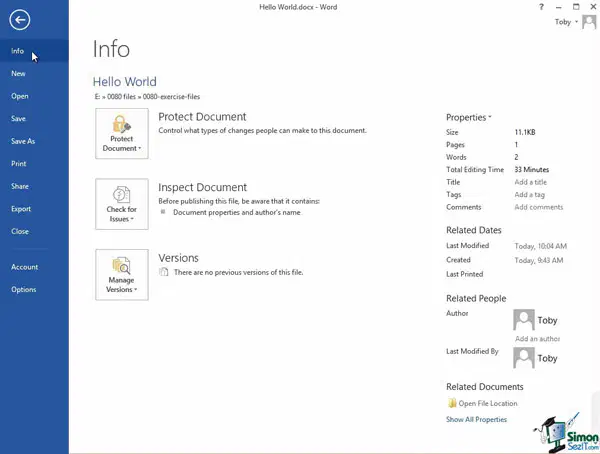
(a) allows you to encrypt a document with a password.
Which appears at the bottom of a page?
Footer
Page Break
Citation
Endnote
Spelling/Grammar and Thesaurus are located under what tab?
References
Mailings
Review
Page Layout
Choose the ________ tab on the Ribbon to add clip art, pictures, shapes, and WordArt to a document.
Home
Insert
View
Mailings
What is the unit of measurement for fonts?
Inch
Centimeter
Point
Yard
What command allows you to view hidden formatting marks?
Show/Hide
Spelling and Grammar
View
Hyperlink
What command moves the insertion point to a part of the document that you specify?
Cut
Paste
Go To
Find and Replace
To insert a blank line and start a new paragraph in a document, press the ___________ key.
Tab
Enter
Num Lock
Space bar
Use the ____ dialog box to organize the rows of a table in alphabetical or sequential order based on the data in one or more columns.
Organize
Format Table
Sort
Quickly resize a table by dragging the table resize handle to a new location.
True
False
The lines that divide the columns and rows in a table are called
Gridlines
Guidelines
Borders
Dividers
What’s the main controlling area where all of your options are in Microsoft Word?
Options list
The main controlling board
The view finder
The ribbon
What is the clipboard used for?
Use the clipboard for saving your work.
I don’t know.
It’s where everything goes when you copy and paste.
It keeps your documents organized.
Which of the following is the keyboard shortcut for saving a document?
Control S
Control E
Control V
Control A
The option to print a document is found in which of the following locations?
Home Tab
Backstage View
Page Layout Tab
Review Tab
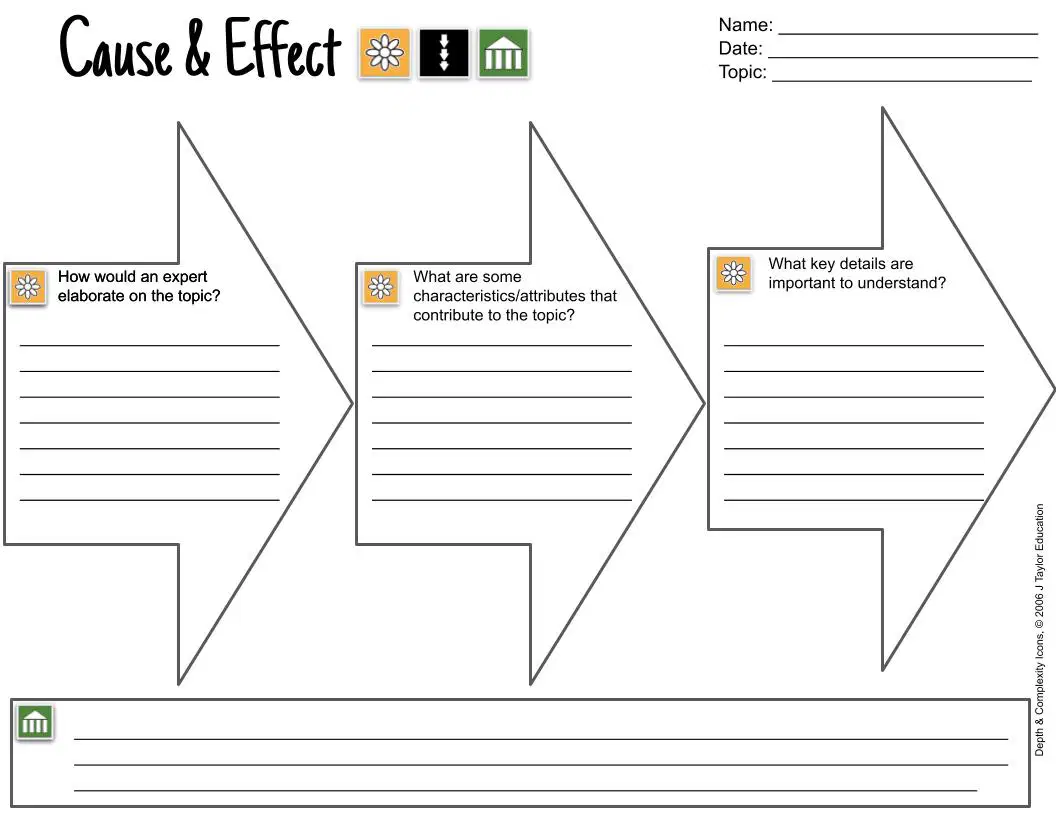
Use the document in the picture to answer the following prompt.
Topic:
How to Manage and Review Documents with Big Changes
Goal:
why should we use special tracking tools (the causes) and what happens when we use these tools (the effects).

