
Font size
 Worksheets
3D design club first quiz
Total questions: 60
Worksheet time: 31mins
Most of the time, what is the first step to create a 3D model in Fusion 360
Create the file
Give the file a name
Create a 3D model
Create a 2D sketch

Oh no! My line isn't touching the circle. What constraint do I need?


Help! I want this construction line to be in the middle of the rectangle. What constraint do I use?

I want to mirror the circle. What do I need to put at the midpoint of the top line?
a line
a construction line
a construction circle
nothing

What constraint do I need to make a right angle here?


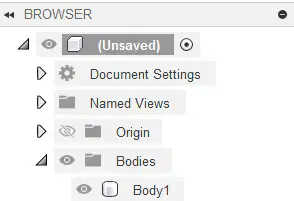
Is Body1 hidden or visible?
Hidden
Visible

Mr. Hoàng workspace don't have the grid how can he fix it.
It don't need to be fix he prefer it this way.
He can enter sketch environment and the grid will appear

Click on grid & snaps > layout grid
No way he can fix it. He is done for
He can ask Mr. Hoàng.

what is this feature ?


what is this feature ?

what is this feature ?
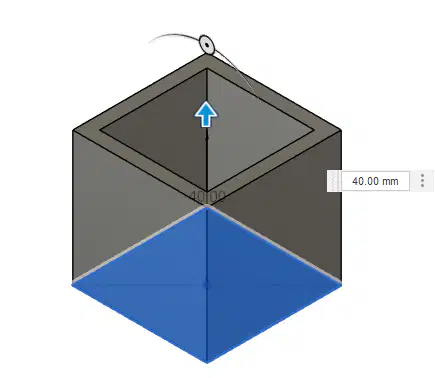
Which of the following property was used to create this body


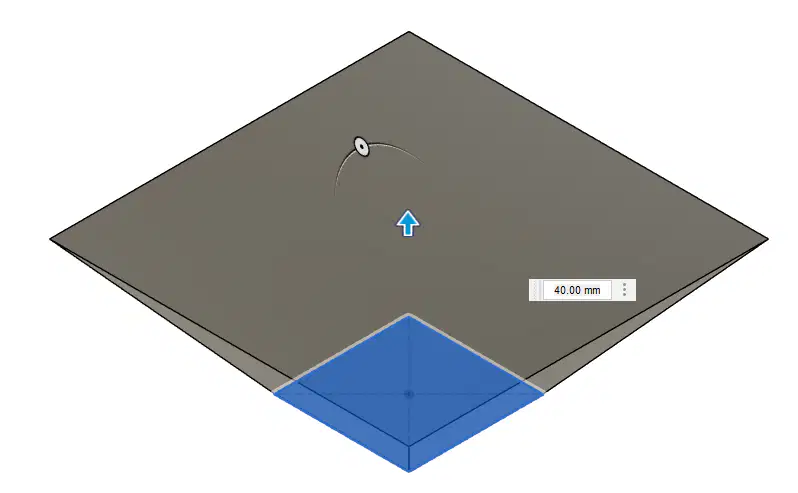
Which of the following property was used to create this body
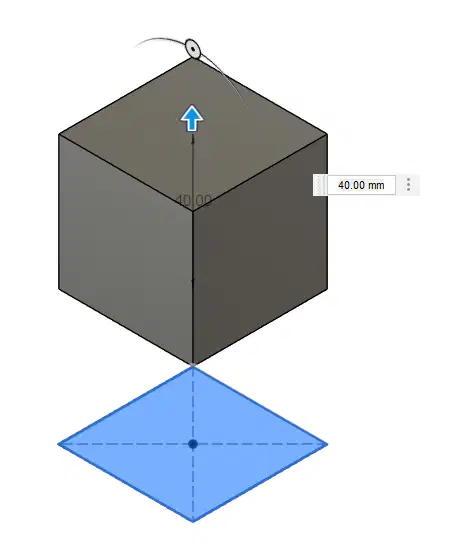
Which of the following property was used to create this body
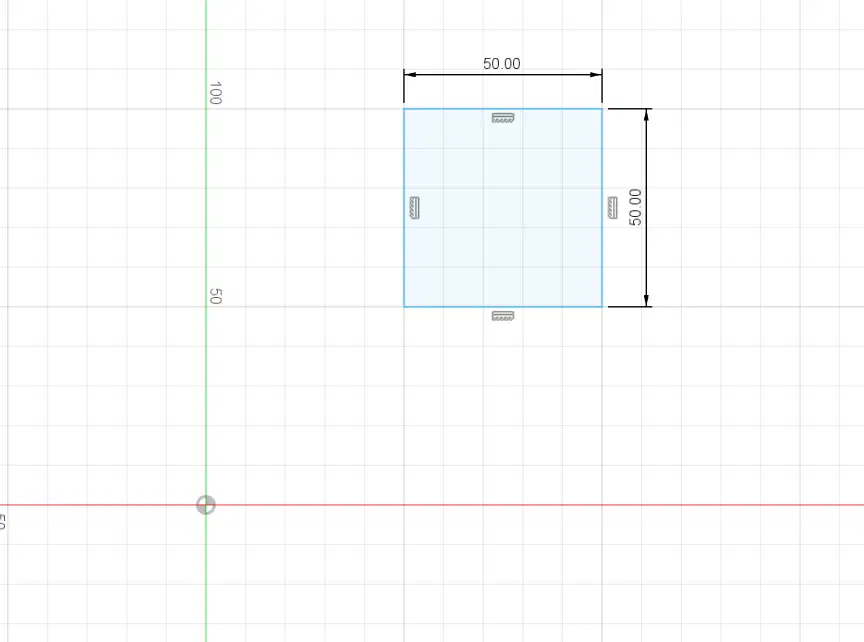
Phan is trying to create a define sketch. Why does the sketch still blue?
Because he did not exist 2D sketch environment.
Because the line feel sad. It can't change to black.
Because he did not define the size of the shape
Because he did not define the location of the shape
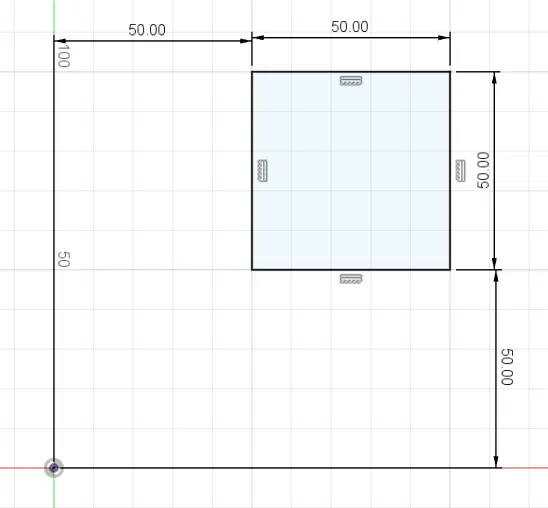
Why does the sketch black now?
It have both size & position define
I feel better after Bách talk to it.
It have it size define
It have it position define
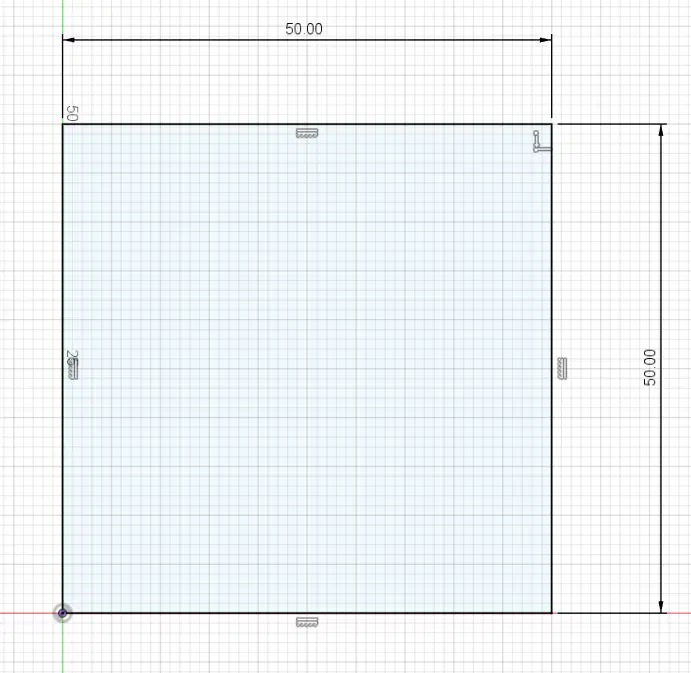
Why does this sketch only have 2 dimension but still black?
Because it is not blue.
It still feel happy after talking to Bách.
It have it corner stick to the origin, so no need to define the position.
Kapi created this one.
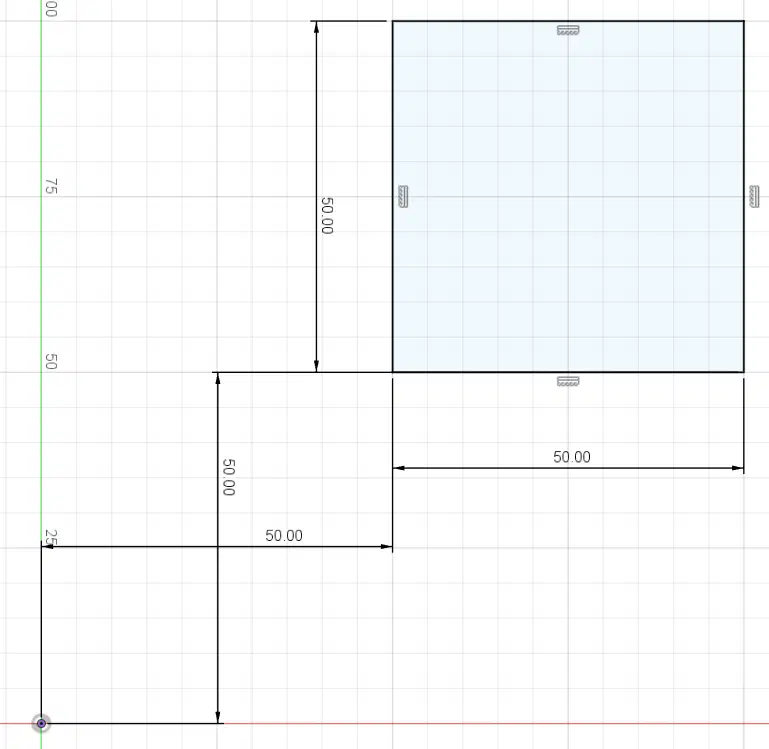
Why does this one still black?
It still have both position & size define
Mr. Hoàng just faking it. It actually blue.
Because it is crossing it dimension so it feel comfortable.
Because Mr. Hoàng drag it so precise in the middle so the software still understand.

Which two buttons can you choose to Open a document that you have Saved?
1
2
3
4
5
Which button do you choose to Save your work?
1
2
3
4
5

Is the Origin hidden or visible?
Hidden
Visible

How can you go to the Home view?
Choose the house icon
Click the Front side
Hit F3
Click the scroll wheel on your mouse

What constraint is this icon for?
Curvature
Tangent
Perpendicular
Symmetry

What constraint is this icon for?
Curvature
Tangent
Perpendicular
Symmetry

What constraint is this icon for?
Horizontal/Vertical
Midpoint
Tangent
Parallel

What constraint is this icon for?
Collinear
Concentric
Tangent
Equal

What constraint is this icon for?
Collinear
Concentric
Tangent
Equal

What constraint is this icon for?
Collinear
Concentric
Tangent
Equal

What constraint is this icon for?
Coincident
Horizontal/Vertical
Tangent
Equal

It is Red turn now. How can Mr. Hoang rotate the battle field ?
He can hold [shift] + [middle mouse] then drag the mouse
He can hold [middle mouse] + [shift] then drag the mouse
He can hold [shift] then drag the mouse
He can hold [middle mouse] then drag the mouse
Mr. Hoang already hold [shift] + [middle mouse] and drag it. How can he fix it.
His middle mouse is broken he need a new one
He can hold [middle mouse] + [shift] then drag the mouse
He can hold [shift] then drag the mouse
He can hold [middle mouse] then drag the mouse

The ________ command constrains the position of two points or a point and a line or curve together.
Horizontal/Vertical
Coincident
Tangent
Equal

The __________________ command constrains a single line, or two points, to lie on either the horizontal or vertical axis, whichever is closer to the current alignment.
Horizontal/Vertical
Coincident
Tangent
Equal

The ____________ command constrains a curve and another object so that they touch at a single point but never cross each other.
Horizontal/Vertical
Coincident
Tangent
Equal

The ___________ command constrains similar objects so that their sizes are identical. When the size of one object changes, the others adjust, too.
Horizontal/Vertical
Coincident
Tangent
Equal

The _____________ command constrains two lines so that they extend in the same direction and never intersect.
Horizontal/Vertical
Parallel
Perpendicular
Equal

The __________________ command constrains two objects so that they lie at a 90-degree angle to each other.
Horizontal/Vertical
Parallel
Perpendicular
Equal

The ___________ command locks the size and location of a point or object.
Fix/Unfix
Parallel
Perpendicular
Midpoint

The ______________ command constrains a point or object to the midpoint of another object.
Fix/Unfix
Parallel
Perpendicular
Midpoint

The _____________ command constrains two or more arcs, circles, or ellipses to the same center point.
Fix/Unfix
Concentric
Collinear
Midpoint

The ___________ command constrains two or more objects so that they share a common line.
Fix/Unfix
Concentric
Collinear
Midpoint

The _____________ command constrains two or more objects so that they are identical to each other in relation to a common axis.
Symmetry
Concentric
Collinear
Midpoint


If your sketches disappear, or you want to show / hide them, you can click:
The eyeball beside the sketch(es) in the left menu.
Extrude.
the View Cube.

What is the fastest way to fix this view?
Zoom in, rotate the View Cube.
Rotate the View Cube, zoom in.
Click the home button beside the View Cube.
If you want to change a dimension in your model you should
edit the correct sketch from the timeline.
create a new sketch.
create an offset plane.

What do these orange squares represent?
Planes you can put sketches on.
Ships you can sketch on.
Faces you can doodle on.
When creating a new sketch you need to choose
an extrusion type.
the timeline.
a plane to draw on.
What tool is used to SET the dimension


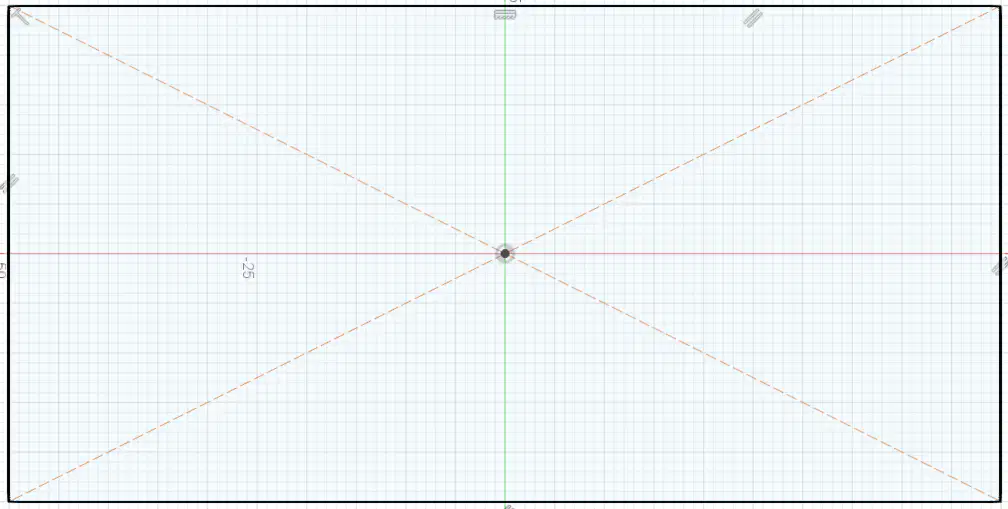
What tool is used to create this shape


Smart dimension [D] tool is used for:
Set Size of sketch geometries
Set closest Distant between 2 sketch geometries
Set Horizontal/Vertical position to origin
Set Horizontal/Vertical distant between 2 geometries
Set Angle between 2 lines

name the fusion 360 function labeled D on the picture
Tool bar
Application bar
Browser
Time line

name the fusion 360 function labeled C on the picture
Tool bar
Application bar
Browser
Time line

To continue edit a sketch you can:
Just click on the icon in (1)
right click on the sketch in the browser (2) > edit sketch
right click on the sketch on the timeline (3) > edit sketch
right click on the sketch (4) > edit sketch
Which of the following is true?
When you create a geometric shape it can already come with some constraints
When you create a geometric shape it won't have any constraints
You can add constraint when create shape just by click the correct position
You can set dimension to the geometric shape right when you create it
How to know you are about to select the correct geometry
the object will light up when you hover over it
the object will start blinking
the mouse pointer will change
just click close to the object it will read your mind and select the right one
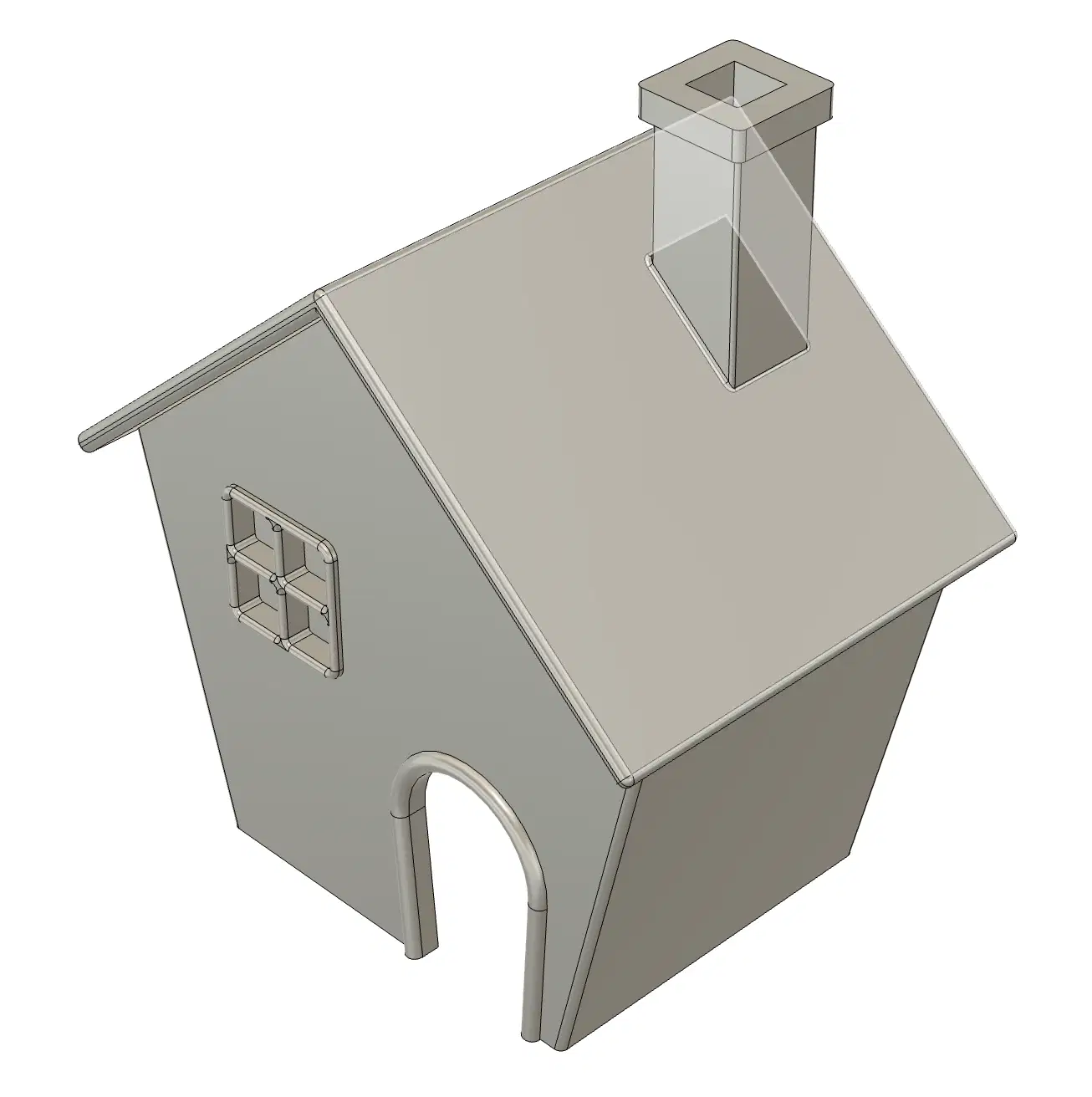
Mr. Hoang want to select the back of the house but as you can see it been blocked by the roof how can he select the back of the house?
Remove the roof
He better design it again from the beginning
Rotate the house so he can see the back
There is "another trick "but was not listed here
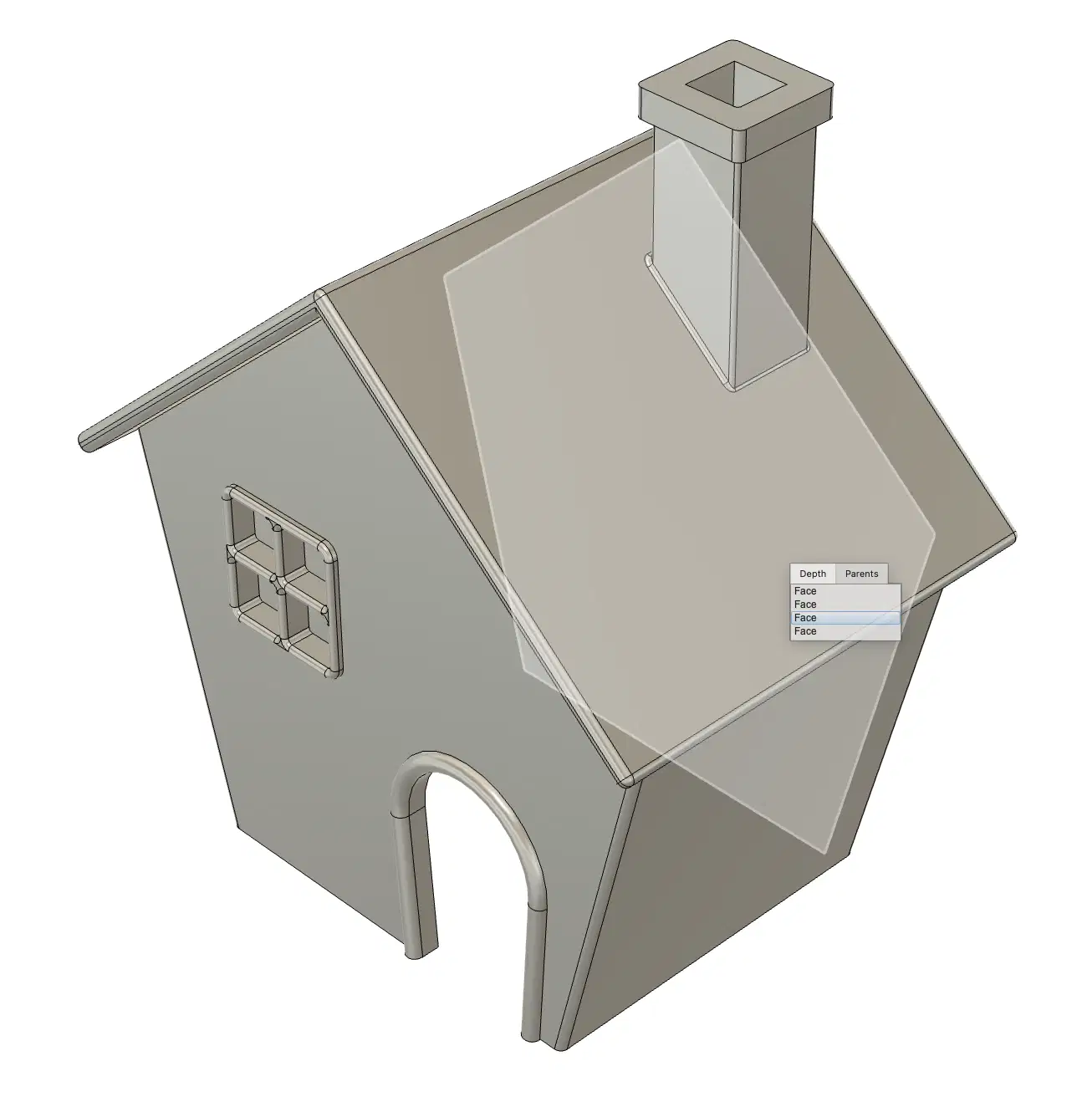
What "trick" did Mr. Hoang use to select the back of the house?
He rotate it and select the back then rotate it back and pretend there is a trick
He click and hold where he want to select, a list will appear and he can select from that
He click and hold on a blank space, a list will appear and he can select from that
He realized there was no spoon, the house is just a object he created
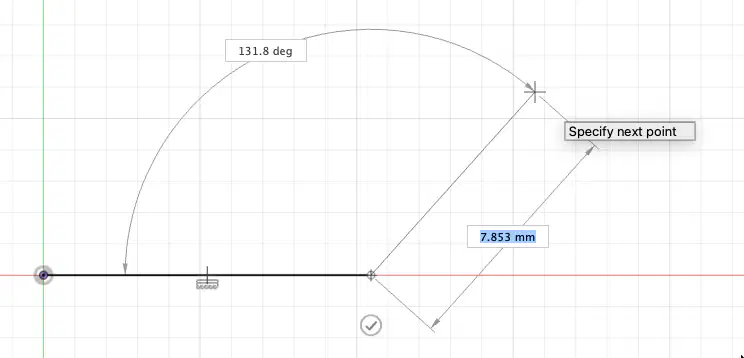
Banh tries to draw a curve tangent to the line with line tool but it is still straight, what can she do?
She can just draw multiple line it will look like a curve
She should use curve tool
She should use arc tool
She can just hold left click and drag at the starting point of the curve she want to make
She can use spline tool then add tangent constraint

