Worksheets
ICT 7 Revision 1
Total questions: 120
Worksheet time: 1hrs 12mins
A computer network is where two or more devices are connected together so they can share...
people
resources
cables
Local Area Networks are usually located within a single building
True
False
With a LAN, users can usually log on to any work station to access their files.
False
True
Which of the following peripherals is MOST likely to be shared via a network?
Projector
Printer
Keyboard
Home networks are more likely to use a...
router
switch
hub
If there is a problem with the ... then people on the network will be unable to access their files.
Internet server
File server
Mail server
Database server
Viruses and malware cannot spread via a computer network
True
False
A wide area network (WAN) ...
connects two or more LANs together
means Wi-Fi can be used
is easier to use than a LAN
connects two or more computers together
The internet is owned by...
no one
the USA
NATO
the government

What is this a picture of?
Cable
Switch
Wireless router
Phone Mast
What does LAN stand for?
Local Area Network
Line Area Network
Local Around Network
Listed Area Network
Which network covers a large geographical area?
LAN
WAN
A computer network is a system of:
two or more computing devices connected to one another
Data transfer and information storage
Sharing devices like scanners
A whole lot of individual machines working on their own

Identify the type of network in the above image
(a)
Label the hardware in this network
Which network connection is mobile, inexpensive, and is easy to set up?
Wireless
Wired
What do networks allow you to share?
information
dinner
cars
desks
How do wired networks connect to other devices?
Radio frequencies
Microwave signals
Ethernet cables
Barbed wire
What does WAN stand for?
Whale Area Network
Wide Area Network
Windows Area Network
Wave Area Network


The computer you use at home or school would be
called a ______________ in a network.
Workspace
Workforce
Workstation
Worktomuch
______________can look like desktop computers; however, most
do not look like your “normal” computer.
Surfers
Servers
Soups
Salads
A _______ is sort of like a car radio. Every
computer that has that section of
network (like a radio station) can hear
everything that is being transmitted.
Stereo
Hub
Bridge
Hover craft
A _____________ is more complex than a hub and works a lot like a
two-way radio. In a room full of people, only the person holding
the other radio can hear what is being said.
Witch
Watch
Stitch
Switch
This is a network opened to all.
extranet
internet
intranet
Which of the following can you do on the internet?
Online shopping
Send emails
Make a video call
All of the above.
a type of network where computers are connected within the same city
MAN (metropolitan area network)
LAN (local area network)
PAN (personal area network)
Internet
Bluetooth, infrared, microwaves technology is a form of
wireless
wired
is it possible to combine two different networks?
Yes
No
What does WLAN stand for?
Wireless Local Area Network
Wide Local Area Network
Wireless Limited Area Network
Wide Limited Area Network
What are the advantages and disadvantages of a network?
Advantages include increased cost, slower communication, and decreased productivity
The advantages include easier communication, resource sharing, and increased productivity. The disadvantages include security risks, dependency on technology, and potential for network failures.
Disadvantages include improved security, less dependency on technology, and reduced potential for network failures
Advantages include limited communication, resource hoarding, and decreased productivity
is a piece of Hardware placed inside the system unit. It is a part of the motherboard, the platform which connects all the different parts of a computer.
Network interface card
Hub
Workstation
Server
In computer networks, what is the meaning of CAN?
(a)
In computer networks, what is the meaning of PAN?
(a)
Reorder the following in the order they were invented.

Abacus

Pascaline

Stepped Reckoner

Jacquard's Loom

Hollerinth's Tabulating Machine
Match the following descriptions with the machine they refer to.
Machine first used for tax collection.
Pascaline
Machine first used to calculate mathematical tables
The Difference Engine
First machine to record & store info on punched cards
Hollerinth's Tabulating Machine
First machine that could add, subtract, multiply and divide
Stepped Reckoner
The machine that worked like a computer brain and its memory.
The Analytical Machine.

Full form of ENIAC
Electronic Numerical Integrator And Computer
Universal Automatic Computer
Electronic discrete variable automatic computer
Electronic delay storage automatic calculator.
What was the average size of an ENIAC computer
As small as an ant
As big as an elephant
As small as a monquito
As big as a room
When was the first electronic computer developed ?
1980s
1950s
1988
1940s
Which one is a BUS topology


Which one is a RING topology

The data in the ring topology.....(Which one is correct)
Uses a switch
Travels in one direction using a control signal called a 'token'
Uses a terminator
Which one is a STAR topology
How does a star topology improve network performance?
By allowing direct communication between devices.
By reducing the distance data must travel.
By centralizing network management.
By preventing data collisions.
Choose which ones are the Hardware (a) (b) (c) (d)
Arrange the following parts of the computer according to their purpose.

INPUT

PROCESS

OUTPUT
Arrange the following things that computers can do.

TYPE

DRAW

LISTEN

PLAY
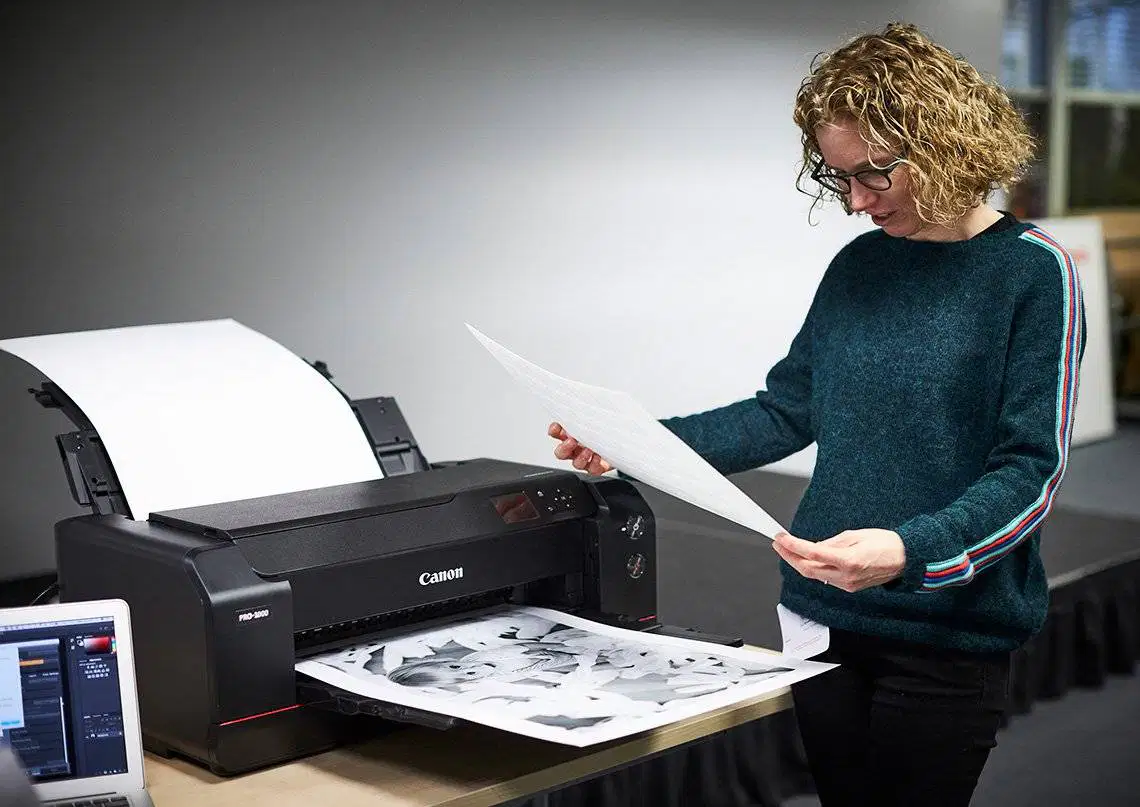
A (a) is used to point, select, and move any object on the computer screen.
Which of these is a 'desktop computer'?


In computer networks, WLAN means?
(a) Local Area Network.
What does " C " stand for in CPU?
What does " P " stand for in CPU?
Phone
What does " U " stand for in CPU?
User
A table row means
the vertical space
the diagonal space
the empty space
the horizontal space
A new blank document in Microsoft Word provides how many pages?
Which tab in Microsoft Word should you click to make a table?
Home
Design
Layout
Insert
What is the largest table size you can quickly select from the preview grid when inserting a table?
8x10
10x8
10x10
8x8
What is the main advantage of using the "Insert Table" option instead of the preview grid?
It automatically fills the table with data.
It allows you to draw the table manually.
It lets you specify the exact number of columns and rows.
It provides pre-designed table templates.
What is the purpose of the "Quick Tables" feature in Microsoft Word?
To draw custom tables by hand.
To convert existing text into a table.
To insert pre-designed table templates like calendars.
To create tables with a specific number of columns and rows.
What two main components make up a table in Microsoft Word?
Pages and sections
Columns and rows
Headers and footers
Text boxes and shapes
When inserting a table, what does the "Autofit to contents" option do?
It makes the table fit the entire window.
It adjusts the table size based on the text inside it.
It sets a fixed width for all columns.
It automatically adds more rows as you type.
Match the following new tabs that appear on the menu bar with their corresponding functions when a table is inserted into a document.
Home Tools
Tools for editing text and paragraphs
Insert Tools
Tools for adding various elements
Table Tools
Tools specifically for table formatting
Design Tools
Tools for designing layouts and styles
What appears on the ribbon when you select a table in Microsoft Word?
Picture Tools
Drawing Tools
Table Tools
Chart Tools
What are the two main tabs that appear under "Table Tools" when a table is selected in Word?
Design and Layout
Insert and Design
Home and Layout
View and Review
The purpose of the four-directional arrow at the top-left corner of a table in Word is (a) .
How can you move a table to a different position on the page?
By clicking the "Layout" tab
By dragging the four-directional arrow
By using the "Insert" tab
By pressing the Delete key
What is the function of the small rectangular box at the bottom-right corner of a table?
To delete the table
To change the table's color
To expand or stretch the table
To add new columns
When you "expand" or "stretch" a table, what are you changing?
Its text content
Its dimensions (size)
Its border style
Its background color
How can you change the size of a table in Word?
By clicking the "Design" tab
By dragging the small rectangular box
By pressing the Enter key
By selecting "Table Properties"
What are the horizontal parts of a table called?
Columns
Cells
Rows
Grids
What are the vertical parts of a table called?
Rows
Cells
Columns
Blocks
How can you change the width of a column in a table?
Drag the top border
Drag the side line with a two-directional arrow
Drag the bottom border
Use the 'Insert' menu
When you can adjust a column's width, your mouse cursor looks like (a) .
How can you change the height of a row in a table?
Drag the side line with a two-directional arrow
Drag the top border
Drag the line with an up-and-down arrow
Use the 'Layout' tab
When does the "Design" tab for table tools appear in Microsoft Word?
When you open a new document.
When you click anywhere on the page.
When your cursor is inside a table.
When you select the "View" tab.
What is the main purpose of the "Table Styles" section under the Design tab?
To change the text font in the table.
To change the overall appearance or design of the table.
To add new rows and columns to the table.
To insert images into table cells.
How can you apply a pre-designed style to your table?
By typing the style name into a search bar.
By clicking on the "Table Styles" dropdown and selecting a style.
By right-clicking the table and choosing "Format Table."
By dragging and dropping a style from another document.
If you want to change a table back to its original plain grid style after applying a design, what should you select?
"Modify Table Style"
"Clear All Formatting"
"Grid Table" or "Plain Table"
"New Table Style"
What is the "Shading" option used for in table design?
To add shadows to the table borders.
To change the background color of cells, rows, or columns.
To make the text bold.
To adjust the table's transparency.
How do you apply shading to an entire row in a table?
Click on any cell in the row and select a color.
Drag your cursor across the entire row to highlight it, then choose a shading color.
Right-click the row number and select "Shade Row."
Use the "Border Painter" tool.
To shade only a single cell in a table, what is the correct action?
Highlight the entire column the cell is in.
Click inside the cell, then select a shading color.
Double-click the cell to open shading options.
Select the "No Color" option first.
What does the "Border Styles" option allow you to change for a table?
The size of the table.
The type of lines around the table cells.
The number of rows and columns.
The alignment of text within cells.
What is the "Pen Color" option used for in table design?
To change the color of the text inside the table.
To change the background color of the table.
To change the color of the table borders.
To draw freehand shapes on the table.
What is the primary function of the "Borders" option in table design?
To add or remove lines around table cells.
To change the table's overall layout.
To merge or split cells.
To sort data within the table.
What is the first step to add a new row to a table?
Click on the "Design" tab.
Click on the row where you want to add a new row.
Right-click on the table.
Go to the "Home" tab.
Which is the easiest option to create a table row in MS word?
Press 'Enter' in the last cell of the table.
What are the two main options for inserting a new row in a table?
Insert Row Left, Insert Row Right
Insert Row Above, Insert Row Below
Insert Row Top, Insert Row Bottom
Insert Row First, Insert Row Last
If you are on row 5 and choose "Insert Rows Below", where will the new row appear?
Above row 5
Below row 5
At the very end of the table
At the very beginning of the table
If you are on row 1 and choose "Insert Rows Above", where will the new row appear?
Below row 1
Above row 1
At the end of the table
Next to row 1
When inserting a new row, where does its position depend on?
The color of the table
The size of the table
Where your cursor is placed
The number of columns
To insert a new column, which tab and group should you look for options?
Home tab, Paragraph group
Insert tab, Tables group
Layout tab, Rows & Columns group
Design tab, Table Styles group
What are the two main options for inserting a new column in a table?
Insert Column Up, Insert Column Down
Insert Column First, Insert Column Last
Insert Column Left, Insert Column Right
Insert Column Top, Insert Column Bottom
If you want to add a new column after column D, which option should you choose after placing your cursor in column D?
Insert Left
Insert Above
Insert Right
Insert Below
Before deleting a row, where should your cursor be?
Anywhere on the row
Only in the first cell of the row
Only in the last cell of the row
Outside the table
What do you click to remove a row from your table?
Delete Cells
Delete Columns
Delete Rows
Delete Table
What happens to the row after you click "Delete Rows"?
It moves to the end of the table
It becomes hidden
It is removed from the table
It changes color
To delete a column, where can you place your cursor?
Only in the first cell of the column
Anywhere on the column
Only in the last cell of the column
Outside the table
Which option helps you remove a column from your table?
Delete Cells
Delete Columns
Delete Rows
Delete Table
After you delete a column, what happens to it?
It gets smaller
It is removed from the table
It moves to a new spot
It turns red
How do you remove the whole table at once?
Click the table and press 'Backspace'
right click the table and press 'Delete'
Ctrl C
Click the table and press 'Delete'
When you choose to delete the entire table, (a) .


When your cursor changes to this icon, what will happen if you drag your left mouse button up or down?
The row will be selected.
The height of the column will change.
The height of the row will change.
The row will be deleted.
You can rotate text vertically within a table cell.
FALSE
TRUE
A table cell in Word can contain images, not just text.
FALSE
TRUE
Shading and highlighting in tables are the same feature in Word.
FALSE
TRUE
When added, a header and a footer will be displayed on every page of your document
True
False
To remove the parts that you do not want from an image.
Cropping an image
Resizing an image
Text wrapping
Page margin
To change the size of an image
Cropping an image
Resizing an image
Text wrapping
Page margin