
 Worksheets
Understand Software Applications for Productivity
Total questions: 75
Worksheet time: 38mins
Which software application is represented by the icon with a multicolored square (blue, green, yellow, and red)?
Google Workspace
Microsoft OneNote
Todoist
Which productivity app is shown with a purple icon and a white 'N' on a notebook?
Google Workspace
Microsoft OneNote
Todoist
Fill in the blank: The app with a purple icon and a white 'N' is mainly used for _________
note-taking and organization
photo editing
gaming
video streaming
Which of the following statements best describes open-source software?
Computer software whose source code is available openly on the internet and programmers can modify it to add new features and capabilities without any cost.
Computer software where the source codes are publicly not available and only the company which has created can modify it.
Computer software that requires a valid license to use.
Computer software that is only developed by organizations.
Fill in the blank: In open-source software, the software is developed and tested through ________.
open collaboration.
private funding.
closed meetings.
proprietary licensing.
Which statement is true about the source code in proprietary software?
The source code is public.
The source code is protected.
The source code is open for collaboration.
The source code is free to modify by anyone.
Fill in the blank: Open-source software can be installed on any ________.
computer.
television.
refrigerator.
car.
Users do not need to have any authenticated license to use open-source software.
True
False
Examples are Android, Linux, Firefox, Open Office, GIMP, VLC Media player, etc. These belong to which category?
Limited Intellectual Property Protections
Full Intellectual Property Protections
What is the definition of productivity software?
Productivity software refers to applications that help users create documents, presentations, spreadsheets, and manage tasks efficiently.
Productivity software is used exclusively for playing multimedia files and editing videos.
Productivity software is a type of software designed only for system maintenance and antivirus protection.
Productivity software refers to applications that are used solely for gaming and entertainment purposes.
Why is productivity software important in modern workplaces?
Productivity software is important in modern workplaces because it enhances efficiency, collaboration, and organization, allowing employees to complete tasks more effectively.
Productivity software is important in modern workplaces because it increases the number of meetings employees must attend.
Productivity software is important in modern workplaces because it reduces the need for any communication between team members.
Productivity software is important in modern workplaces because it makes manual paperwork more time-consuming.
Give an overview of common types of productivity software.
Common types of productivity software include word processors, spreadsheets, presentation software, and database management tools.
Common types of productivity software include video editing tools, 3D modeling software, and animation suites.
Common types of productivity software include antivirus programs, firewalls, and encryption tools.
Common types of productivity software include operating systems, device drivers, and firmware.
Which of the following is used for creating and editing text documents?
Spreadsheet software
Word processing software
Presentation software
Database software
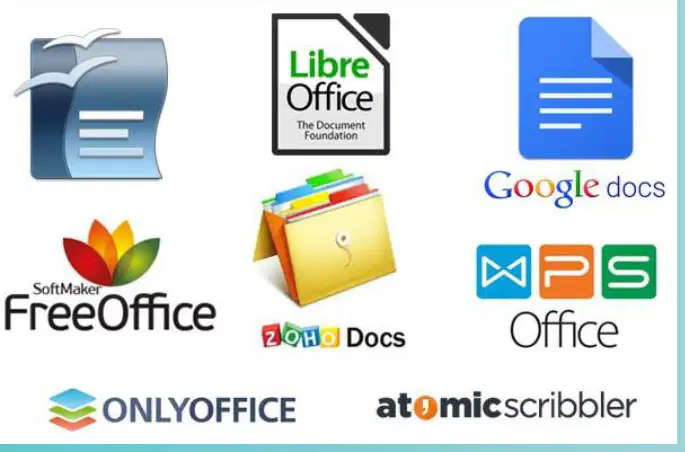
Which of the following is NOT a free alternative to Microsoft Word?
LibreOffice
Google Docs
SoftMaker FreeOffice
Adobe Photoshop
Fill in the blank: Key features of word processing software include spell check, formatting tools, and _______.
templates
antivirus protection
video editing
web browsing
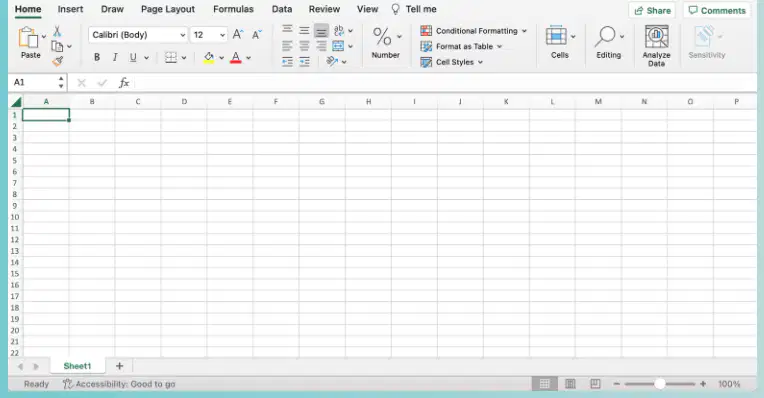
What is spreadsheet software used for?
Playing games
Data organization and analysis
Writing stories
Drawing pictures
Which of the following is an example of spreadsheet software?
Microsoft Word
Google Sheets
Adobe Photoshop
Mozilla Firefox
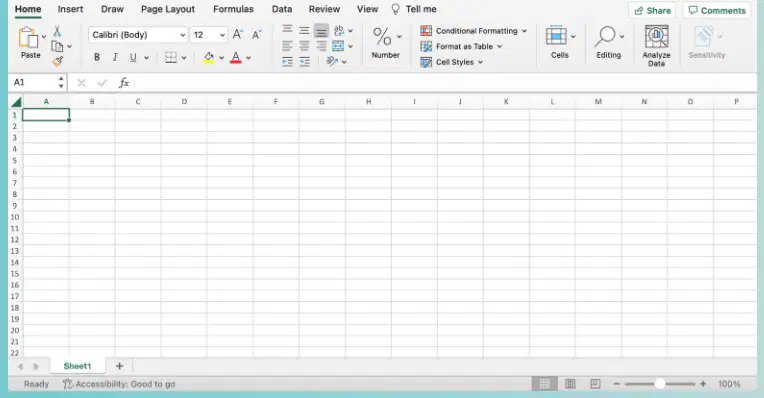
Fill in the blank: Key features of spreadsheet software include formulas, charts, and ______ tables.
pivot
dining
study
coffee
What is presentation software used for?
Creating visual presentations
Editing photos
Writing code
Managing databases
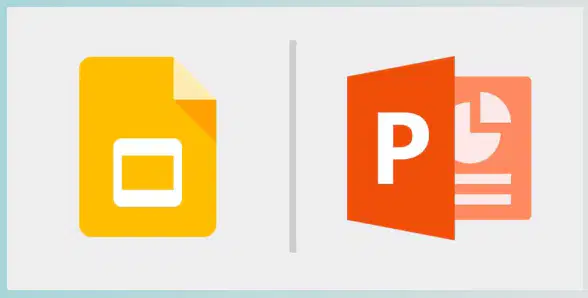
Which of the following is an example of presentation software?
Microsoft PowerPoint
Adobe Photoshop
Google Docs
Notepad
Fill in the blank: Key features of presentation software include slide templates, animations, and ________ integration.
multimedia
spreadsheet
database
encryption

What are email clients used for?
Managing email communication
Editing photos
Playing music
Writing code
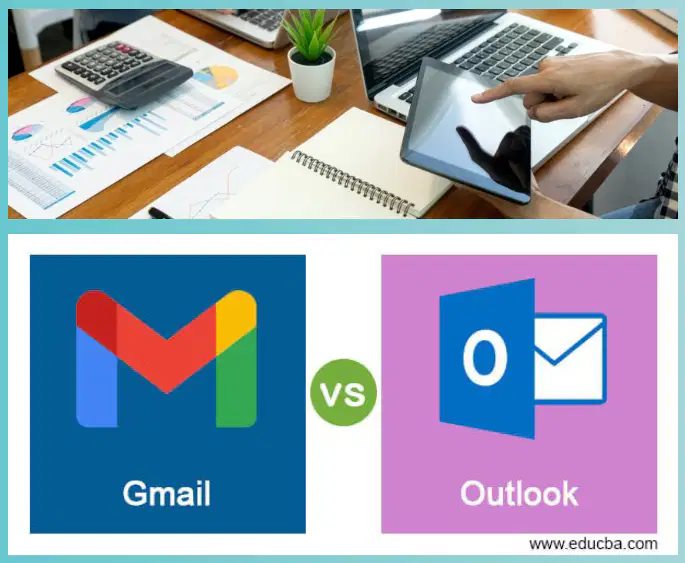
Which of the following are examples of email clients?
Microsoft Outlook
Gmail
Both A and B
None of the above
Fill in the blank: Key features of email clients include email organization, calendar integration, and ______ management.
contact
weather
music
video
Email clients can help with calendar integration and contact management.
True
False
What are project management tools used for?
Designing graphics
Planning and tracking projects
Writing code
Editing videos
Which of the following is an example of a project management tool?
Photoshop
Trello
Excel
WordPress
Fill in the blank: Key features of project management tools include task lists, timelines, and ________ tools.
collaboration
cooking
painting
gaming
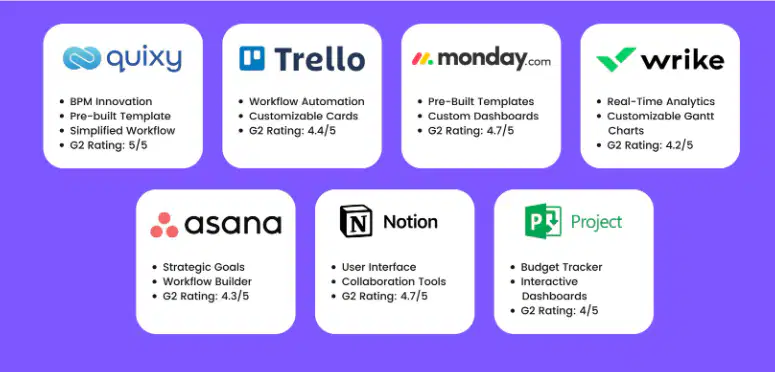
Which project management tool has a G2 rating of 5/5?
Asana
Quixy
Notion
Project
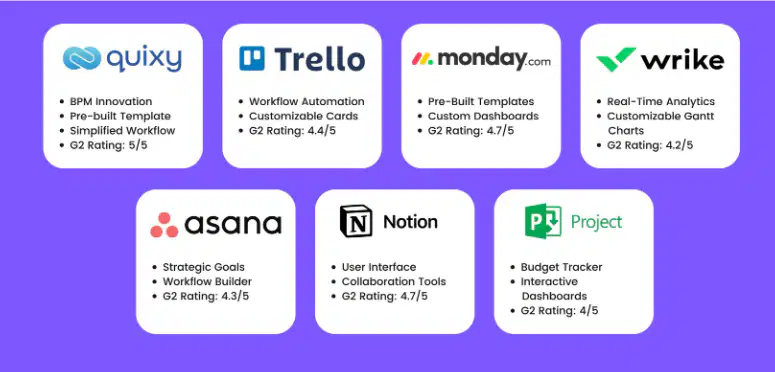
Asana is a project management tool that focuses on strategic goals and workflow building.
True
False
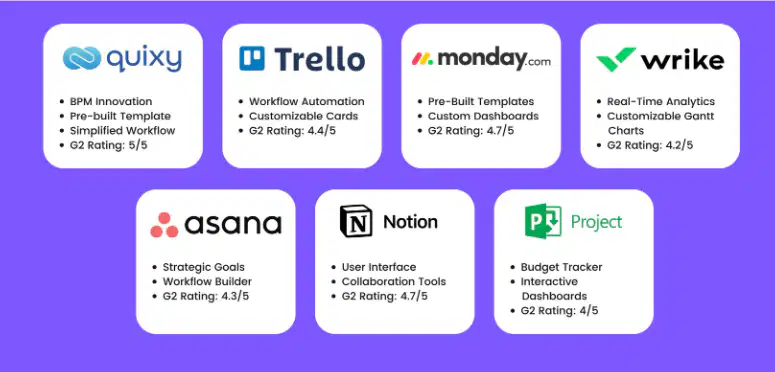
Which project management tool is known for its user interface and collaboration tools?
Notion
Wrike
Monday.com
Trello
What is the primary use of Database Management Systems (DBMS)?
Creating graphics
Storing and managing data
Sending emails
Editing videos
Which of the following are examples of Database Management Systems (DBMS)?
Microsoft Access
MySQL
Adobe Photoshop
Both A and B
Fill in the blank: Key features of Database Management Systems include data storage, query processing, and ________ tools.
reporting
cooking
painting
gardening
Which of the following is NOT a key feature of Database Management Systems?
A) Data storage
B) Query processing
C) Reporting tools
D) Video editing
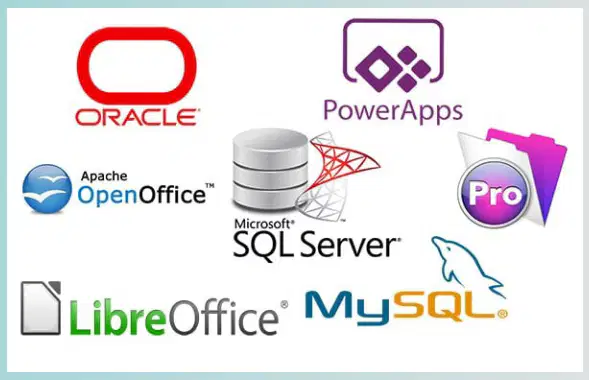
Refer to the diagram showing logos of various software. Which of the following logos represents MySQL?
The logo with a dolphin and the text 'MySQL' represents MySQL.
The logo with a red hat and the text 'Red Hat' represents MySQL.
The logo with an elephant and the text 'PostgreSQL' represents MySQL.
The logo with a coffee cup and the text 'Java' represents MySQL.
What are note-taking applications used for?
Playing games
Capturing and organizing notes
Editing photos
Watching videos
Which of the following are examples of note-taking applications?
Evernote and OneNote
Photoshop and Word
Instagram and Facebook
Excel and PowerPoint
Fill in the blank: Key features of note-taking applications include text notes, multimedia notes, and __________ tools.
organization
gaming
cooking
shopping
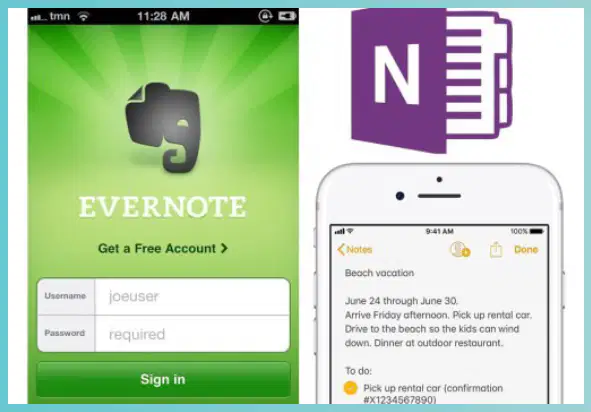
Identify the note-taking applications shown in the images.
Evernote and OneNote
Google Keep and Notion
Apple Notes and Bear
Simplenote and Zoho Notebook
What is collaboration software used for?
A) Team communication and collaboration
B) Playing games
C) Editing photos
D) Writing code
Which of the following is a key feature of collaboration software?
Messaging
File sharing
Video conferencing
All of the above
Examples of collaboration software include Slack and ________.
Microsoft Teams
Adobe Photoshop
VLC Media Player
Google Chrome
Collaboration software is used for team communication and collaboration.
True
False
Which of the following are key features of collaboration software?
Real-time communication, file sharing, task management
Offline-only access, single-user mode, no file sharing
Limited communication, no task tracking, manual updates
No user permissions, no notifications, no integration
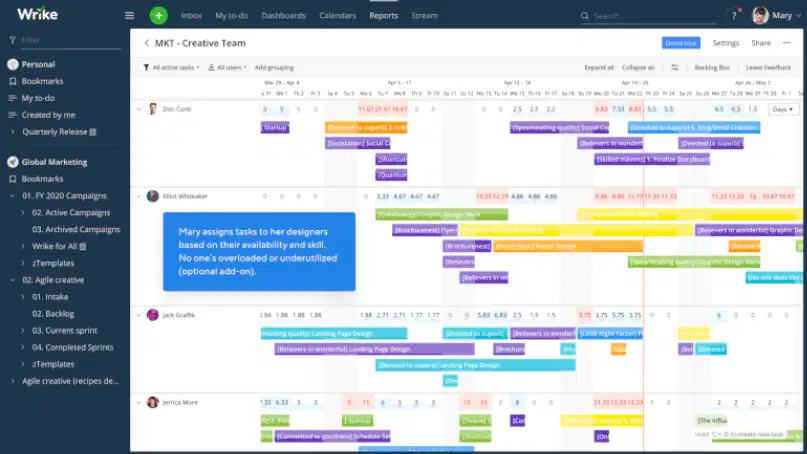
What are time management tools used for?
Cooking
Tracking and managing time
Playing games
Shopping
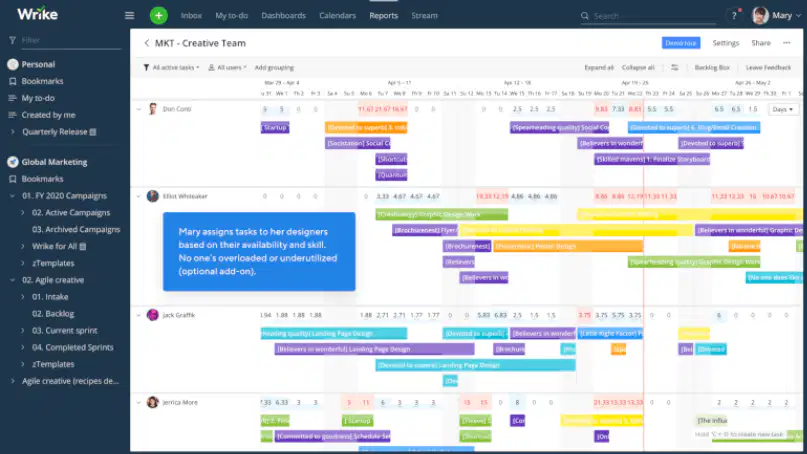
Which of the following is an example of a time management tool?
Toggl
RescueTime
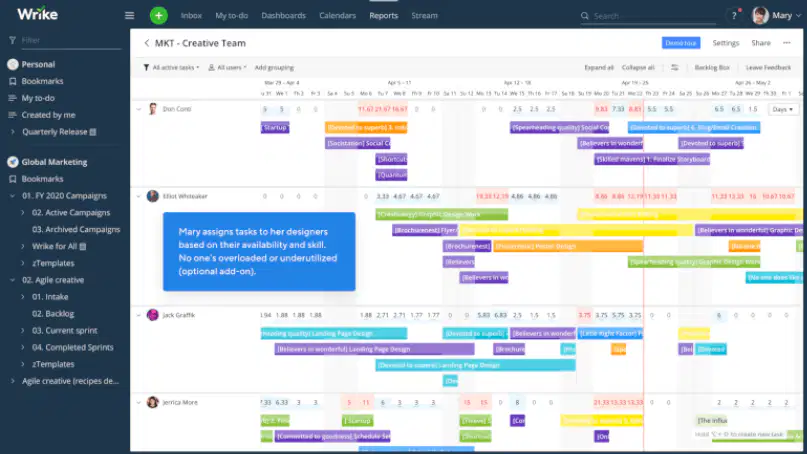
Fill in the blank: Key features of time management tools include time tracking, productivity reports, and _________?
goal setting
randomization
color coding
weather updates
What are cloud storage services used for?
Playing games online
Storing and sharing files online
Editing photos
Watching movies
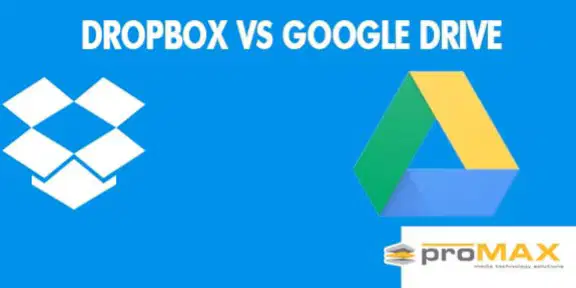
Which of the following are examples of cloud storage services?
Google Drive
Dropbox
Both A and B
Fill in the blank: Key features of cloud storage services include file storage, sharing options, and ________ from anywhere.
access
printing
cooking
painting
Cloud storage services allow you to access your files from anywhere.
True
False
What is graphic design software used for?
Creating visual content
Cooking food
Repairing cars
Writing legal documents
Which of the following is an example of graphic design software?
Microsoft Word
Adobe Photoshop
Notepad
Excel
Name one key feature of graphic design software.
Image editing, design templates, or graphic tools
Spreadsheet calculations
Audio mixing
Programming compilers
Database management
What is video editing software used for?
Creating spreadsheets
Editing video content
Writing code
Drawing pictures
Which of the following are examples of video editing software?
Adobe Premiere
Final Cut Pro
Both A and B
Microsoft Word
Fill in the blank: Key features of video editing software include timeline editing, _______, and transitions.
effects
printing
spelling
cooking
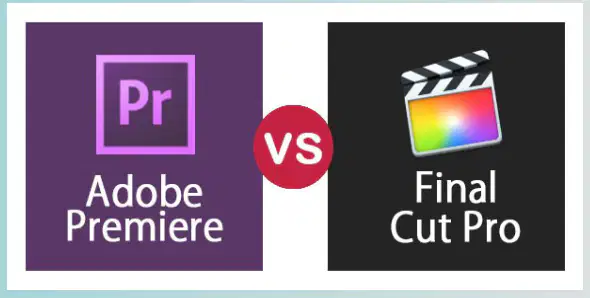
Which software is represented by the logo with the purple 'Pr'?
Final Cut Pro
Adobe Premiere
Photoshop
After Effects
What is the primary use of web browsers?
Editing documents
Accessing the internet
Playing games
Designing websites
Which of the following is an example of a web browser?
Google Chrome
Microsoft Word
Adobe Photoshop
Windows Explorer
Fill in the blank: Key features of web browsers include browsing, ________, and extensions.
bookmarking
printing
gaming
cooking
Which of the following is NOT a key feature of web browsers?
A) Browsing
B) Bookmarking
C) Extensions
D) Video editing

Identify the browser shown in the center of the image.
Mozilla Firefox
Google Chrome
Microsoft Edge
Opera
What are virtual meeting platforms used for?
Online shopping
Online meetings and webinars
Social media
Gaming
Which of the following is an example of a virtual meeting platform?
Zoom
Name one key feature of virtual meeting platforms.
Video conferencing, screen sharing, or recording
Offline file storage only
Physical attendance required
No internet needed
Fill in the blank: Virtual meeting platforms are used for online meetings and _______.
webinars
shopping
gardening
cooking
Which of the following tools is primarily used for creating visual presentations?
Microsoft Excel
Google Slides
Adobe Illustrator
Notepad
What is the main purpose of project management software?
To edit videos
To create music playlists
To manage financial transactions
To track project progress and resources
Fill in the blank: Key features of collaboration tools include file sharing, communication channels, and ________ management.
cooking
task
shopping
video
Which of the following is a common feature of word processing software?
Web browsing functionality
Graphic design capabilities
Text formatting options
Data analysis tools
Fill in the blank: The primary purpose of spreadsheet software is to perform ________.
video editing
text editing
data calculations
graphic design
Which of the following is a benefit of using open-source software?
Higher licensing fees
Exclusive access
Limited customization
Cost savings
Which of the following is a common feature of presentation software?
Code compilation
Photo retouching
Slide transitions
Data encryption

