
 Worksheets
Total questions: 35
Worksheet time: 21mins
What does the term "Email" stand for?
(a)
What are the reasons why email is considered convenient?
It is slow and expensive.
It requires no password for privacy.
It allows communication with multiple people at the same time.
It can be accessed on smart devices at any where and any time

What is required for privacy when using email?
A username.
A password.
A phone number.
An email address.
Which of the following is a benefit of email?
It is only accessible on computers.
It is fast and cheap.
It cannot be used to sign up for things.
It is difficult to organize folders.

One way to organize emails is...
Emails are difficult to find.
Emails can be organized into folders.
Emails cannot be sorted.
Emails are only accessible at certain times.
The difference of "to" and "CC
to: the main (primary) receivers of the email
cc: the secondary (copied) receivers of the email
cc: the main (primary) receivers of the email
to: the secondary (copied) receivers of the email
What does 'CC' stand for?
Cut Cat
Cabon Copy
Cancel Can
Candy Cat
What does 'BCC' stand for?
Blind Cut Cat
Blind Cabon Copy
Big Cancel Can
Big Candy Cat
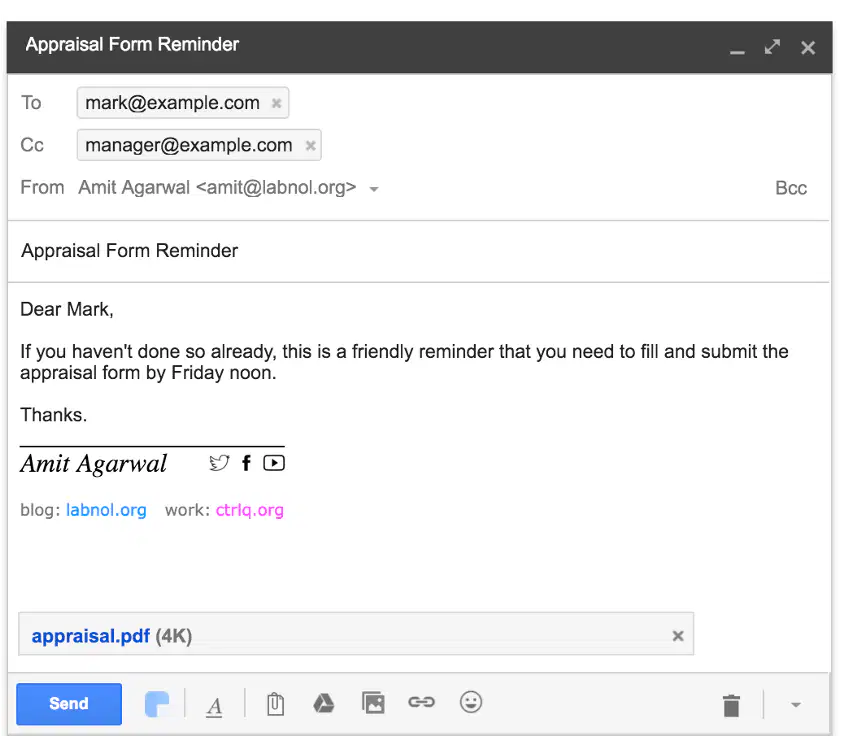
What is the subject of the email shown in the image?
Appraisal Form Reminder
Submission Deadline
Friendly Reminder
Work Update
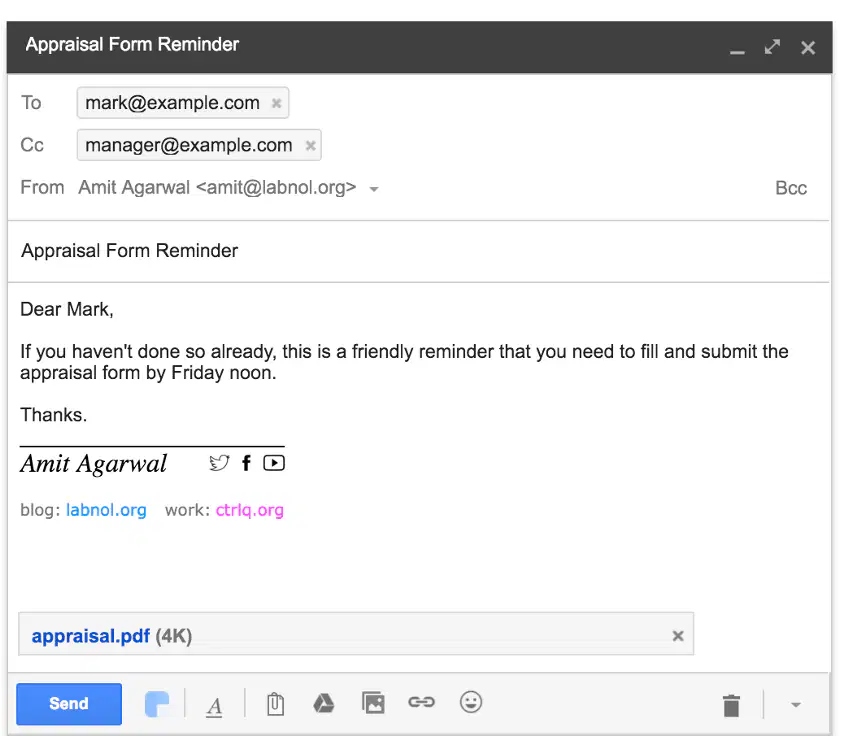
What is the purpose of the email?
To inform about a meeting
To remind about submitting the appraisal form
To share a work update
To send a greeting
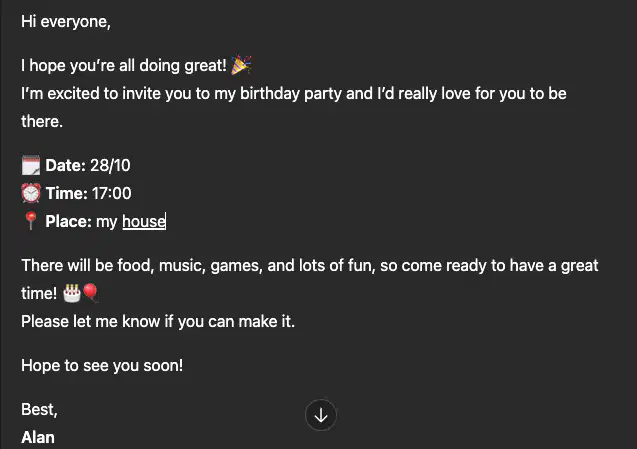
Choose the suitable subject for the email
Birthday Party
Friday noon
Invitation
Birthday party Invitation
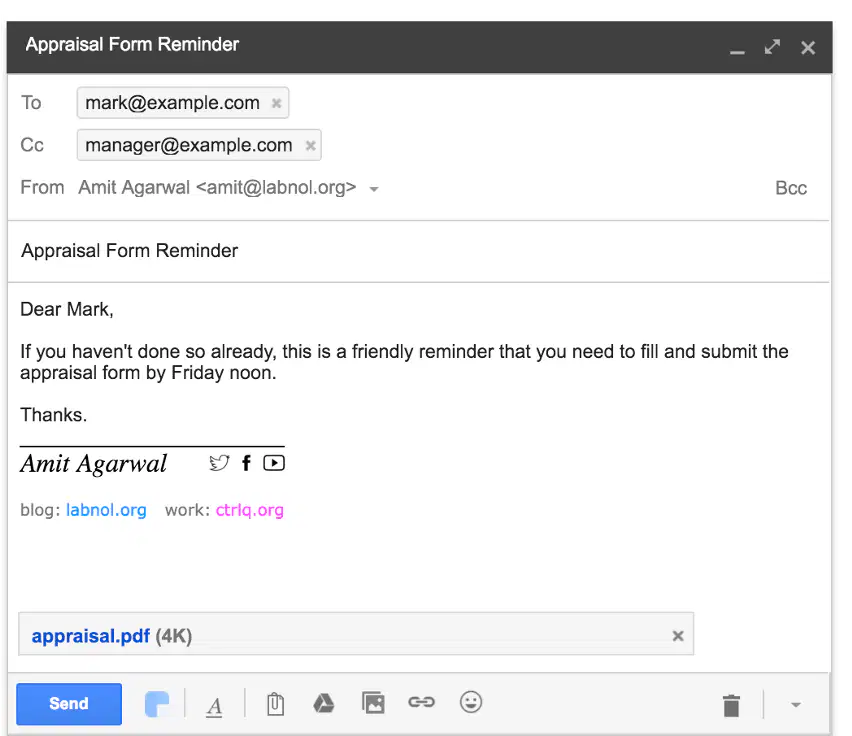
We always need to have the subject for an email?
True
False
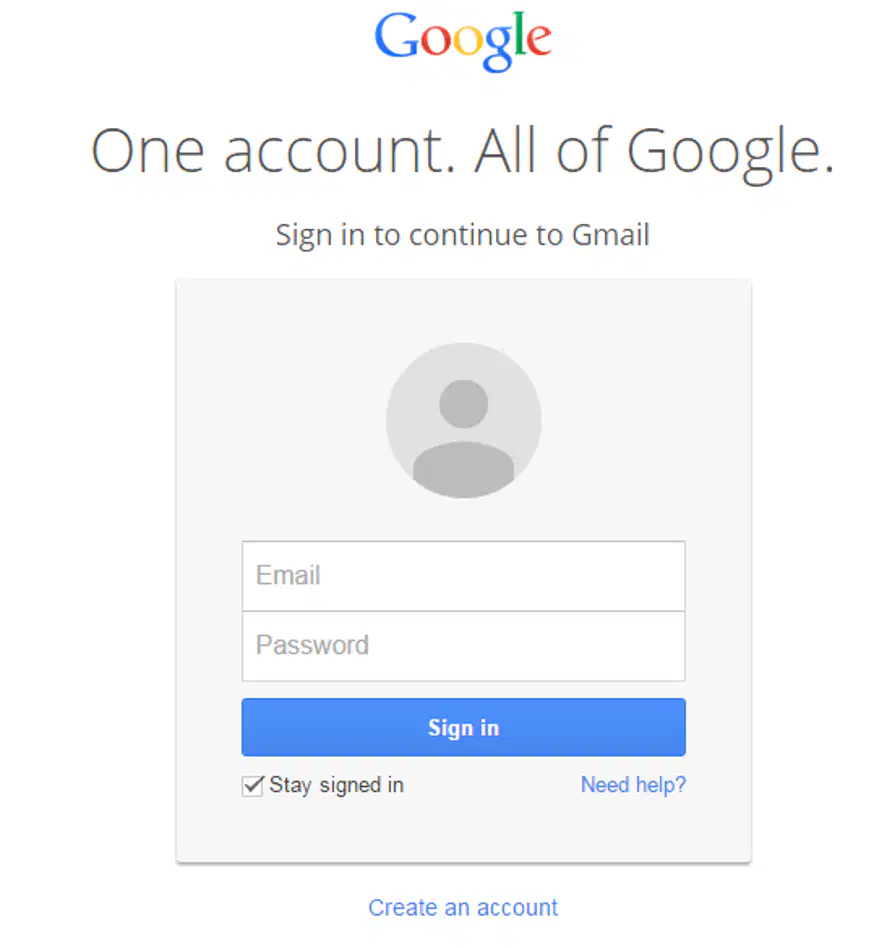
The steps to send an email
To sign in to an existing account.
Click on 'New mail' button
Type the content of the mail
Click on 'Send' button

What do we need to use email?
email account
Password for the email account
Nothing
Pay money
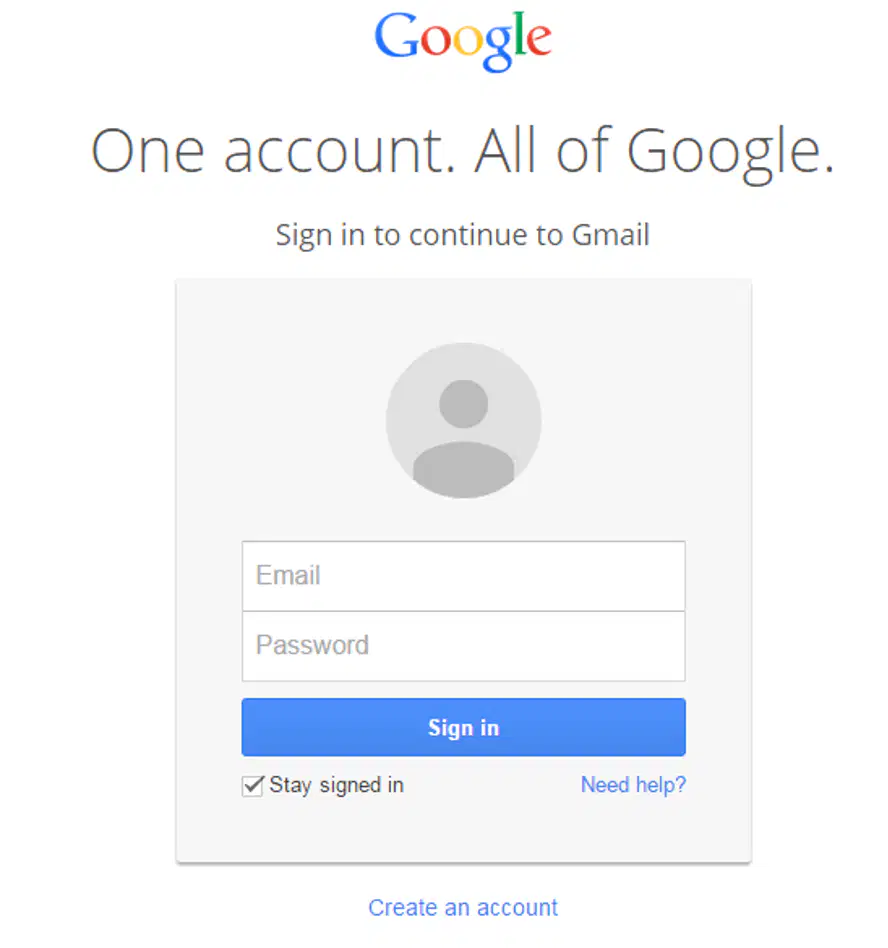
Do we need to share our email?
Yes
No
What information is required to create an email?
Name, username, password, birthday, and gender
Name, address, phone number, and email
Username, password, and phone number
Name, username, and address
An email address must have the...
#
@
&
*
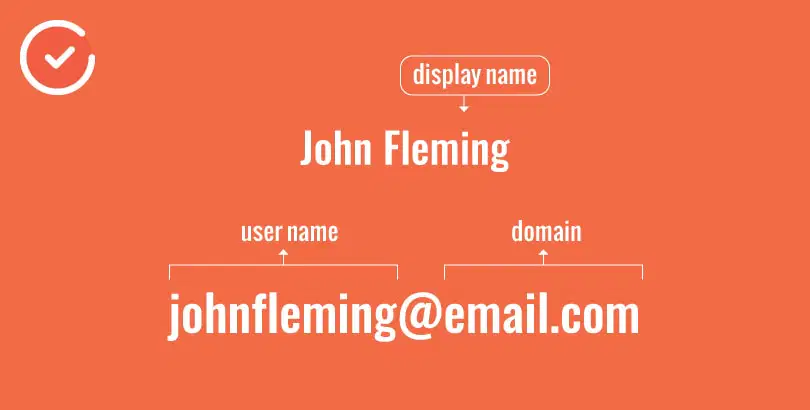
Why should your real name be used in your email address?
To make it look professional.
To confuse people.
To make it harder to remember.
To include random symbols.
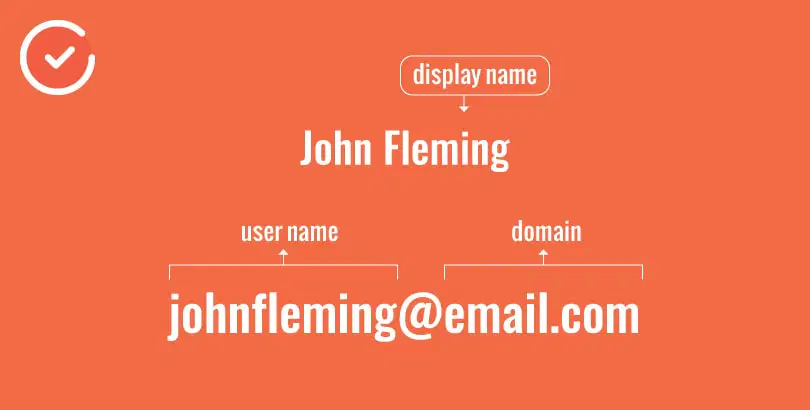
Which of the following is NOT recommended when creating an email address?
Using periods, hyphens, or underscores.
Using extra silly text
Using your real name.
Keeping it neutral.
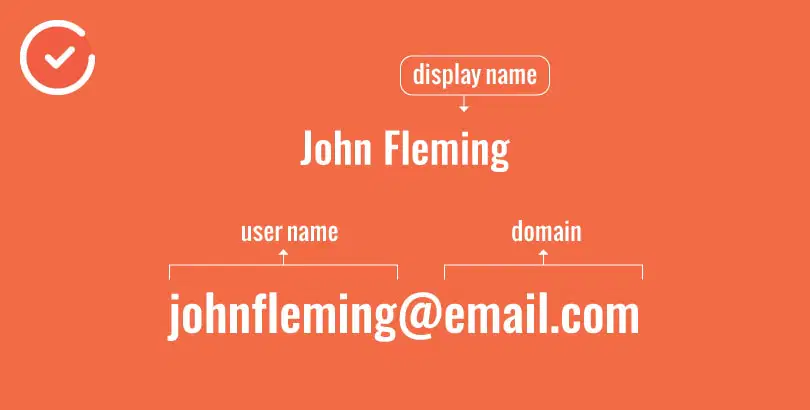
Choose the correct email address
abc@vas.edu,vn
abcdef.com.vn
abcd@vas.edu.vn
a e@student.vn
abc_edf@vas.edu.vn

How can we respond an email?
Reply
Reply all
Thanks
Deny
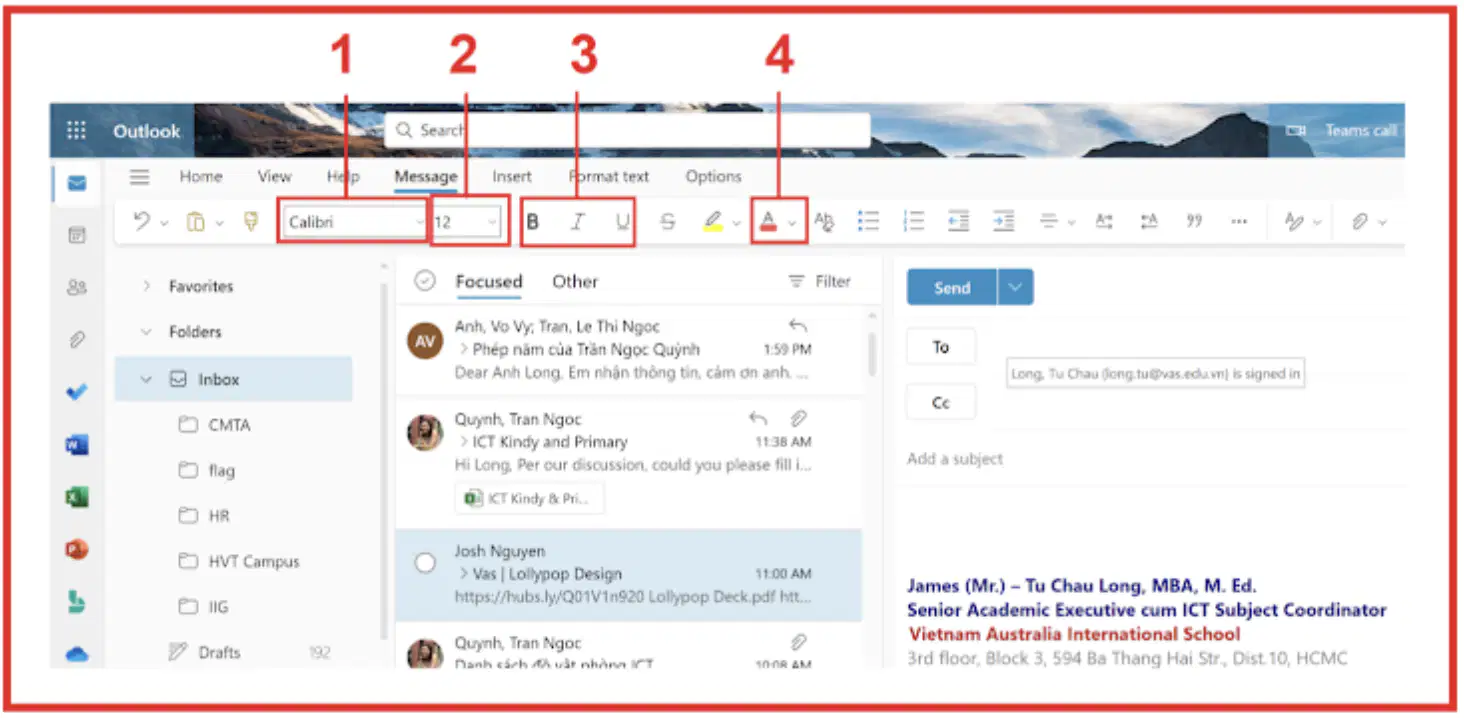
The functions of the Buttons in the image
1. Font
2. Font Size
3. Bold/Itatlic/Underline
4. Font Colour
1. Font Size
2. Font Colour
3. Bold/Itatlic/Underline
4. Font
1. Font Colour
2. Bold/Itatlic/Underline
3. Font
4. Font Size
1. Bold/Itatlic/Underline
2. Font
3. Font Size
4. Font Colour
When do we use "reply"
To send the answer email to the email's sender
To send the answer email to all the people including in the email
To pass the email that we've received to other people
When do we use "reply all"
To send the answer email to the email's sender
To send the answer email to all the people including in the email
To pass the email that we've received to other people
When do we use "forward"
To send the answer email to the email's sender
To send the answer email to all the people including in the email
To pass the email that we've received to other people
Do we need the permision of the email's owner before we use "forward"?
No
Yes
Which application is used for accessing emails?
Word.
Excel.
Outlook.
PowerPoint.

What is the purpose of the "Sign out" option in an email application?
To delete all emails in the inbox.
To log out of the email account when we finish
To send an email to all contacts.
To change the email password.
What can we attach to an email?
Book
File
Cake
Pen
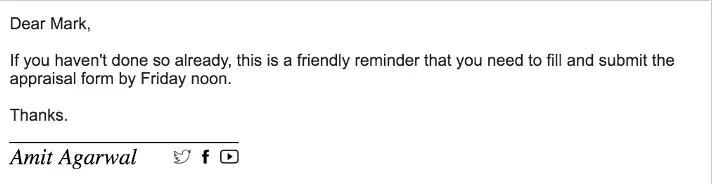
How many parts in an email content?
1
2
3
4
A new email will be stored in...
Inbox
Draft
Send Items
Deleted Items
An Unfinished email will be stored in...
Inbox
Draft
Send Items
Deleted Items
Which is the word used for greeting part?
Hi
Dear
Regards
Bye
Which is the word used for closing part?
Hi
Dear
Regards
Thanks
Should we use all capital letters in the email
Yes
No

