
 Worksheets
2025/2026 FIRST TERM ACADEMIC SESSION, ICT, YEAR 2
Total questions: 40
Worksheet time: 40mins
___________________ is the process of starting a computer system by pressing the ‘ON’ button.
Standing
The final stage of booting is called the _______________
Shut down
rolling stage
Desktop
Password stage
How many types of booting do we have?
2
4
6
1
Which of the booting requires that the computer must be in the 'ON' position to take place?
Which of these options is NOT why we warm boot?
ØWhen your computer becomes unresponsive or freezes.
It can also be used to resolve software crashes.
When our laptop is about to die
It can also be useful when installing certain software or updates that require a system restart.
A _________________ is a collection of words or letters the reader can understand.
talking
running
text
drawing
'Loading' of Microsoft Word also implies _________________
searching
looking for
opening
deleting
'Double-Clicking' on the Mouse means that __________________
Press the mouse' left button once
Pressing the Mouse's left button twice.
Using the mouse to chase a thief
Using the mouse to play a game.
We type simple sentences using the ______________
Timi opened a new Microsoft Word document, after working on the document, she wants to keep the document on the computer. which of these options is right tool to use?
Use the 'Save As' option.
Which of these options makes all the letters typed turn CAPITAL?
Caps Lock.
Tab key
Spacebar key
Backspace key
____________ is the key that is used to erase text to the right of the Cursor.
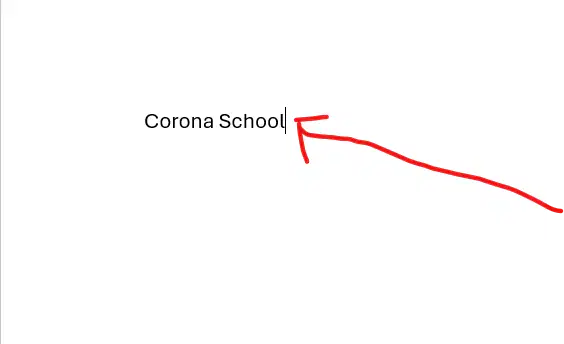
The blinking line found on text document which indicate where text would appear is called (as shown on the image above) _________
The ____________ key is used to create the space(s) between words or letters.
The ____________ key erases text to the left of the cursor.
____________ key makes the cursor moves to the beginning of the next line.
The first step to changing the appearance of text in Microsoft Word is ______________
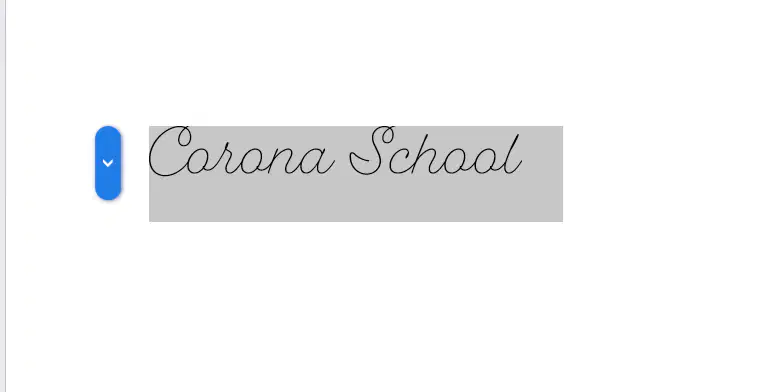
After highlighting the text to change its appearance, which tool would you click on the change how the text appears (as shown in this image)?
Font size
Font Type
Singing
Emoji
In Microsoft Word, to increase the size of text. ________ tool would be used to achieve it.

This symbol is called _______________
Font Colour
Font Size
Font Location
Colour 'A'
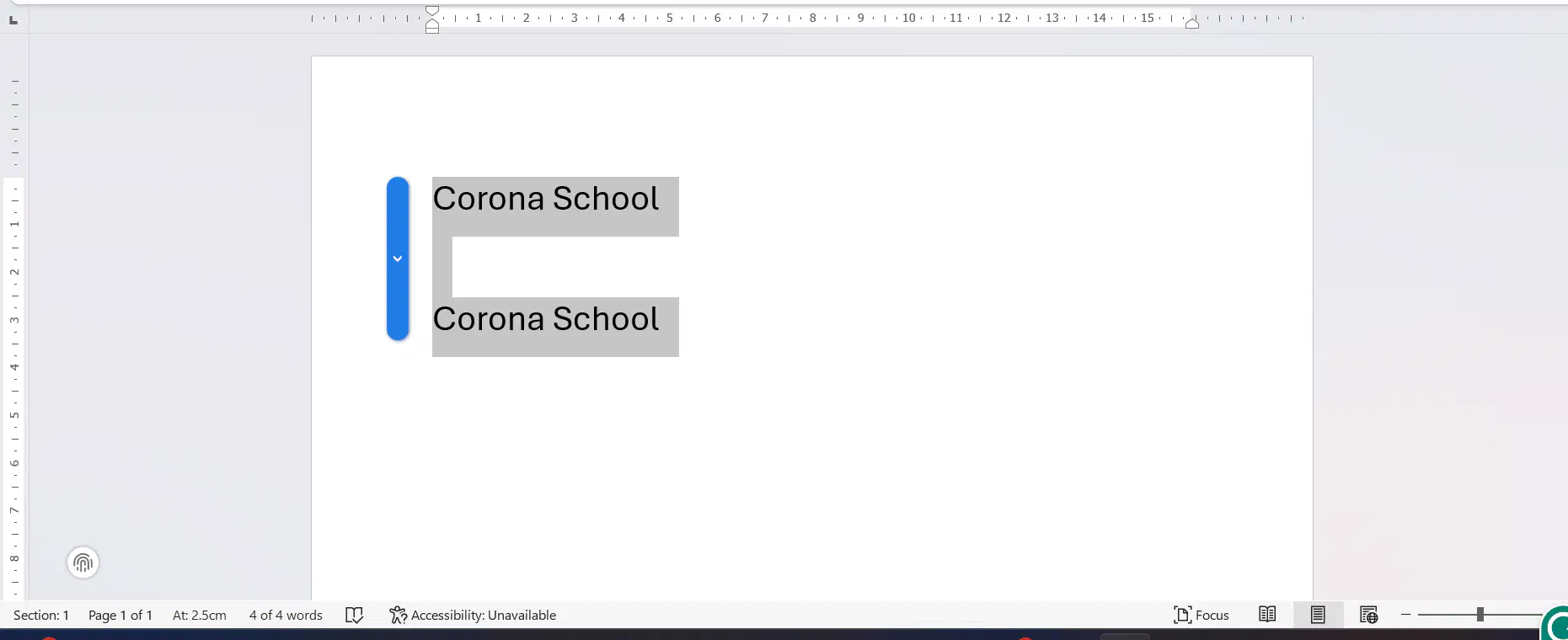
Chukwuemeka desires to make the text appear twice (as shown in the image above). Which of these tools would he use to achieve the task in Microsoft Word?
Cut and Paste

This symbol in Microsoft Word is used to illustrate/shows a command known as _____________
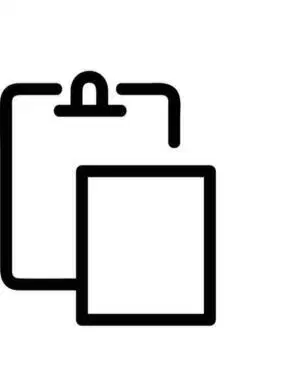
This symbol is known as ______________
Copy
Cut
Paste
Which command would make a text 'disappear' and 'appear' in another place the user want it to be placed.
Cut and Sing
Cut and Copy
Cut and Paste
Type the text again in the desired place.
Which of these commands would allow a user to change the name of newly opened file.
Save
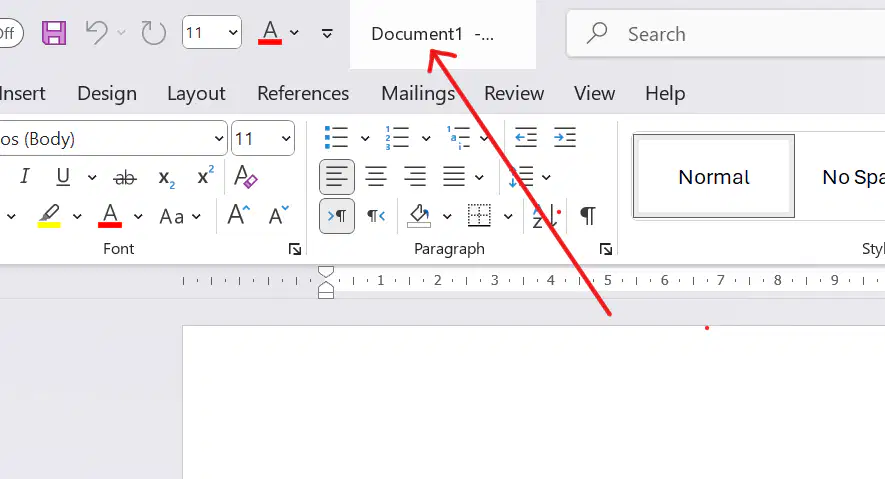
Looking at the name of the document shown above, does this shows that the document is saved?
The function of a Printer is to ____________________
send the document from the computer to the paper.
Dumebi wants to add images to her Microsoft PowerPoint slide, which of the Tab would he click on?
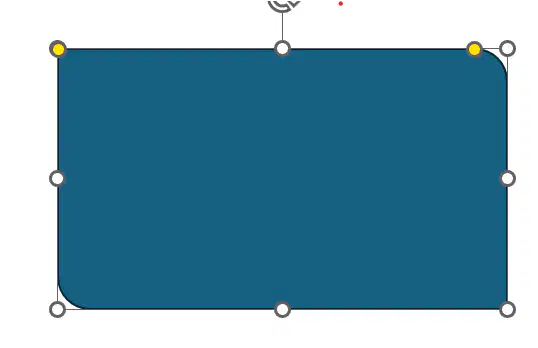
To change the colour 'blue' in the Shape in the image, the correct tool to use is the ________________
Shape Fill tool
Adedunmade wants to add another slide to his PowerPoint, which of the tool would he click on?
_____________ is to PowerPoint as Pages is to Microsoft Word.
To add pictures to her slide, Olukemi has to use the correct tool. which of these tools is correct for her to use to achieve the task?
Insert Shapes
Insert Slide
Insert Picture
Insert Graph
___________ is a software we used to create animation.
Microsoft Word
Pencil2D
Call of Duty
Star Trek
The area in Pencil2D which is used to draw on is called ________________
Slide is to Microsoft PowerPoint as ________ is to Pencil2D.

This is a part of Pencil2D and it is known as the ________________
What would happen in Pencil2D when you paint a shape and the line is broken?
The colour would spill all over the Canvas
The booting of the computer that requires the computer to be in the 'OFF' state is known as _____________
Which of these devices is not consider a 'Multimedia'?
Radio
The advantage of Television over Radio is that _______________
Radio is more expensive than Television
Television can show pictures while Radio cannot.
Television can not be carried around like Radio
All of the above.

