
 Worksheets
AI Tools and Features: Differentiation and Engagement
Total questions: 15
Worksheet time: 9mins
Select the button to change the Grade Level.

In the interface shown, which menu item in the "Add to Collection" dropdown should you choose to start a brand‑new collection?
ELA
Science
Create New Collection
View All Resources

In Diffit, where do you go to view materials you’ve created?
My Resources
Add to Collection
holidays page
English language selector

What access does "MagicStudent" provide to students within the platform.
Age-appropriate productivity tools within a safe, controlled environment
Unlimited social media features for personal networking
Advanced network administration dashboards
Open internet access without filters or monitoring
What learning outcome is explicitly associated with the MagicStudent component in the slide text.
Learning to use AI responsibly and ethically while supporting their own learning
Learning to bypass school security systems
Learning to monetize classroom videos on external platforms
Learning to write firmware for school hardware devices

What is Raina similar too.
A trusted AI chatbot for educators similar to ChatGPT or Gemini
An image editing application only for graphics projects
A district-wide gradebook for storing scores
A classroom calendar and event scheduler
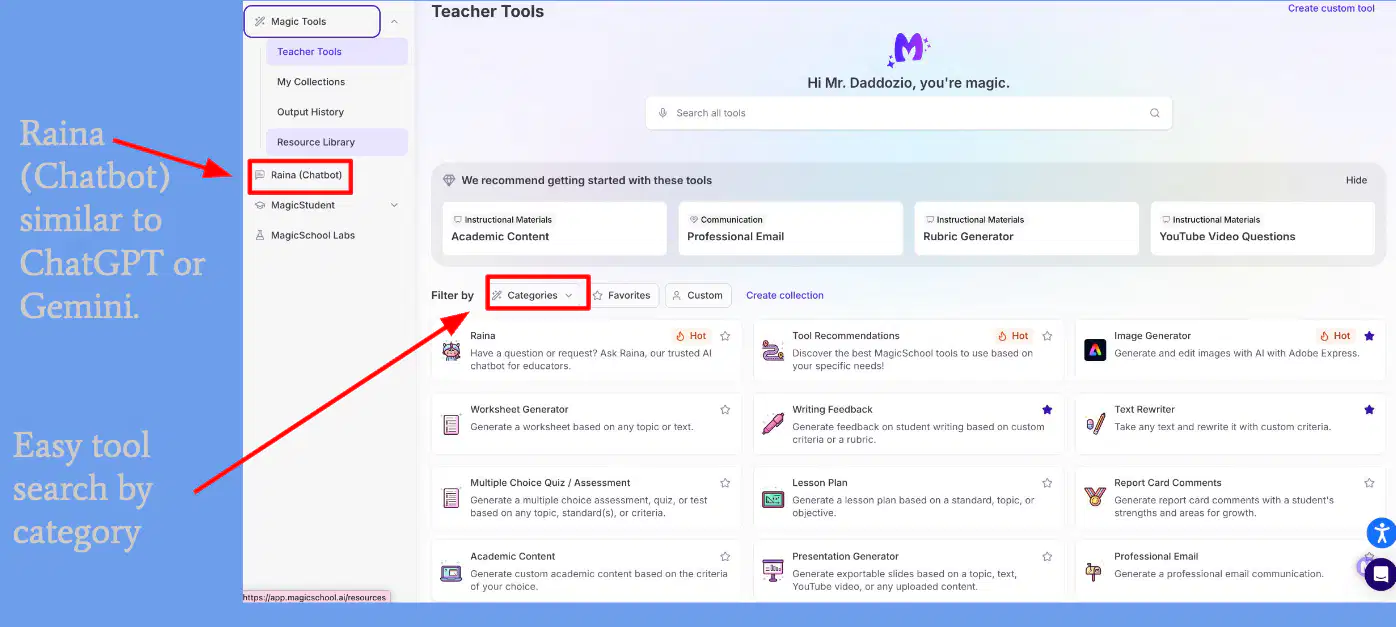
Which MagicSchool feature is explicitly indicated as enabling easy tool search by grouping tools.
Filter by Categories
Toggle Dark Mode
Export to CSV
Zoom Slider
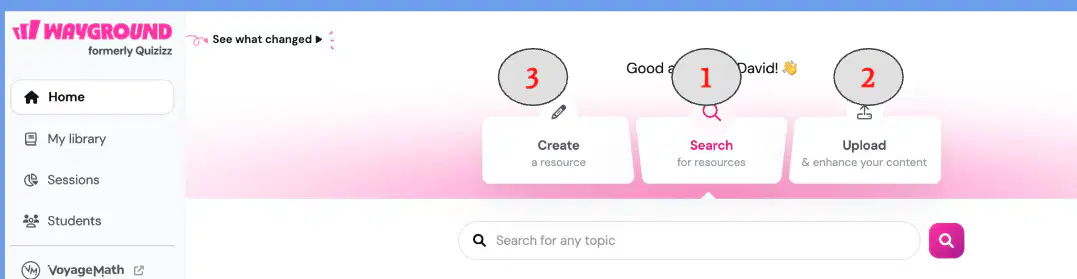
In Wayground, which action is used to find already created materials in the Wayground Library?
Search
Upload
Create
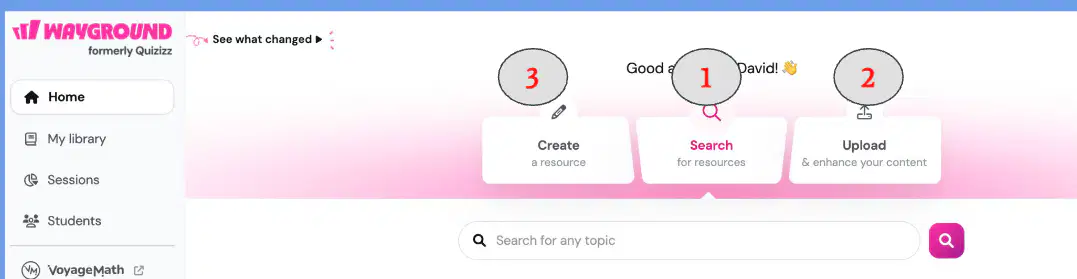
According to the instructions, what does Upload allow you to do in Wayground?
Use a file saved on your computer or within Google
Create something from scratch
Find already created materials in the library

According to the slide, what does Create allow you to do in Wayground?
Create something from scratch (AI tools are built in)
Use a file saved locally or in Google
Find already created materials

After clicking Create, what is the next step described for using Wayground AI features?
Choose the output
Click Search
Upload a study material first

Which option should you select to have Wayground generate content using AI?
Import worksheets/questions
Generate with AI
Create from scratch

When generating questions from study materials in the Document tab, which upload sources are available? Select all that apply.
Upload from device
Import from drive
Email the file
Paste as plain text
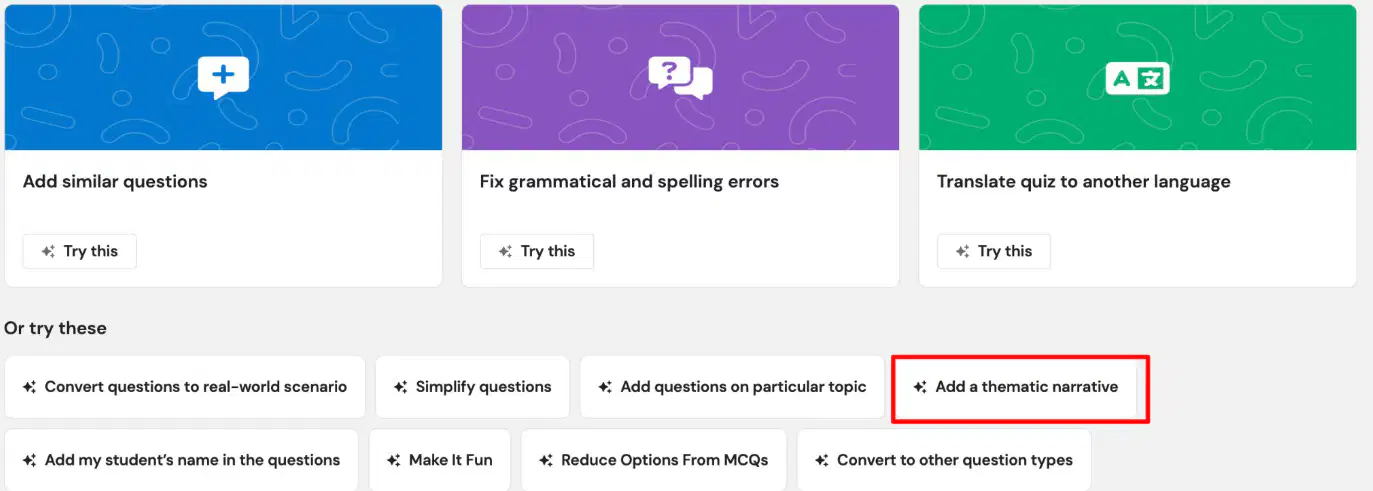
Which tool is presented to enhance a quiz by fixing grammatical and spelling errors?
Add similar questions
Fix grammatical and spelling errors
Translate quiz to another language

Which quick action allows you to add a thematic narrative to your quiz?
Convert questions to real-world scenario
Add a thematic narrative
Add questions on particular topic
Simplify questions

