
 Worksheets
Computer – Grade 6 Worksheet (Translated MCQs)
Total questions: 49
Worksheet time: 25mins
Which one is numerical information? /1 point/
I am Mongolian
16 + 64 ÷ 2 =
Our Earth has 9 planets
Objects that are the same by a certain property, meaning, function, or environment are called what? /1 point/
Information
Group of objects
Model
Parameter
What is classified into two types as material and informational? /1 point/
Information
Group of objects
Model
Parameter
Which device inputs information, controls the on-screen pointer, and selects commands and actions? /1 point/
System unit
Monitor
Keyboard
Mouse
Which of the following is not an input device for entering information into a computer? /1 point/
Microphone
Monitor
Keyboard
Mouse
Getting the needed information from what is stored is which information process? /1 point/
Transmit information
Store information
Process information
Search information
What is the smallest unit for measuring information? /1 point/
Bit
Byte
Kb
Mb
What is the function of a disk? /1 point/
Input information
Process information
Store information
Display information
In Windows, files and folders are represented by what? /1 point/
Picture
Image
Icon
All are correct
In a file’s Date modified field, which property is shown? /1 point/
File name
File size
File type
The date the file was last modified
Which of the following is not a device for storing information in a computer? /1 point/
Floppy disk
Central processing unit
Hard disk
Laser
What is the function of the monitor? /1 point/
Display information
Process information
Store information
Input information
What is the function of the Start button? /1 point/
Control the system
Open and manage the main menu
Start up the system
Shut down the system
Enter, Tab, CapsLock, Esc, and Shift are what kind of keys? /1 point/
Letter keys
Control keys
Function keys
Navigation keys
F1, F2, F3, …, F12 keys are what? /1 point/
Letter keys
Control keys
Function keys
Navigation keys
Which button minimizes a window to the taskbar? /1 point/
Minimize
Maximize
Restore
Close
Which button makes a window fill the screen? /1 point/
Minimize
Maximize
Restore
Close
The working environment of an information processing program is the what? /1 point/
Taskbar
Workspace
Interface
Element
In the window’s toolbar, what is shown? /1 point/
The program’s name and its icon
Menus for executing the program’s commands
Buttons for quickly executing some of the program’s commands
Status information about the window
In Start → Programs → Accessories, which category is found? /1 point/
Computer settings and program configuration folders
Settings folders for removable disk devices
Windows administrative programs
Windows system standard utility programs
By double-clicking, which control is used to open a file or run a program? /1 point/
Right mouse button
Left mouse button
Spacebar
Ctrl key
How do you load the Help system? /1 point/
Press F1
Press CapsLock
Press Shift
Press Esc
Per day, it is not necessary to work with a computer for more than how many hours? /1 point/
1–2
2–3
3–4
4–5
While working at a computer, after how many minutes should you look away from the screen, rest your eyes, and do a brief stretch? /1 point/
5–10
10–20
15–20
20–25
What does the Backspace key do? /1 point/
Deletes the character to the left of the cursor
Toggles uppercase typing on and off
Moves the cursor to the next tab stop
Deletes the character at the cursor position
What does the CapsLock key do? /1 point/
Deletes the character to the left of the cursor
Toggles uppercase typing on and off
Moves the cursor to the next tab stop
Deletes the character at the cursor position
What does the Tab key do? /1 point/
Deletes the character to the left of the cursor
Toggles uppercase typing on and off
Moves the cursor to the next tab stop
Deletes the character at the cursor position
What does the Delete key do? /1 point/
Deletes the character to the left of the cursor
Toggles uppercase typing on and off
Moves the cursor to the next tab stop
Deletes the character at the cursor position
Which action is not used to open the START menu from the desktop? /5 points/
Press Ctrl + S
Click the left mouse button on the Start button
Press the Windows key on the keyboard
All are correct
Which one is not a standard program in the Windows environment? /5 points/
WordPad
Paint
Calculator
Microsoft Word
What is a file? /5 points/
A single piece of information
A digitally encoded document
The smallest part of information
The smallest possible size of information
Which of the following is an image file extension? /1 point/
.docx
.jpg
.avi
Which is a Word document extension? /1 point/
.docx
.jpg
.avi
In what modes can the Calculator be used? /1 point/
Standard
Standard, Scientific
Business, Scientific
Scientific
Which command is used to restart the computer? /1 point/
Start → Shut Down
Start → Sleep
Start → Switch user
Start → Restart
Which key starts a new line when opening a file to work or when entering text? /1 point/
Enter
CapsLock
Shift
Windows
To turn off the computer, give which command and wait until it finishes? /5 points/
Start → Shut Down
Start → Sleep
Start → Switch user
Start → Restart
What kind of programs are the following: [Start] → [All Programs] → [Accessories] → [Calculator], [Paint], [WordPad], and [Windows Media Player]? /5 points/
Standard accessory programs for calculation, drawing, basic text editing, and media playback
Device driver utilities
System security tools
Software development environments
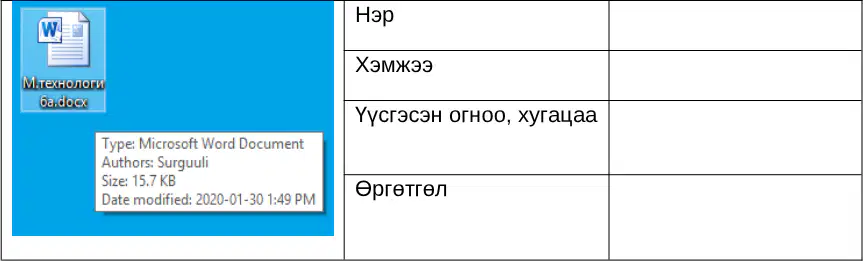
Look at the picture of the file information and answer: What is the file type shown? /5 points/
Microsoft Word Document
PDF Document
Image File
Video File
Is it okay to drink tea while sitting at the computer? Why?
Yes, liquids are safe around electronics
No, spills can damage the computer and may cause electric shock
Yes, warm drinks improve attention and computer speed
Only with a desktop, not with a laptop
Using a computer for many hours every day without breaks has which negative effects on the body? Select all that apply.
Eye strain and tired vision
Back or neck pain from poor posture
Headaches and fatigue
Improved physical fitness
Hand or wrist strain
When turning off a computer, is it acceptable to unplug the power cord directly? Why?
Yes, it is the fastest way to shut down
No, the system should be shut down through the operating system to prevent data loss and damage
Yes, if the monitor is already off
Only at night when the computer is cool
While working on a computer, how should you take care of your health? Select all that apply.
Take regular breaks and stretch
Keep a straight posture and adjust the chair to a comfortable height
Keep the screen at a comfortable distance and brightness
Work in a dark room to see the screen better
Ignore rest until all tasks are finished
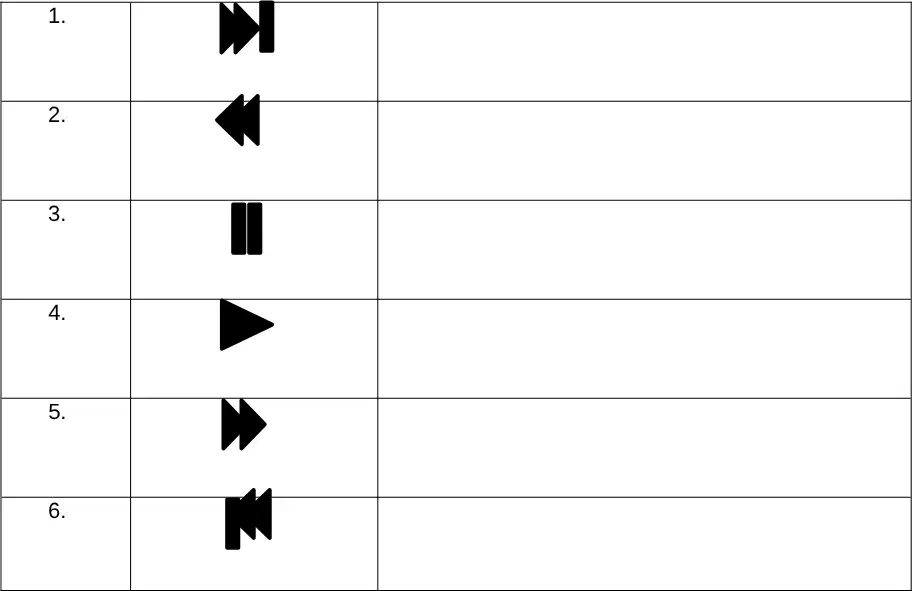
What is the function of the video player button shown: a triangle pointing right (play symbol)?
Play
Pause
Stop
Record
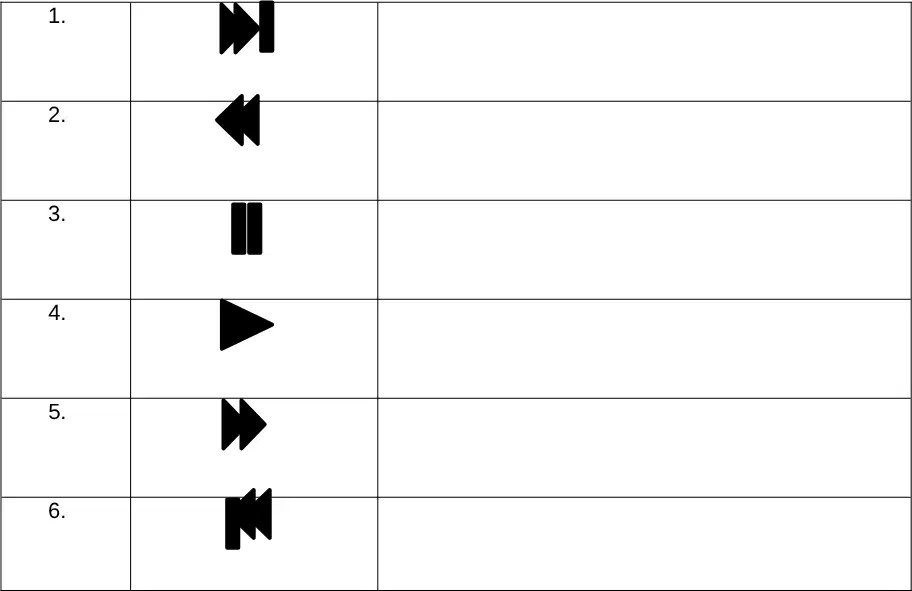
What is the function of the video player button shown: two vertical bars (pause symbol)?
Pause
Play
Stop
Mute
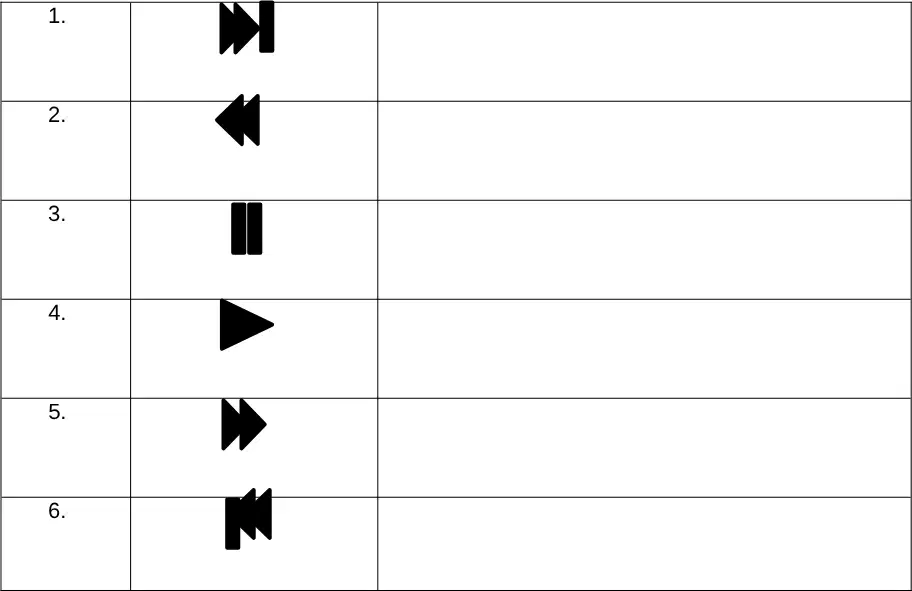
What is the function of the video player button shown: two right-pointing triangles (fast-forward symbol)?
Rewind
Fast forward
Stop
Record
What is the function of the video player button shown: two right-pointing triangles followed by a vertical bar (next/skip forward symbol)?
Next track or skip forward
Previous track or skip back
Pause
Stop
What is the function of the video player button shown: two left-pointing triangles (rewind symbol)?
Rewind
Fast forward
Play
Mute
What is the function of the video player button shown: a vertical bar followed by two left-pointing triangles (previous/skip back symbol)?
Previous track or skip back
Next track or skip forward
Pause
Record

