
 Worksheets
characters & backgrounds
Total questions: 34
Worksheet time: 17mins
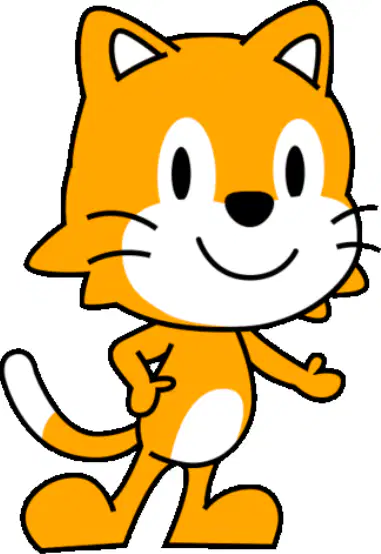
Look at the cat on the stage. What does adding a character let you do in ScratchJr?
Put a new sprite on the stage
Close the app without saving
Make the project play music only
Change the stage background only
You added a frog by mistake. What is the best next step to fix the stage?
Delete the extra character now
Add two more frogs quickly
Change the stage color to blue
Move the frog to a corner
Look at the pictures. Which word names a character shown in the images?
Mario
Keyboard
Background
Joystick
In a game, what is the background used for?
It makes sound effects only
It is the scene behind characters
It is the controller you hold
It is the score number display
Which button do you tap first to add a new character in ScratchJr?
The background tree button on stage
The stop sign button at the corner
The plus character button at the left
The green flag button at the top
After you tap the plus button, what appears to help you choose a character?
A page of sound effects
A list of background scenes
A list of available characters
A page of project settings
What should you do to place the chosen character onto the stage?
Press the stop sign to finish
Type the character name in a box
Drag the background onto stage
Tap the add button in the gallery
You want a cat and a fairy on your project. What is the best plan to get both onto the stage?
Add one character, return to gallery, add another
Press the green flag twice to add two
Tap the stop sign, then characters appear
Rename the project to cat and fairy
What is the first step to delete a character in ScratchJr?
Double-tap the background
Tap and hold the character
Drag the character to the corner
Press the green flag button
After you tap and hold a character, which button should you tap to remove it?
The blue plus button
The ABC text button
The red cross button
The home house button
You deleted the fairy using the red cross. Where will it disappear from?
From the paint editor screen
From the background chooser only
From the stage and character list
From the programming blocks row
A friend taps the green flag to try deleting a character. What should they do instead to remove it?
Tap the undo curved arrow twice
Drag it outside the stage border
Press the home house icon once
Tap and hold, then tap red cross
What should you do first to program a character in ScratchJr?
Tap the character to select it
Open settings and change name
Press the green flag twice
Drag blocks before choosing
When you tap a character, where will it show for coding?
On the home screen menu
Under the sound recorder
Inside the paint editor
In the programming area
You selected the cat. Which statement is true about moving blocks now?
The fairy will always move instead
Nothing happens until you draw
The cat will follow the instructions
Only the background will change
You want the fairy to follow the instructions instead of the cat. What should you do?
Delete all code blocks
Tap the green flag repeatedly
Press undo and restart
Tap the fairy to select it
Which ScratchJr block makes a character smaller?
Reset size block
Increase size block
Reduce size block
Move right block
You want your character bigger. Which block should you use?
Increase size block
Reset size block
Stop script block
Reduce size block
After changing size many times, how do you return to the original size?
Repeat forever block
Increase size block
Reset size block
Reduce size block
A cat starts small. You press the increase size block two times, then the reduce size block one time. What happens to the cat’s size?
It becomes a little bigger
It becomes a lot smaller
It returns to original size
It does not change at all
Which category do you tap to find the blocks that change a character’s size in ScratchJr?
Movement category with blue arrows
Looks category with pink blocks
Sound category with green notes
Control category with red buttons
What is the first simple step to resize a character using blocks?
Delete the character sprite
Tap the looks category first
Open the settings menu
Tap the green flag to start
You want your fairy to become smaller, then bigger. Which plan should you follow using the pink size blocks?
Drag bigger block then tap twice
Drag smaller block then bigger block
Tap the green flag then wait
Use sound blocks to change size
After dragging a size block into the programming area, what should you do to see the change?
Rename the character sprite
Tap on each block to run it
Save and close the project
Switch to a new background
Which icon do you tap to choose a new background in ScratchJr?
The green flag at the top
The sound speaker icon
The gallery picture icon
The plus button under sprites
What happens after you tap the gallery picture icon?
The sound starts playing loudly
A list of backgrounds appears
A new sprite is added automatically
The project closes immediately
How do you apply a background from the list to your project?
Shake the tablet gently
Type its name into a box
Tap the background to select it
Drag it onto the stage area
After you select a background, where can you see it?
On the stage area
Only in the settings menu
Hidden behind the sprites
Inside the sound panel
You want to change from a farm to an ocean scene. What should you do first?
Turn off the tablet screen
Tap the gallery picture icon
Press the red stop button
Delete all sprites first
A classmate tapped the plus button under sprites expecting a background change. What should you explain?
Plus adds new sprites, not backgrounds
Plus opens the settings for the stage
Plus changes all sounds in the project
Plus deletes the current background
Look at the two pictures: in Image 1 the tree is small and the apple is medium; in Image 2 the tree is big and the apple is small. Which block should you use in ScratchJr to make the tree bigger to match Image 2?
Start on green flag block
Move character left block
Grow character size block
Shrink character size block
You want the apple to look smaller like in Image 2. What is the best order of blocks to change the apple’s size when the project starts?
Green flag then grow size block
Move right then shrink size block
Green flag then shrink size block
Shrink size then green flag block
Look at the apple’s code. Which block should be tapped to start the resize action?
Green flag start block
Blue move right block
Yellow message send block
Purple size block two
The tree should become bigger when the project starts. Which simple plan will work?
Say hi then move right two
Tap green flag then size up two
Play sound then stop project
Send message then jump one time

