
 Worksheets
Bouncing off the edge
Total questions: 27
Worksheet time: 14mins
Look at the slide. When a sprite touches the screen edge, what should it do to keep moving safely?
Bounce off the edge and turn
Stop and freeze at the edge
Disappear from the screen
Move only upward forever
Which block makes the sprite move each time?
set x to 0
when flag clicked
if on edge, bounce
move 10 steps
If the cat keeps moving and reaches the edge, what should happen?
It bounces back safely
It falls off the stage
It hides behind blocks
It freezes and stops
You want the sprite to start from the center. What should you set?
x to 0 and y to 0
x to -139 and y to 29
x to 10 and y to 10
x to 90 and y to 90
A sprite moves left to right and bounces at the edge. What setting stops it from turning upside down?
Use change costume on bounce
Turn on random spin effect
Pick all around rotation style
Choose left-right rotation style

Which picture shows the cat spinning and turning on all sides?
Logo area
Case 2 image
Case 1 image
Case 3 image

Which style changes the sprite to mirror left and right?
Face lock
Left-right
Don’t rotate
All around

When using all around, what does the sprite’s body do?
Faces up then down
Stays straight always
Only flips sides
Turns in all directions
What starts the code so the sprite begins moving?
Touching the sprite
Clicking the green flag
Typing a number
Pressing the space key
Why do we use 'if on edge, bounce'?
To speed up movement
To start the program
To change the sprite
To turn at the border
What happens inside a 'forever' loop?
Blocks change into sounds
Blocks run again and again
Blocks run only once
Blocks stop immediately
Which block is placed at the top of the script?
When flag clicked
If on edge, bounce
Set rotation style
Stop all
Which block changes how the sprite turns?
Set rotation style
Move 10 steps
Forever loop
When flag clicked
Where does bouncing happen on the stage?
Behind the backdrop
At the edges
At the top only
Near the middle
What do students learn to detect in the solution?
Mouse clicks
Screen edges
Costume names
Backdrop colors
Which block checks the edge and turns the sprite?
Move 10 steps
Set rotation style
If on edge, bounce
Forever
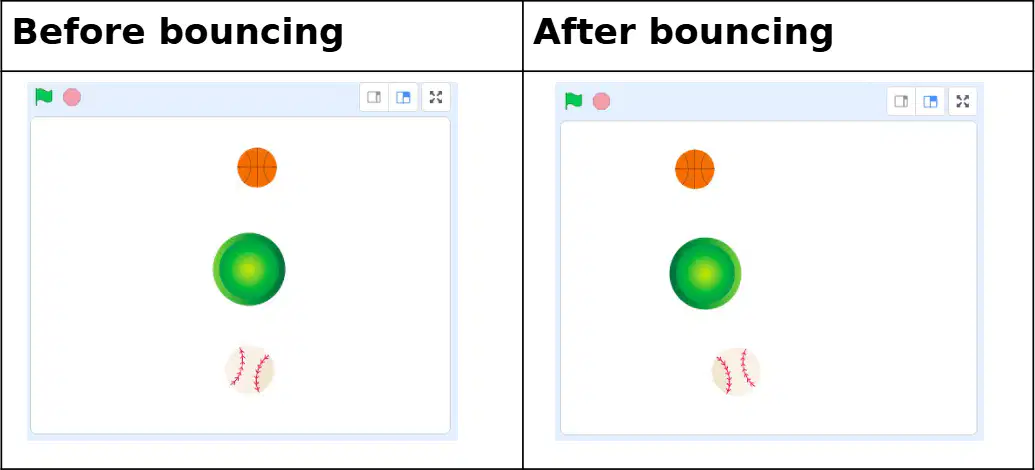
Which sprite has red stitches in both pictures?
The yellow star sprite
The baseball sprite
The orange ball sprite
The green circle sprite
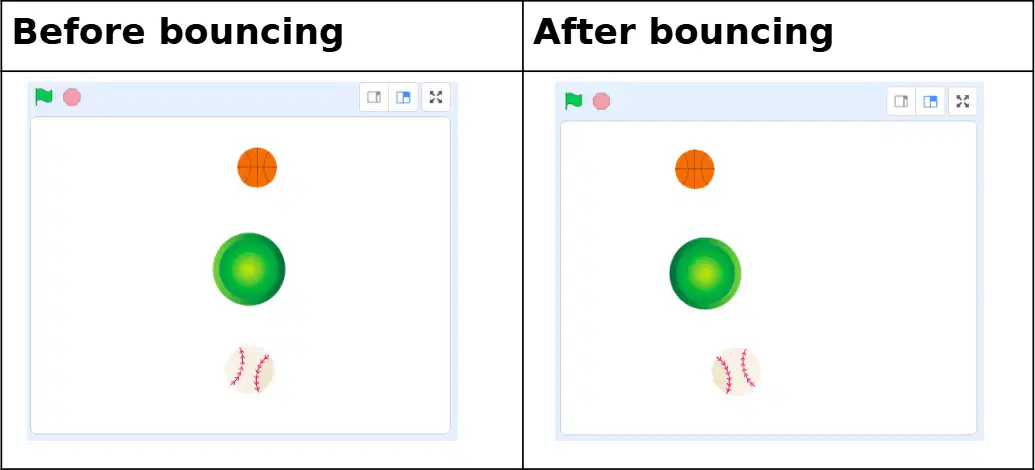
What color is the ball at the top in both pictures?
Orange with lines
Green with glow
White with stitches
Purple with stripes
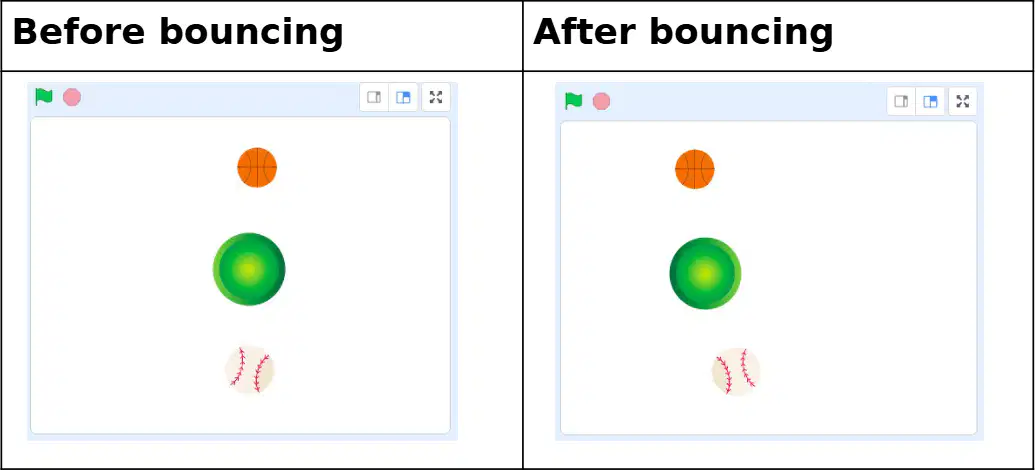
Which side shows sprites after they bounce?
The bottom side picture
The top side picture
The left side picture
The right side picture
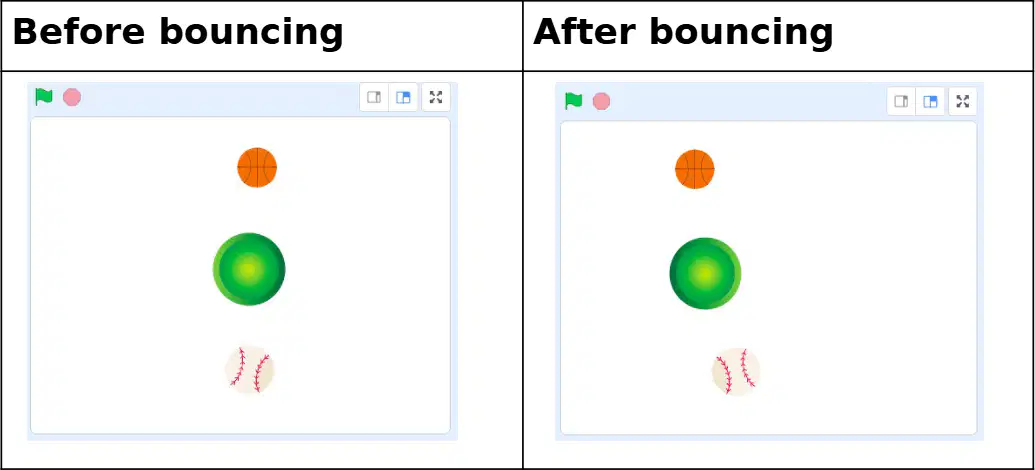
Which picture has the label Before bouncing?
The left picture
The corner picture
The right picture
The bottom picture
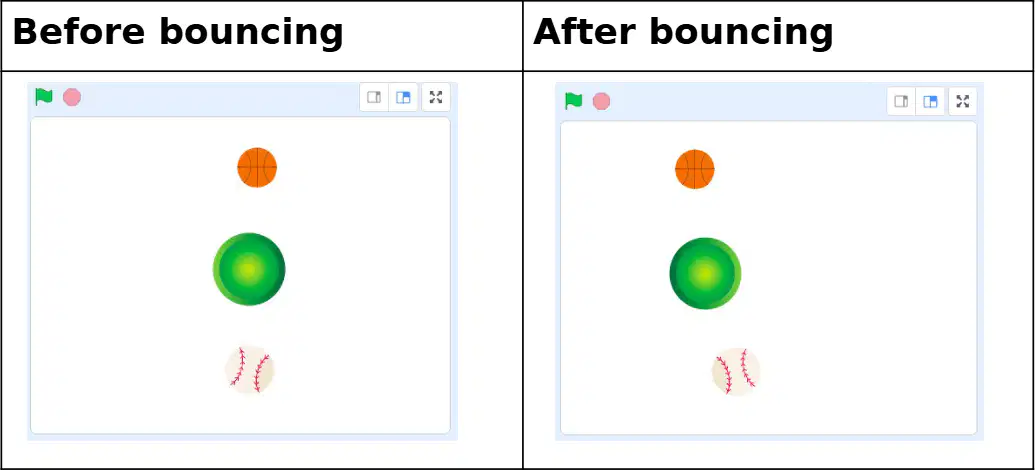
What small icon appears at the top-left of each frame to start a program?
A green flag icon
A red stop sign
A yellow star icon
A blue heart icon
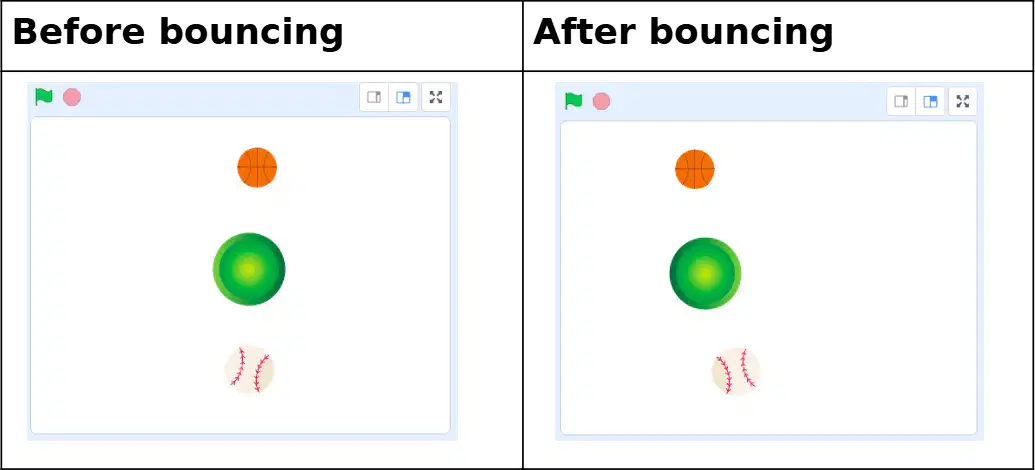
If you want to see sprites before they bounce, which picture should you check?
The right picture
The tiny picture
The bottom picture
The left picture
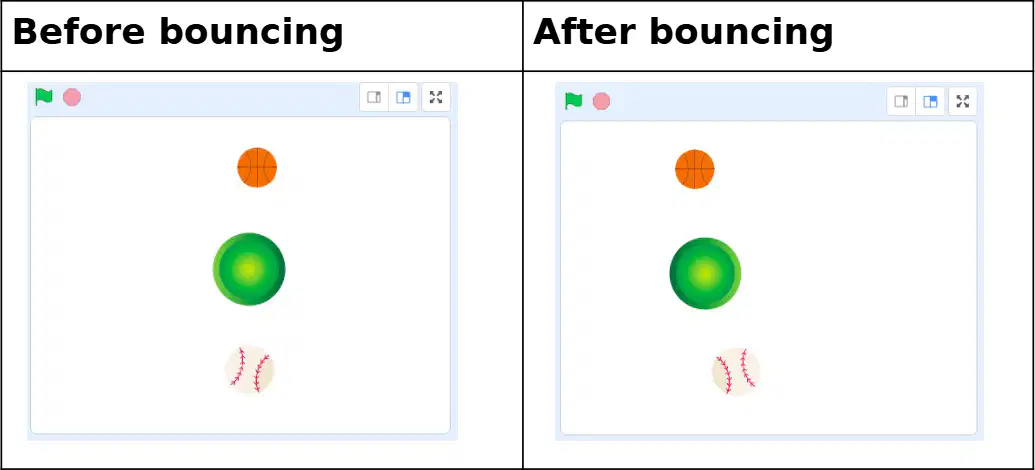
Which sprite does not change its color after bouncing?
All sprites keep color
Only baseball changes
Only orange ball changes
Only green circle changes
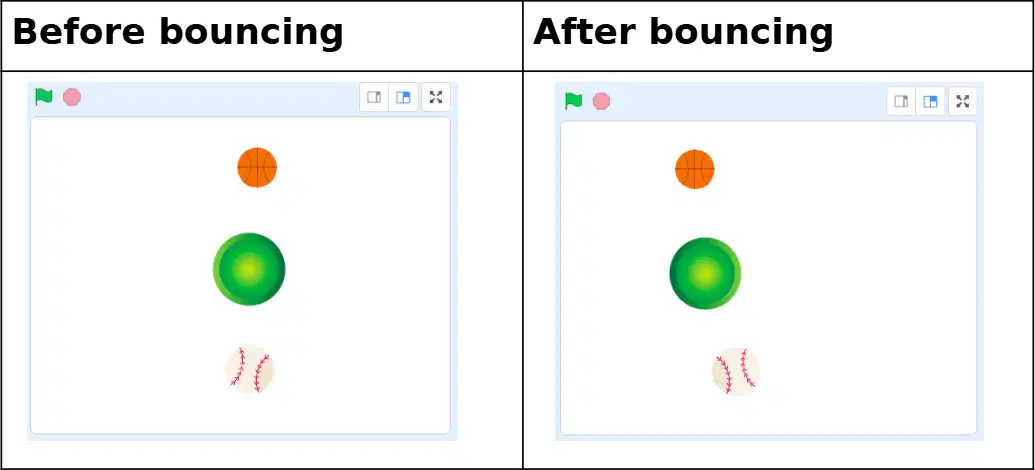
How many balls are shown in each frame?
Three balls shown
Two balls shown
One ball shown
Four balls shown
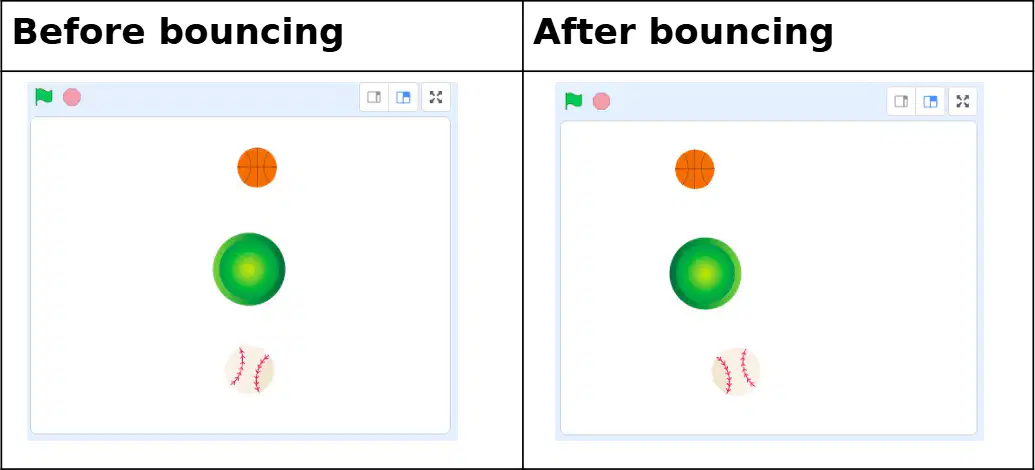
Which sprite stays the biggest in both pictures?
The tiny star sprite
The baseball sprite
The orange ball sprite
The green circle sprite
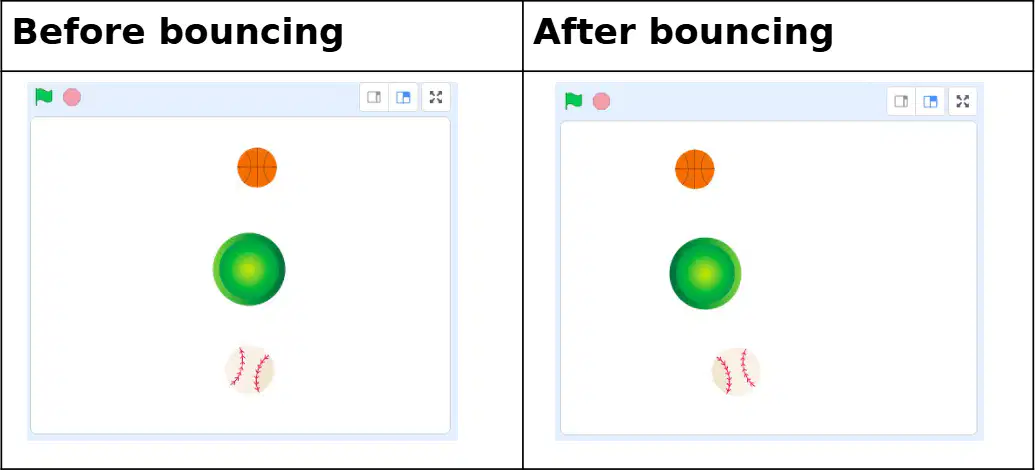
What do the pictures help you compare?
Shapes and letters
Day and night skies
Cat and dog sizes
Before and after bounce
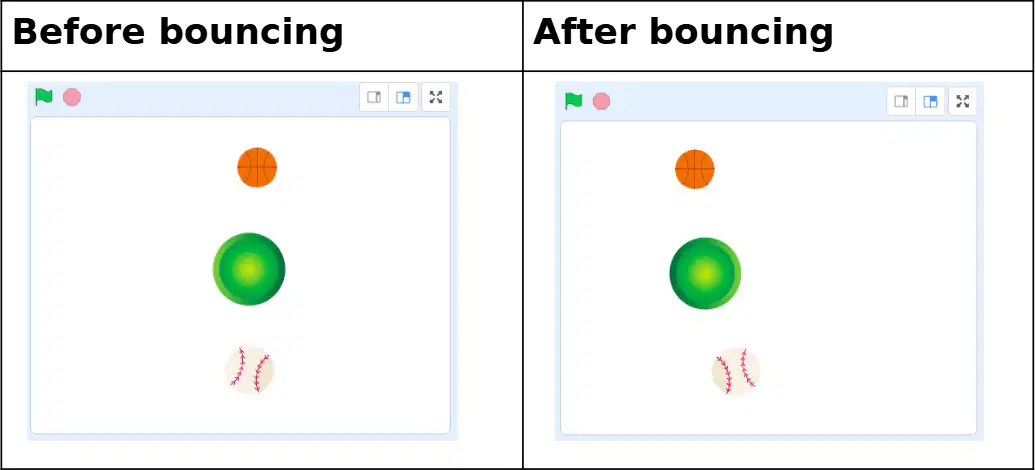
When you press the green flag, what usually happens in Scratch?
The colors change
The sprites delete
The screen turns off
The program starts

