
 Worksheets
Mastering Premiere Pro Basics
Total questions: 65
Worksheet time: 5hrs 25mins
Which panel in Premiere Pro is primarily used to arrange and edit video clips?
Effects Panel
Timeline Panel
Source Monitor
Audio Mixer
What is the default file extension for a Premiere Pro project?
.mp4
.prproj
.mov
.avi
Which tool is used to cut clips in the Timeline?
Selection Tool
Razor Tool
Pen Tool
Hand Tool
What is a keyframe in Premiere Pro?
A type of video effect
A marker for animation changes
A transition between clips
An audio filter
Which panel allows you to adjust audio levels for individual tracks?
Effects Panel
Audio Mixer
Source Monitor
Project Panel
Which export format is commonly used for web videos in Premiere Pro?
.wav
.mp4
.prproj
.mov
What is the purpose of transitions in video editing?
To add color correction
To smoothly connect two clips
To adjust audio levels
To export the project
Which effect would you use to make a clip appear in black and white?
Gaussian Blur
Lumetri Color (Desaturate)
Cross Dissolve
Audio Gain
What does the “Render” function do in Premiere Pro?
Exports the project
Previews effects and transitions smoothly
Imports media files
Adds keyframes
Which shortcut is used to play or pause the timeline in Premiere Pro?
Spacebar
Enter
Tab
Shift
How do you apply a cross dissolve transition between two clips in the timeline?
Drag the transition from the Effects panel to the cut point
Right-click and select “Add Audio Transition”
Use the Razor Tool
Click “Export”
If you want to animate the position of a clip, which property should you keyframe?
Opacity
Position
Volume
Scale
Which process would you use to remove background noise from an audio track?
Apply a color effect
Use the DeNoise audio effect
Add a transition
Change the frame rate
How can you ensure your exported video is compatible with YouTube?
Export as .prproj
Use H.264 codec and .mp4 format
Export as .wav
Use the default settings
What steps would you follow to add a fade-in effect to audio in Premiere Pro?
Apply a video transition
Use the Audio Fade In effect from the Effects panel
Change the clip speed
Add a keyframe to the video track
How do you adjust the speed of a video clip in Premiere Pro?
Use the Razor Tool
Right-click the clip and select “Speed/Duration”
Apply a transition
Change the audio gain
If you want to animate both scale and rotation of a clip, what should you do?
Add keyframes to both properties in the Effect Controls panel
Apply a transition
Change the audio levels
Use the Razor Tool
How can you preview your video with effects applied before exporting?
Use the Source Monitor
Render the timeline and play in the Program Monitor
Export the project
Use the Audio Mixer
You want to create a slow-motion effect. What should you do?
Increase the clip’s speed
Decrease the clip’s speed in Speed/Duration settings
Add a cross dissolve
Apply a color effect
How would you synchronize audio and video tracks that are out of sync?
Apply a transition
Manually drag the audio track to align with the video
Change the frame rate
Add a keyframe
You need to create a title animation that fades in and moves upward. Describe the steps you would take using keyframes in Premiere Pro.
Add a title, set opacity and position keyframes at the start and end, adjust values to fade in and move up
Apply a cross dissolve transition
Change the audio gain
Use the Razor Tool
A client requests a video with consistent audio levels throughout. How would you plan and execute this in Premiere Pro?
Apply random audio effects
Use the Audio Mixer to monitor and adjust levels, apply normalization if needed
Add transitions between clips
Change the video speed
You want to export a video for Instagram Stories. What settings and planning steps should you consider in Premiere Pro?
Use default export settings
Set aspect ratio to 9:16, choose H.264 codec, adjust resolution to 1080x1920, and export as .mp4
Export as .prproj
Use the Audio Mixer
You notice a jump cut between two clips. How would you use transitions to smooth this out, and what reasoning supports your choice?
Add a cross dissolve transition to blend the clips, reducing the abruptness of the cut
Increase the clip speed
Change the audio gain
Apply a color effect
A video project requires a dramatic zoom effect on a subject. How would you plan and implement this using keyframes?
Set scale keyframes at the start and end of the clip, increasing the scale value over time
Apply a cross dissolve
Change the audio levels
Use the Razor Tool
You need to remove wind noise from an outdoor interview. What steps and reasoning would you use in Premiere Pro?
Apply the DeNoise effect, adjust parameters to target wind frequencies, and preview the result
Add a video transition
Change the frame rate
Use the Razor Tool
A client wants a video exported in the highest possible quality for archival purposes. What export settings and planning would you use?
Choose a lossless codec (e.g., ProRes or DNxHR), set maximum bitrate, and export in a high-resolution format
Use default export settings
Export as .mp4 with low bitrate
Change the audio gain
You want to create a custom effect by combining multiple built-in effects. How would you plan and execute this in Premiere Pro?
Stack desired effects in the Effect Controls panel, adjust each effect’s parameters, and preview the result
Use the Razor Tool
Change the clip speed
Export as .prproj
You are editing a music video and want to synchronize video cuts with the beat. What strategy would you use in Premiere Pro?
Use audio waveforms to identify beats, place markers, and cut video clips at those points
Apply a cross dissolve
Change the frame rate
Use the Audio Mixer
You need to deliver a video in multiple formats for different platforms. How would you plan and execute the export process in Premiere Pro?
Create export presets for each platform, adjust settings (resolution, codec, bitrate), and export each version separately
Export as .prproj
Use the Razor Tool
Change the audio gain

What is the function of the Selection Tool?
Drag clips only.
To view or drag clips.
Used to select clips in the timeline.
Create control points in the timeline.

What is the function of the Razor Tool?
Cut a clip or multiple clips into two clips.
Create control (anchor) points.
Drag the timeline view left and right.
The default too, used to select clips in the timeline.

What is the function of the Slip Tool?
Move a clip back and forth in the timeline, while simultaneously adjusting adjacent clips to compensate.
Change the duration of a clip while simultaneously changing the speed to compensate.
Adjust an edit point and move other clips in the timeline to compensate.
Move a clip in and out points bt the same amount simultaneously, so the rest of the timeline is not affected.

What is the function of the Slide Tool?
Move a clip back and forth in the timeline, while simultaneously adjusting adjacent clips to compensate.
Change the duration of a clip while simultaneously changing the speed to compensate.
Move a clip back and forth in the timeline, while simultaneously, so the rest of the timeline is not affected.
Adjust an edit point between two clips without affecting the rest of the timeline.

What is the function of the Rate Stretch Tool?
Move a clip back and forth in the timeline, while simultaneously adjusting adjacent clips to compensate.
Move a clip in and out points by the same amount simultaneously adjusting adjacent slips to compensate.
Change the duration of a clip while simultaneously changing the speed to compensate.
Adjust a clips in and out points.

What does the Rolling Edit Tool do?
Change the duration of the clip.
Move a clip back and forth in the timeline, while simultaneously adjusting adjacent clips to compensate.
Adjust an edit point between two clips without affecting the rest of the timeline.
Adjust and edit point and move other clips in the timeline to compensate.

What function is the Ripple Edit Tool?
Adjust an edit point between two clips without affecting the rest of the timeline.
Create end points.
Adjust the speed of a clip simultaneously.
Adjust an edit point and move other clips in the timeline to compensate.

What is the function of the Track Select Tool?
Select all clips on a track from a given point, or select multiple tracks.
Move a clip back and forth in the timeline, while simultaneously adjusting adjacent clips to compensate.
Adjust an end point between two clips without affecting the rest of the timeline.
Adjust an edit point and move other clips in the timeline to compensate.

What is the function of the Pen Tool?
Used to select clips in the timeline.
Select all clips on a track.
Create control (anchor) points.
Drag the timeline view left and right.

What is the function of the Hand Tool?
Drag the timeline view left and right.
Create control (anchor) points.
Cut a clip.
Click in the timeline to view or drag and select.

What is the function of the Zoom Tool?
Drag the timeline view left and right.
Create control (anchor) points.
Select all clips on at a given point.
Click in the timeline to magnify the view, or drag and select a rectangular area to zoom into.
Which tool allows you to perform basic selections and edits.?
Track Select Forward/Backward
Ripple Edit
Rolling Edit
Select Tool
Which tool will let you quickly select all of the clips in a sequence, either forward or backward
Track Select Forward/Backward
Rate Stretch
Ripple Edit
Rolling Edit
Which is a trim tool used to trim a clip and ripple the rest of the clips in the timeline, effectively closing the gap between the two edit points.
Ripple Edit
Rate Stretch
Slip Tool
Rolling Edit
Which is the trim tool used for fine-tuning and adjustments. It moves the Out point of the first clip and the In point of the second.
Slip Tool
Ripple Edit
Rolling Edit
Rate Stretch
Which tool either speeds up or slows down the clip?
Rolling Edit
Ripple Edit
Rate Stretch
Slip Tool
Which tool adds a simple edit point by cutting the clip wherever you use the tool?
Razor
Rate Stretch
Slip Tool
Rolling Edit
Which tool slips the clip's source In and Out point but doesn't move it on the timeline?
Razor
Slip Tool
Pen Tool
Slide Tool
Which tool moves the clip on the timeline but keeps the source In and Out points the same?
Slip Tool
Slide Tool
Pen Tool
Rolling Edit
Which tool allows you to add keyframes to a clip?
Pen Tool
Slide Tool
Slip Tool
Razor

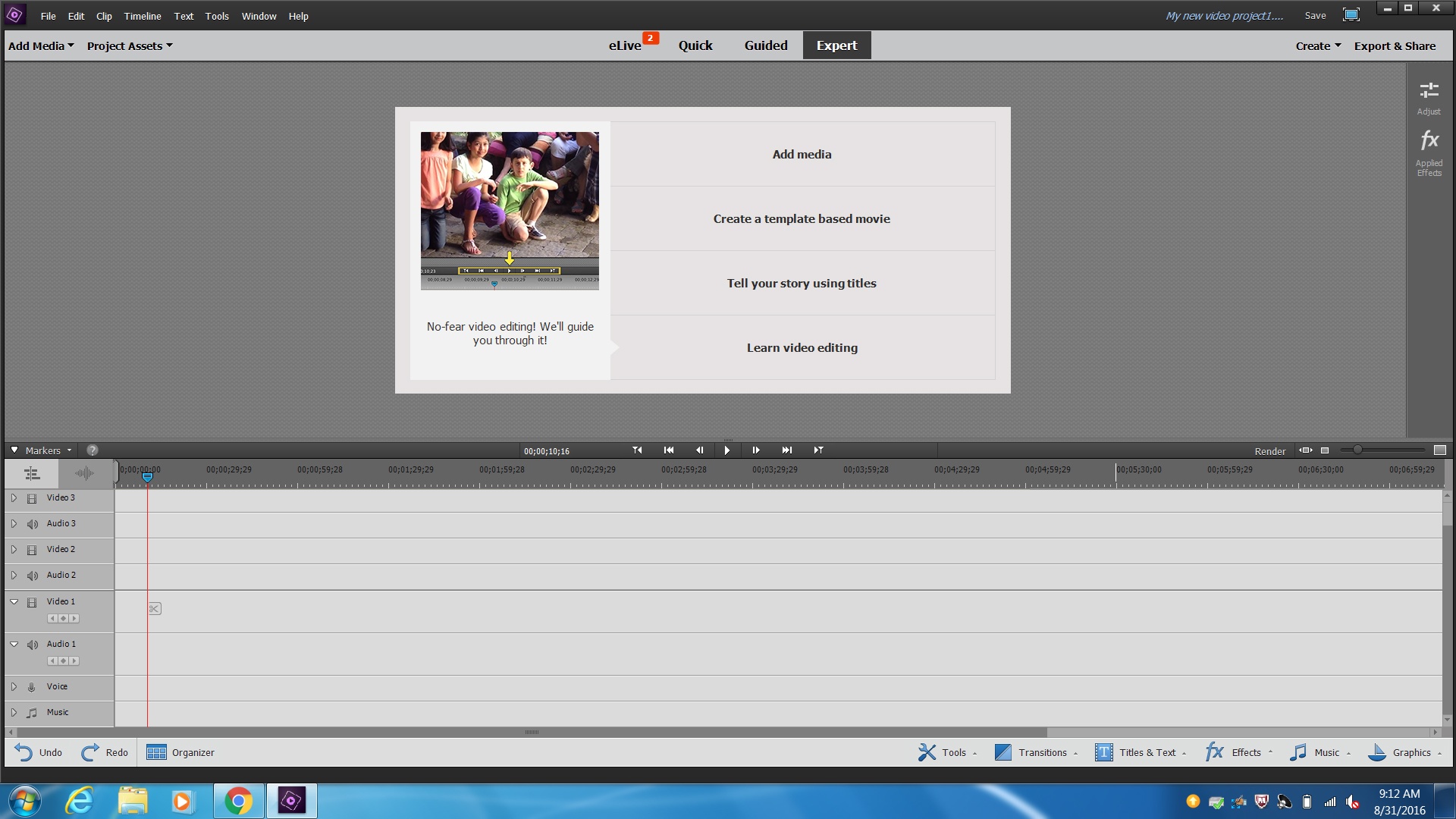
This panel plays back the sequence and includes the extract and lift buttons for removing sections of the timeline that have been marked with in and out points.
Source Monitor
Timeline
Program Monitor
Sequence
This is where you import and organize all your media, titles and sequences. You can switch between list view that contains information about your media or icon view that lets you see the media
Timeline
Program Monitor
Tools
Project Panel
This is where you control or adjust your Effects. It is often nested under the Source monitor.
Effects Panel
Tools
Project Panel
Effect Controls Panel
This panel is where you assemble, edit and apply effects/transitions to build your video.
Sequence
Program Monitor
Source Monitor
Project Panel
This is the panel that contains all the editing tools.
Sequence
Tools
Program Monitor
Project Panel

Program Monitor
Project Panel
Sequence
Tools

Tools
Audio Meters
Sequence
Program Monitor

Project Panel
Program Monitor
Source Monitor
Sequence

Effects Panel
Effect Controls Panel
Program Monitor
Source Monitor

Sequence
Project Panel
Source Monitor
Program Monitor

Program Monitor
Source Monitor
Sequence
Television
Which software is widely used for professional video editing and offers certification programs?
Microsoft Word
Adobe Premiere Pro
Google Chrome
PowerPoint

