
 Worksheets
PC Knowledge
Total questions: 90
Worksheet time: 5hrs 3mins
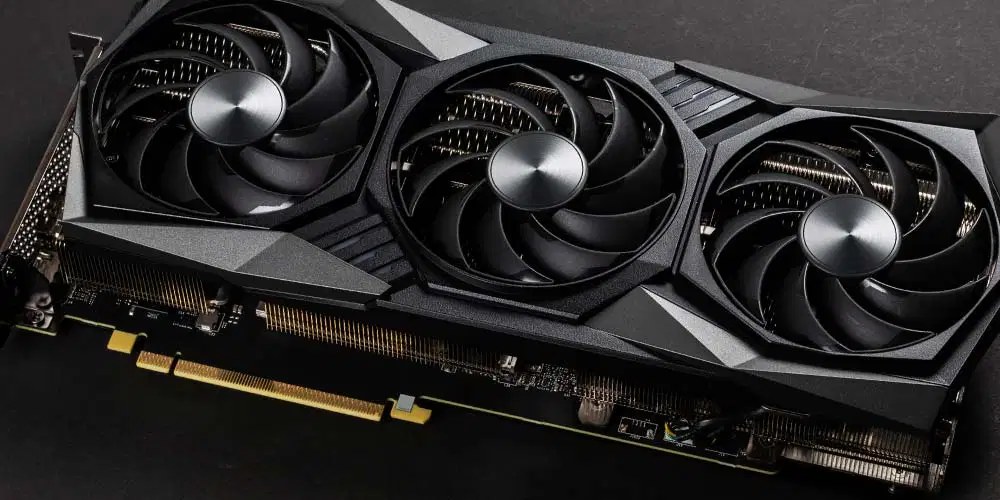
What is this?
RAM
CPU
MOTHERBOARD
GPU

What Is this?
CPU
GPU
RAM
PSU

What Is this?
Controller
PSU
RAM
Storage

What Is this?
Motherboard
Case
RAM
M.2

What Is this?
Motherboard
PSU
RAM
PowerSticks
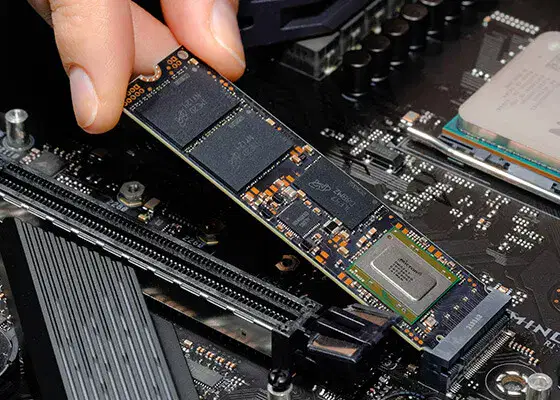
What Is this?
M.2 SSD
Micro controller
CPU
Powerstrip
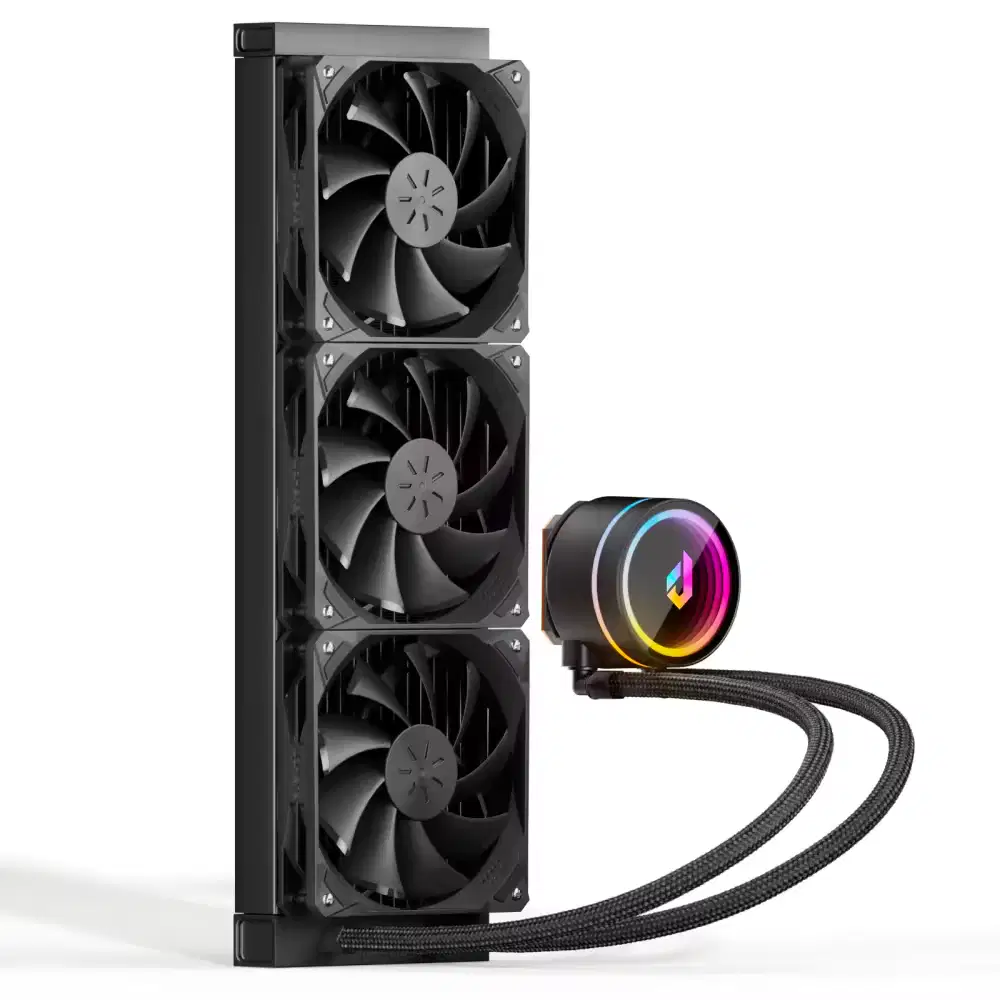
What Is this?
WaterCooler
Fans
GPU
PowerBrick

What is this
Air cooler
Fan
Water cooler
Air flower
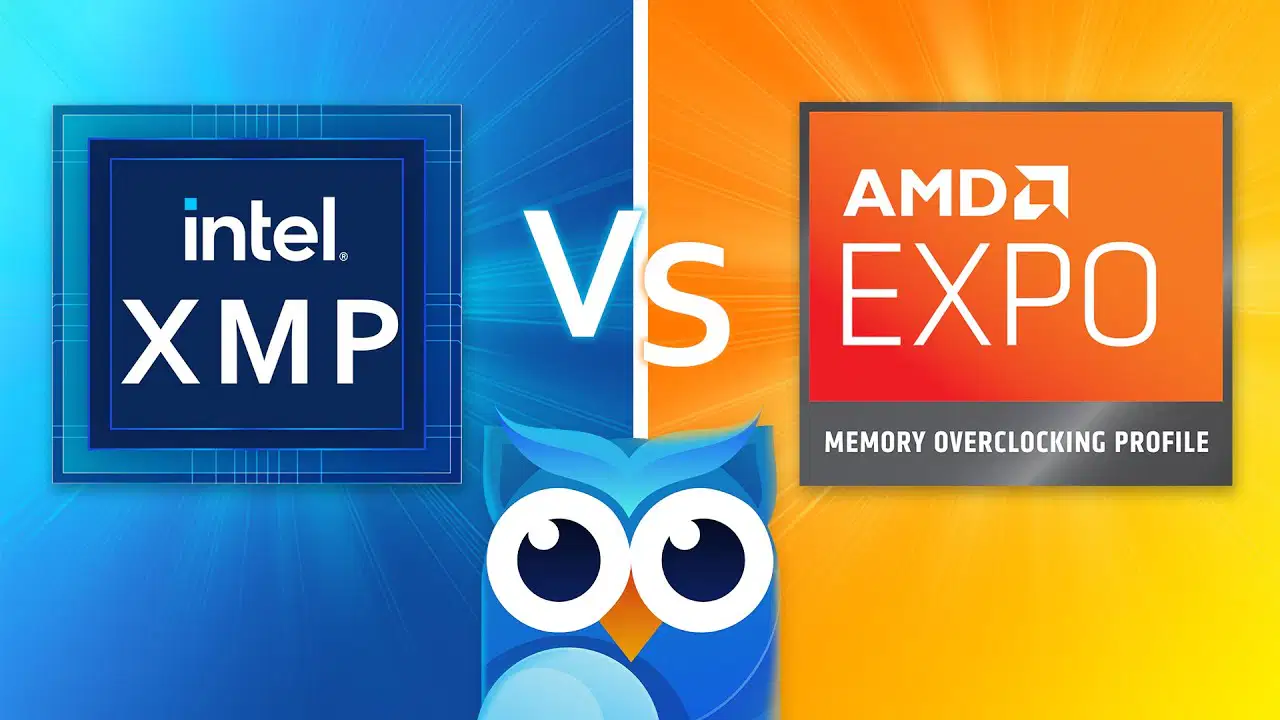
What does XMP/EXPO do
XMP/EXPO allows the motherboard to use more hard drives than it normally supports.
XMP/EXPO changes the graphics card settings to improve gaming performance.
XMP/EXPO automatically overclocks the CPU to increase overall computer speed.
XMP/EXPO lets the motherboard run RAM at its rated speed and timings instead of the default slower speed.

What does a motherboard need to have in order to use ARGB?
3-Pin(3v)
4-Pin(12v)
3-Pin(5v)
11-Pin(20v)

Would a i712700k(LGA1700) work for this socket
A 12th-gen CPU uses a different socket (LGA1700), so it physically won’t fit in an LGA1151 motherboard.
A 12th-gen CPU wouldn’t work in an LGA1151 motherboard because it requires more RAM slots than LGA1151 boards provide.

What is "Computer Hardware?"
Always wear a hard hat when using the computer.
Games on a computer that are hard to play.
The physical parts of a computer that you can touch.


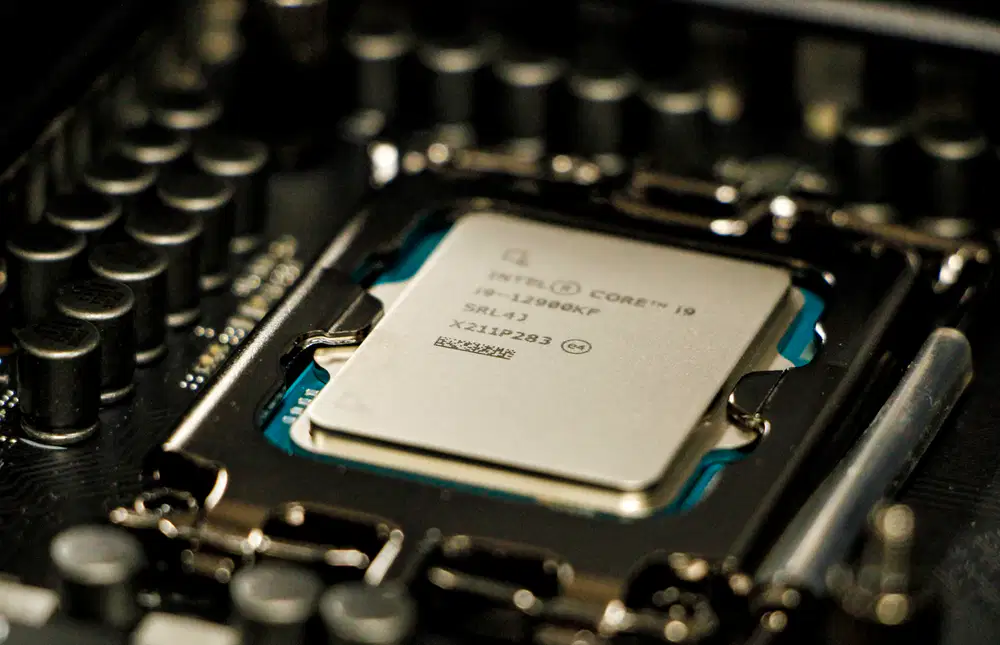
What does the CPU do?
The CPU directly controls the amount of electricity each component uses, managing power to the GPU, RAM, and storage.
The CPU automatically compresses all files on your computer to save storage space without any software.
The CPU, or Central Processing Unit, is the brain of the computer. It runs programs, does calculations, and controls other parts like the GPU and memory.
The CPU decides the resolution and refresh rate of your monitor without any help from the GPU or display settings.
Why is thermal paste important for CPU cooling
Thermal paste is important because it protects the CPU from physical damage if the cooler falls on it.
Thermal paste is important because it makes the CPU run faster by overclocking it automatically.
Thermal paste is important because it powers the CPU by providing electricity.
Thermal paste is important because it fills microscopic gaps between the CPU and cooler, improving heat transfer and preventing overheating.
What would happen if no thermal paste was applied to the CPU?
If no thermal paste is applied, the CPU will generate less heat than with paste.
If no thermal paste is applied, the CPU will still function normally without any risk of damage.
If no thermal paste is applied, the CPU can overheat because heat won’t transfer efficiently to the cooler.
If no thermal paste is applied, the CPU will automatically run cooler than normal.
A: 3 GHz Quad Core CPU
B: 3 GHz Duel Core CPU
CPU clock speed is measured in
Megabytes
Joules
bits
Gigahertz
How many instructions per second can a CPU with a clock speed of 2.5 GHZ process?
2.5 million
2.5 billion
3 billion
5 trillion
Dual-Core processors:
Manage twice the instructions every second
Manage four times the instructions every second
Manage half the instructions every second
Manage the same amount of instructions as a quad-core processor.
When a CPU virtualizes two cores for every one physical core.
Turbo Boost
Extrapolating
Cache
Hyperthreading
Which is true?
Intel Core i7 chips perform better than i5 chips.
Intel Core i3 processors are quad-core processors
Intel Core i3 chips have Turbo Boost, while i5 and i7 do not.
i5 processors support Hyper-threading
Which of the following CPU's will have a better better performance:
i7-12700k
i7-11700k
i7-7700
i7-10700k
What pins are used to power the motherboard
8pin(4+4)
8pin(6+2)
6pin(3+3)
12pin(6+6)
What does GPU stand for?
General Processing Unit
Graphics Processing Unit
Gaming Performance Unit
Graphics Performance Unit
What is the primary function of a graphics card?
To enhance the sound quality of a computer
To store data permanently
To process and render graphics
To manage the computer's memory
What does VRAM stand for?
Variable Random Access Memory
Video Random Access Memory
Very Rapid Access Memory
Visual Random Access Memory
What role does the PCIe slot play in the function of a graphics card?
It provides a connection to the internet.
It supplies power to the graphics card.
It connects the graphics card to the motherboard, allowing data transfer.
It increases the graphics card's memory capacity.
Which component on a graphics card is primarily responsible for dissipating heat?
The VRAM
The GPU
The heat sink
The power connector
How does increasing the amount of VRAM affect a graphics card's performance?
It decreases the overall speed of the computer.
It allows for higher resolution textures and more complex graphics.
It reduces the power consumption of the graphics card.
It has no effect on the graphics card's performance.
What does it mean if it is a discrete GPU
The GPU is physically smaller in size to fit the form factor of a small motherboard
The GPU is a less powerful version of a CPU
The GPU is separate from the CPU
The GPU is integrated within the CPU
The ____ performs more complex geometric calculations
GPU
CPU
VRAM
hypermode
caching
This type of GPU is built onto the same die as the CPU.
integrated
dedicated
discrete
obsolete
Zelda would like to be able to play God of War, Minecraft with Raytracing and Horizon Zero Dawn on her PC, which would be typically best?
integrated gpu
dedicated gpu
Which type of memory is used by graphics cards to store textures and other graphics data?
HDD
SSD
DDR SDRAM
VRAM
Which of the following is NOT a component of a graphics card?
RAM
GPU
VRAM
CPU
BONUS: In contrast, a GPU is composed of hundreds of _______ that can handle thousands of threads simultaneously.
pins
circuit threads
VRAM modules
cores

What is this and why might it be important
It is a power cable that supplies extra electricity to the graphics card.
It lets a graphics card connect to the motherboard from a different position in the case, allowing for better layouts, vertical mounting, and improved airflow.
It is a data cable used to connect storage drives directly to the CPU.
It is a cooling cable that helps remove heat from components inside the case.

What's the lowest tier power supply available to Consumers that you should stay away from?
80+ White
80+ Gold
80+ Bronze
80+ silver
The main power connector for the motherboard has how many pins?
8
20 or 24
4
12
When working inside a computer, it's important to power it off and unplug it.
True
False

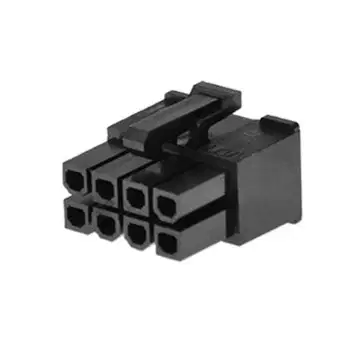
What connector is this?
8pin(6+2pin)
8pin(4+4pin)
8pin(3+5pin)
8pin(5+3pin)

What is the purpose of the fan in all ATX power supplies?
To light up the unit
To process data faster
To cool the unit
To convert AC to DC power
What is the purpose of memory slots on a motherboard?
To house the CPU
To connect to the memory module
To add expansion cards
To provide I/O connectors
What is the function of the CPU socket on a motherboard?
To house the CPU
To connect to the memory module
To add expansion cards
To provide I/O connectors
What is the firmware on a motherboard?
The memory module
The CPU socket
The BIOS or UEFI
The CMOS battery

What are the two types of RAM?
Static RAM (SRAM) and Dynamic RAM (DRAM)
Non-volatile RAM (nvRAM) and Error Correction Code (ECC) RAM
Double-Data Rate Synchronous Dynamic RAM (DDR SDRAM) and Regular RAM
Random RAM (RRAM) and Sequential RAM (SRAM)
Which type of RAM does not require constant power to maintain the contents of memory?
Static RAM (SRAM)
Dynamic RAM (DRAM)
Non-volatile RAM (nvRAM)
Error Correction Code (ECC) RAM
What is the purpose of ECC RAM?
To detect and correct data corruption for critical databases
To increase memory capacity
To reduce power consumption
To improve processing speed
Who uses ECC RAM to protect against data corruption?
Data centers
Gaming
Education
Entertainment

What Ram does this motherboard use?
DDR3
DDR5
DDR2
DDR4
Why shouldn't you mix ram
Mixing RAM forces the CPU to disable multiple cores to keep the system stable.
Mixing RAM will permanently damage the motherboard’s memory slots over time.
Mixing RAM, even if it’s the same brand and speed, can cause instability because the sticks may use different chips and timings that don’t always work well together.
Mixing RAM makes the graphics card run at a lower clock speed automatically.
When mixing ram:
Mixing RAM speeds makes the faster stick stop working completely
When different RAM speeds are mixed, the motherboard runs all sticks at the speed of the slowest one.
Mixing RAM speeds forces the computer to cut the total RAM in half.
Mixing RAM speeds automatically increases CPU temperature because it has to “balance” the memory.
Which one is true when it comes to mixing ram
Mixing RAM from different generations only reduces performance slightly but does not affect compatibility.
You can mix RAM generations as long as the speeds are similar and the motherboard BIOS is updated.
Mixing different RAM generations will still work, but the system will automatically convert the faster RAM to match the older type.
Mix RAM from different generations such as DDR4 and DDR3
What is the main difference between a regular 2.5 inch SSD and an M.2 SSD?
M.2 SSDs have more storage capacity
M.2 SSDs use a different type of flash memory
M.2 SSDs use a different form factor and connect to a different type of slot
M.2 SSDs are slower than 2.5 inch SSDs
What is the main reason why SSDs are faster than mechanical hard drives?
SSDs use flash memory for data storage
SSDs have more moving parts
SSDs have a larger form factor
SSDs use a different type of interface
How does the M.2 SSD connect to the motherboard?
It slides into the spring-loaded slot and is tightened down with a single screw
It connects with a connection cable
It connects with a separate power cable
It connects to the CPU
What is important to check before using an M.2 NVM Express SSD?
The size of the SSD
The motherboard support for M.2 slot and NVM Express technology
The color of the SSD
The type of flash memory used
What technology was developed specifically for SSDs to reduce CPU overhead and streamline operations?
NVM Express
PCI Express
SATA 3.0
AHCI


What is this hardware component?
RAM
Hard Drive
USB
Ethernet


What's the reason hard drives are not the preferred way of storing data
Hard drives generate harmful radiation that can damage your eyes.
Hard drives erase all data automatically after one year of use.
Hard drives are slower than SSDs and have moving parts, which makes them more prone to damage and wear over time.
Hard drives cannot store more than 500 GB of data.
Whats better for storage
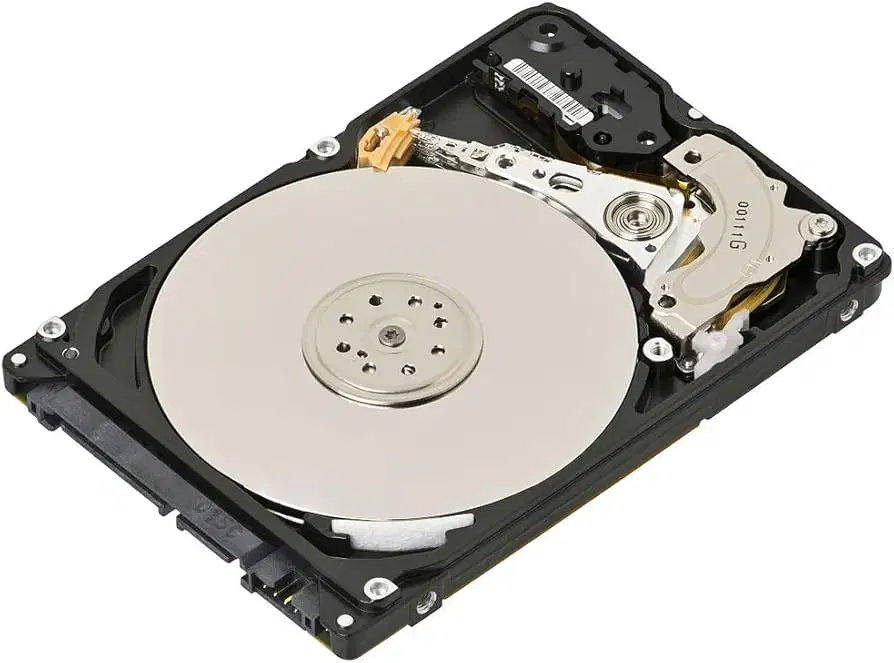
Hard drive
Hard drive
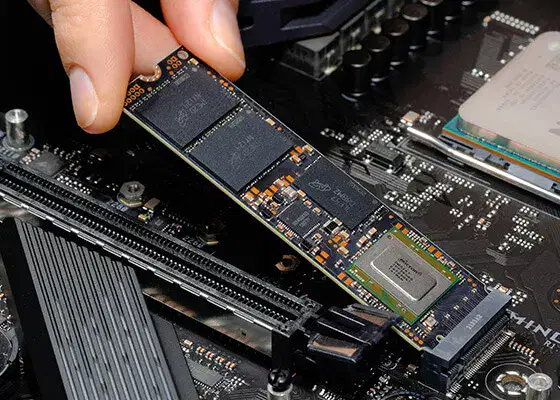
NVME
NVME
What should you NEVER do this when handling a Hard drive
You should never let a hard drive run for more than one hour at a time.
Turn it upside down and move it around when its on
You should never store a hard drive in a cool, dry place.
You should never plug a hard drive into a computer without first formatting it.
What Pin configuration do most Motherboards use to power the Motherboard.
24pin(20+4pin)
36pin(30+6pin)
12pin(6+6pin)
48pin(36+12pin)
A board supports up to 3600 MHz RAM What happens if you install 3600 MHz RAM
The RAM will not fit into the motherboard at all.
The RAM will force the motherboard to automatically upgrade its memory controller.
The RAM will run at 3200 MHz (or lower) because the motherboard limits the maximum supported speed.
The RAM will run at 3600 MHz and permanently damage the motherboard.
Where are the I/O connectors for onboard components located on a motherboard?
On the front panel
On the back of the motherboard
Inside the computer case
On the expansion cards
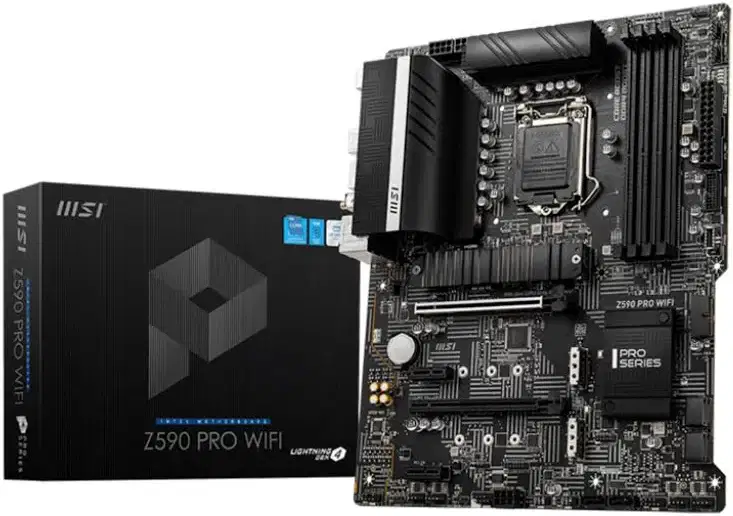
Why wouldn't my AMD i5-5600X work on this Motherboard
Because the motherboard is too weak to power it
Because the CPU is from a different generation and is incompatible
Because its an Intel motherboard and doesn't support AMD CPU's
Because the CPU needs more RAM slots in order to operate
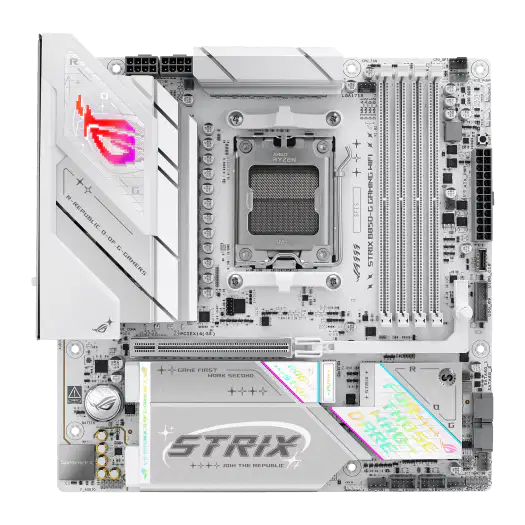
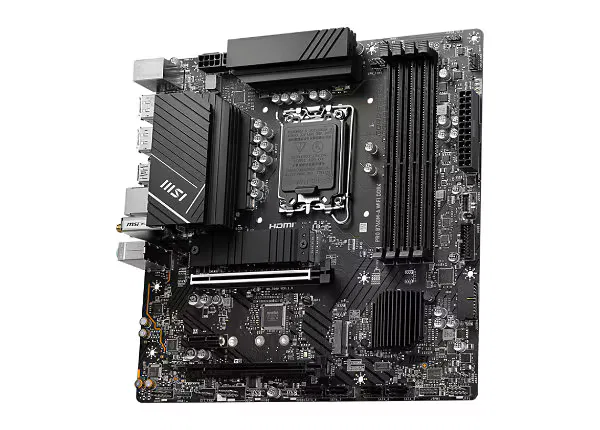
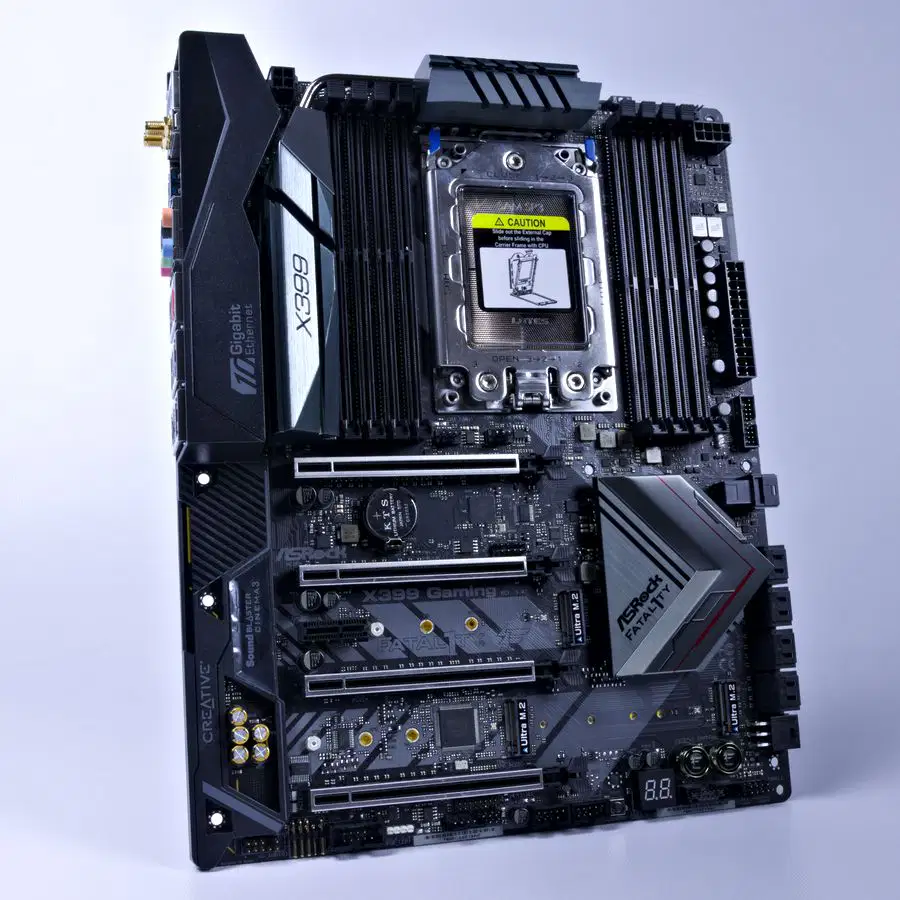
Pick the ATX Motherboard
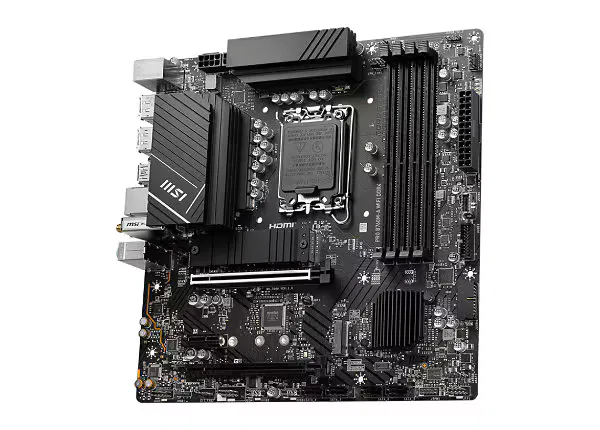
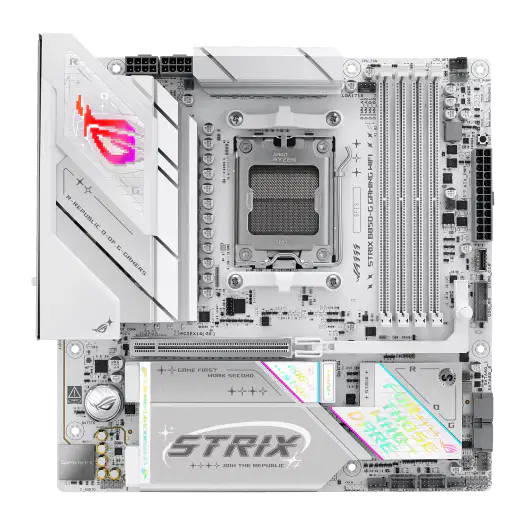
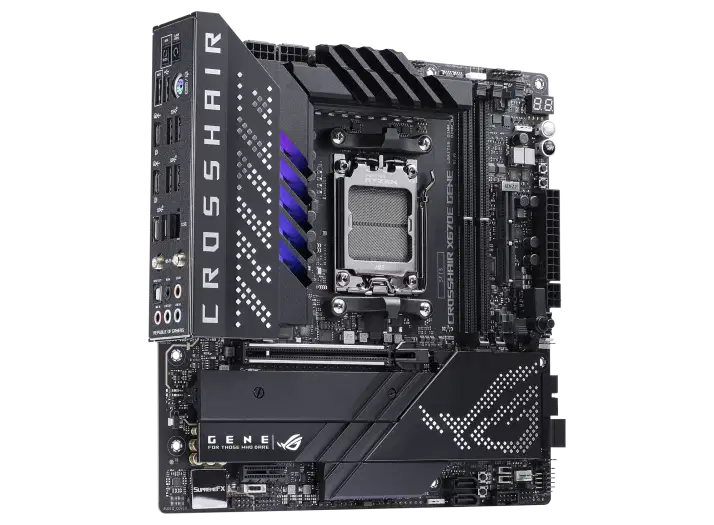

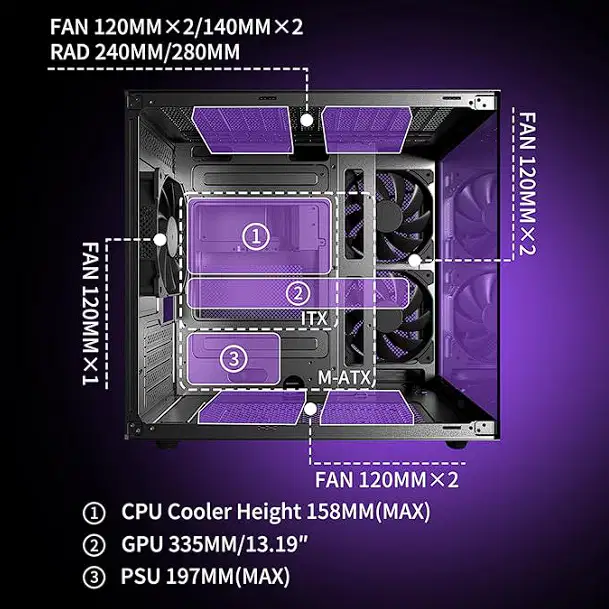
What Motherboard can NOT be used in this m-ATX case

Why might a motherboard support a CPU physically but still not be able to boot?
The CPU won’t boot because the motherboard automatically disables new CPUs unless all fans are running at maximum speed.
The CPU won’t boot because it can only run when the power supply is exactly 650 W.
The motherboard might need a BIOS update to support the CPU even if the CPU fits in the socket.
The CPU will not boot because it requires liquid cooling to start properly.
Why do some motherboards have Wi-Fi and others don’t?
Some motherboards include Wi-Fi because they have built-in wireless hardware, while others don’t to save cost or assume wired Ethernet will be used.
Motherboards without Wi-Fi cannot connect to the internet at all.
Wi-Fi motherboards are required for gaming computers to function properly.
Motherboards only include Wi-Fi if the CPU supports wireless signals.
What happens if the Computer loses power during a BIOS update
If the computer loses power during a BIOS update, it will speed up the CPU permanently.
If the computer loses power during a BIOS update, the motherboard can become corrupted and may fail to boot.
If the computer loses power during a BIOS update, the update will automatically resume where it left off without any issues.
If the computer loses power during a BIOS update, all your files on the hard drive will be erased.
If your Motherboard does not come with Wireless internet select the 2 devices that can be used to gain access to the internet
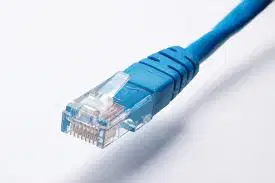
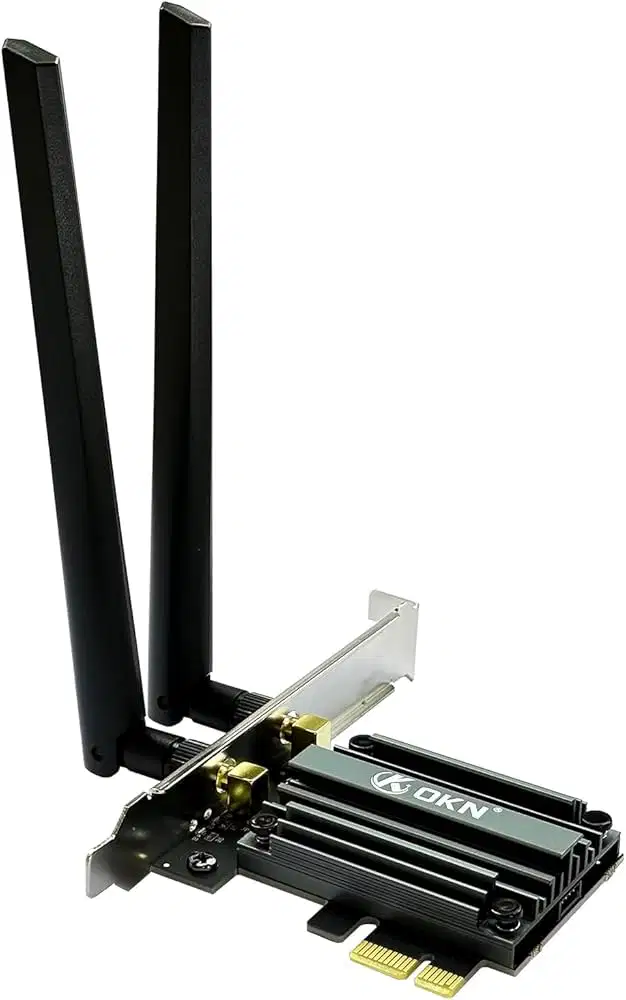


What's something you should NEVER cheap out on?
GPU
Motherboard
PSU
RAM
What components are usually included when purchasing a computer case?
Computer case, power supply, case fans, feet, screws and standoffs
Computer case, power supply, case fans, feet, screws and standoffs, external connectors
Computer case, power supply, case fans, feet, screws and standoffs, external connectors, motherboard
Computer case, power supply, case fans, feet, screws and standoffs, external connectors, motherboard, CPU
Why are bottlenecks important?
Bottlenecks are only a concern in computers that use solid-state drives.
Bottlenecks automatically increase the speed of slower components to match faster ones.
Bottlenecks are dangerous and can physically damage your CPU or GPU.
Bottlenecks are important because they limit the performance of a system by slowing down the fastest components.
Why are the CPU and GPU most prone to bottlenecking each other?
The CPU and GPU bottleneck each other because they use the same cooling system.
The CPU and GPU bottleneck each other because they draw too much power from the motherboard.
The CPU and GPU are most prone to bottlenecking each other because they handle the majority of processing, so if one is slower, it limits the performance of the other.
The CPU and GPU bottleneck each other only if they are from different manufacturers.

