Search Header Logo
BOCES Orange Ulster Elementary

BOCES Orange Ulster Elementary

Assessment

Presentation

Social Studies

Professional Development

Hard

CSS.CC.3-5.6, Quizizz Quick Start

Standards-aligned

Created by

Felisa Ford

FREE Resource

47 Slides • 9 Questions

1

Multiple Select

Question image

How familiar are you with Quizizz?

1

I'm a pro at Quizizz - I use it all the time.

2

Wait, what is Quizizz?

3

I've heard of Quizizz but have never used it.

4

I've used Quizizz a few times.

2

Open Ended

What open questions do you have about Quizizz that you are hoping to get answered today?

3

media

4

media

5

media

6

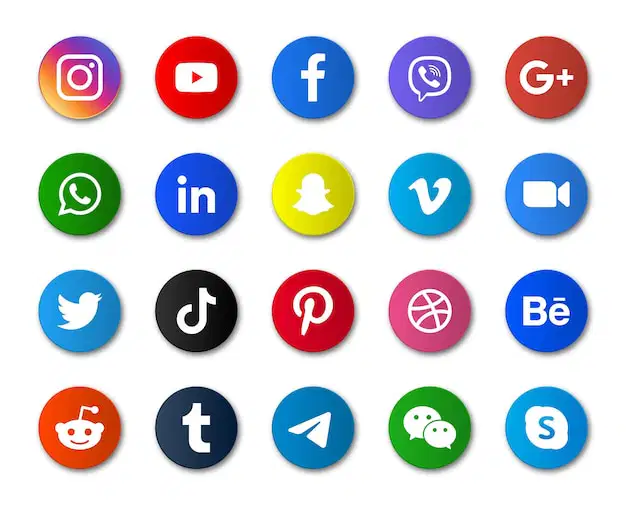
Match

Question image

Match the Social Media Icon to the correct platform

TikTok

Instagram

Thread

Twitter

Facebook

7

Draw

Finish this drawing

8

Categorize

Options (20)
Question image

You Need to Calm Down so Shake it off!

Question image

Keep on, Don't stop til you get it right!

Question image

Get in formation - to the left!

Question image

It's all coming back to me now!

Question image

That's what I like so jump in the caddy.

Question image

Start me up

Jimi Hendrix

Van Halen

Chuck Berry

Question image

Born in the USA

Question image

Good Girl

Question image

Nothing Compares

Question image

Don't let me down

Question image

Working 9-5

Question image

Best Shot

Question image

I don't mind

Question image

In New York

Question image

Congratulations

Queen Latifah

Jay-Z

Question image

Organize these artists into the right music genres

Pop
Rock
Country
R & B/Hip Hop

9

Reorder

Question image

Reorder the following Reality TV Shows based on the year they first aired on TV

MTV - The Real World

Survivor/Big Brother

American Idol/The Bachelor

Keeping Up with the Kardashians

Real Housewives

1
2
3
4
5

10

media

11

media

12

Quizizz is

assessment, instruction, and practice

that motivates every student to mastery.

media
media
media

13

media
  • Interactive Lessons/PD/Mtgs

  • Flipped Lesson

  • In-Class or Home Practice

  • Formative Assessment

  • Ice Breakers

  • Station Rotations

  • Surveys and Class Polls

  • Checks for Understanding

  • Exam Review Packs

  • Flashcards

  • And so much more!

💜 How do teachers use Quizizz? 💜

14

media
media
  • Productive practice

  • Friendly competition

  • Review & remediation

  • Formative & summative assessment​

  • Adaptive learning

  • ...and more!​

​Quiz

Lesson

  • Interactive instruction

  • Checks for understanding

  • Flipped learning

  • On-demand tools for engagement

  • Embed all types of media

  • ...and more!​

media
media

​The Quizizz Activity Types

15

media

16

Quizizz Question Types

media
media

17

18

Quiz, Lesson, Reports

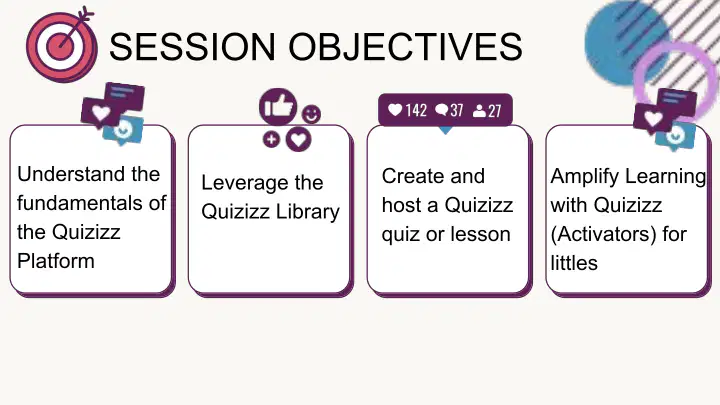
  • Leverage the Quizizz Library

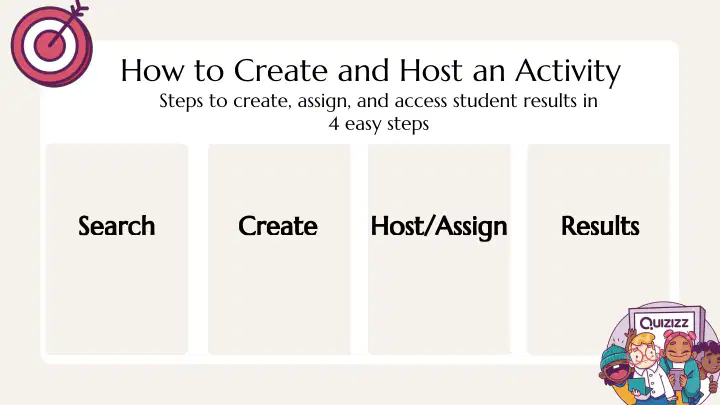
  • Learn how to create & host Quizizz activities.

  • Review the reports available on Quizizz.

media
media

​2

19

media

20

21

Match

Quizizz Lesson, Quizizz Question Type, or Quizizz Quiz...Oh My! Can you correctly match the items below?

Slides with embedded checks for understanding along the way.

Match, Reorder, Draw, Multiple Choice are examples of

A great way to engage students in productive practice

Quizizz Lesson

Quizizz Question Types

Quizizz Quiz

22

  • ➡️ On-Demand Resources

  • Teacher must roster students.

  • Integration is ONE WAY (Quizizz to LMS) with Grade Sync 🎉

  • Assign to Class

LMS INTEGRATION ⭐️

media

23

Let's "Take Five" and review!

media

24

Match

Match the following

Teleport

My Library

Quizizz Library

District Library

Team

Taking questions from other Quizizz activities to design my own activity.

Contains all the activities I have created, liked, shared, used and imported.

Where I go to find all publicly shared activities by tons of Quizizz users!

Where I go to find shared activities by Quizizz Users in my district.

Creating a "Shared Folder" with certain colleagues to collaborate on Quizizz Activities

25

Multiple Select

Which answer choices below are true about Quizizz Lessons?

(Check all answers that apply)

1

Interactive presentation platform

2

Create/edit slides and embed questions

3

Slides can have images, audio, video, embedded URL, math equation editor

4

Students can go self paced or teacher paced through a lesson

5

Spin the Wheel and Whiteboard are cool features available when hosting a lesson

26

media

27

media

28

media

29

media

30

31

media

32

media

33

media

34

media

35

media

36

media

37

media

38

media

39

media

40

media

41

media

42

media

43

media

44

media

45

media

46

media

47

Earn a Learning Badge

media
media
media
media

​and more...

48

media

49

media

50

media

51

web page not embeddable

Quizizz Professional Learning

You can open this webpage in a new tab.

52
media

53

54

55

media

56

media
Question image

How familiar are you with Quizizz?

1

I'm a pro at Quizizz - I use it all the time.

2

Wait, what is Quizizz?

3

I've heard of Quizizz but have never used it.

4

I've used Quizizz a few times.

Show answer

Auto Play

Slide 1 / 56

MULTIPLE SELECT