

antivirus

Presentation
•
Computers
•
7th Grade
•
Practice Problem
•
Medium

Manchuk Daku
Used 3+ times
FREE Resource
8 Slides • 5 Questions
1
Multiple Choice
Which of the following is not a computer network?
Local Area Network
Wireless Local Area Network
Personal Area Network
Mail Delivery System
2
Reorder
Sort the following data sizes from smallest to largest
2B
89b
1.4KB
1GB
1028MB
3
Fill in the Blanks
Type answer...
4
Open Ended
People improve their immune system against viruses, but what about computers?
Do they have an immune system?
5
How to Protect Your PC from Malware
The best way to protect your PC is to take preventive measures. Run anti malware software with active scanning to protect your PC. The most important thing is to update your computer completely. Security updates are important to protect operating system and applications.

6
Follow these instructions to secure your system from Malware:

7
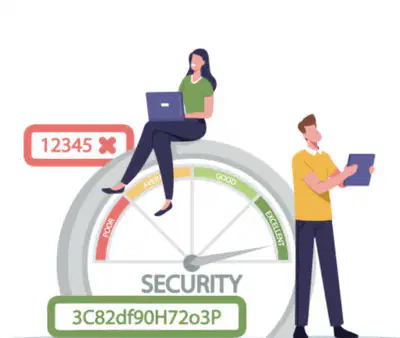
1. Choose Good Passwords
Do not use passwords that are based on personal information;
Use complex passwords;
Use a combination of lowercase and uppercase letters, numbers, and special characters;
Do not use same passwords on different systems;
Do not use words that can be found in any dictionary
8
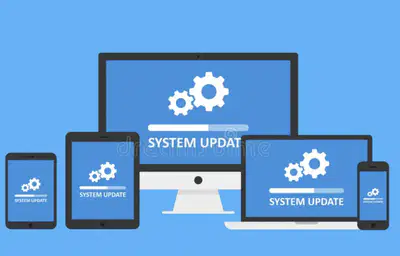
2. Keep Your System updated
If you are using Windows OS then set "Windows Update" to run automatically
9
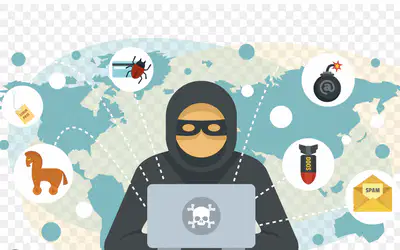
3. Use Virus Protection
Scan your PC on a regular basis. You can choose different antivirus software for this purpose.
10
4. Keep Your Virus Signatures Updated
Install each antivirus patch. You may set antivirus software to update signatures automatically in your PC.

11
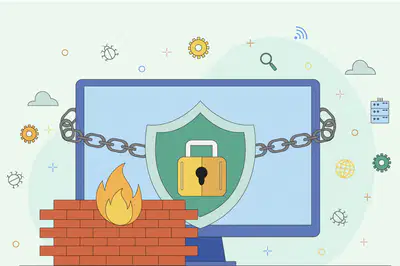
5. Use Personal Firewalls
Personal firewalls protect the PC from virus attacks. They can block access to certain types of traffic from reaching your system. Most Windows Operating Systems have built in firewall turned on by default. If not, turn on by going to the "Windows Security Center" in the Control Panel section
12
6. Do not open suspicious Email Attachments
These attachments may contain malicious code. You can turn on the spam filter in your email inbox. Do not open messages from the spam folder. Or send messages that you don’t trust to the spam folder

13
Open Ended
Check to see if your passwords are strong enough. How long does it take to figure them out? (Check trough https://www.passwordmonster.com )
Which of the following is not a computer network?
Local Area Network
Wireless Local Area Network
Personal Area Network
Mail Delivery System
Show answer
Auto Play
Slide 1 / 13
MULTIPLE CHOICE
Similar Resources on Wayground

9 questions
Area of a Circle
Presentation
•
7th Grade
10 questions
MS-ESS2-3 Plate Tectonics and Seafloor Spreading
Presentation
•
7th Grade
8 questions
Indicators
Presentation
•
7th Grade
12 questions
Formatting Tags - Font Tag
Presentation
•
7th - 8th Grade
10 questions
Integers and number line
Presentation
•
7th Grade
10 questions
Research Overview
Presentation
•
7th Grade
10 questions
GCF with Trinomials
Presentation
•
7th Grade
9 questions
Comma Rule: Interrupters
Presentation
•
7th Grade
Popular Resources on Wayground
15 questions
Grade 3 Simulation Assessment 1

Quiz
•
3rd Grade
22 questions
HCS Grade 4 Simulation Assessment_1 2526sy
Quiz
•
4th Grade
16 questions
Grade 3 Simulation Assessment 2
Quiz
•
3rd Grade
19 questions
HCS Grade 5 Simulation Assessment_1 2526sy
Quiz
•
5th Grade
17 questions
HCS Grade 4 Simulation Assessment_2 2526sy
Quiz
•
4th Grade
20 questions
Equivalent Fractions
Quiz
•
3rd Grade
24 questions
HCS Grade 5 Simulation Assessment_2 2526sy
Quiz
•
5th Grade
20 questions
Math Review
Quiz
•
3rd Grade
