

2. Devices

Presentation
•
Computers
•
10th Grade
•
Practice Problem
•
Easy

Ryan Mordey
Used 16+ times
FREE Resource
8 Slides • 6 Questions
1
Interfaces
Mr Mordey
2
Big Picture
Understand the purpose of an interface.
Past
Discuss how different devices impact on the use of an interface.
Compare a range of features that are needed in a UI for each device.
Present
Future
Careers: Software development, Interface Designer, Software Solutions
3
Digital Devices
It is important to consider the type of device you will be using a UI on. The following device can be used:
Computers
This includes desktop and laptops.
Controlled through mouse and keyboard
Handheld
Includes smartphones, smartwatches and tablets.
Controlled through touch input.
Entertainment Systems
Includes games consoles, Smart TV's, Sky boxes.
Controlled through remote/games controller.
Domestic Appliances.
Household items e.g. Microwave or washer.
Controlled through buttons.


4
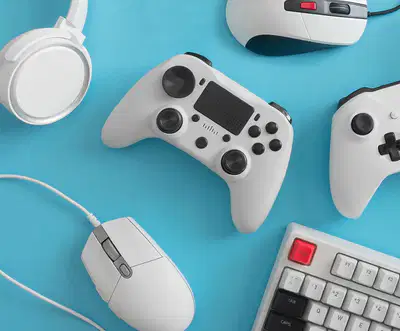
There are a range of techniques that are used to control and navigate through a U.I:
Devices to Control
Mouse & Keyboard
Touch Screen
Games Controller
Voice Control
Remote Control
Motion Control
Buttons/Switches
5
Match
Match the following device to the category.
Computers
Handheld Devices
Domestic Appliances
Entertainment Systems
Desktop and Laptops
Smartphone and Tablets
Microwave and Washing Machine.
Smart TV and Playstation 5.
Desktop and Laptops
Smartphone and Tablets
Microwave and Washing Machine.
Smart TV and Playstation 5.
6
Match
Match the following device to the method of control.
Computers
Entertainment Systems
Handheld Devices
Domestic Appliances
Mouse and Keyboard
Game/Remote Controllers.
Touch Screen
Buttons and Switches
Mouse and Keyboard
Game/Remote Controllers.
Touch Screen
Buttons and Switches
7
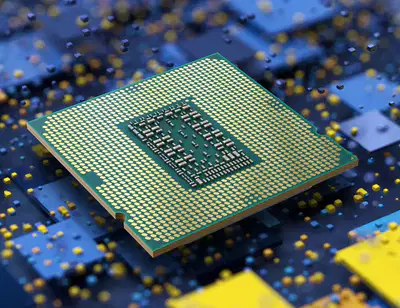
These are things to consider about the devices before designing the UI.
Considerations
CPU: The CPU determines the speed of the computer, how quickly it will load elements of the UI.
Memory: The RAM determines how many windows and features can be opened at the same time.
8

Considerations
Screen Size: How large is the screen likely to be when using the device? This impacts how much can be seen and the amount of movement needed.
Method of Control: How does the user navigate the UI. Is it mouse and keyboard, touch screen or remote control. This impacts the amount of windows and movement needed.
9
Multiple Choice
What doe the Memory/RAM impact?
How large the images in the UI will be
How many windows or features can be open at once.
How fast the UI is likely to load up when switching on the device.
The way you read the information from the screen in the UI,
10
Multiple Choice
What will the CPU impact on?
How many windows can be open at the same time.
How the information will be displayed across the screen.
How fast the UI will work and load.
How much security is given to the device.
11
Reorder
Reorder the following Devices based on their screen size from smallest to the left to largest to the right
Smartwatch
Mobile Phone
Tablet
Desktop Computer
Games Console
12
Comparing Devices
You must be able to compare devices based on the considerations and how the UI might look because of these. Here is an example:
Smartphone
This will have a small screen so the UI must be designed to fit everything in.
Controlled through touch screen so icons must be large enough to touch, also make use of swipe and scrolling.
Less memory than a PC so less windows open at once, also less powerful so Images may need to be smaller and less quality.
Games Console
Will be displayed on a TV screen so quite large space to show UI features.
Controlled through a games controller, so menus must be large as less accuracy than a mouse and keyboard.
Quite powerful so images and features load quickly, a lot of memory so multiple features can be loaded at the same time.


13
Categorize
Smaller Screen so icons need to fit
Controlled through touch screen larger icons needed
Will have limited CPU power may load items slower
Smaller memory less windows can be open at the same time
Large screen to display many icons and menus
Use of controller means less accuracy menus should be well spaced
Powerful CPU meaning interface will load things quickly
More memory can have multiple features open and running at the same time.
14
Main Task
Computer Task:
Make a comparison sheet in MS PowerPoint. You should compare at least two different devices and discuss how they are used. For each device you should discuss:
Complete all the questions on the work sheet.
CPU Power
Memory
Screen Size
Method of Control
Interfaces
Mr Mordey
Show answer
Auto Play
Slide 1 / 14
SLIDE
Similar Resources on Wayground

12 questions
Fun facts
Presentation
•
10th Grade
12 questions
Reviewing Controls & Control Groups
Presentation
•
10th Grade
12 questions
Degrees of Comparison
Presentation
•
10th Grade
10 questions
algoritma pemrograman_sheila
Presentation
•
10th Grade
9 questions
Year 10 ICT Effects of ICT
Presentation
•
10th Grade
8 questions
Chapter 9-Creating Presentations
Presentation
•
10th Grade
11 questions
Sistem Operasi Komputer
Presentation
•
10th Grade
8 questions
Semicolons
Presentation
•
10th Grade
Popular Resources on Wayground
20 questions
Math Review

Quiz
•
3rd Grade
15 questions
Fast food
Quiz
•
7th Grade
20 questions
Context Clues
Quiz
•
6th Grade
20 questions
Inferences
Quiz
•
4th Grade
19 questions
Classifying Quadrilaterals
Quiz
•
3rd Grade
20 questions
Figurative Language Review
Quiz
•
6th Grade
20 questions
Equivalent Fractions
Quiz
•
3rd Grade
10 questions
Identify Fractions, Mixed Numbers & Improper Fractions
Quiz
•
3rd - 4th Grade
Discover more resources for Computers
10 questions
Fact Check Ice Breaker: Two truths and a lie
Quiz
•
5th - 12th Grade
10 questions
Video Games
Quiz
•
6th - 12th Grade
10 questions
Test Your Knowledge with 15 Fun Trivia Questions

Interactive video
•
6th - 10th Grade
15 questions
Memorial Day Trivia
Quiz
•
KG - 12th Grade
12 questions
Name that Candy
Quiz
•
KG - 12th Grade
20 questions
Guess The App
Quiz
•
KG - Professional Dev...
30 questions
K/H Final Review Part 1
Quiz
•
9th - 12th Grade
40 questions
NCFE Earth and Environmental Science Released Test
Quiz
•
9th - 12th Grade