

ICT CSS Grade 10 Parts of Motherboard

Presentation
•
Other
•
10th Grade
•
Practice Problem
•
Medium

Jerome Suelto
Used 7+ times
FREE Resource
19 Slides • 22 Questions
1
ICT CSS
2
Fill in the Blanks
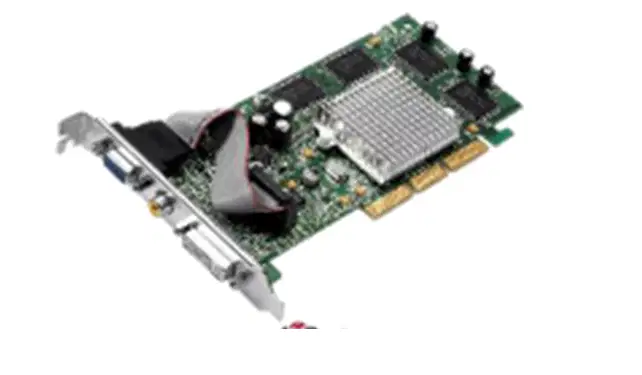
3
Fill in the Blanks
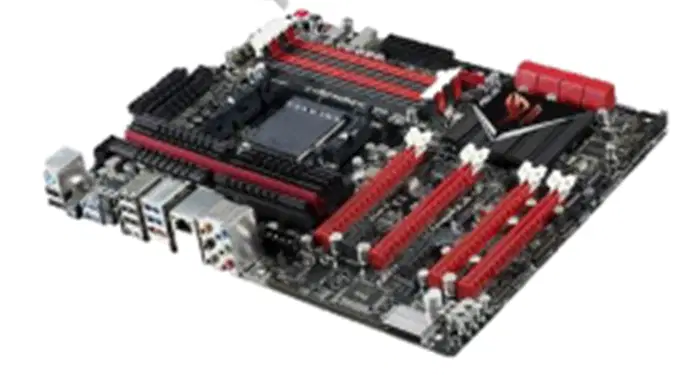
4
Fill in the Blanks
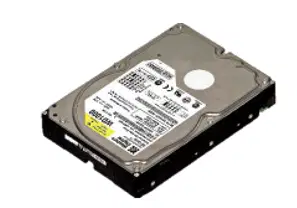
5
Fill in the Blanks
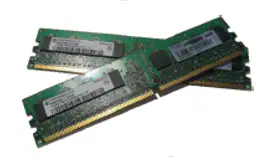
6
Fill in the Blanks
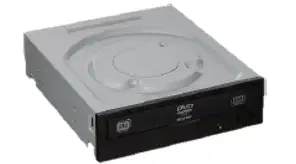
7
PARTS OF MOTHERBOARD & THEIR FUNCTIONS
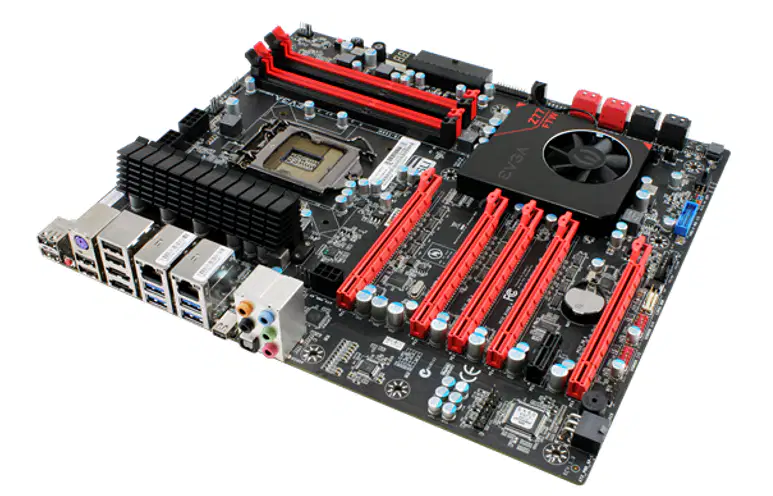
The motherboard is one of the components of the system unit that performs major functions to run our computer. All the devices (input & output) we use and other important parts of our computer are attached to our motherboard.
8
9
1. CPU Socket
Ø Also known as CPU Slot or CPU Holder
Ø This component of the motherboard holds the CPU (Central Processing Unit) and allows replacing of the component without soldering.

10
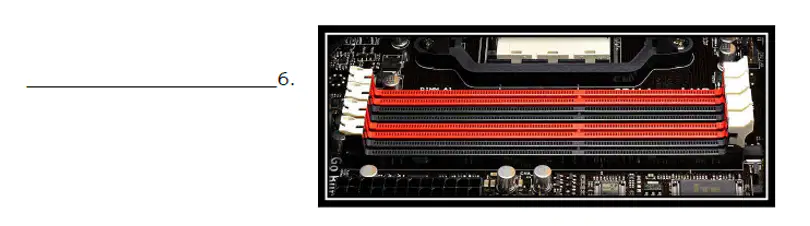
2. RAM Holder
•Also known as Memory Holder or Memory Slot
•This component is where the memory module or memory card will be inserted.
•Some motherboard comes with two to four slots.

11
3. Power Supply Connector
•This part of the motherboard is where the power supply unit cable connector can be connected
•Types of PSU Connector
1. 24 pins – main power connector that
provides power to the motherboard
2. 4 pins – provides power to the CPU
3. 8 pins – provides power for faster dedicated graphics cards

12
4. Northbridge Chipset
•Also known as Memory Controller Hub
•This chipset handles the data-transfer of memory, CPU, and Video Card thus responsible for tasks that require the highest performance.

13
5. Southbridge Chipset
Ø This chipset component provides support for a wide variety of devices with many differing bus speeds and designs.
Ø Control over secondary buses such as USB, IDE, PS/2, BIOs and Ethernet.

14
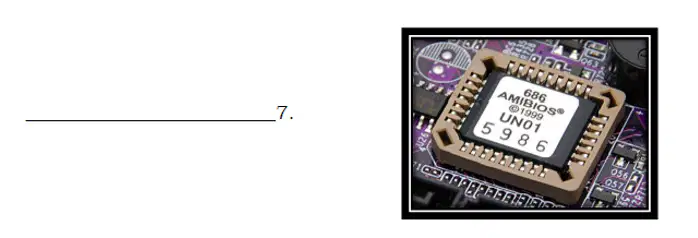
6. CMOS or BIOS Chipset
• (Complementary Metal Oxide Semi-conductor)
is also a chipset which contains the BIOS (Basic Input Output System).

15
7. EIDE Slot/Port
Ø This part of the motherboard is where the IDE cables are connected intended for drives including Hard Disk Drive (HDD) and Optical Disk Drive (ODD).

16
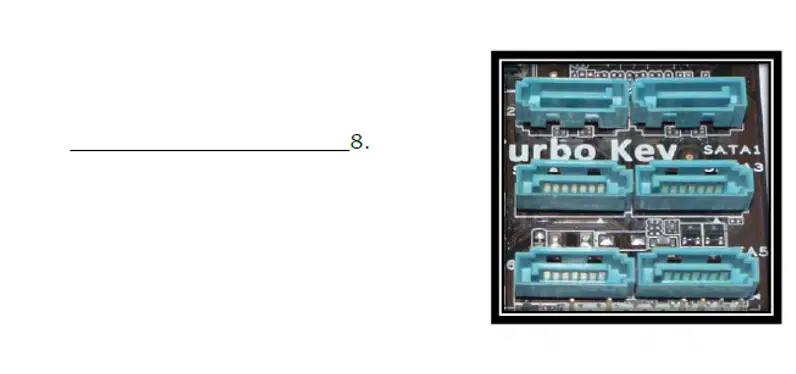
8. SATA Port/Slot
Ø This is used to connect SATA drives into the motherboard including Hard Disk Drive (HDD) and Optical Disk Drive (ODD).
Ø SATA (Serial ATA) has a faster transfer rate than IDE

17
9. AGP (Accelerated Graphic Port)
Ø It was designed specifically for AGP video cards.
Ø It was originally designed as a successor to PCI-type connections for video cards.

18
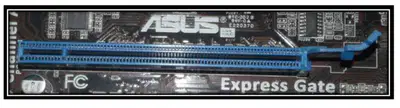
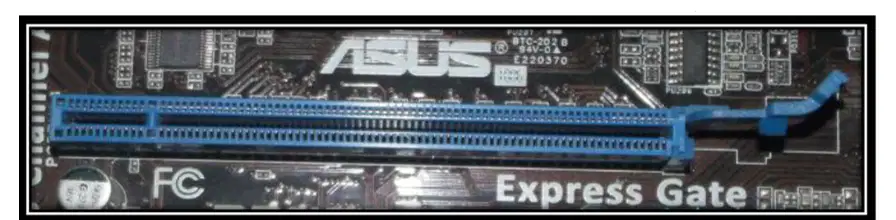
11. PCI-EXPRESS Slot
Ø PCIe was designed to replace PCI, PCI-X, and AGP.
Ø It is the most recent and high-performance standard for expansion cards that is generally available on modern personal computers.
19
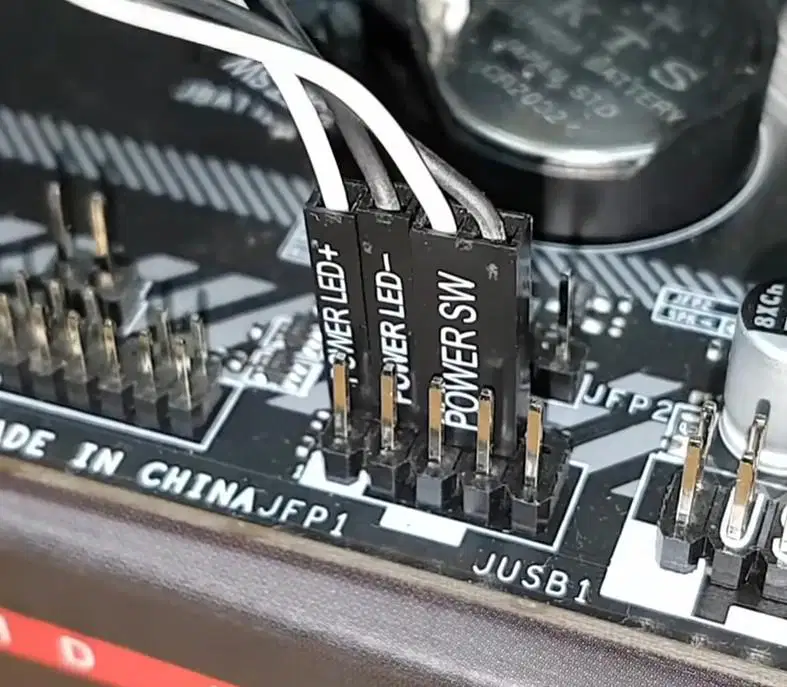
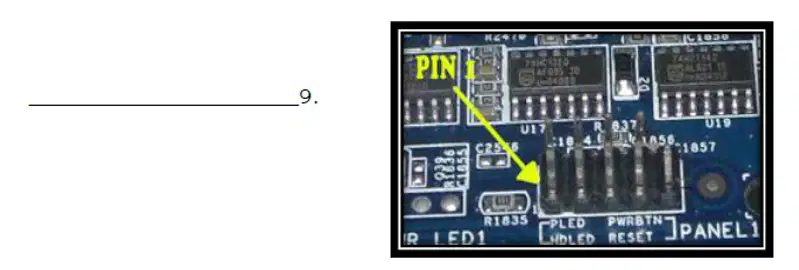
11. Front Panel Pins
Ø These are pins in the motherboard that will connect the Power Button, Reset Button, Power LED, Mini Speaker, USB ports and other ports to the motherboard

20
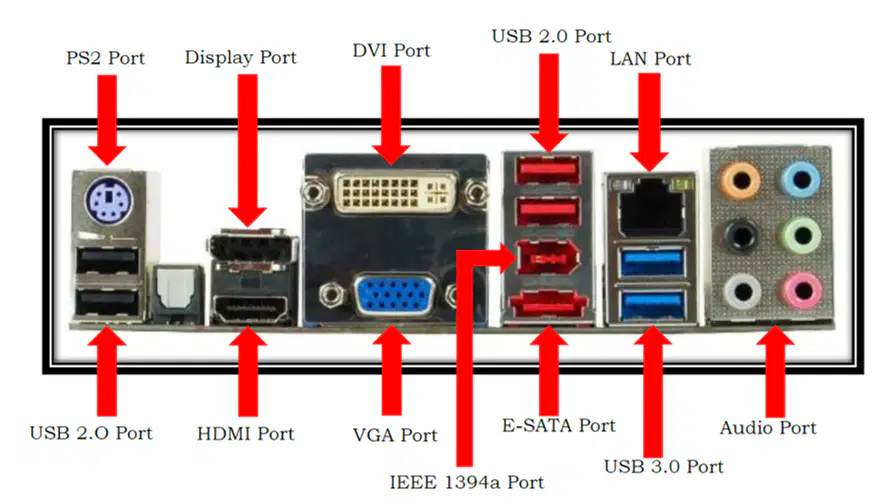
12. PS2 port
It is used to connect PS2 mouse and keyboard
13. USB Port
This part of the motherboard is used to connected USB Devices and peripherals


21
14. HDMI Port
It is used to connect HDMI cable from the monitor to the motherboard
15. Active Display port
It is used to connect Active Display cable from the monitor to the motherboard


22
16. VGA Port
•It is used to connect VGA cable from the monitor to the motherboard
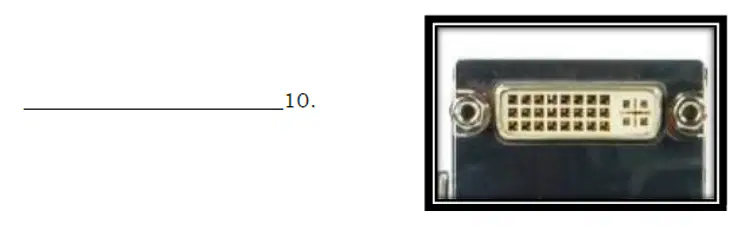
17. DVI Port
•It is used to connect DVI cable from the monitor to the motherboard
18. IEEE 1394a Port
• It is an interface standard for a serial bus for high-speed communications and isochronous real-time data transfer.
•It was developed in the late 1980s and early 1990s by Apple, which called it FireWire, in cooperation with a number of companies, primarily Sony and Panasonic.


IEEE 1394a Port
23
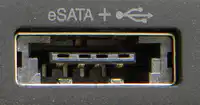
19. E-SATA Port
•It is a SATA connector accessible from outside the computer, to provide a signal (but not power) connection for external storage devices.
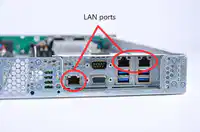
20. LAN Port
•Also known as Network Port
•LAN port allows a computer to connect to a network using a wired connection.
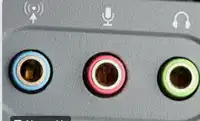
21. Audio Port
•An audio port is used for an audio device such as speakers, headphones or a microphone to be connected.
24
25
Fill in the Blanks
26
Fill in the Blanks
27
Fill in the Blanks
28
Fill in the Blanks
29
Fill in the Blanks
30
Fill in the Blanks
31
Fill in the Blanks
32
Fill in the Blanks
33
Fill in the Blanks
34
Fill in the Blanks
35
Fill in the Blanks
36
Labelling
Match the following to the proper name of the backpanel port.
HDMI
DVI port
Audio Ports
LAN port
USB 2.0
VGA
USB 3.1
37
Fill in the Blanks
38
Fill in the Blanks
39
Fill in the Blanks
40
Fill in the Blanks
41
Fill in the Blanks
ICT CSS
Show answer
Auto Play
Slide 1 / 41
SLIDE
Similar Resources on Wayground

37 questions
Preterite of irregular verbs
Presentation
•
9th Grade
31 questions
Depression and Other Mental Illnesses
Presentation
•
10th Grade
33 questions
Subroutines
Presentation
•
10th Grade
34 questions
Passé Composé Review (avoir)
Presentation
•
9th - 10th Grade
37 questions
Neolithic Revolution
Presentation
•
9th Grade
36 questions
Research Questions
Presentation
•
9th - 10th Grade
36 questions
ACT Math Prep and Tips
Presentation
•
10th Grade
39 questions
Electron Configuration
Presentation
•
10th Grade
Popular Resources on Wayground
20 questions
Math Review

Quiz
•
3rd Grade
15 questions
Fast food
Quiz
•
7th Grade
20 questions
Context Clues
Quiz
•
6th Grade
20 questions
Inferences
Quiz
•
4th Grade
19 questions
Classifying Quadrilaterals
Quiz
•
3rd Grade
20 questions
Figurative Language Review
Quiz
•
6th Grade
20 questions
Equivalent Fractions
Quiz
•
3rd Grade
10 questions
Identify Fractions, Mixed Numbers & Improper Fractions
Quiz
•
3rd - 4th Grade
Discover more resources for Other
10 questions
Fact Check Ice Breaker: Two truths and a lie
Quiz
•
5th - 12th Grade
10 questions
Video Games
Quiz
•
6th - 12th Grade
10 questions
Test Your Knowledge with 15 Fun Trivia Questions

Interactive video
•
6th - 10th Grade
15 questions
Memorial Day Trivia
Quiz
•
KG - 12th Grade
12 questions
Name that Candy
Quiz
•
KG - 12th Grade
20 questions
Guess The App
Quiz
•
KG - Professional Dev...
30 questions
K/H Final Review Part 1
Quiz
•
9th - 12th Grade
40 questions
NCFE Earth and Environmental Science Released Test
Quiz
•
9th - 12th Grade